Pabbly is not triggered
Status: Closed · Asked by Sourabh Jain on · 0 views
i set my workflow with Trigger: When this happens (New File in Specific Folder)
but it is not Trigger
but when I manually give Save & Send Test Request
it working
but it is not working automatically
can you check please?
Please note that it checks only every 10 minutes, it's not immediately. Had this issue myself 2 days ago, and realized that I need to wait.
i know it will active after 10 min
so I wait but nothing happened
so pabbly support checking my workflow and tell my mistake if i made
i know it will active after 10 minso I wait but nothing happened
so pabbly support checking my workflow and tell my mistake if i made
After reviewing your workflow's latest task history, we can see that your Google Drives trigger event is passing the data to the workflow accordingly.
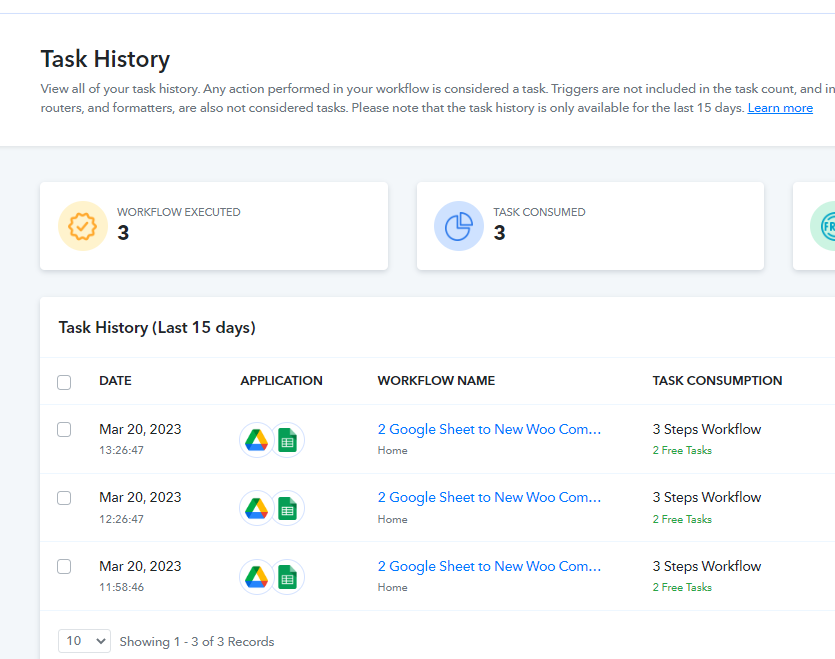
but at the last step (12. Google Drive : Copy a File)
it is not working it will not copy the file to another folder
Please check whether the file ID you are trying to get from Google Drive is a Google Sheets file ID or not. Otherwise, any other file format Id cannot be processed in the Google Sheets action step.
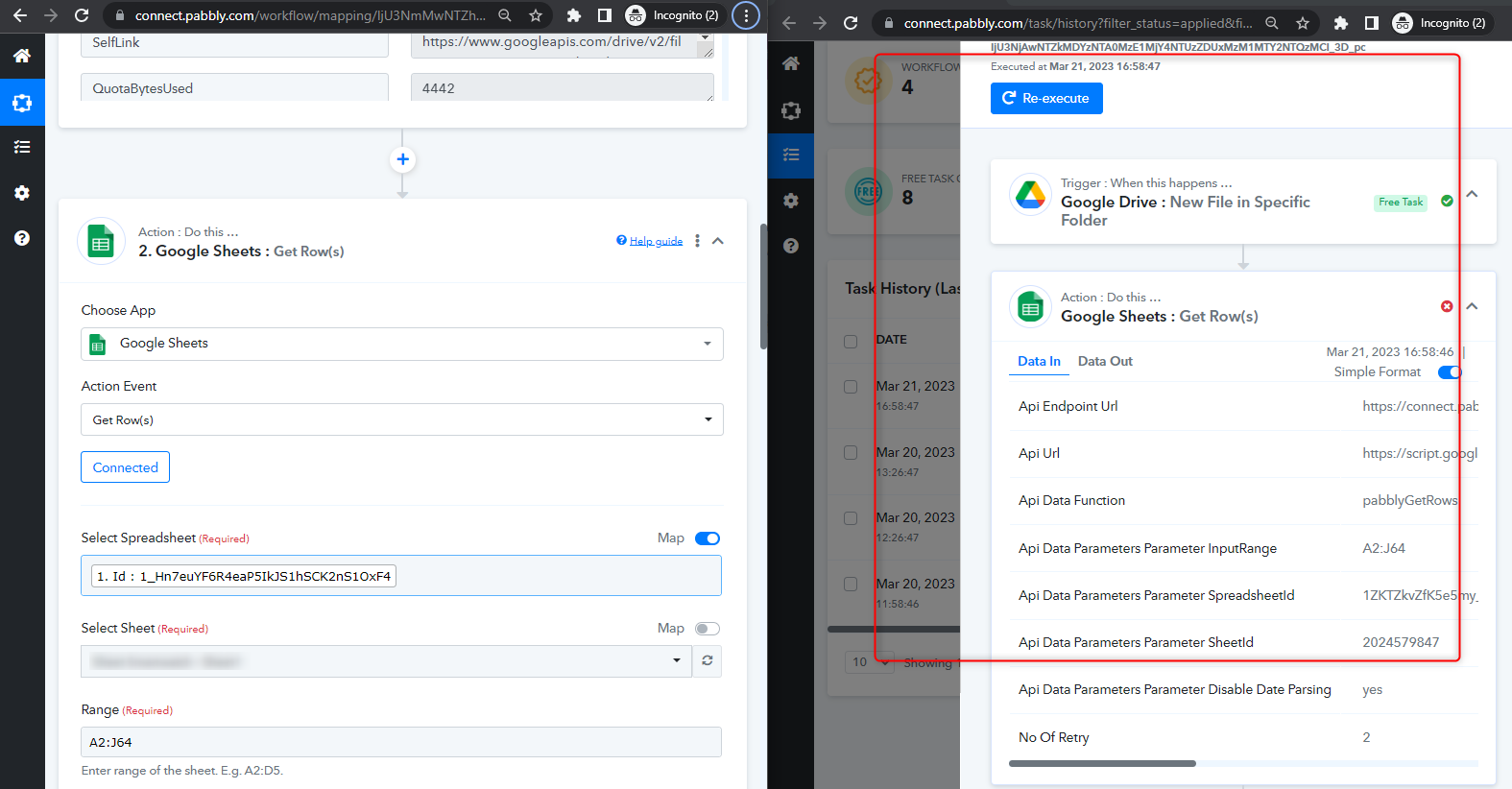
So it's mean it is not work with .xlsx file ?
Work only with Google sheet
As you have used the Google Sheets action step, it will only work for Google Sheets only, not for MS Excel files.
I seem to be having this same problem as well. is there a way to see when a workflow last attempted to execute?
I have a workflow that takes in new file in a gdrive folder that then does some text formating, however when new files arrives in the folder, even after 1hour, theres no signs of the workflow being executed
I seem to be having this same problem as well. is there a way to see when a workflow last attempted to execute?
You can check the workflow history logs for the latest execution and how it went.
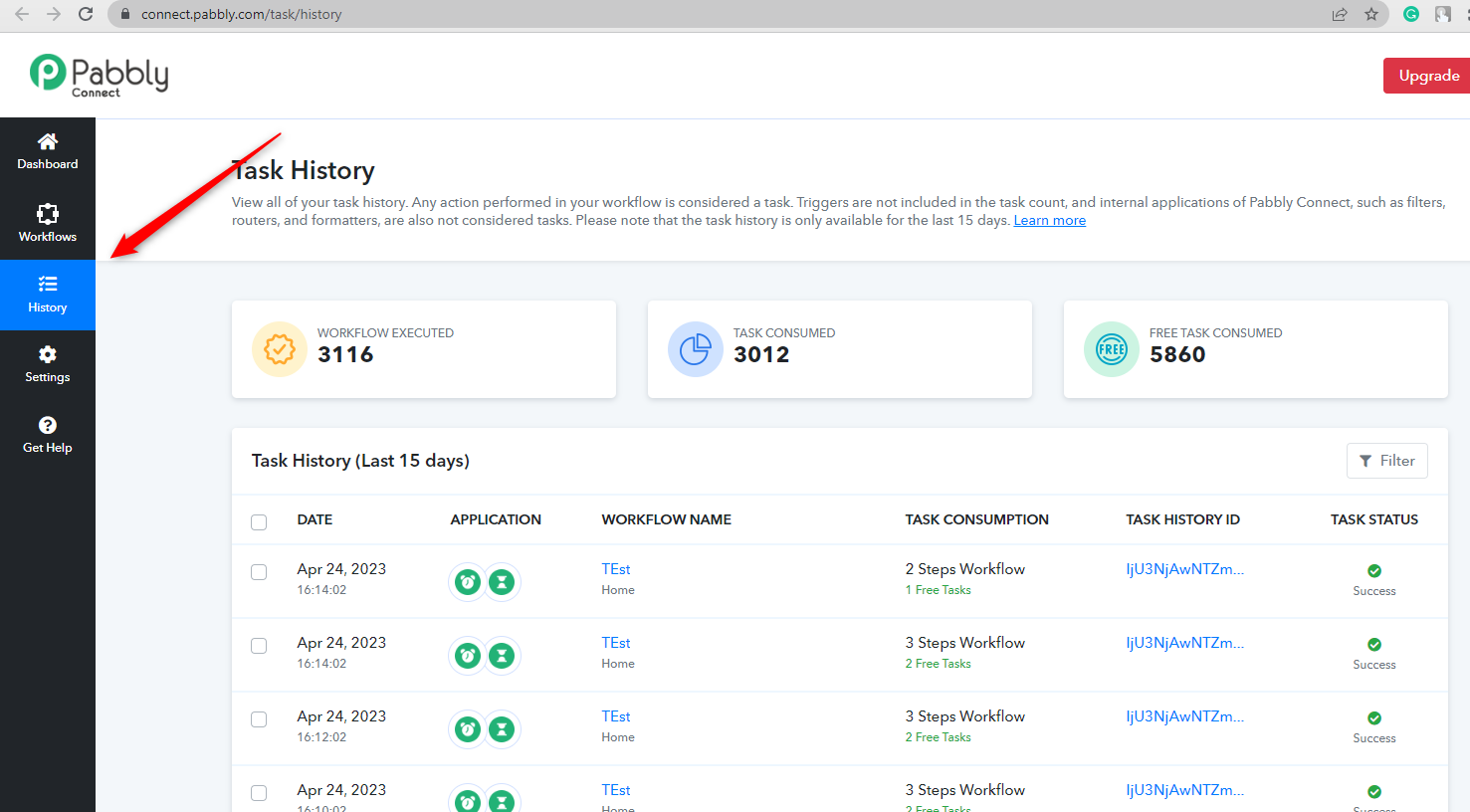
it seems to be coming through now, but there's a huge delay over an hour from when a file is in folder, before it starts execution
it seems to be coming through now, but there's a huge delay over an hour from when a file is in folder, before it starts execution
Can you please explain the issue by sharing the workflow URL and the trigger event that you are using?
For Example workflow_id=IjU3NmQwNTY5MDYzMzA0MzE1MjZhNTUzMiI_3D_pc and workflow_id=IjU3NmQwNTY5MDYzMzA0MzA1MjZhNTUzZCI_3D_pc
This workflow should be checking a folder in my drive for new files to execute. however it has only executed 6 times. In the folder, I currently have 42 new files that has not been picked up.
I'm happy to jump on a zoom call to explain my issue if there is a way to connect
Hey @teknikal
We cannot see any further Google Drives action steps for your check to make the filter condition.
If you can record a short video on your concern briefly that would be great for us to look into your use case.