Pabbly is passing fake company data to Keap
Status: Open · Asked by Emerald Lake Books on · 0 views
In creating a workflow to pass from any source to Keap, for some reason, Pabbly insists on passing company data. However, in most instances, I don't work with companies and I have no interest in capturing that information.
Here's a video showing the problem I'm having. https://storyxpress.co/video/lmcit8hgykqye1v0q
How do I get Pabbly to stop requiring company data when updating Keap?
Also, here's another issue I'm having with adding a tag to a contact in Keap. https://storyxpress.co/video/lmcjpydqo90nrjae2
Any idea how to resolve this problem? No tag is being applied in Keap as a result of this issue. I tried pulling the email from the first step (the HeySummit trigger), but that yielded the same results.
Hi @emeraldlake,
https://connect.pabbly.com/workflow/mapping/IjU3NjIwNTY4MDYzNTA0MzE1MjZhNTUzNCI_3D_pc
The Company Name no longer appears to be added to the contact; please confirm the same from your end.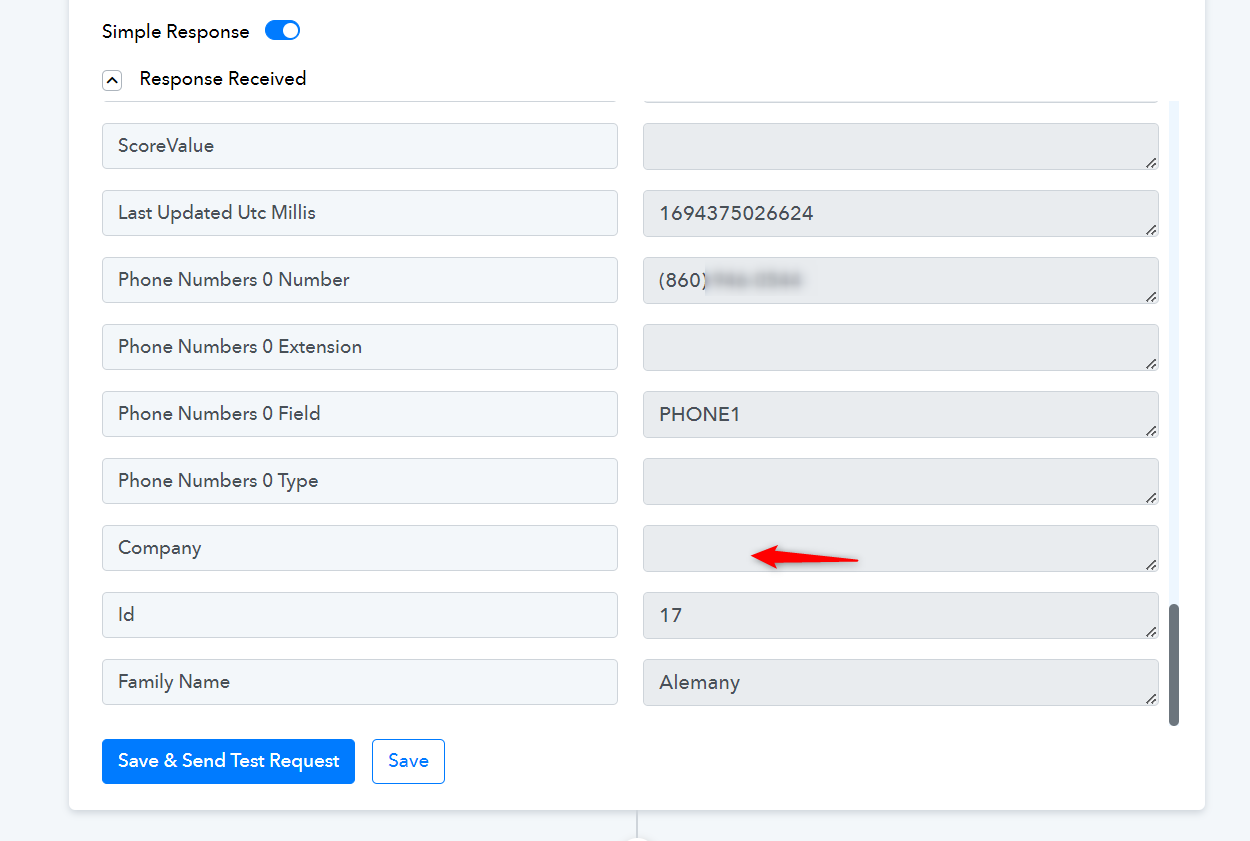
https://connect.pabbly.com/workflow/mapping/IjU3NjIwNTY4MDYzNTA0MzI1MjZjNTUzNSI_3D_pc
Please map the Contact ID instead of the email address and try again.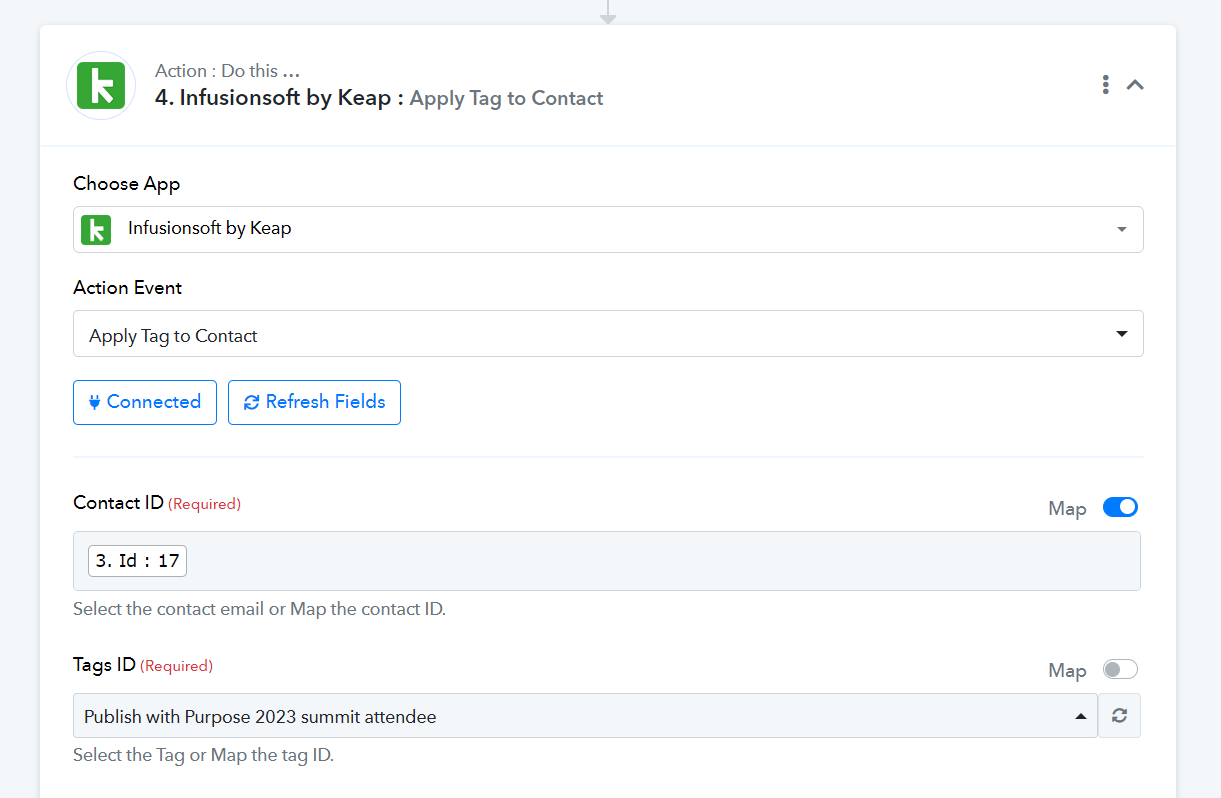
The only reason the company isn't being added to the contact is because I went into Keap and deleted all the companies there. Before that, Pabbly insisted on inserting it.
As for the tagging issue, thank you. Your solution worked.
I do still hope for a solution to the company issue. What I've implemented is a workaround, not a problem fix.
Could you please add a dummy company to your Keap account and then attempt to add a new contact using the 'Create/Update Contact' action event while leaving the Company ID field empty?