Pabbly Notates a Successful Google Business Profile Response to Review But It's Not Populating
Status: Open · Asked by Phil Good on · 0 views
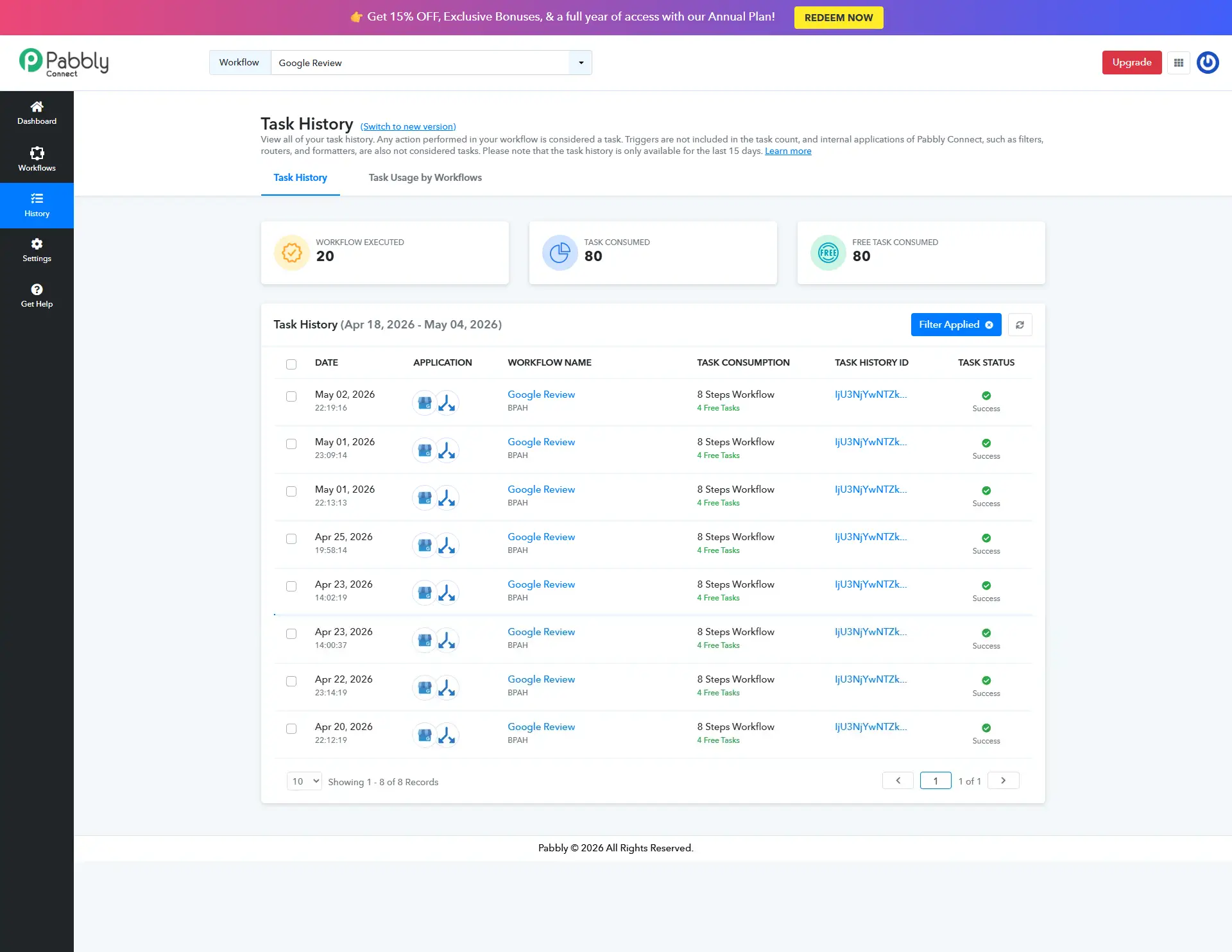
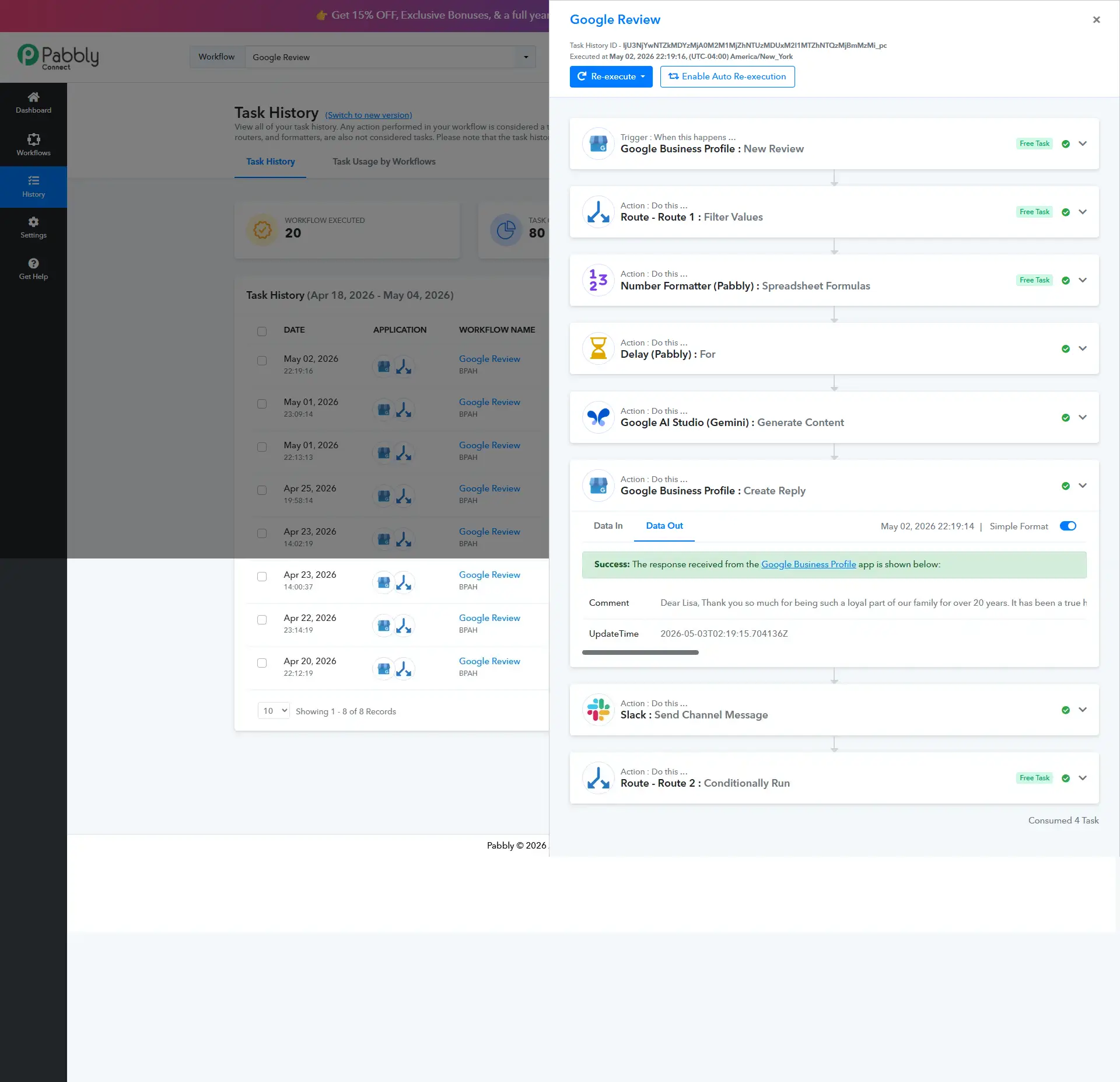
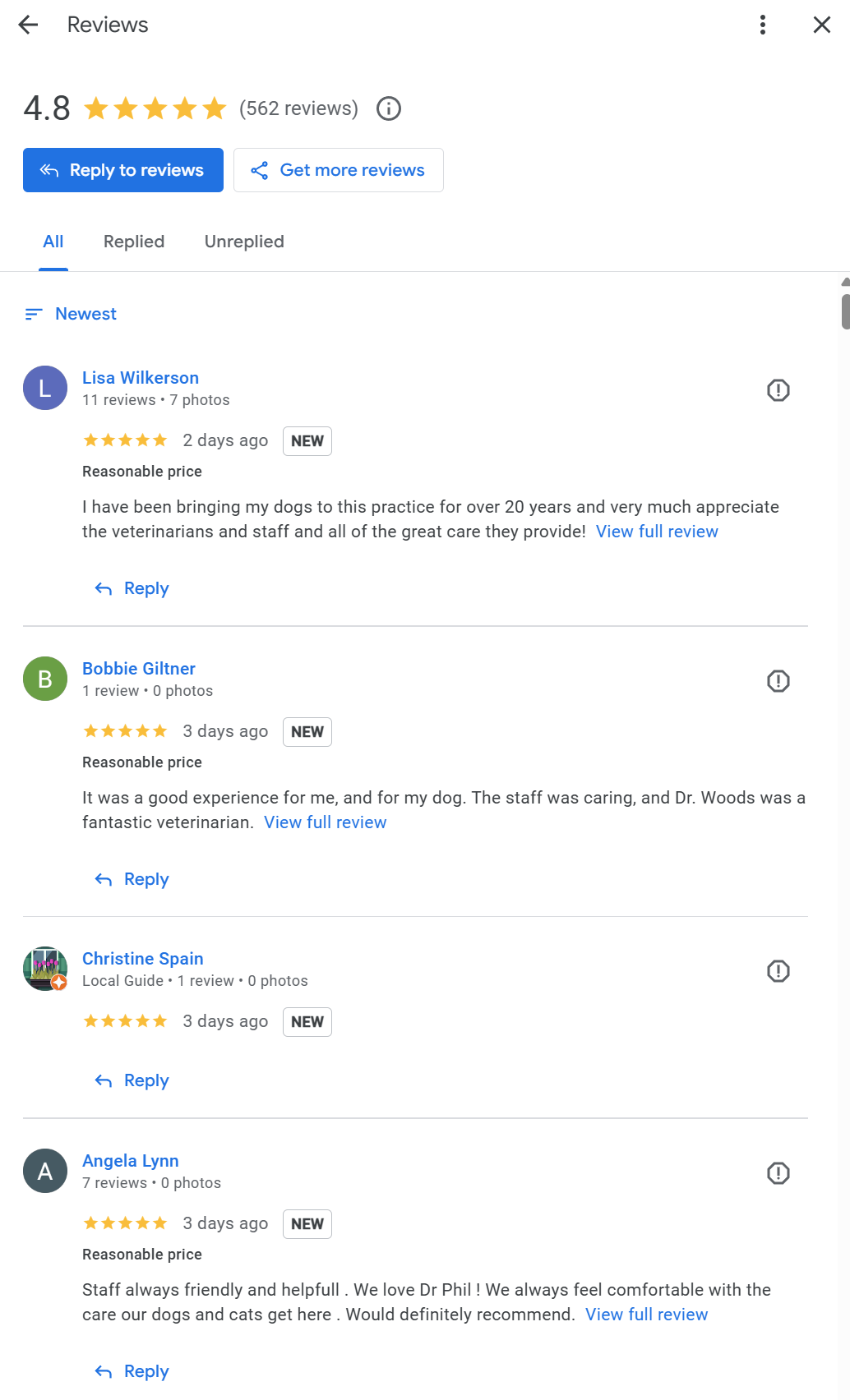
See the attached photos.
I have not changed my workflow for responding back automatically to Google Reviews, but I noticed that, over the last few weeks, all my business' Google Reviews are not getting a response.
I'm very confused why Pabbly says the response to the GBP review was successfully made but it's not populating to my GBP review page.
Attachments
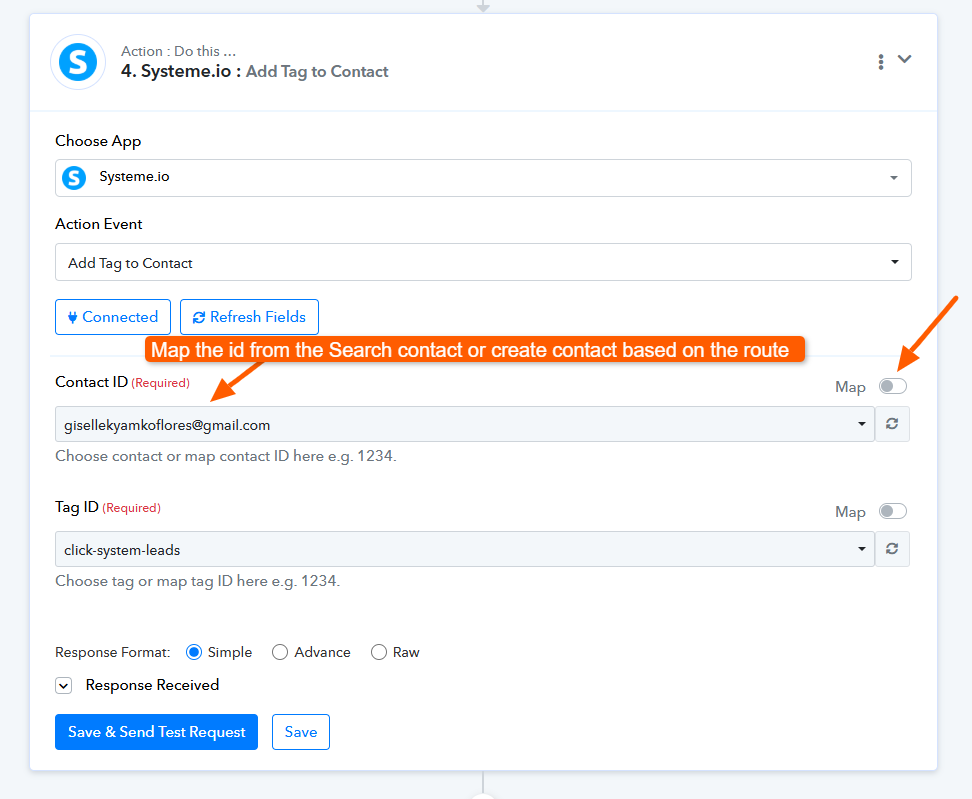
Hi @ugavetdude,
Thank you for sharing the details.
We checked your workflow and found the issue. In your Reply to Review action, a specific review is selected statically from the dropdown. Because of this, every time a new review comes in, the workflow attempts to reply to that same old review instead of the latest one.
What you need to do:
- Go to the Reply to Review action
- Enable the Map toggle for the Review ID field
- Map the Review ID (or Name field) coming from the trigger step
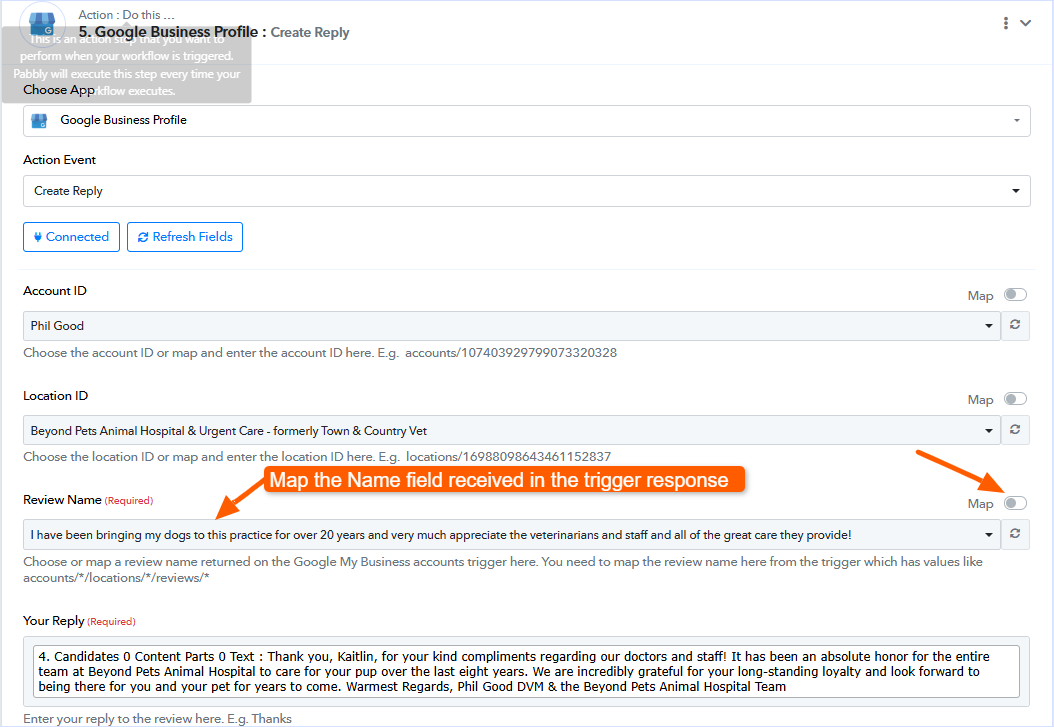
This ensures that each incoming review is dynamically picked and replied to correctly.
Once updated, please test the workflow again and it should start responding to new reviews properly.
Let us know how it goes.
Attachments