Pabbly only entering the first product in an order through shopify
Status: Closed · Asked by dfouni on · 0 views
Hello,
All is setup however when i receive an order, only the first item is exported to my google sheet. How can i get all products ordered by one client?
Hey @dfouni
Could you please share any example of the above-mentioned scenario and share the task id where you have noticed this issue? Also, share some screenshots for understanding it better.
Hello,
Task ID:
IjU3NjYwNTZlMDYzZjA0MzI1MjY4NTUzMTUxMzU1MTY0NTQzMSI_3D_pc
This order has 3 items however i only see one row in the google sheet as attached and the product name is not there whereas other orders have all filled info.
tx
Attachments

@dfouni
Thanks for sharing the details, kindly let us know how you want the data in an excel sheet. Are you looking for a single row for all the products (comma-separated values for your products) or do you want to see one by one row for all the products in your Google sheets?
Kindly confirm so that we will suggest you best solution for your need.
I want every order to come with multiple rows if more than 1 SKU purchased
Hey @dfouni
We have made changes to your workflow so that you will get multiple rows for your products purchased. Kindly check the attached screenshots:-
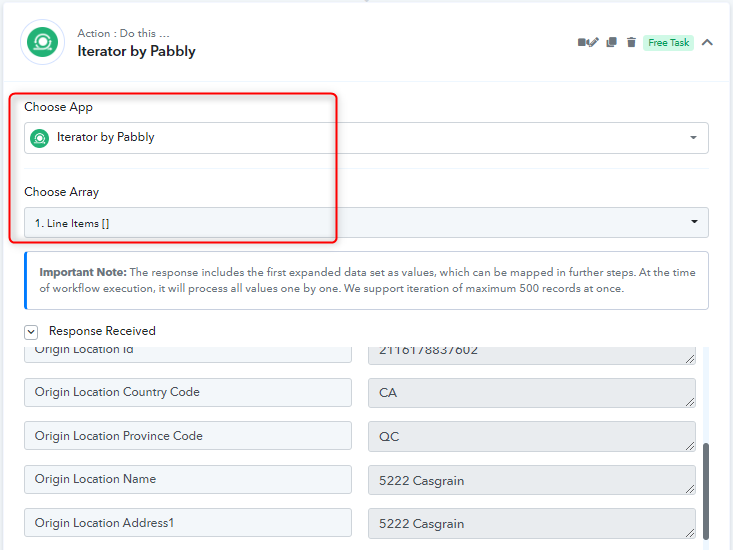
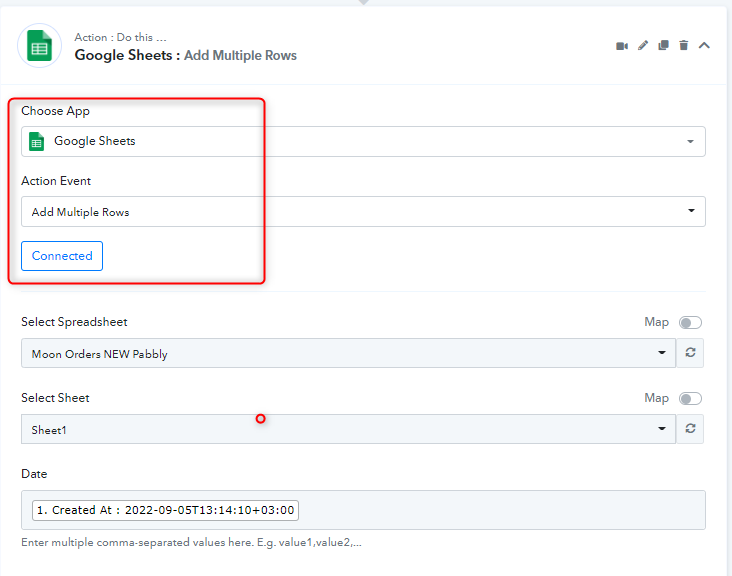
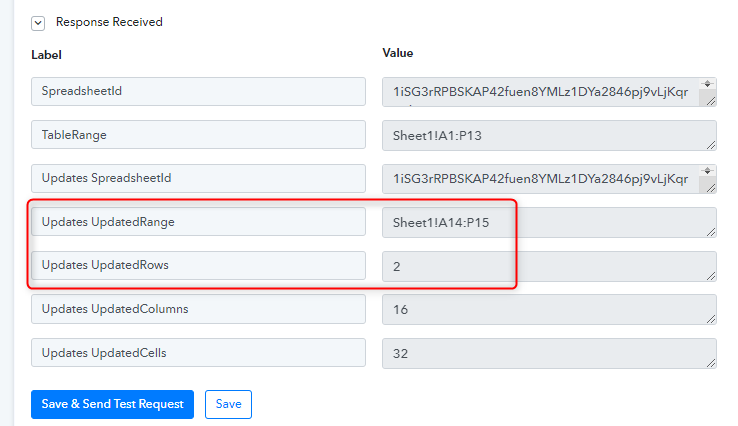
Kindly make sure you have checked all the fields mapping and let us know if you have any questions or comments.
Thanks
Kunal
Thanks. For the shipping it should enter the shipping method: 
Also for order # (not iD), it should enter the order of sshopify in format "#324234" example, not the four digits.
Hey @dfouni
You can map the appropriate field in the Shipping and Order# from the response from Shopify. Kindly map and let us know if you have any questions or comments.
Ok but i cant find these 2 fields in the map.
Hey @dfouni
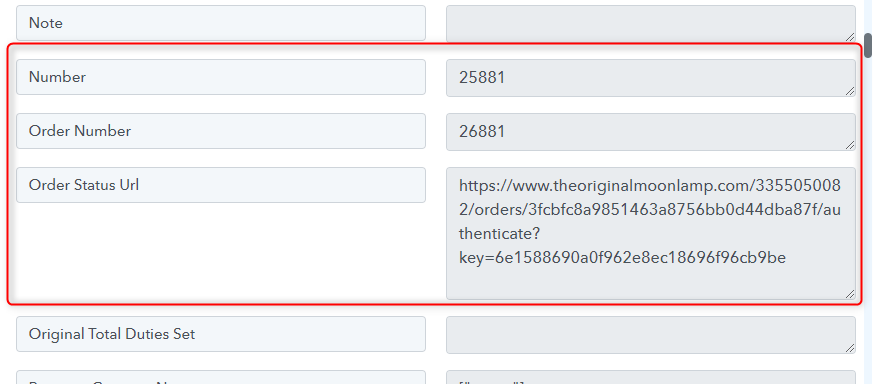
You can map either of the below fields in your shipping field. These response you are getting from Shopify only.
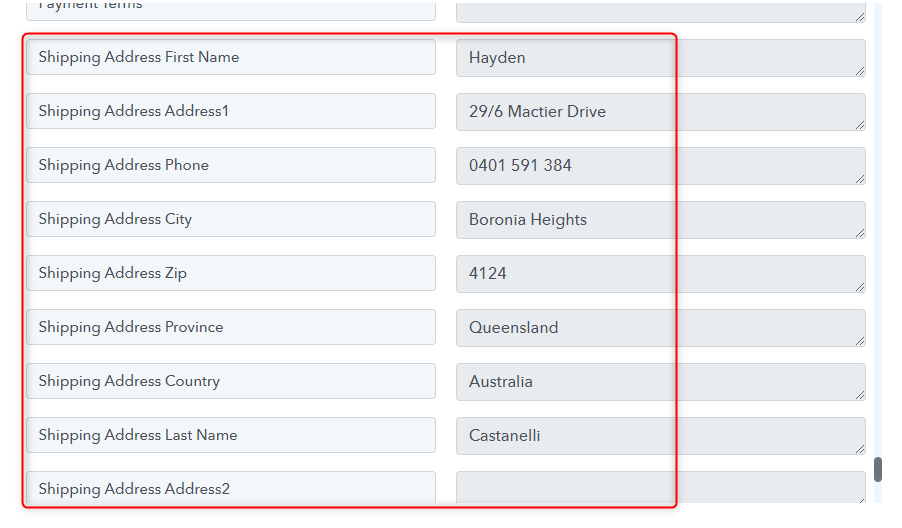
Also, these are the available Order fields you can map any of the fields in the Google Sheets. Kindly check and map the column.
Thanks
Kunal
I need to map the shipping method. It's now showing. On zapier i'm able to. Same thing for the order ID.
If i can't i guess i will continue using zapier. tx
Hey @dfouni
Could you please confirm that "Free Worldwide Trackable Shipping" will be your shipping method?
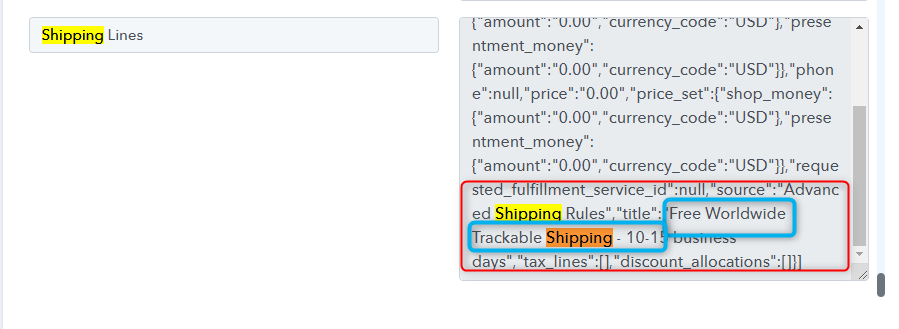
No, it's not always that. i have many shipping method
Kindly confirm if that will be one of your Shipping details. We have added JSON extractor in your workflow which is extracting the information.
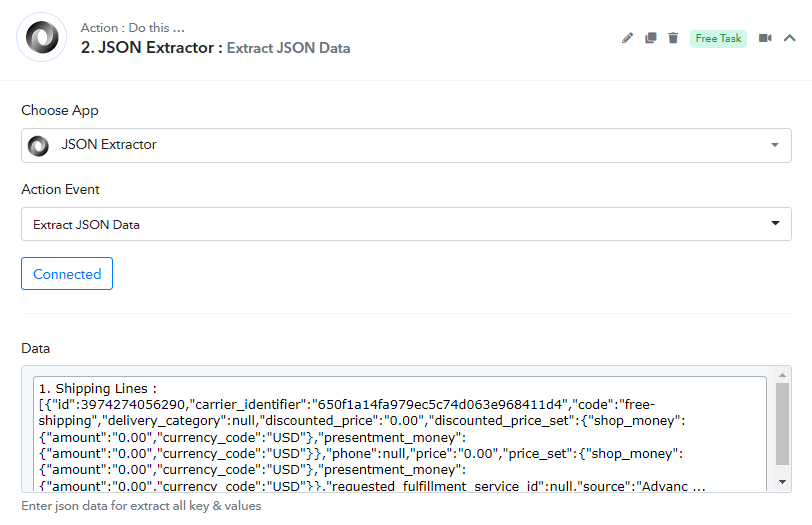
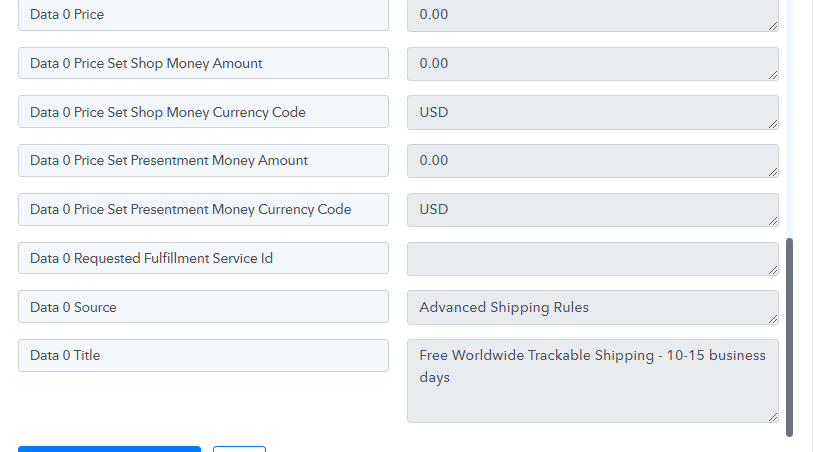
Yes confirmed. also note that the phone number is coming as error, plz check,
Hey @dfouni
We have mapped the Shipping method to the Google Sheet's column Shipping. Kindly check and confirm the same.
Also could you please explain the Phone number error? Could you please share any screenshots?
Ok thanks.
See screenshot attached of 1 order with 2 SKUs
- Phone giving error
- Address is split in 2 rows?
tx
Attachments

Hey @dfouni
Since you are using the "Google Sheets: Add Multiple Rows" action step and it functions if you are passing comma separate values in the respective fields the value will add it to the next row.
If you only want to pass the single row data one by one then you should use the "Google Sheets: Add New Row" action step.
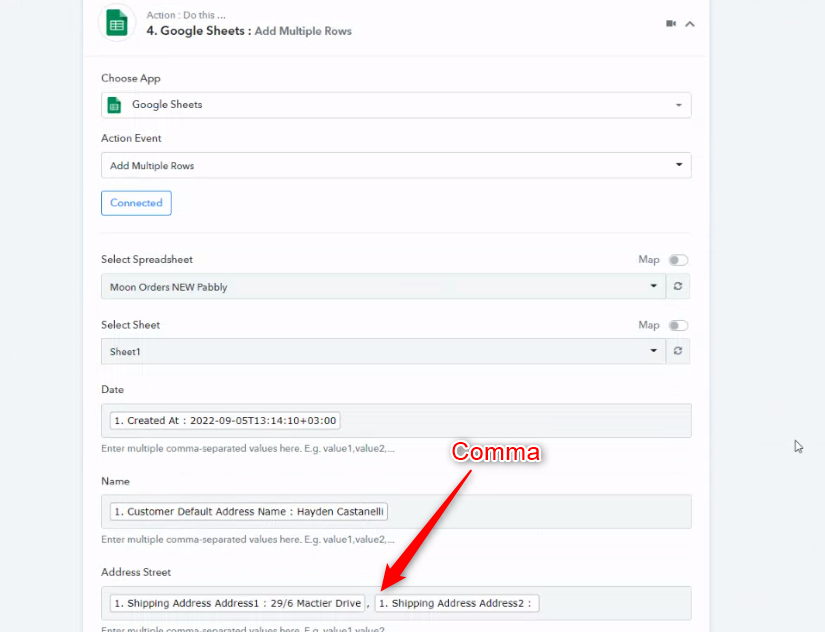
THis doesn't make sense. What is it so complicated. I want to see all orders with all items ordered in google sheet. If this doesn't work let me know and i will stop using pabbly.
Hey @dfouni
The "Google Sheets: Add Multiple Rows" action step add the rows at once if you pass the values in comma separately.
You can watch the following video tutorial for the same.