Pabbly sheet after Webhook is not conencting
Status: Open · Asked by Vedika Didwania on · 0 views
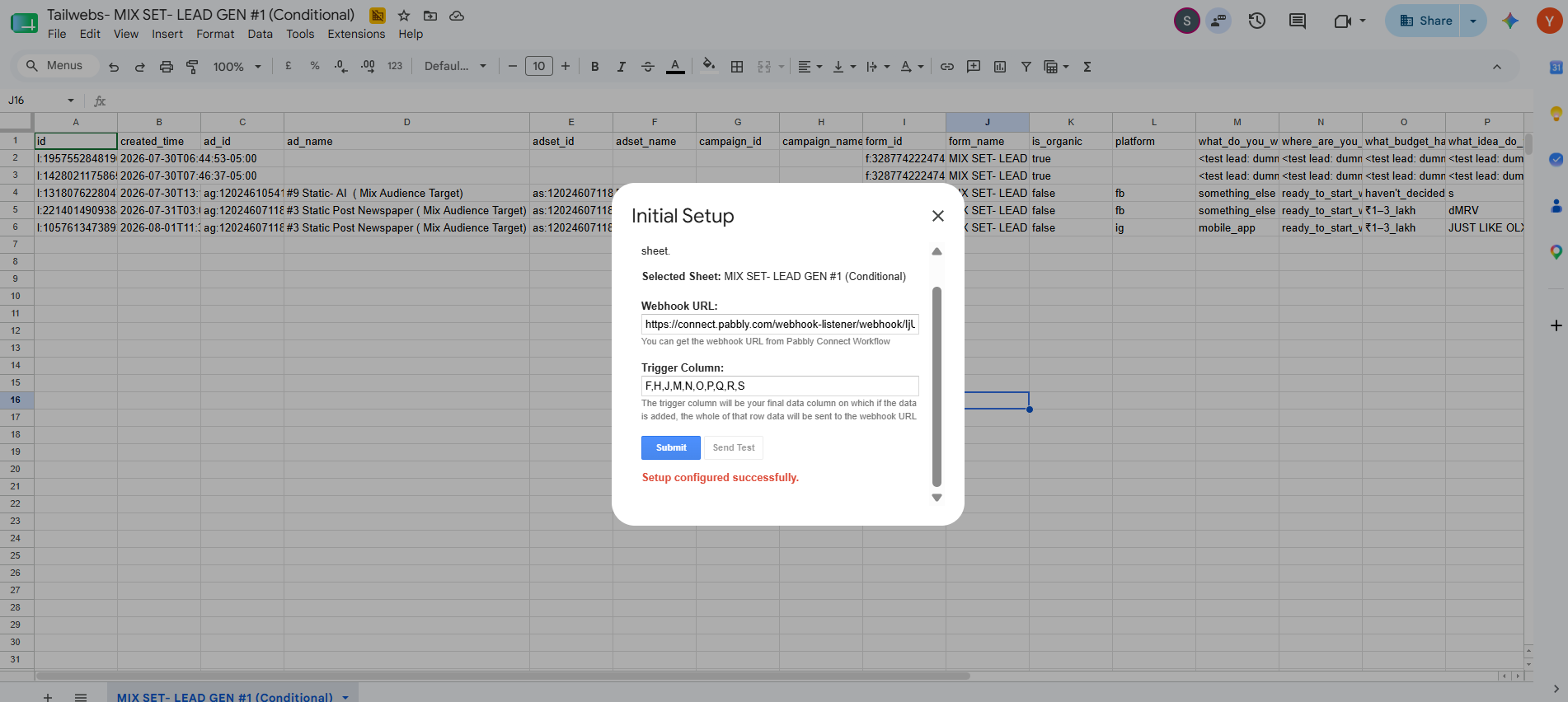
The sheet says : Setup configured successfully.
BUT STILL IT IS NOT CONENCTING
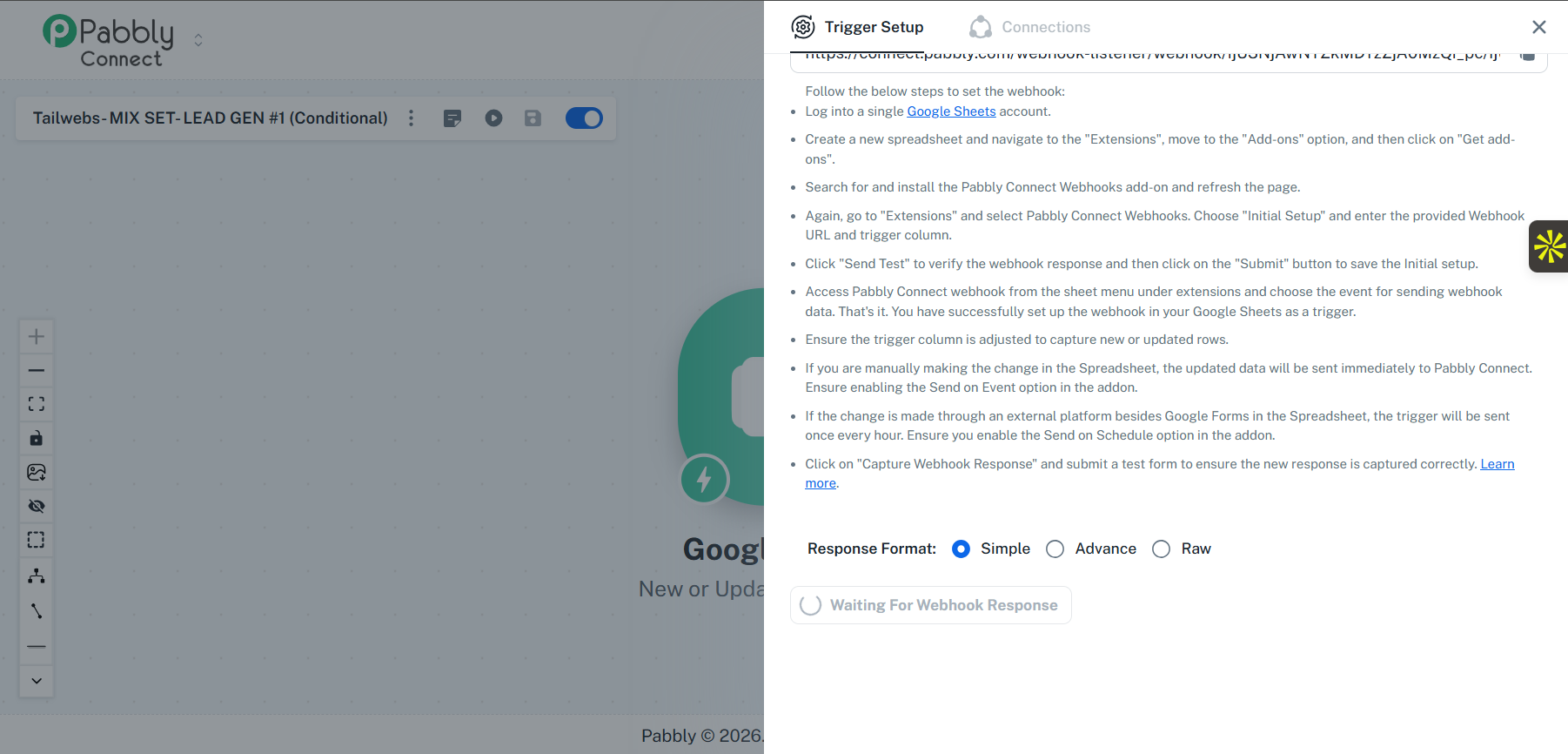
It says waiting for webhook response
Hello Vedika,
Thank you for sharing the screenshot.
From the trigger setup, we noticed that multiple columns have been selected as the trigger column. Please note that only one column can be selected as the trigger column. Having multiple trigger columns selected could be the reason why the workflow is not triggering as expected.
We recommend the following:
Go to the Initial Setup of the Google Sheets trigger.
Select only the last column where the data will be added as the Trigger Column.
Save the configuration and test the workflow again.
Additionally, we'd like to know how the data is being added to your Google Sheet:
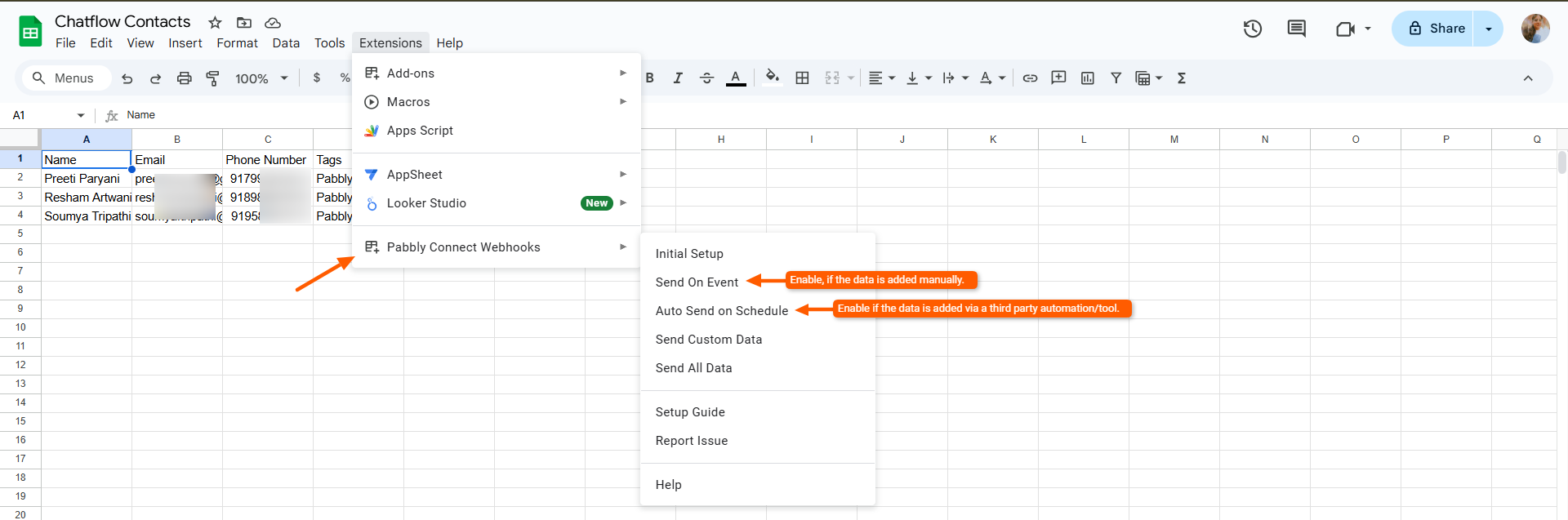
If you're adding the data manually, or if it's being added by a Google (first-party) application, please enable Send On Event.
If the data is being added by a third-party application, please enable Auto Send on Schedule instead.
Please let us know how the data is being added so we can guide you further if needed.
Thanks and Regards,Preeti Paryani
Customer Success Associate,
Pabbly.com