Pabbly Telegram Pictures Not Sending
Status: Closed · Asked by Andries on · 0 views
Good day.
Can anyone please help me.
I am trying to create a workflow from my telegram channel to my discord. I have linked the event and trigger, but its only sending through text messages. It does not want to send through any pictures. I need the pictures to go through. Can anyone please adivse?
Thank you
Hey @Andries
We looked into your workflow and it seems like you are not pulling the Messages through your telegram's Trigger. And because of that, the Discord action step is not getting the message into the message field which is required. KIndly make sure the text message is being passed by the telegram.
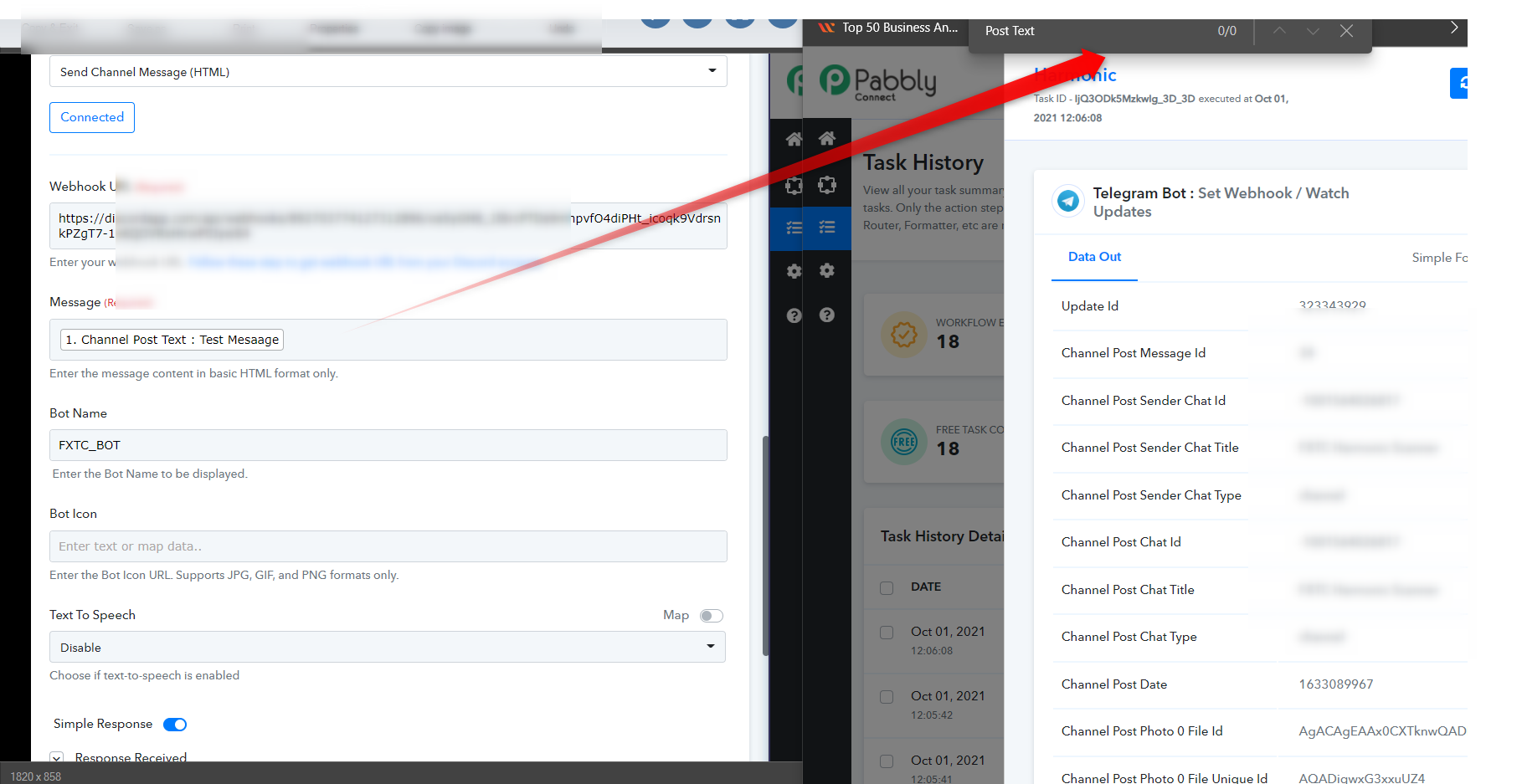
Thank you for your reply Supreme.
As you can see its just pictures that I would like to reroute through to my discord? I did originally type a text message and selected it. What do I need to select to make sure these images go through to discord? Is there a channel post photo?
Attachments
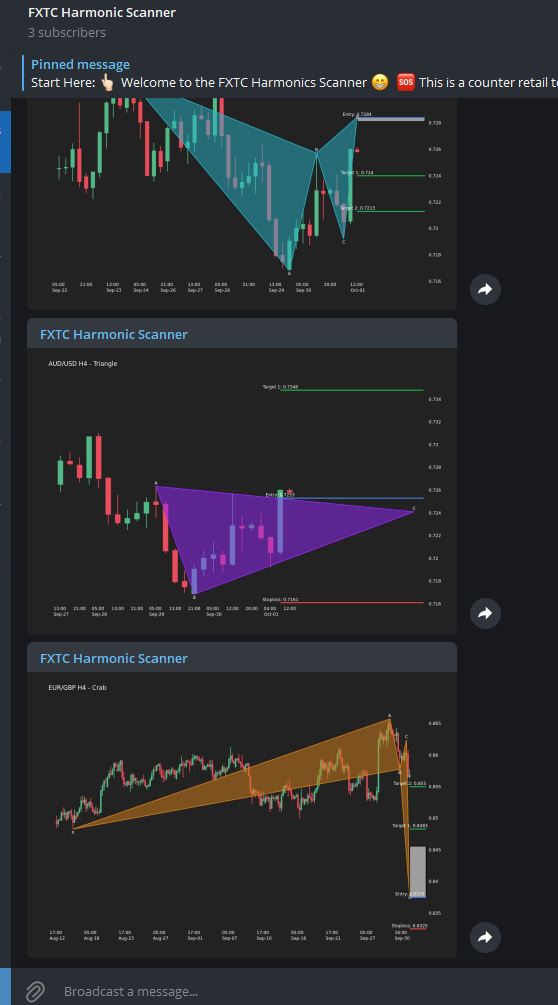
This is what I have used to send the picture. Please can you help Supreme?
Attachments

Hey @Andries
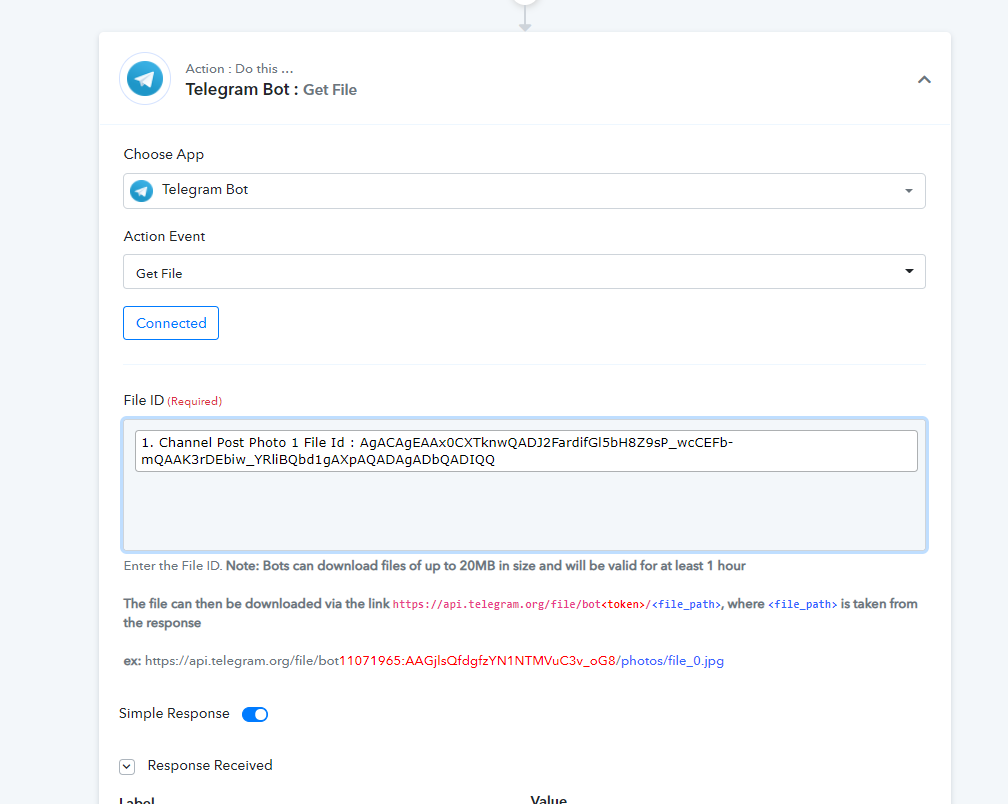
To pass the message you need to make the message in basic HTML format and then you can pass the message. Further, for this, you can use the text to HTML converter to convert the message text. Also to pass the image file from the telegram you have to use the telegram's "Get file" action event which will provide you to convert the image URL which you can directly pass to the message in HTML format.
Hey @Supreme Verma
Thank you for your message.
I really dont know HTML coding. Can you please just help me or set it for me? I just want the photos to go through my discord. As soon as this works I am going to start paying Pabbly so that I can send more than 100 messages.
Your help will me much appreciated.
If possible maybe you can send me your Tele's Handle.
Your help would be gratefully appreciated.

@Supreme Verma I just keep getting this message
Hey @Andries
You need to set up the telegram action step "Get File" where you need to get the file URL with the help of file id and then you have to set the image URL in the Discord message field in HTML format.
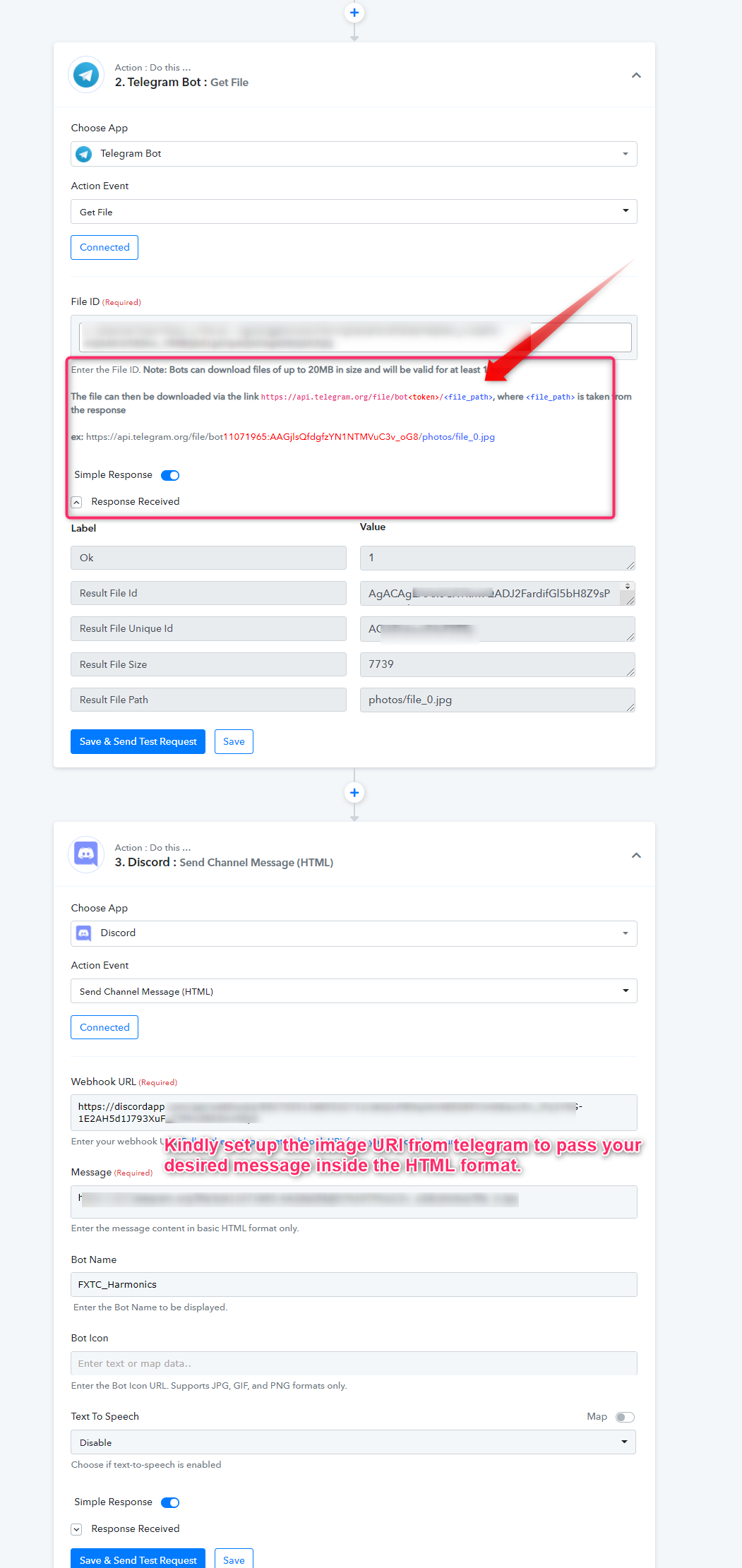
Hey @Supreme Verma
I hoesntly have tried to do what your suggesting, but I have no idea how to get it to work? Is it possible that you can do it for me?
Or help me via Telegram?
Please
I have absolutely no idea how to compile this line of code.
Hey @Andries
We have set the basic HTML in the discord action step, you only have to pass your bot token id in the place of "(bot id)" manually. Further, make sure the image which you would pass through the telegram's webhook must be publicly visible.
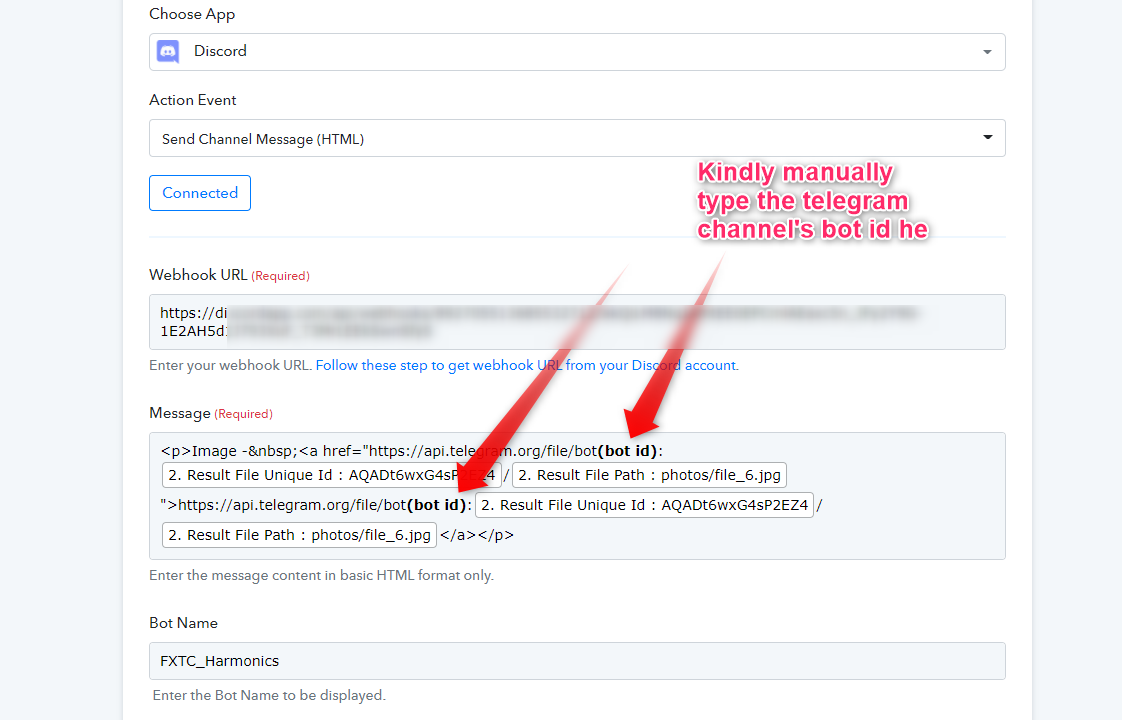
Hey @Supreme Verma.
Thanks for all the effort. For some reason your edit has not updated my side?
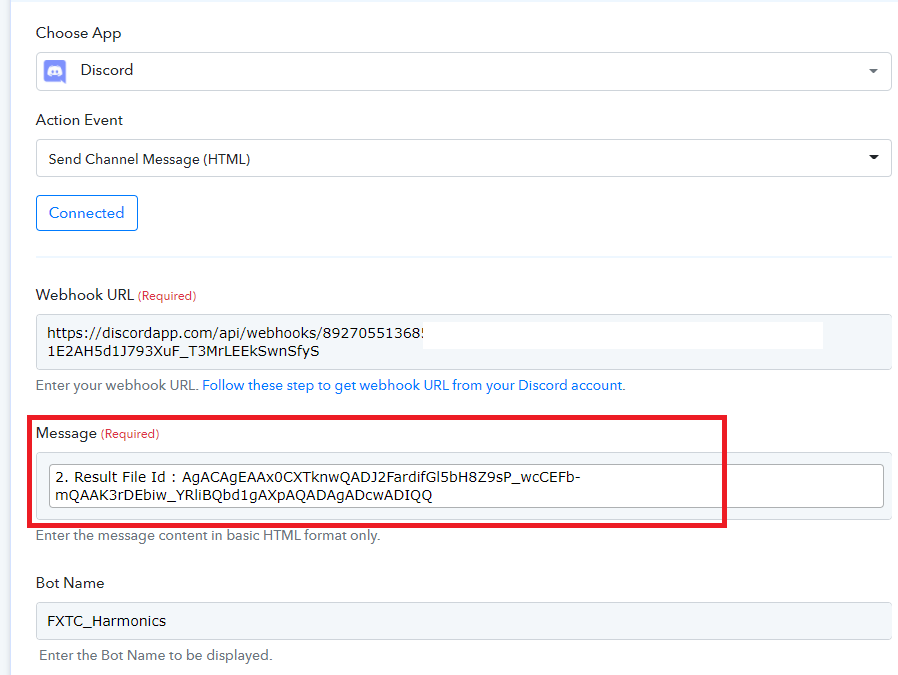
@Supreme Verma If you will be so kind as to inform me where do I retrieve my bot's ID?
Hey @Andries
You can get your telegrams bot token in the chat section when you have created that bot.
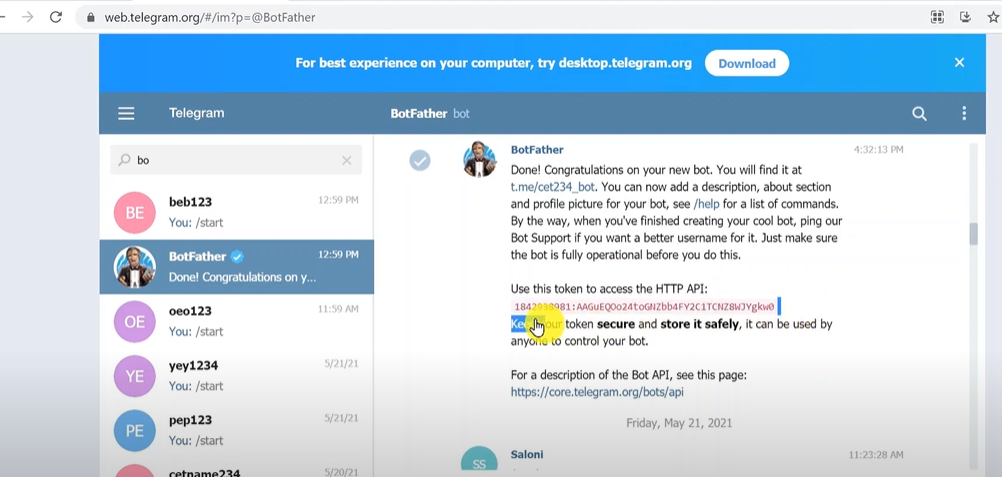
Else you can check this video for a better understanding of how you can get the bot token of your telegram.
youtube.com/watch?v=BOZVPHb2qbs
And once you retrieved the bot token id you need to manually type it with the image URL as mentioned in the help text of Telegram's Get file action event.
(We have saved the URL in your discord action event and you only need to fill the bot token in the highlighted area)
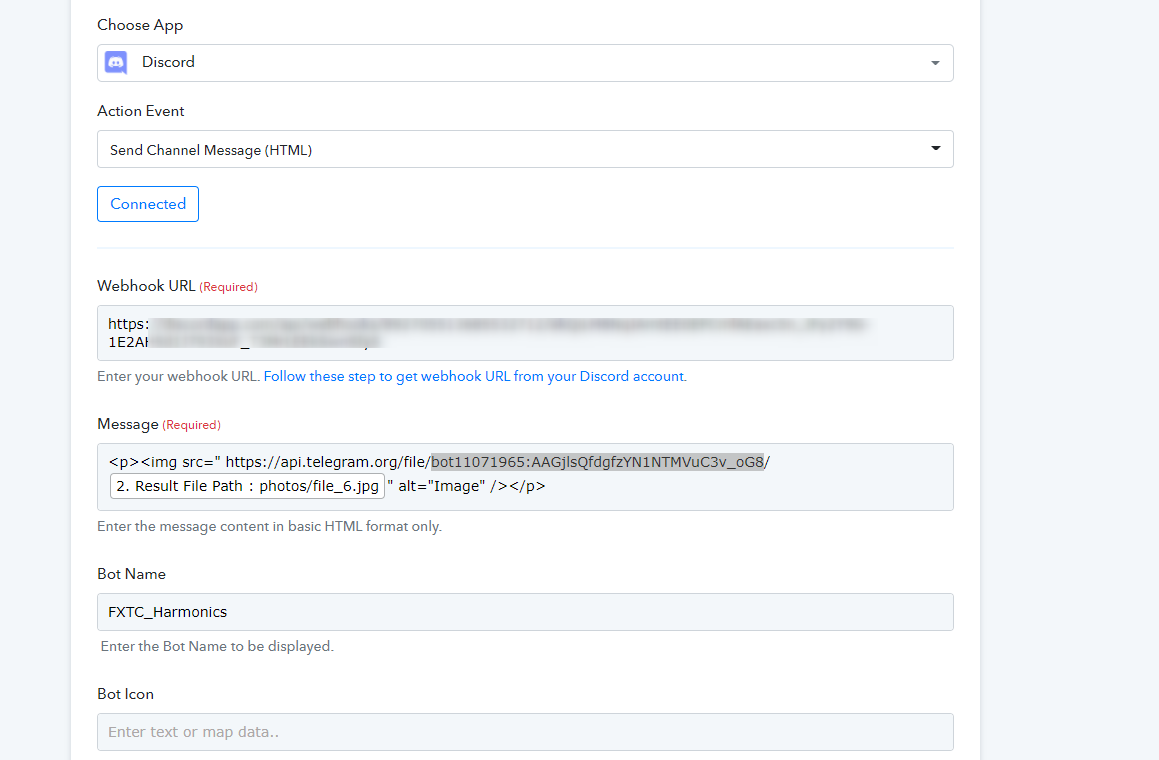
@Supreme Verma
You are the best. Thanks for bein so patient with me.
I have done completed everything as you have requested. Lets wait and see if it works :)
Regards
@Supreme Verma, Unfortunately this is all that comes through to Discord ?
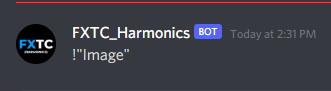
Hey @Andries
We looked into your workflow and corrected your discord action step whereas we have used the Send Channel Message (Markdown) to pass the message in markdown format. And now it is passing the message with Image appropriately.
Kindly check your workflow and try it again.
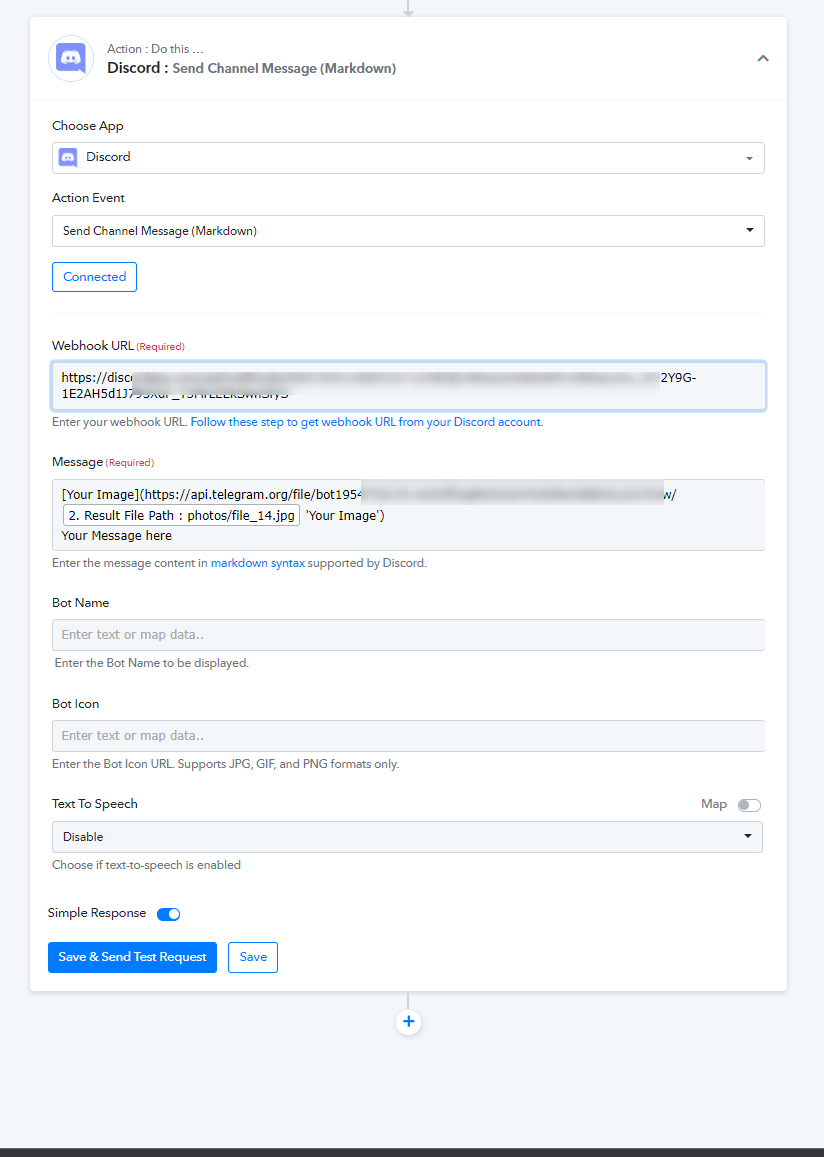
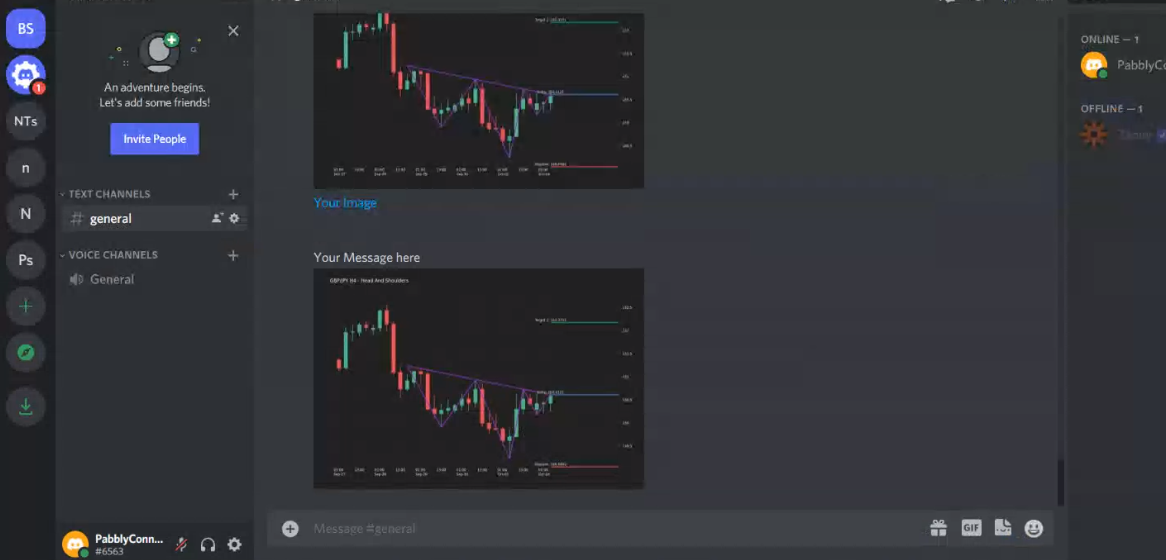
@Supreme Verma You are a legend my friend. Thank you so much! Its working ?
Hey @Supreme Verma
Me again!
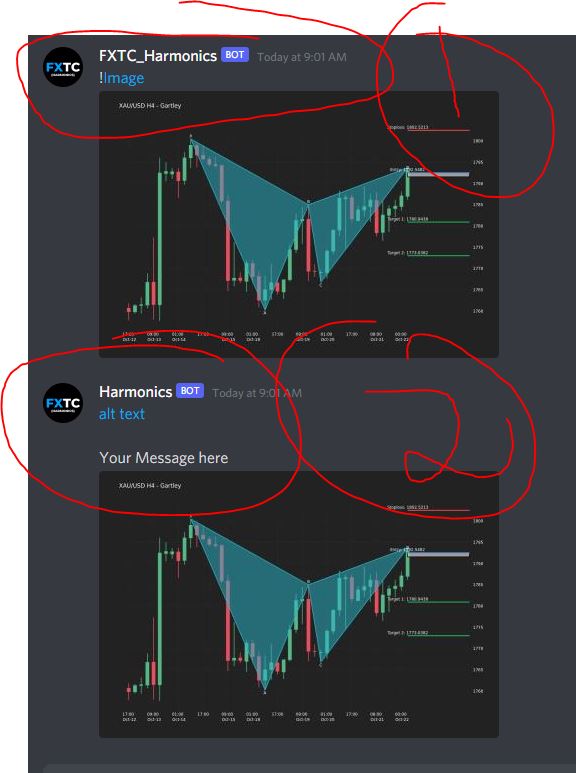
For some reason there are two alerts coming through now from two different bots for our Harmonics.
The one bot is called: Harmonics
The other bot is called: FXTC_Harmonics
Do you mind checking why we would have duplicates coming through? As this is doubling our current task consumptions on this task.
Thank you so much.
Please see attached images.
Kind regards
Andries
Attachments
Hey @Andries
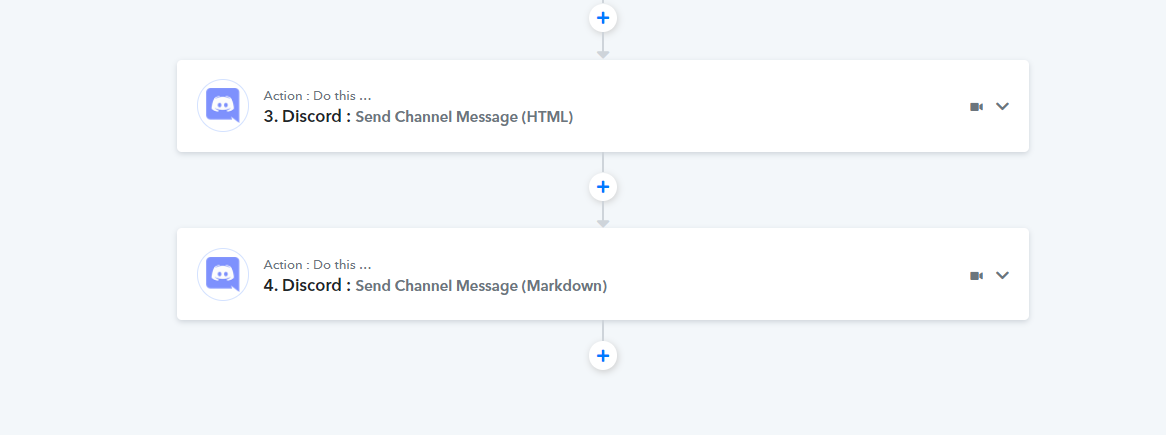
We looked into your respective workflow and it seems like you are having two action steps of Discord. Kindly use the "Send Channel Message (Markdown)" action event only for your work. So because of this, you were getting double messages in Discord.
Hey @Supreme Verma !
Thanks for picking that up.
I am going to be honest. You guys set this workflow up for me last time and I have no idea what you guys did.
Seeing that you guys are the pro and I have no idea how HTML coding works, do you mind just removing the one that sends with the name "Harmonics" and leaving the one that says "FXTC_Harmonics"
Thank you so much ?
Please let me know if its working right.
Hey @Andries
We have made the changes in your workflow by deleting the similar action step of discord. So could please give it a try now and let us know if you are getting the single post in Discord on every execution of your workflow.
Thanks!!
I am having the same issue. I only receive the test in my discord no picture, no video... Please help.
Hey @craigist
It seems like you haven't passed any data in the Discord action step and because of that, your recent execution doesn't show any picture and video.
Kindly check your workflow and try again bypassing the Image or Video URL on the Discord action step. You can also check the video tutorial for a better understanding.
youtube.com/watch?v=665VZQHQ2Q8
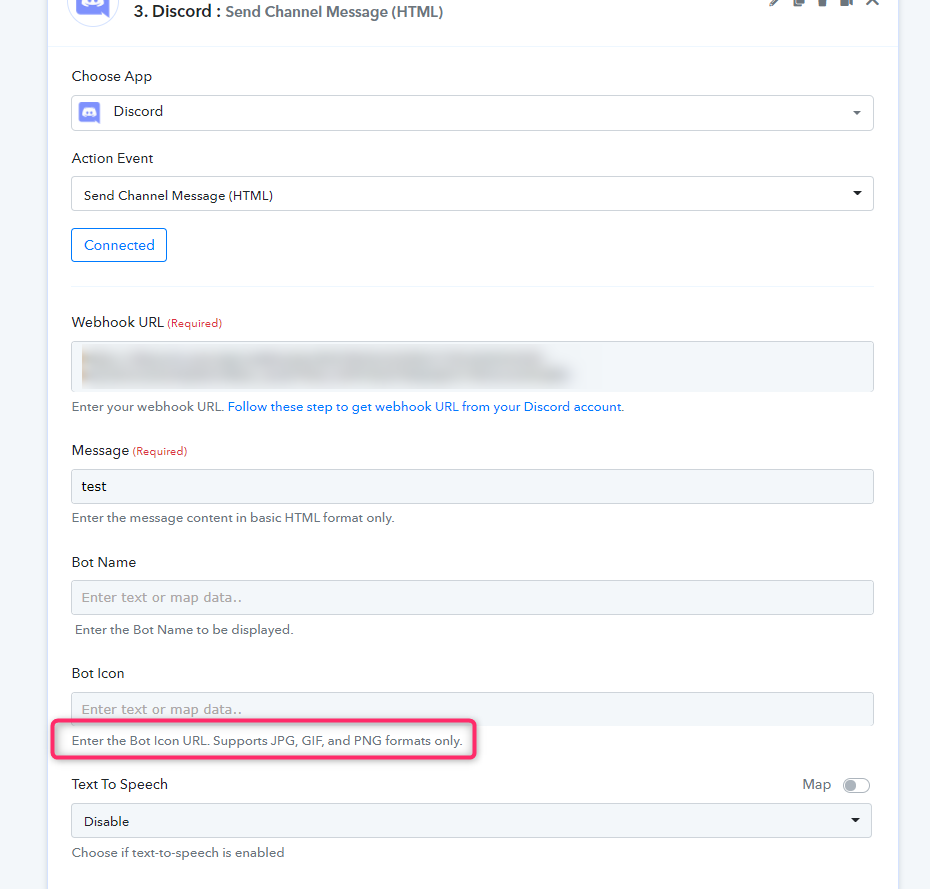
Does this mean for every post we want to foward we need to do it manually each time? If i didn't pass de data then how everything else show except for the videos and pictures? I watched the video already and I done pretty much what the video explain...
Hey @craigist
You do not need to manually pass the post every time, you only need to map the required fields once. You need to first capture the Telegrams' Webhook response and then add the Telegram's "Get File" action event to receive the file passed through the telegram.
Further, please check out the following screenshot for a better understanding.
Thanks!
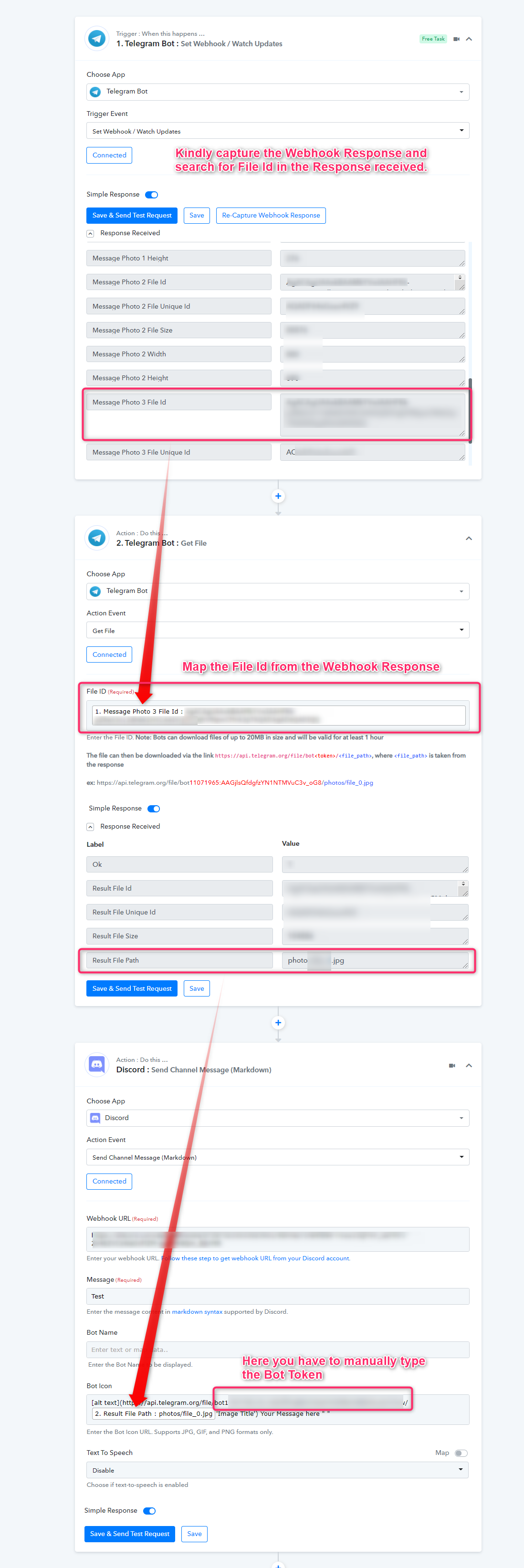
Way too complicated for me...
Hey @craigist
If you can capture Telegram's Webhook response and can provide your Telegram's Bot Token. We can establish the workflow for you in your account.
To capture the webhook response, you can refer to the tutorial video -
(Watch the first part of the video)
youtube.com/watch?v=665VZQHQ2Q8
To receive the Bot token, you can get your telegrams bot token in the chat section when you have created that bot.
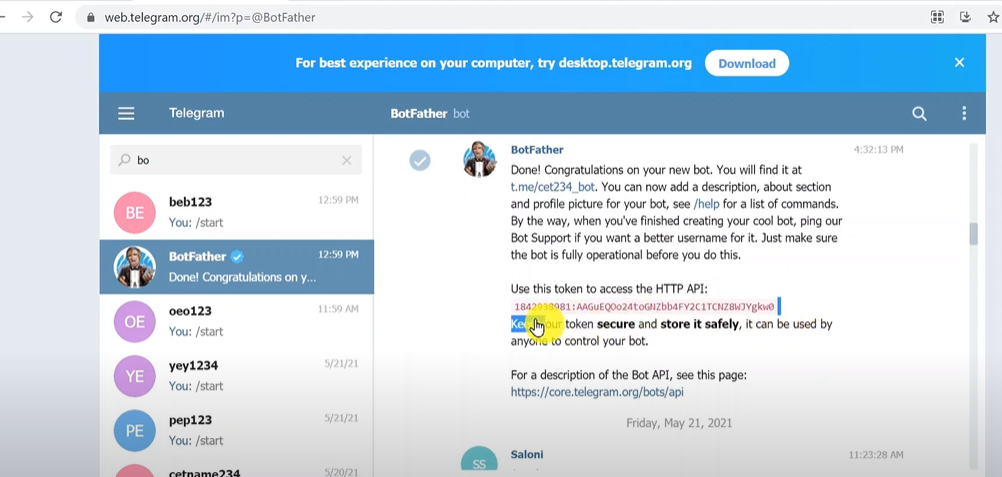
Else you can check this video for a better understanding of how you can get the bot token of your telegram.
youtube.com/watch?v=BOZVPHb2qbs
Thanks!!
ok thank you i will have a look at this over the week end. Where I provide the information? there is a way to send a private mesage or I need to post this here where everyone is going to see the information?
Hey @craigist
You can post the same on the private discussion of the forum here- https://forum.pabbly.com/forums/private-discussions.27/
Ok thank i will have a look at this during the week.