Pabbly to Flowlu Error - 'Request rate per a second exceeded'
Status: Closed · Asked by James Lancaster on · 0 views
Hello,
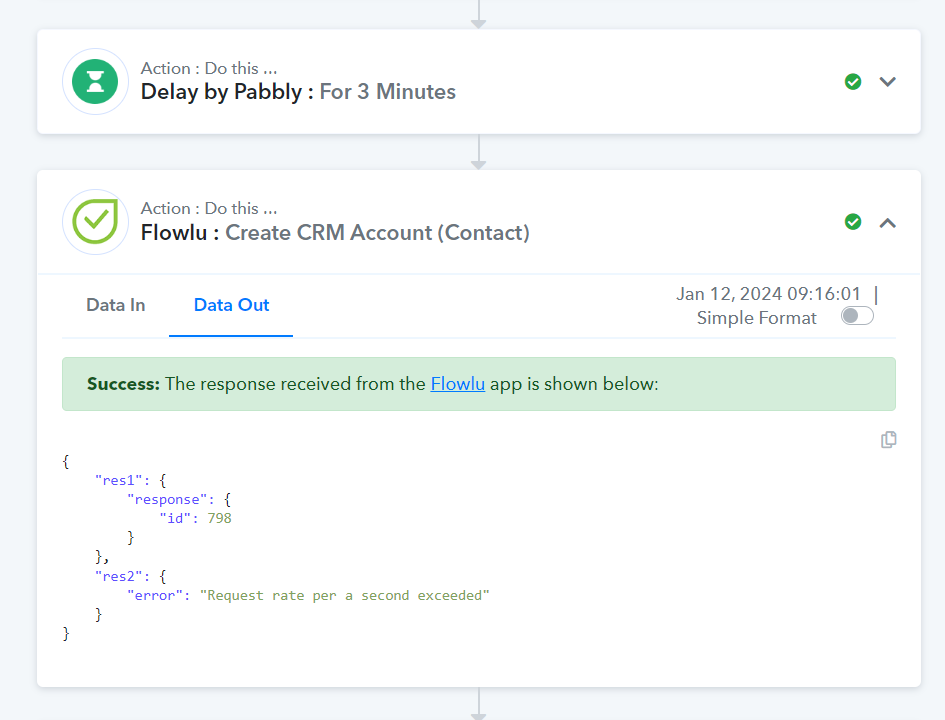
I have two workflows that go from Pabbly to Flowlu to set up an organisation, contact and opportunity. On both, I sometimes receive the error Request rate per a second exceeded'. I have put a delay before each process of 3 minutes. Each workflow is executed 2-3 times daily. Any help would be great. It shows that it has been successful however it hasn't.
Hey @jl860
The "Request rate per second exceeded" error in an API response indicates that you are sending requests to the API at a rate that exceeds the allowed limit. APIs often have rate limits in place to prevent abuse and ensure fair usage.
So, can you please increase the delay time and then try again?
Thanks for your response.
I increased the delay to 5 minutes, reduced the number of attributes being sent to just three and it is still happening..... It works about 10% of the time
Can you please share the latest task history ID in which you have tried the same?
Sure
Task History ID -
IjU3NjIwNTY0MDYzNjA0MzM1MjZhNTUzMTUxMzQ1MTYxNTQzNSI_3D_pc
Thanks a lot
Please allow us some time, we are currently looking into it.
Thanks!
This error message, "Request rate per second exceeded," means that you're sending too many requests to the API in a short amount of time. APIs have limits to prevent misuse and ensure everyone gets fair access. The Flowlu API is giving an error because of this.
To avoid hitting the rate limit, there's no other solution but to slow down the number of requests you're making.
Sadly that was not the issue as all combined workflows are sending 3-4 total requests per day via the API. There must be a deeper issue somewhere with the API.
Thanks anyway
To thoroughly investigate the issue, we strongly recommend reaching out to Flowlu's support team to discuss the API rate limit. They'll be better equipped to provide assistance and insights into resolving the API rate limit matter. This rate limit is something that cannot be controlled from our end.
JL860: were you able to get this sorted out? any suggestions/recommendations you learned from Flowlu?