Pabbly to Project Broadcast
Status: Open · Asked by Mike Saturday on · 0 views
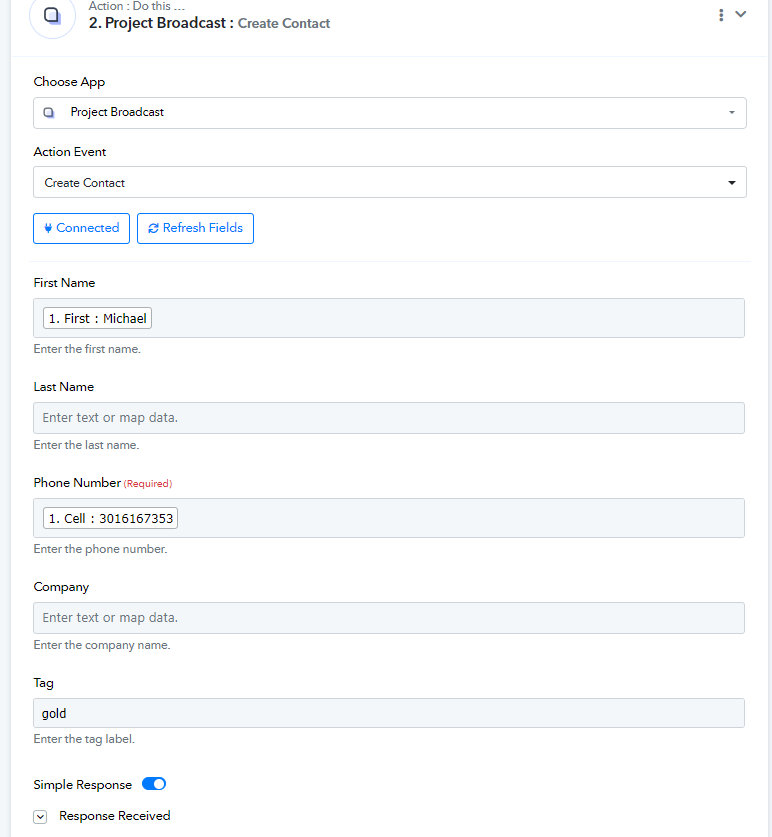
I use a product called, "Project Broadcast." I have an online form asking for "Name" and "Cell #." Webhook is my trigger, and Project Broadcast is my action with "Create a Contact." Under the "Create a Contact, the options are: "First Name" "Last Name" "Company" and "Tag." Instead of "Tag" it should be "Keywords." What can I do about this? Project Broadcast says it's a Pabbly issue.
Hi @Saturday,
Could you please share the Workflow URL in which you have this concern?
Hi @Saturday,Could you please share the Workflow URL in which you have this concern?
https://connect.pabbly.com/workflow/mapping/IjU3NjUwNTY4MDYzZjA0MzU1MjY4NTUzMTUxMzAi_pc
Please try using 'Apply Keyword To Contact' action event to achieve your use case.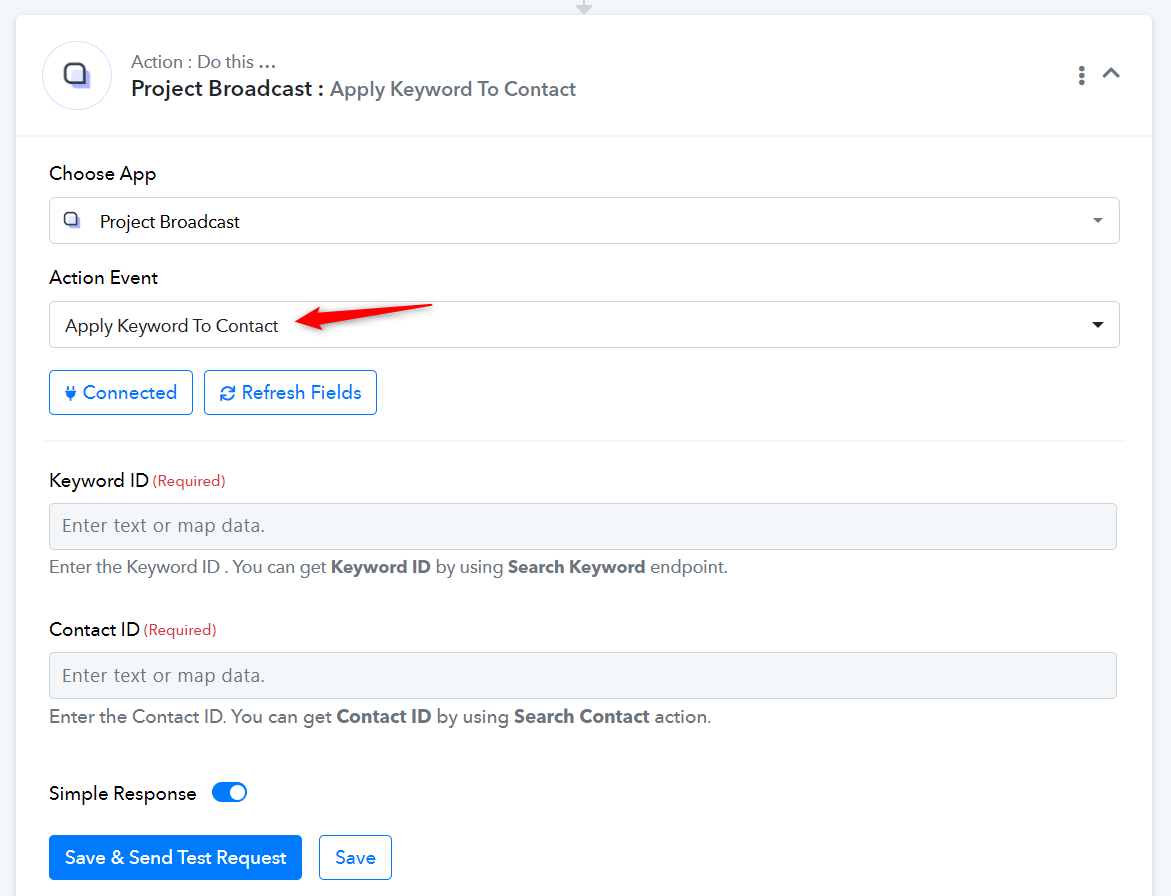
I tried that. I don't know where to get the Keyword ID or the Contact ID. The contact needs to be created first. I also don't know what it means to where it says, "You can get Keyword ID by using Search Keyword endpoint." or You can get Contact ID by using Search Contact action."
I don't want to give up on Pabbly since I paid the lifetime subscription, but I am frustrated. I know it can't be that hard.
Thanks for helping me.
Mike
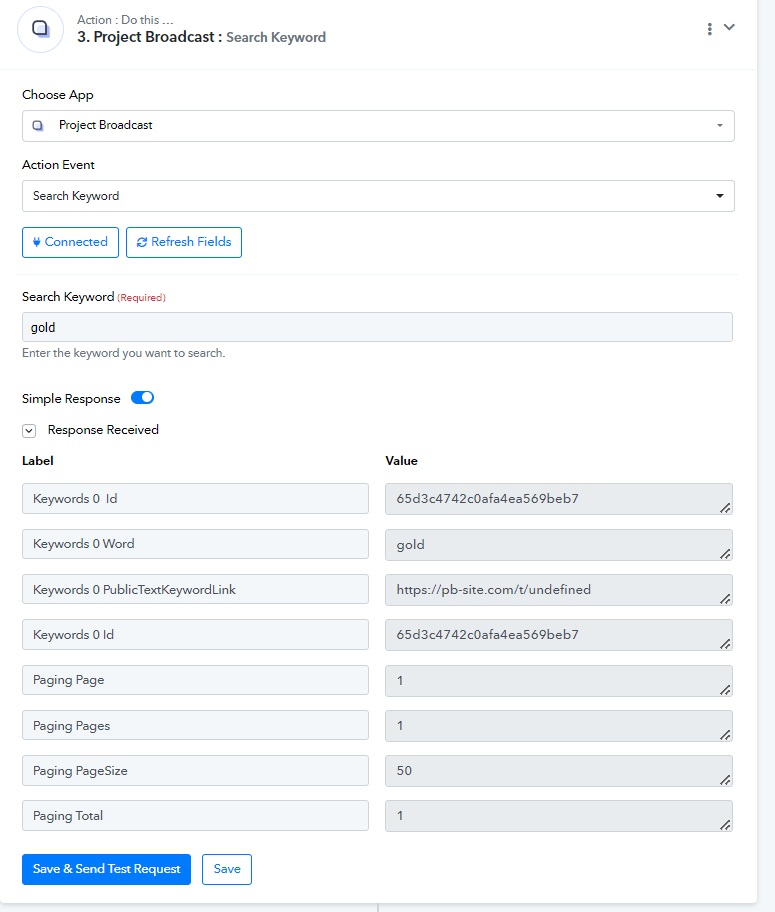
You can obtain the Keyword ID using the 'Search Keyword' action step and the Contact ID from the 'Create Contact' action step. We have made the necessary changes to your workflow. Please test the workflow on your end.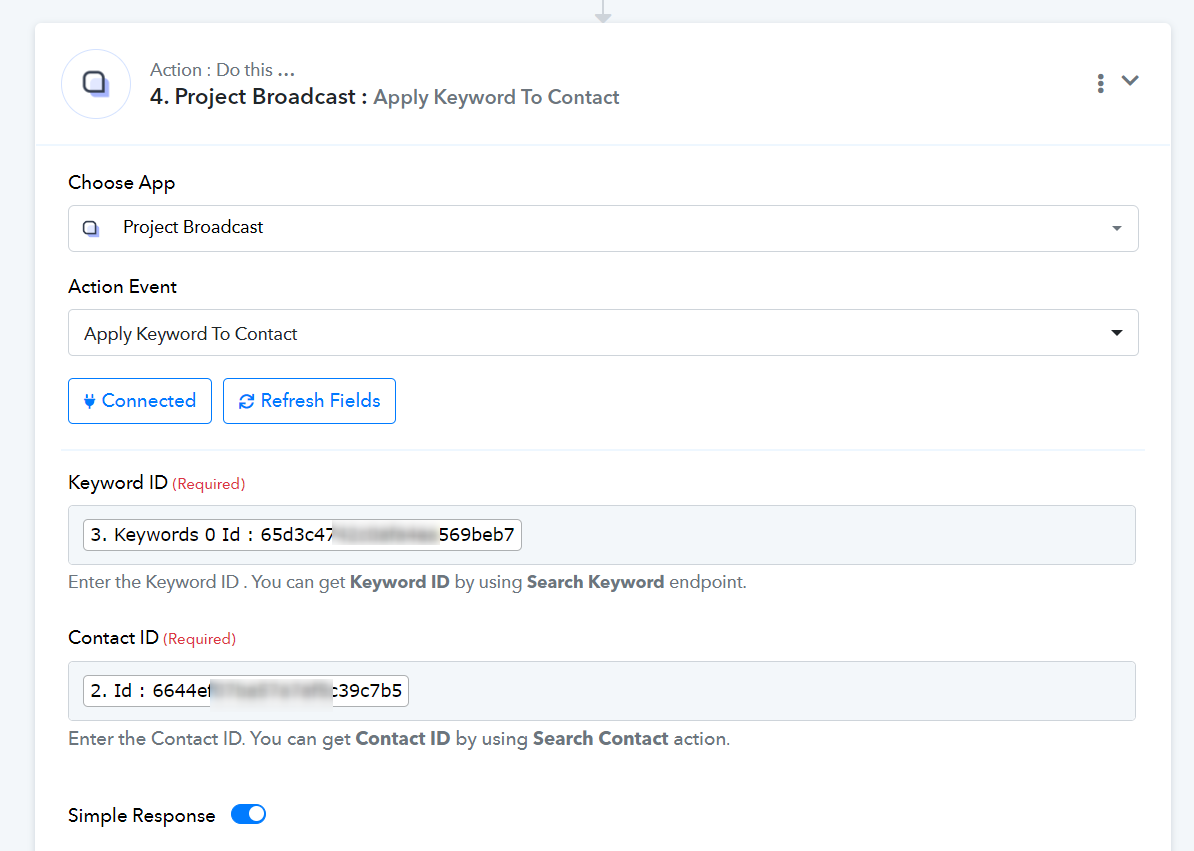
I reran everything but it did not add the keyword to the contact.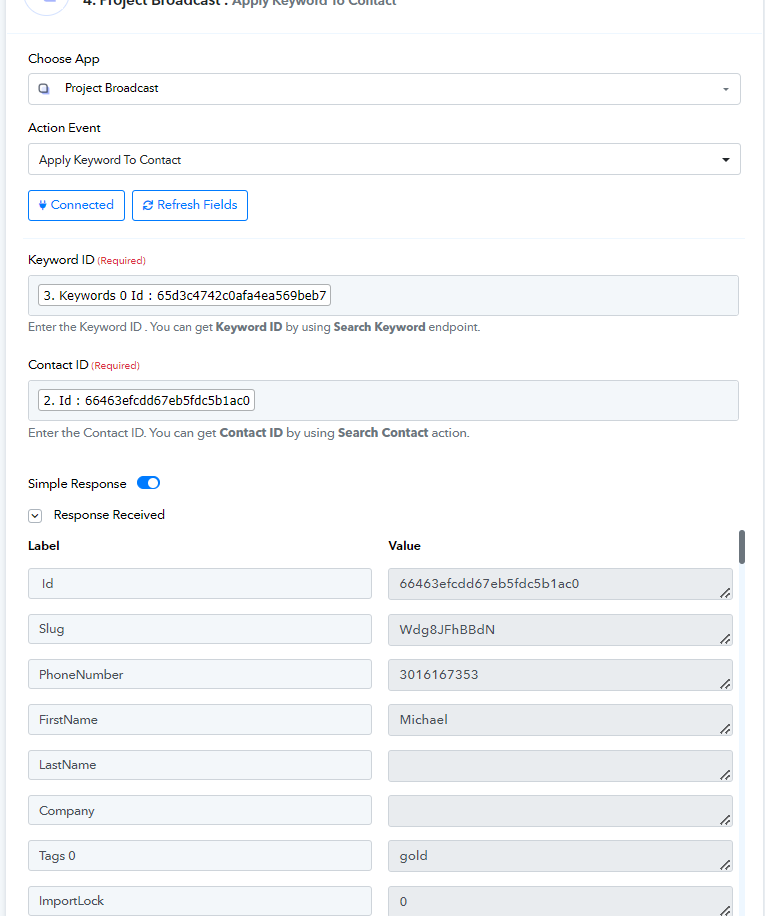
Wait a minute! It works! Thank you, thank you, thank you.!
You are wonderful!!!
Mike
Question: On the Search Keyword Action, did you simply type in the word "gold" or did you map it?
In the 'Search Keyword' action step, I typed the word 'gold'.
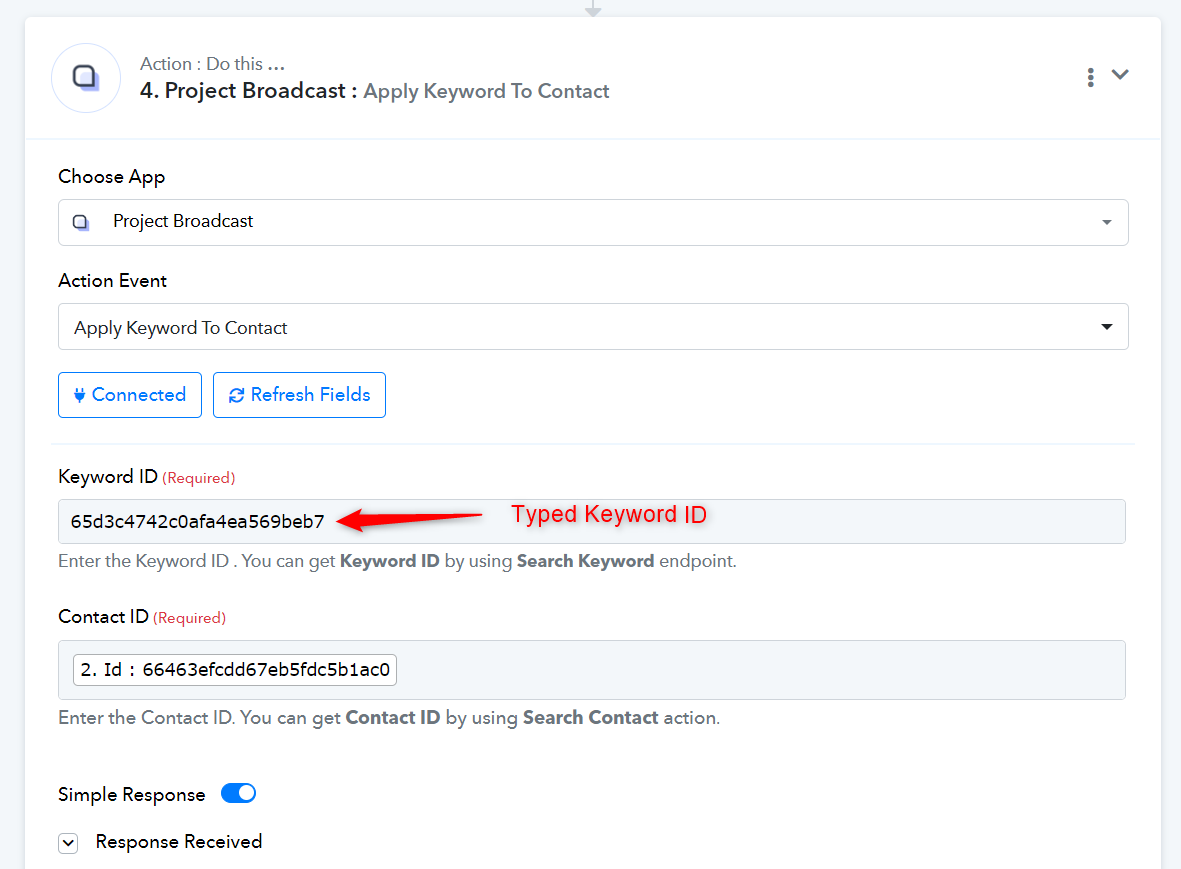
I assume you want the same keyword ('gold') to be added to each contact. If that's the case, you can simply type the Keyword ID in the 'Apply Keyword to Contact' action step and delete the 'Search Keyword' action step altogether.