Pabbly to Zoho Bigin
Status: Open · Asked by Info@theStart Up Zone on · 0 views
Hello,
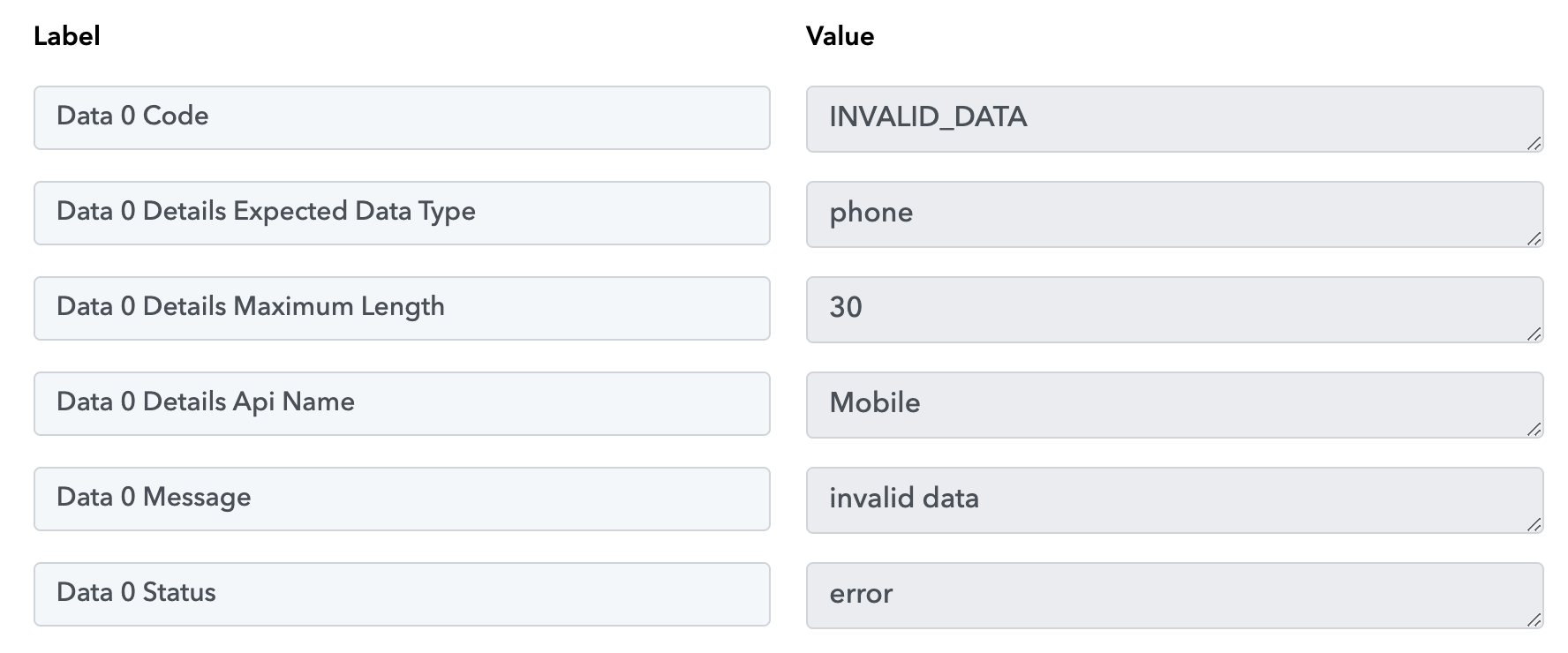
Facing issue in updating leads from facebook to Bigin. It was working fine till yesterday. Screenshot attached for your reference.
Pls check.
Attachments
Hey @startupzone
We have made some changes from our end and the Zoho Bigin action step should work accordingly now.
Please check now.
Still the same error is coming.
Kindly share the workflow url once in which you have experienced the same?
Just now refreshed and tried.
Please confirm it once if it is working.
Please confirm it once if it is working.
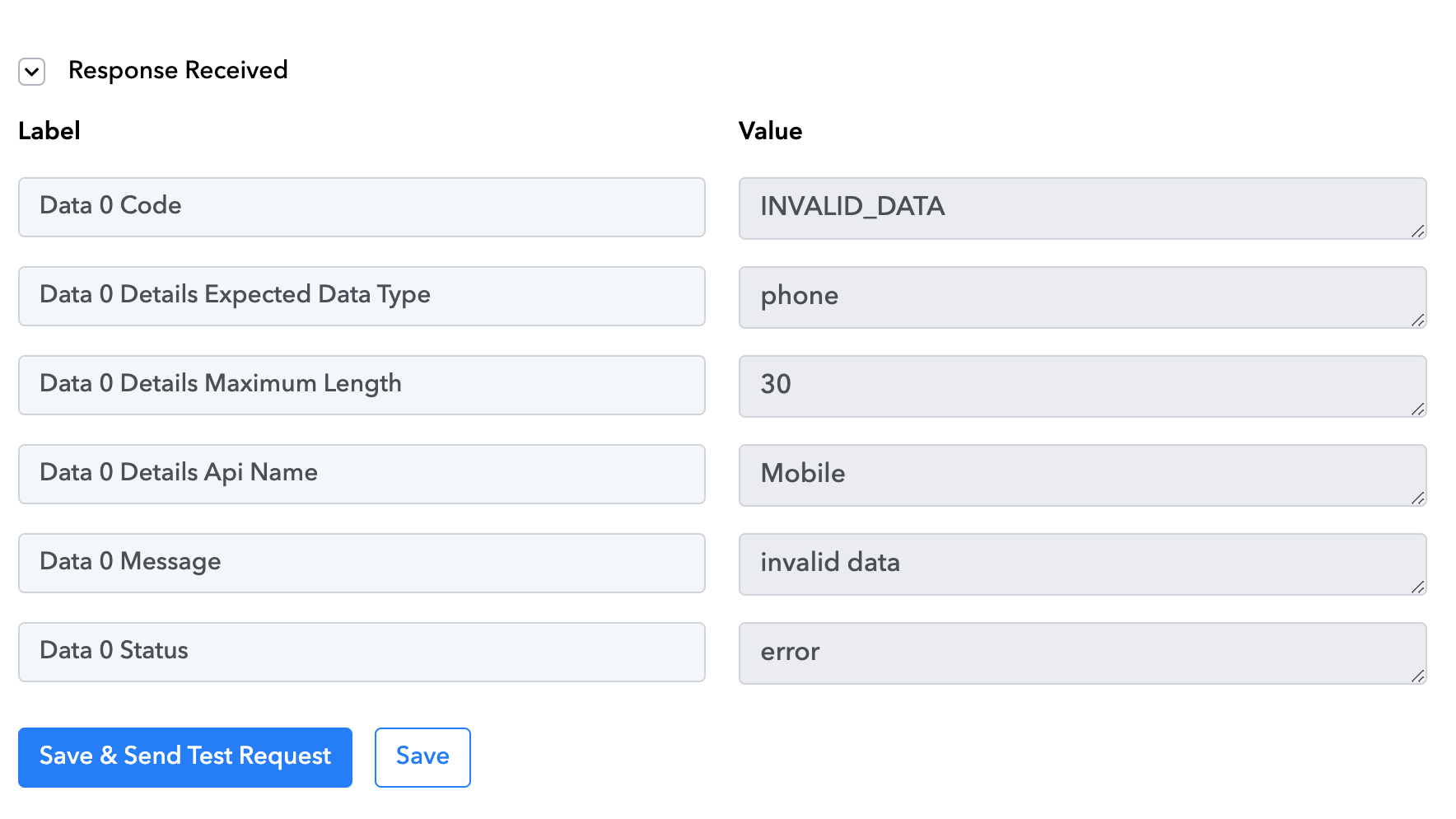
its not working.
Attachments
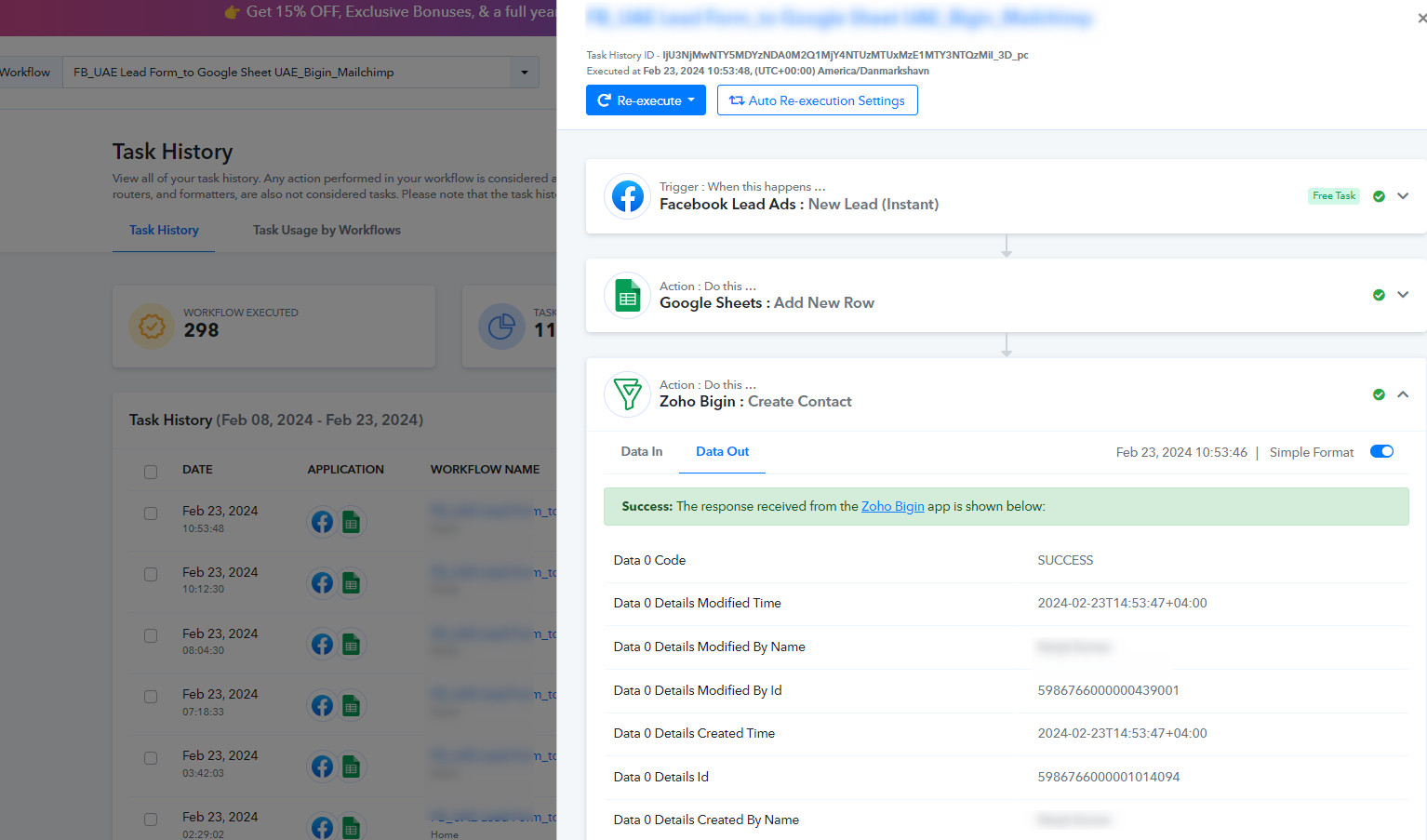
Based on the most recent log in your workflows, it appears that the Zoho Bigin action step is functioning correctly at your end.
In your workflow setup, you haven't entered or mapped a valid Mobile Number; thus, you encountered that error.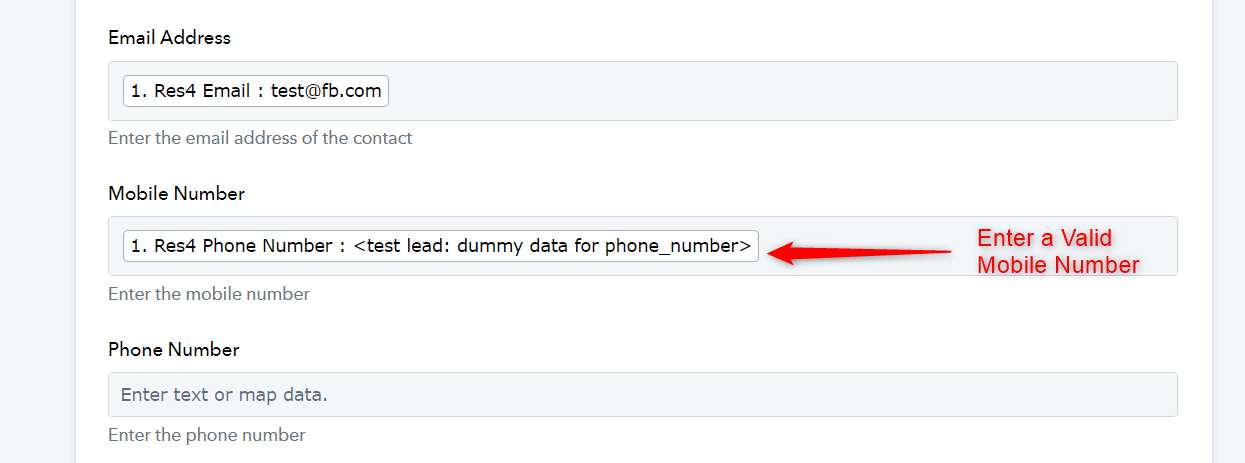
During automation, you do receive a valid mobile number, and the contacts are being added to Zoho Begin.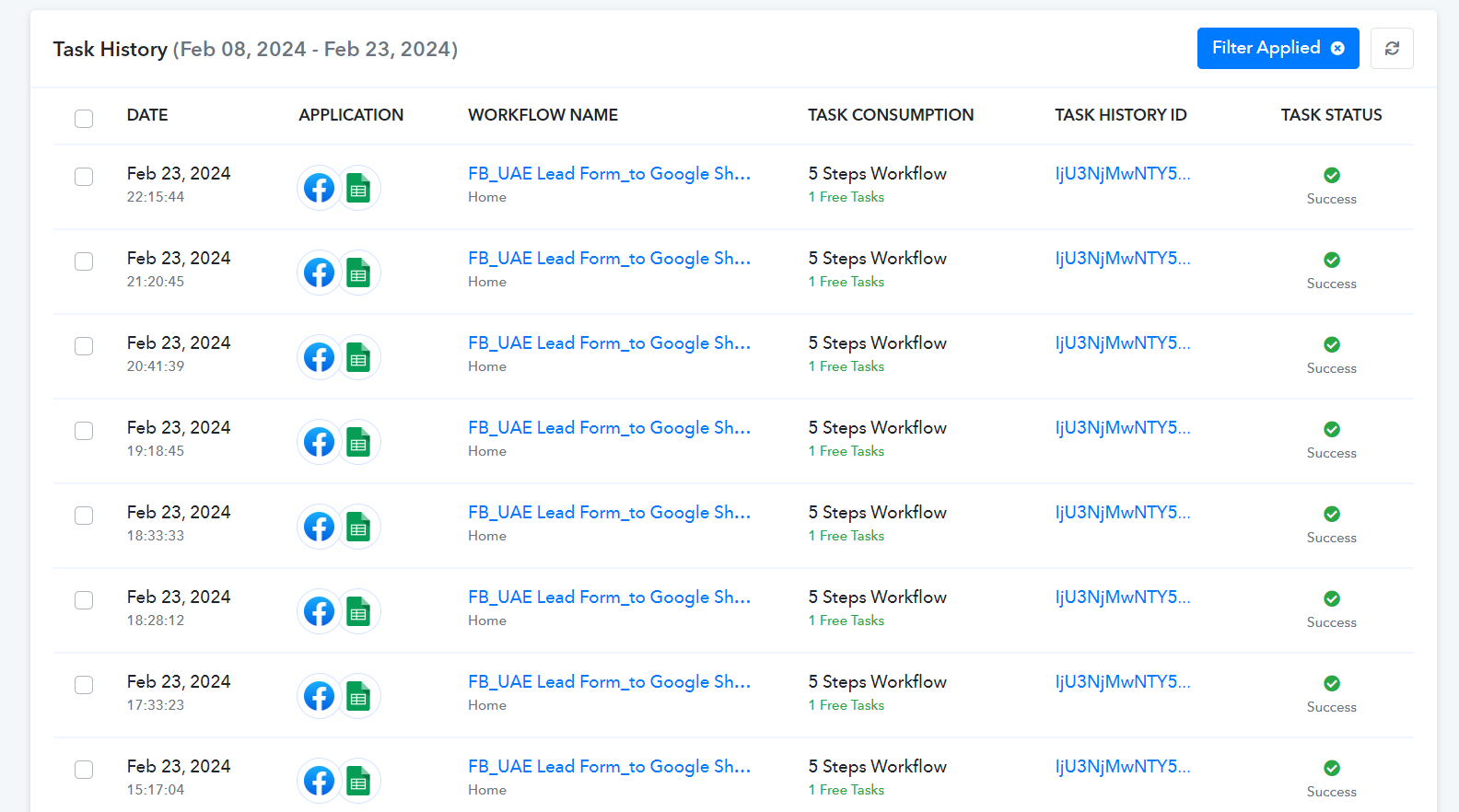
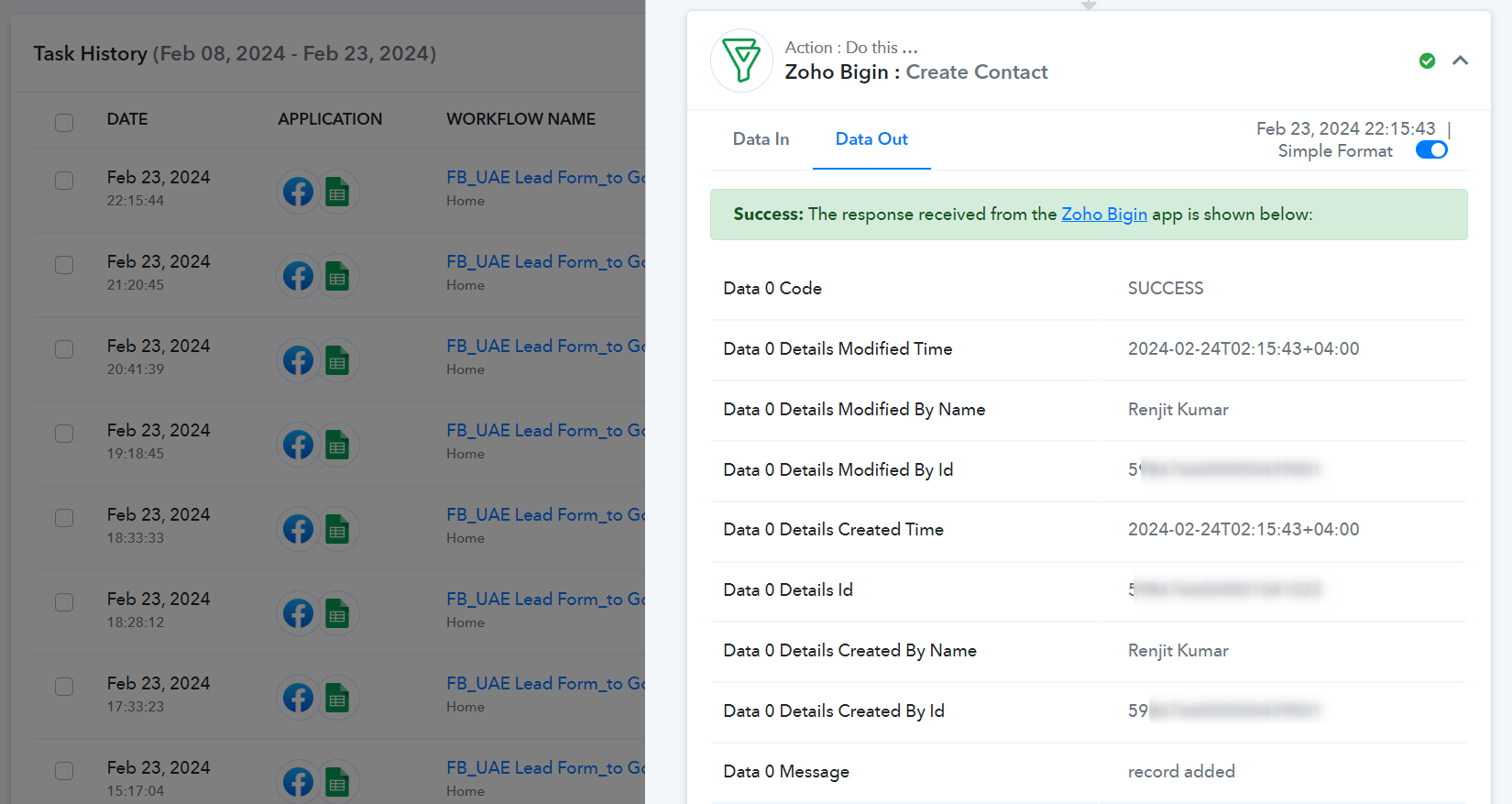
Facing the above problem with a new workflow. attaching the workflow link :
https://connect.pabbly.com/workflow/mapping/IjU3NjUwNTZiMDYzNzA0MzQ1MjY0NTUzNzUxMzIi_pc
Contacts are not getting added in Bigin. Error screen attached.
Attachments
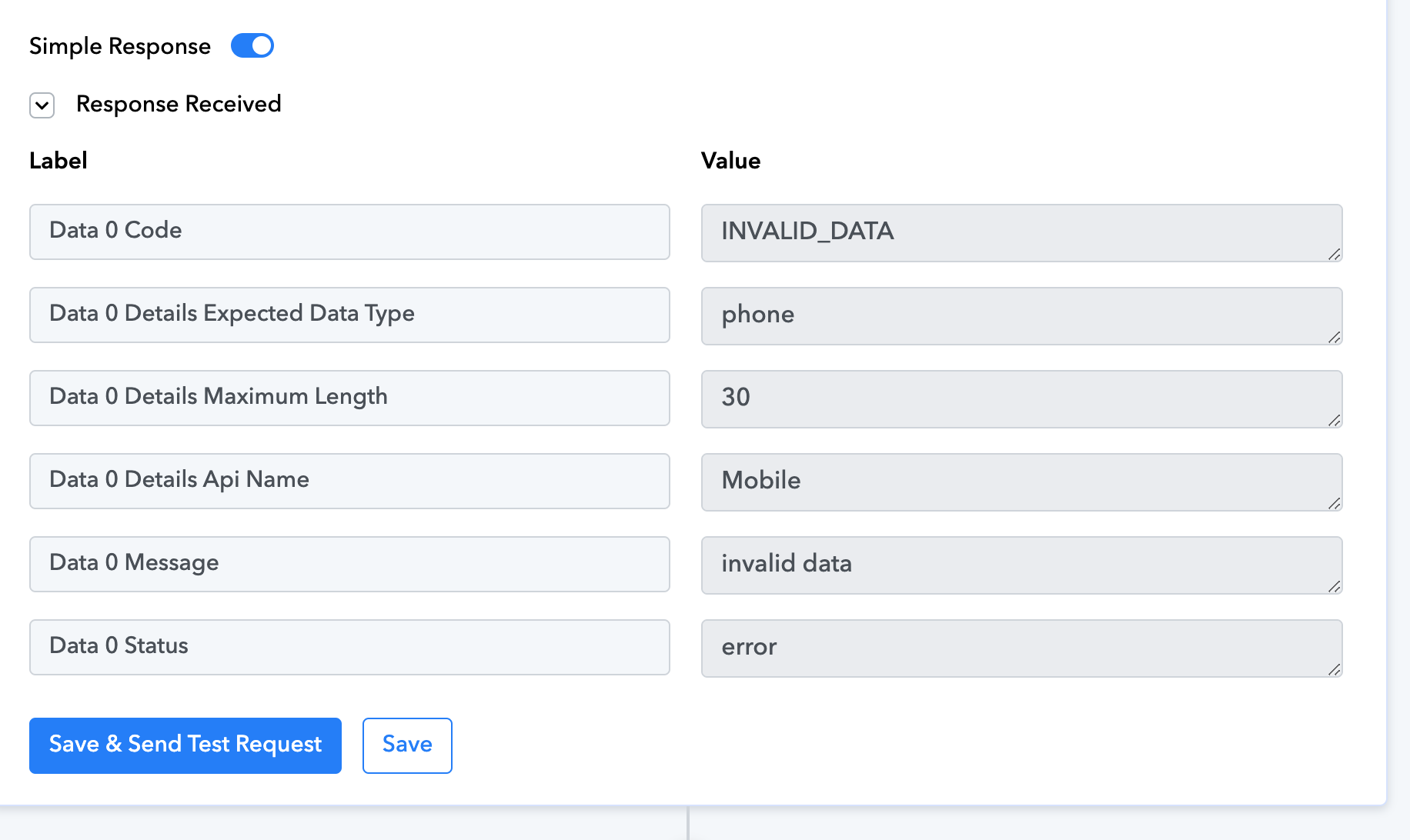
Contacts are not getting added in Bigin. Error screen attached.
Since you have mapped the dummy phone number in the action step which is not a real/correct phone number and that's why Zoho is showing invalid data.

So, if you pass the correct phone number or run the automation with all the mapped data the action step will work accordingly.