PABBLY WORKFLOW IS DISPLAYING MY API KEY AS INVALID WITH THE LEAD CONNECTOR
Status: Closed · Asked by Tech Expert on · 0 views
Task History ID: IjU3NjIwNTY5MDYzMzA0MzY1MjZiNTUzNzUxMzM1MTYyNTQzMyI_3D_pc
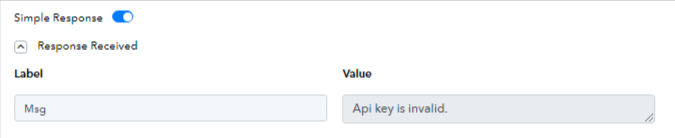
MY API KEY IS SHOWING INVALID WHN TRYING TO USE LEAD CONNECTOR V1
I WILL BE GLAD TO GET A RESPONSE TO THIS
Attachments
Hey @ADEBYTE
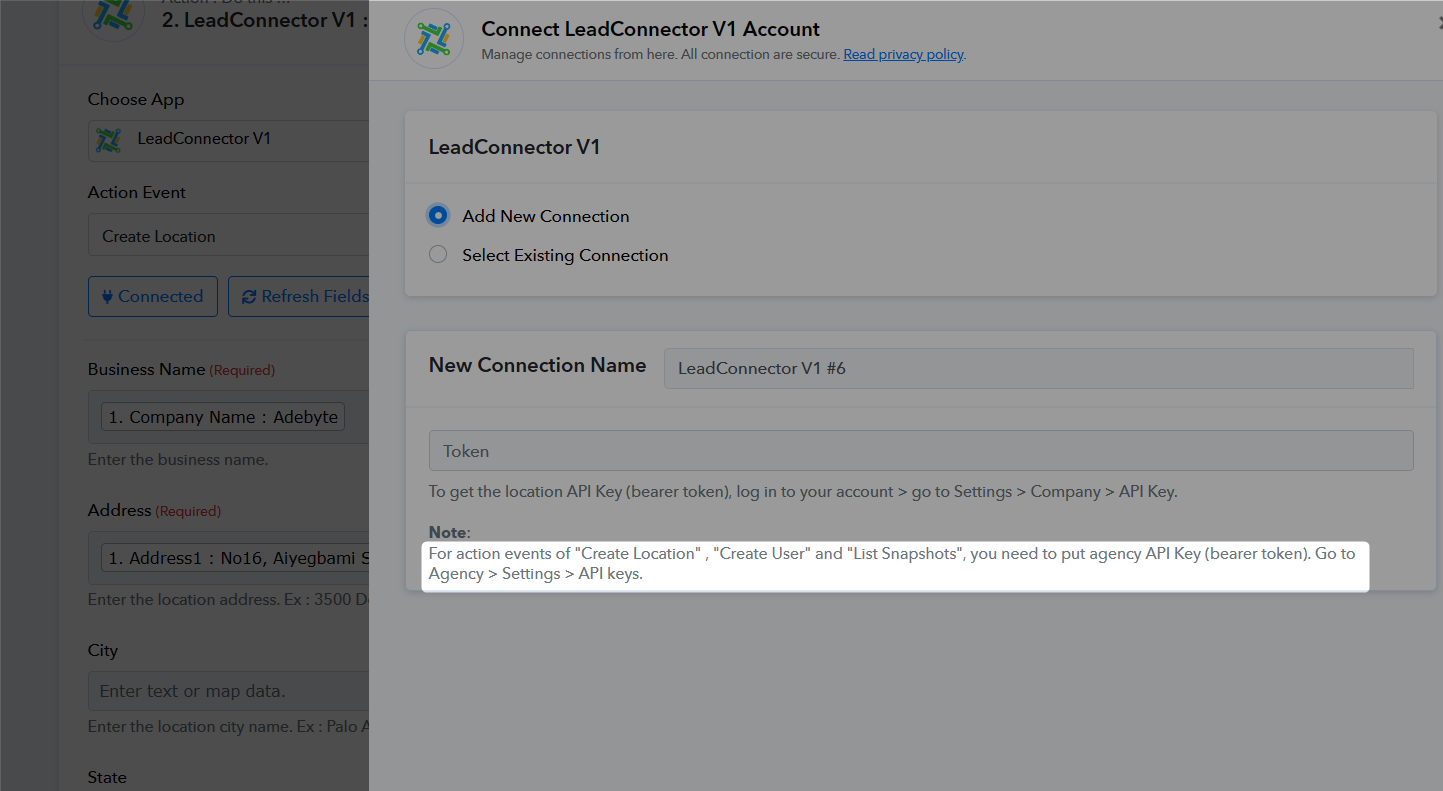
Can you please confirm whether you have passed the Agency API key from your LeadConnector account? If not, please pass the Agency API key to create the location.
How will I do this please, I do not understand the instruction
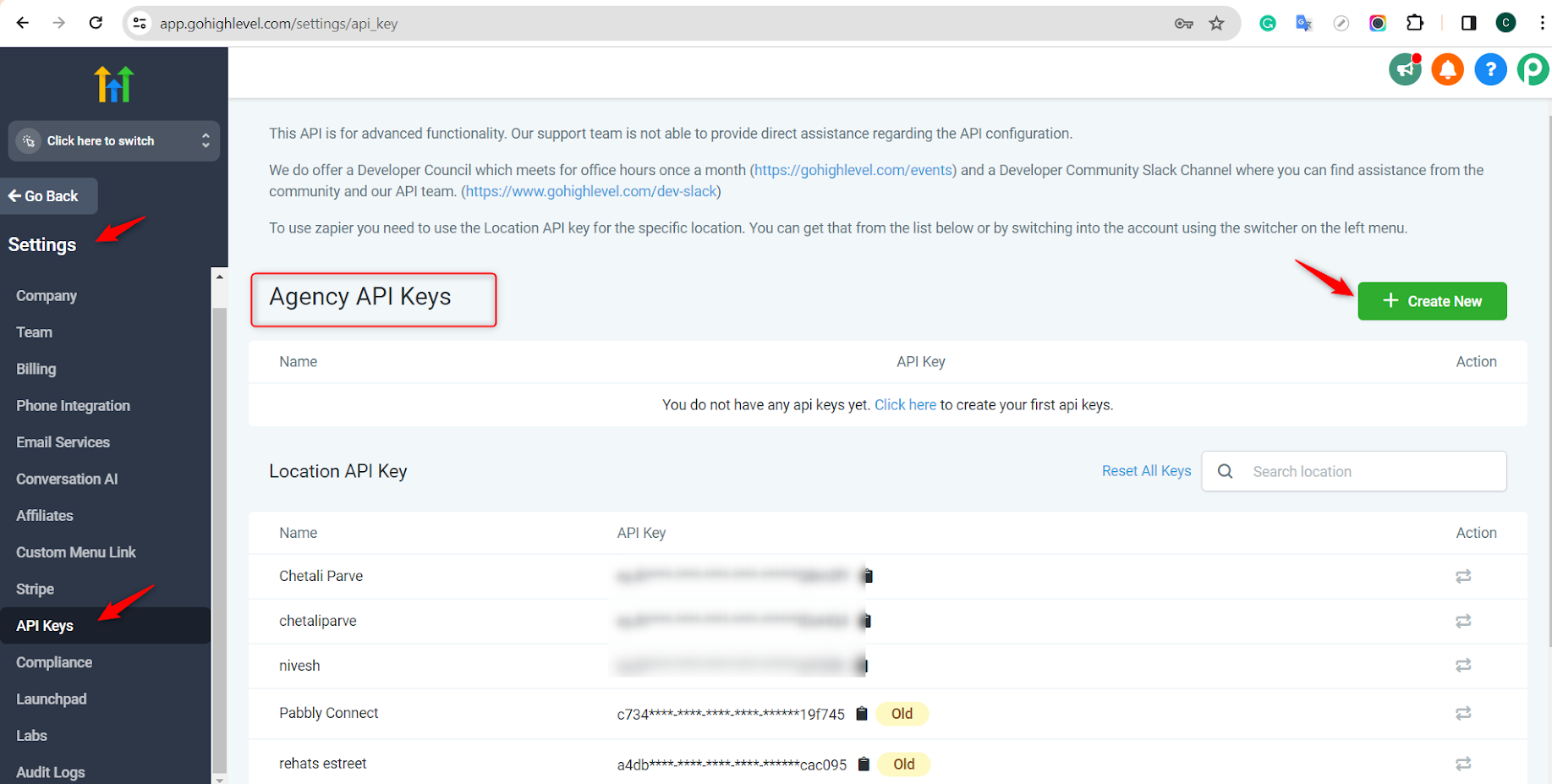
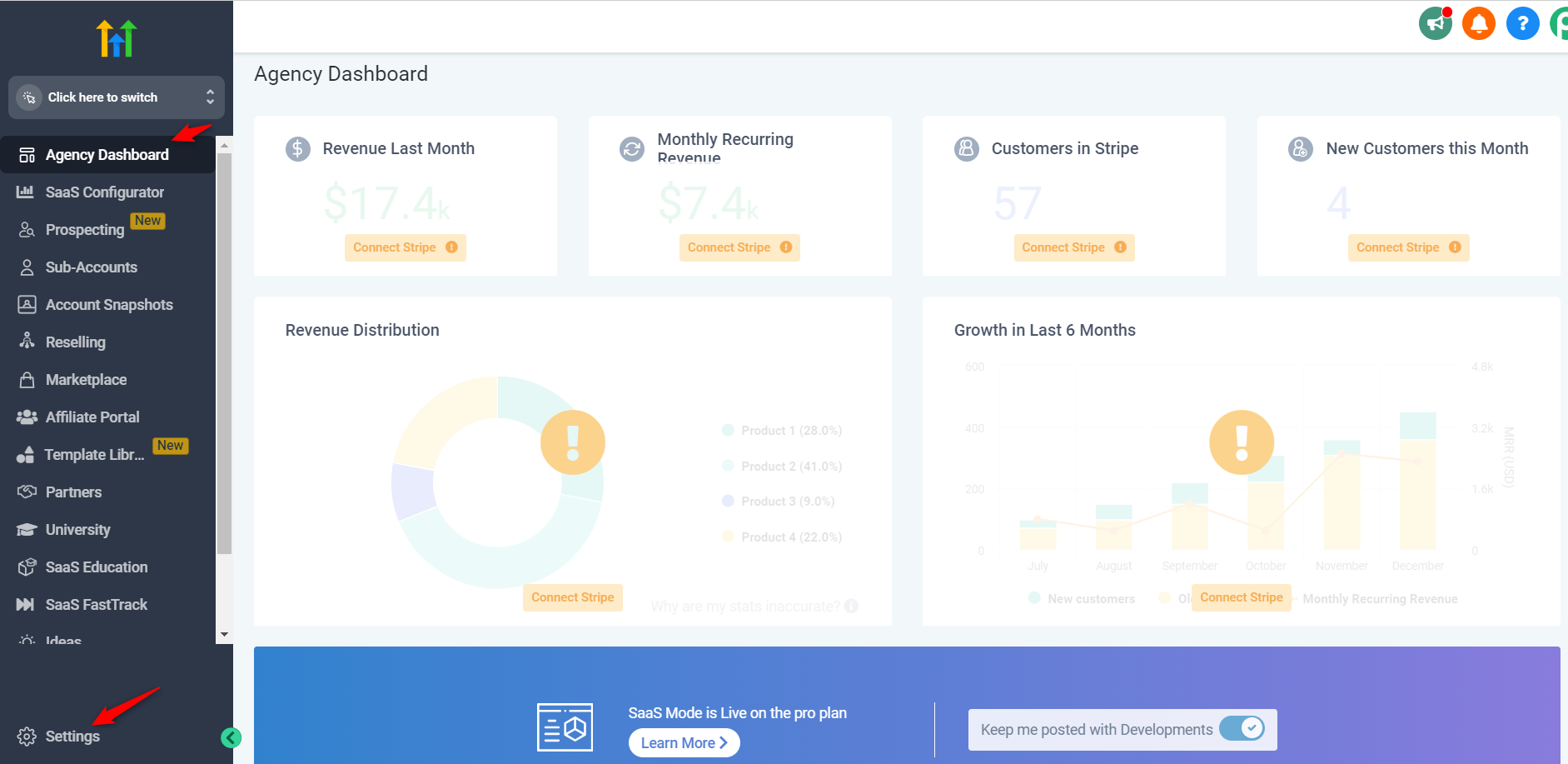
If you have an Agency account then follow the path and check the screenshot to locate the API token key.
Agency Dashboard > Settings > API Keys > Agency API Keys > Create new key
1.
2.