Pabbly + Zoho CRM Workflow stop working after some time
Status: Closed · Asked by Lucas325 on · 0 views
Hello there, i'm facing some troubles with pabbly's workflow while using zoho CRM integration.
By the beginning it starts to work as supposed to... but later it just doesnt trigger any request.
I tried to contact zoho CRM because another member of our company had said that he faced this problem before, but after the contact was told me to contact Pabbly.
I'll attach a link with the video testing the integration and a screenshot.
Hey @Lucas325
Please make a new connection with the domain to which your Zoho account belongs from below. ex: zoho.in and then try again.
We have recorded a short video for your concern, please check that out.
I aleady did that... but i'll try with .com.br because i'm not sure which domain i have to use.
I aleady did that... but i'll try with .com.br because i'm not sure which domain i have to use.
This is because ZOHO CRM opens the connection window for 1 hour and a maximum of 24 hours. Beyond that, you will have to re-authorise the connection.
So.. i have to re-authorise the connection every day? isn't possible to automate the process?
If you want to send lead/client/deal data to Pabbly workflow, use the webhook method. this is working absolutely fine for me. Moreover, you can use workflow inside Zoho CRM to set filters and conditions when to trigger the webhook and not every time.
Ahh thanks, i'll try this method.
Did you write a deluge script or just did the webhook setup in zoho crm? because mine is not doing the requests after the update on the fields...
If you want to send lead/client/deal data to Pabbly workflow, use the webhook method. this is working absolutely fine for me. Moreover, you can use workflow inside Zoho CRM to set filters and conditions when to trigger the webhook and not every time.
its just webhook setip.
you will need to select Form Data under Body and configure fields you wish to send to Pabbly.
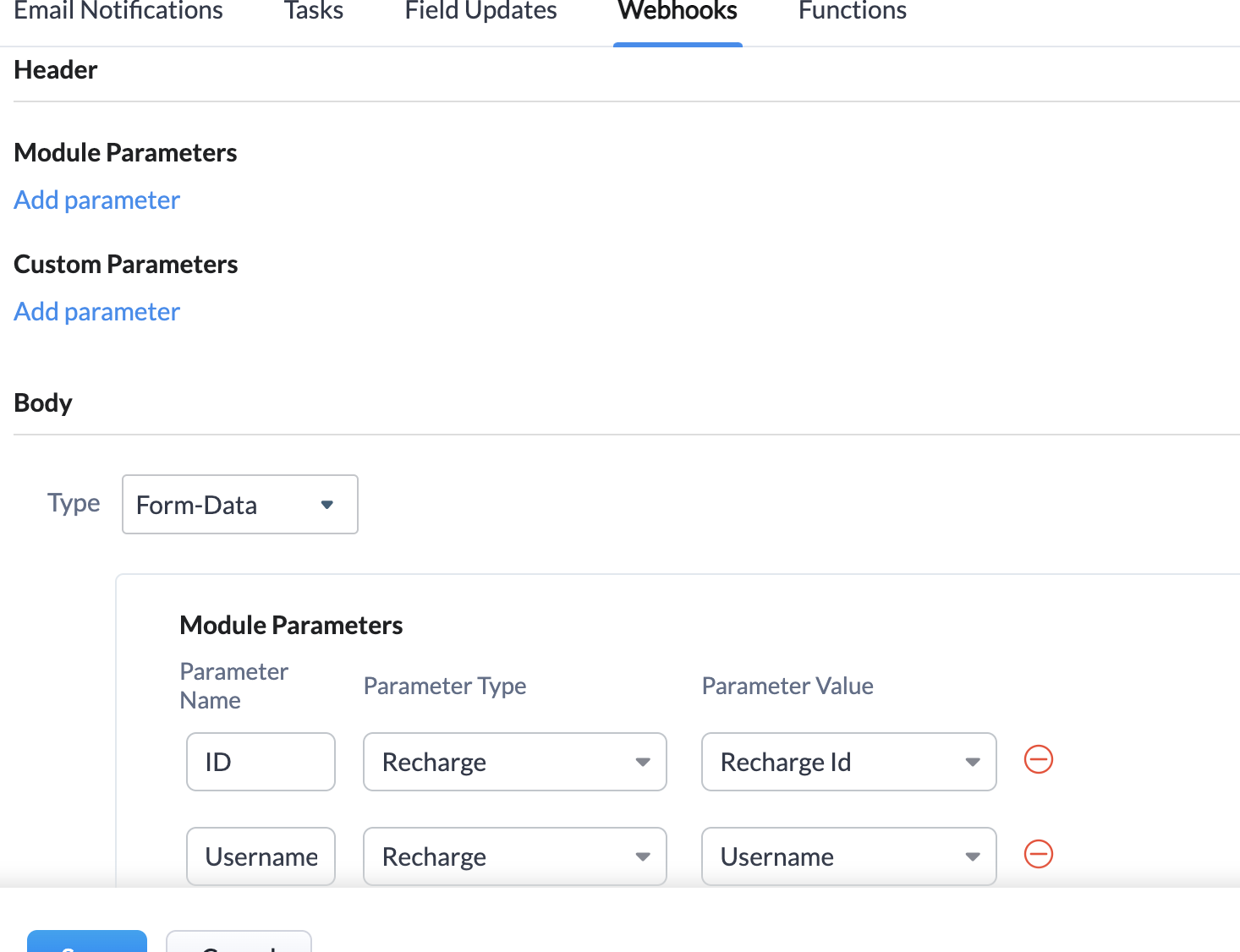
Thx, it's working : ) i did also a workflow to attach this webhook that's was not working, but i'll watch the integration for a time and check if everything is going right.
Everything going right till now, solved.
?