Parameter Not Passed From One Step To Another
Status: Closed · Asked by iRest Institute on · 0 views
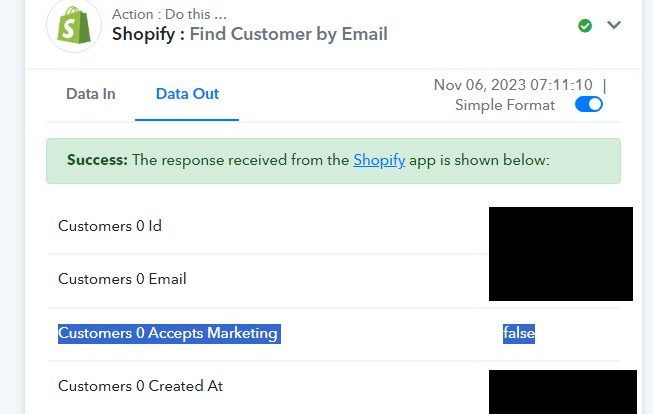
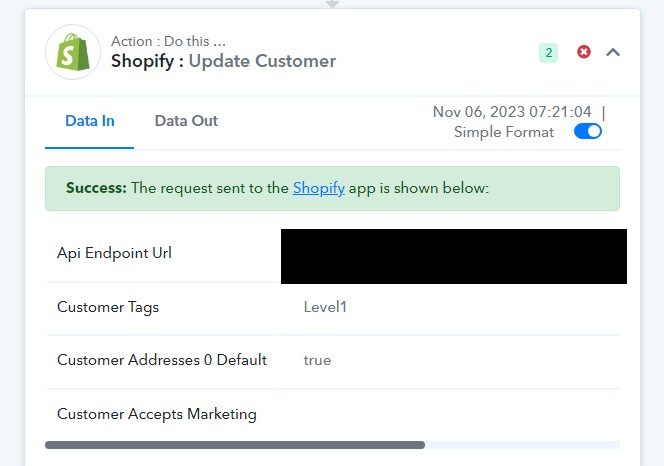
My workflow has a Shopify "Find Customer" step that is correctly finding the "Accepts Marketing" parameter. But in the next step to "Update Customer" that field sometimes does not come through. Any idea why that might be happening? Here's an example with screenshots.
Attachments
Hey @iRestAdmin
In response to your inquiry, we have incorporated a Lookup action step into the workflow. We suggest that you conduct a test of the workflow and inform us of the results.
Unfortunately, the lookup had one failure too. It's this run:
Task History ID - IjU3NjIwNTZkMDYzZjA0MzU1MjZlNTUzMDUxM2I1MTY2NTQzNSI_3D_pc
Executed at Nov 07, 2023 04:22:03, (UTC-08:00) America/Los_Angeles
Can you please try again, we have made a small change in the Lookup action step.
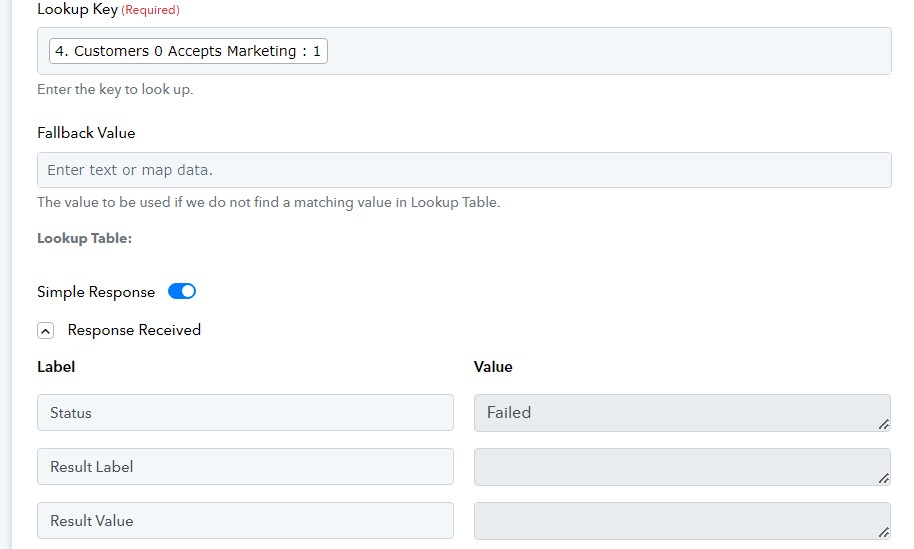
I tried sending a test response but, unfortunately, it failed. For some reason the parameter is still disappearing. This time is seems to have disappeared in the lookup itself. You can see in the screenshot that the lookup shows the parameter is 1, but the result is blank.
Attachments
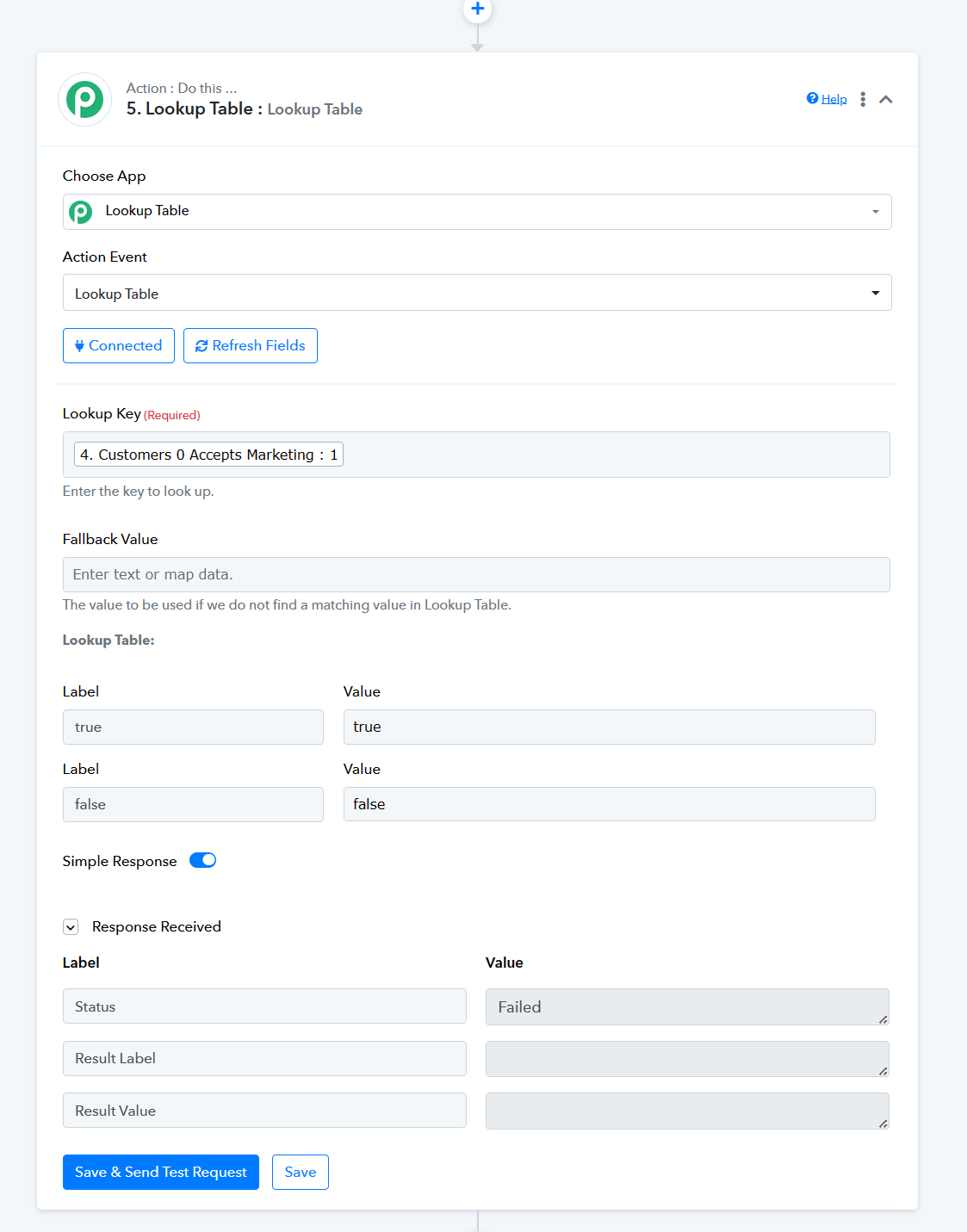
Please refer to the following screenshot once and try the same in your workflow.
Hi Supreme,
Unfortunately, I tried in the workflow and got the same result as in your screen shot: failed. If it had worked it would show "true" for the result label and value. Right?
Unfortunately, I tried in the workflow and got the same result as in your screen shot: failed. If it had worked it would show "true" for the result label and value. Right?
Based on yesterday's historical log, it appears that your workflow wasn't fully executed, although indications suggest that it did function.
If you attempted a task in a different workflow, kindly provide the latest task history ID.
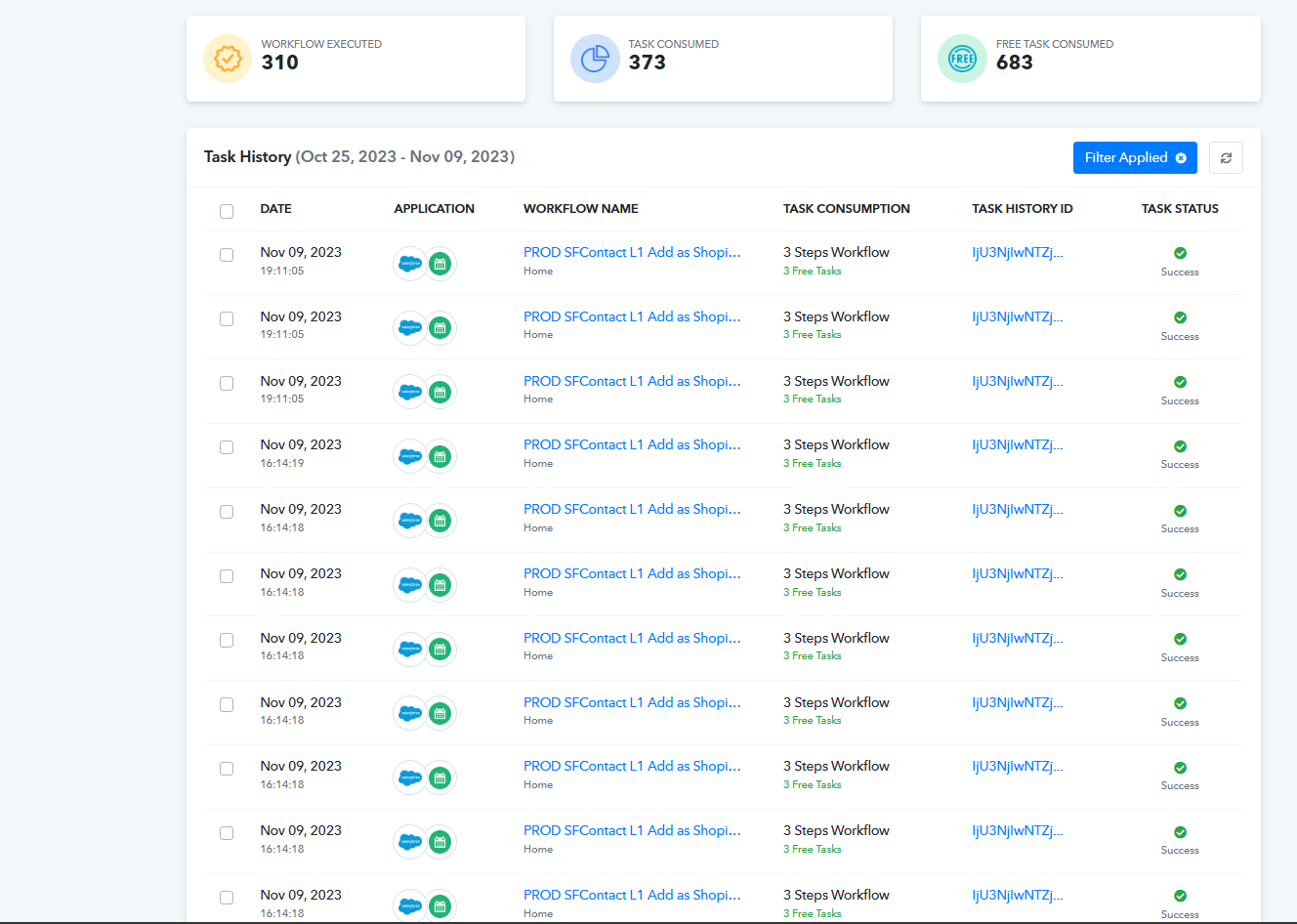
Yesterday I tested the workflow with "Save and Send Test Request" and as you can see from the screen shot I posted previously, it failed. There must be something about the received record that is coming through differently from time to time, because many of them have succeeded. Today I looked at the ones that failed and they all seem to have "Customer 0 Accepts Marketing: False". Could that be the issue? Maybe only the ones marked as True are getting through (I'm not sure how to filter for that)?
You can review those here: https://connect.pabbly.com/task/history?filter_status=applied&filter_by_status=partial&filter_by_workflow_id=IjU3NjUwNTZlMDYzMjA0MzY1MjZmNTUzMDUxMzMi_pc
You noticed that: "your workflow wasn't fully executed, although indications suggest that it did function." That's correct. This is because of a separate issue with this same workflow that I was able to deal with on my own. I only want this workflow to run when the "Level 1 Teacher" field in Salesforce changes. So the trigger I chose for the Pabbly workflow was "Updated field on Record". Unfortunately, it's still triggering whenever the record is updated, regardless of whether the field changed or not. I've since added a date field to the record that only updates when that field changes. And the workflow now checks to make sure that date matches todays date, otherwise it stops. That's an acceptable workaround in this case, but it means the flow will not run to completion very often. The "Level 1 Teacher" field doesn't change often.
So it will be hard to get data on the issue we're talking about in this thread, where the data in the field disappears between the Find Customer Step and the Update Customer step. I actually don't need to update the "Customer Accepts Marketing" field in this last step, but when I try to leave the field empty the test errors out and says the field is required. If you can't find a way to make sure the data doesn't disappear, finding a way to not have that field filled in would work too.
In configuring your Shopify account, the "Accepts Marketing?" field was set to mandatory. However, when it received a false response, it caused complications in the subsequent action step, resulting in the field being converted to a blank response. Consequently, the Shopify: Update Customer action step failed.
To address this issue, we have introduced a new action step titled "Number Formatter by Pabbly: Spreadsheet Formulas." This step offers true and false options for your fields based on the responses received from Shopify's Find Customer action step.
Please test this solution and inform us of its effectiveness.
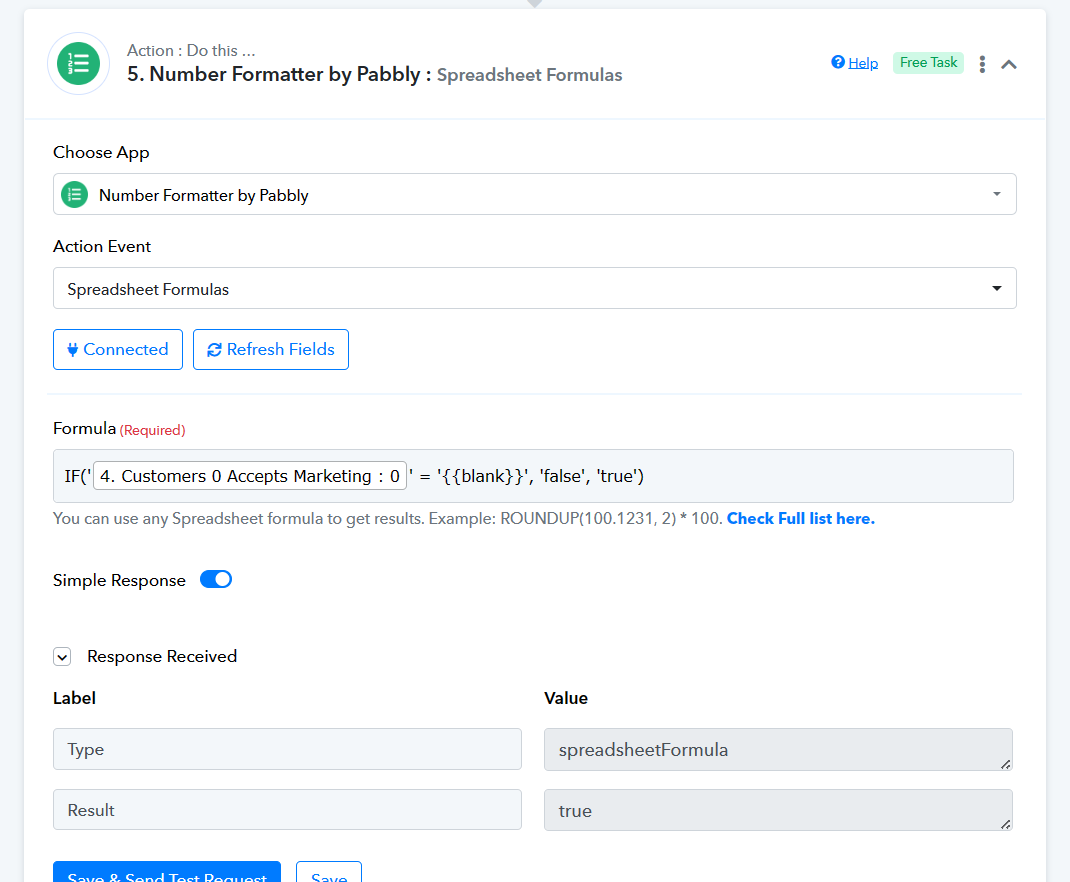
Perfect, Supreme. That looks like it works in the flow. I have a few new L1's that should be updating in an hour or so, hopefully some of them will have a false for accepts marketing so we can get a good test.