PC for Creation of Certificates
Status: Open · Asked by Ecp on · 0 views
Hey guys
First of all, congratulations on creating this automation! It is really great and I have used it alot!
I love it.
There is an issue with it however. I have selected the "send on event" feature but... it does not fire when a new entry comes in...
Then, I selected "send on schedule" and still, nothing happens.
What can I do to make it work?
Thank you
Attachments
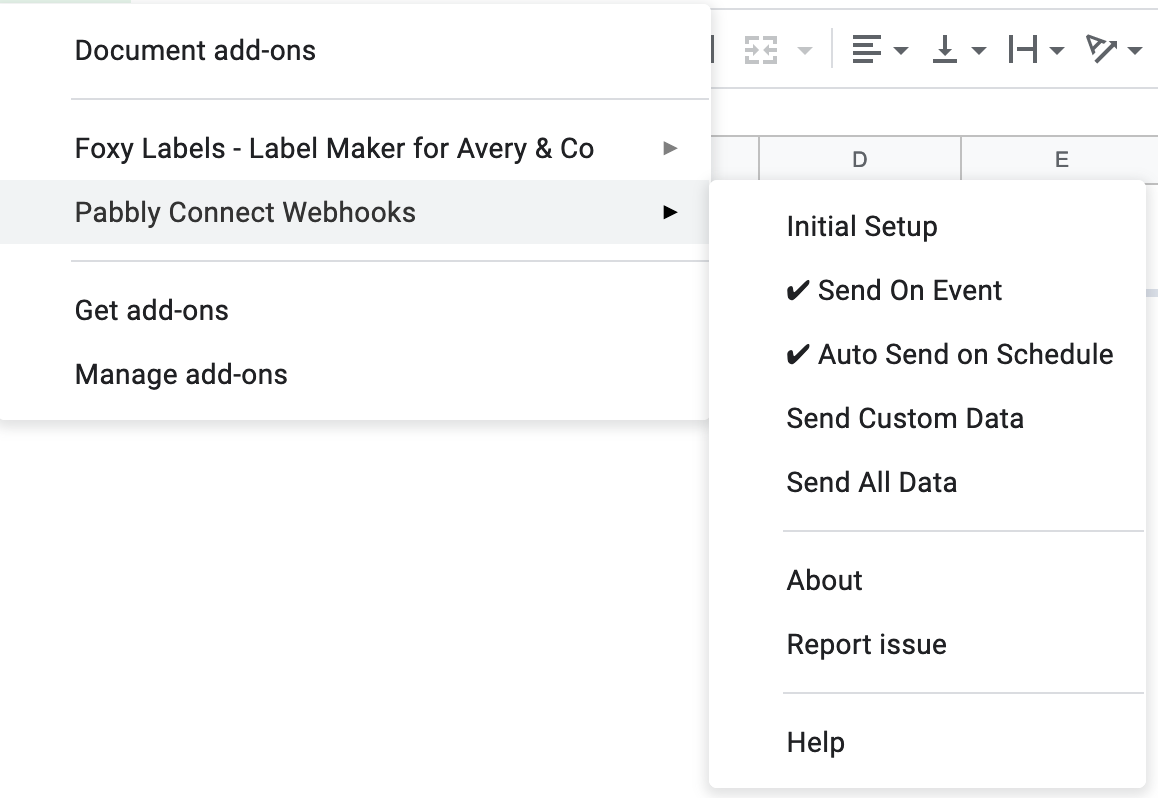
Hey guysFirst of all, congratulations on creating this automation! It is really great and I have used it alot!
I love it.There is an issue with it however. I have selected the "send on event" feature but... it does not fire when a new entry comes in...
Then, I selected "send on schedule" and still, nothing happens.What can I do to make it work?
Thank you
Where is your new entry coming from inside Google Sheets?
If it is coming from Google Forms, the row will be sent immediately to Pabbly Connect for certificate generation when you check mark the Send on Event button.
If it is coming from any other source except Google Forms, the newly added rows will be sent to Pabbly Connect every 1 hour.
That way, your certificate will be generated every 1 hour. One thing to note, if multiple rows are added during the 1 hour period, all the rows will be sent to Pabbly Connect on the hourly trigger.
Hey Neeraj
People have access to the google sheet and they enter their names manually
Hi Eugen,
If the data is being added manually to the Google Sheets, the Add On option "Send on Event" will work for you.
But please make sure that you have mentioned the correct "Triggering Column" while setting the webhook in your Google Sheets.
And if you still face any issues, please drop an email over admin@pabbly.com and include the following details in it
1. Registered email with Pabbly.
2. Workflow name.
3. Google Sheet link (with permission to edit at admin@pabbly.com)
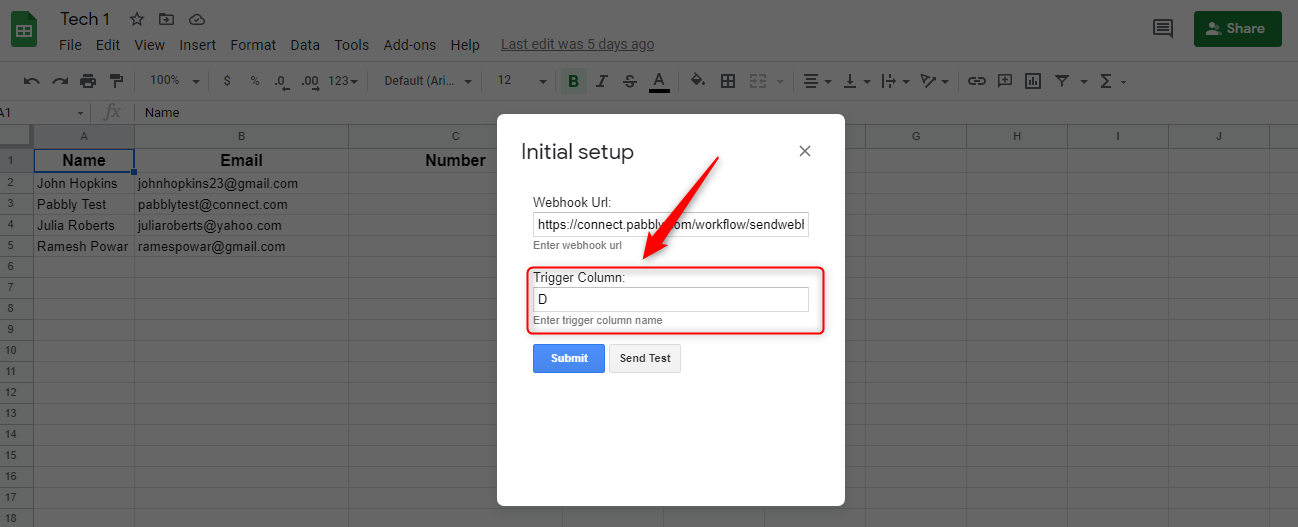
Thank you Aman.
I will get in touch!
Even when I click Send All Data, it still does not send it... It shows it is working but... that is all, no data is being sent... no new certificates are being created.
Hey Eugen,
Please drop an email over admin@pabbly.com and include the following details in it
1. Registered email with Pabbly.
2. Workflow name.
3. Google Sheet link (with permission to edit at admin@pabbly.com)
Thank you
WIll do
Email sent!