Pebbly not transferring the correct data from Oncehub
Status: Open · Asked by Chrisbrowniee on · 0 views
Hello, I am trying to automate Oncehub so that call bookings scheduled are automatically added to a google sheet and then automatically updated if calls are resheduled but I am having an issue because the call times being transferred to google sheets DO NOT match the correct scheduled time of the call as per the booing page on once hub.
I have attached the workflow link below:
https://connect.pabbly.com/workflow/share/WBBWZFIFUzAETgZsB1QDJFtPCg4CW1IzBx4AElVaAHgBTwBVAUBfNQ9DACJQG1c2Vx5SOAZaVm9fSwoOVwFTIFxFUn4AA1ErBksCMVcSDj1YBlZ-UjM#
How do I correctly set up this automation between Oncehub and Google sheets?
Use Date time formatter to correct time.
Hi @Chrisbrowniee,
You can make this minor change to your Date/Time Formatter in order to fix the time.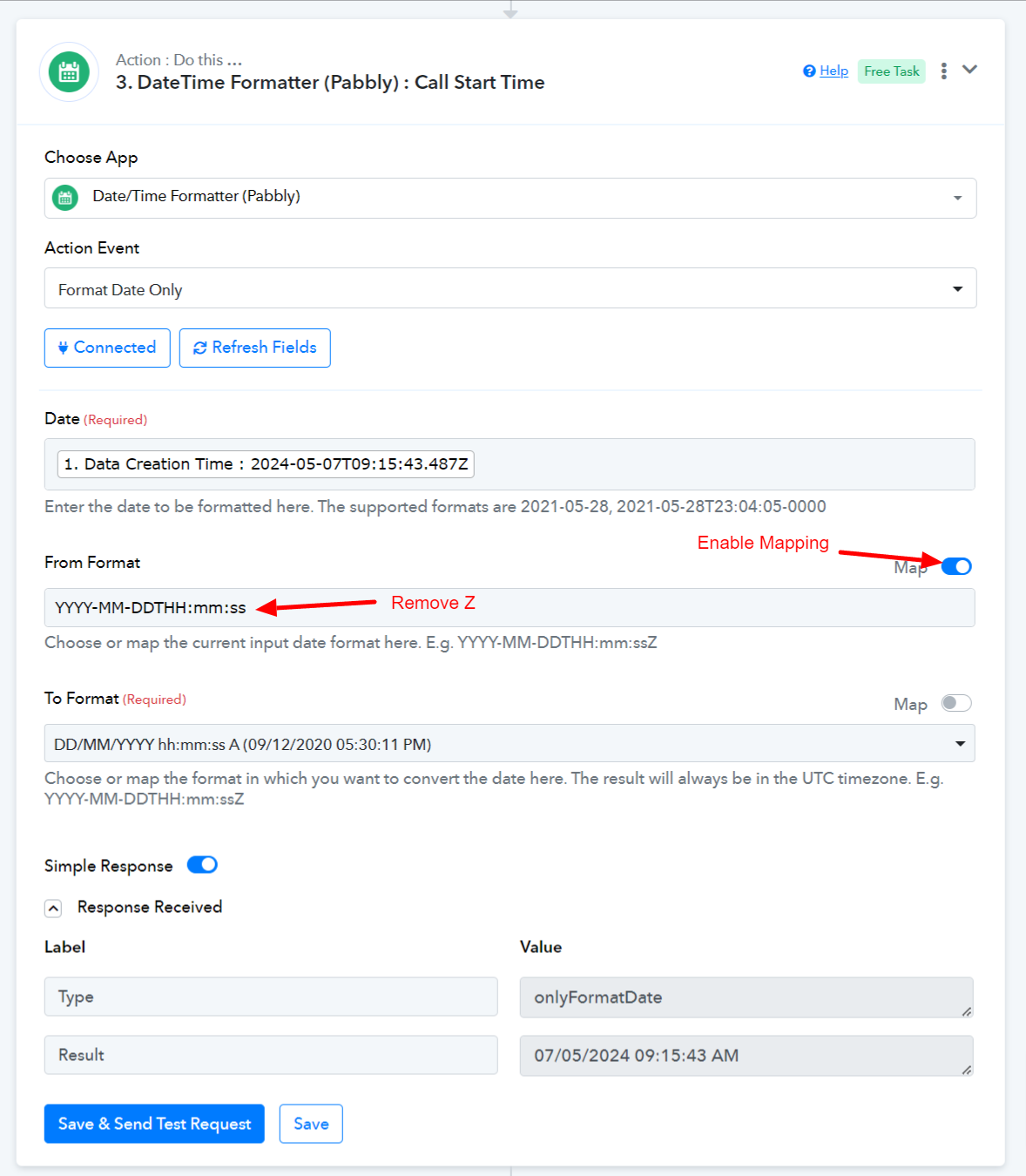
Thanks! and how do I get the next response to populate at the bottom of the last response rather than at the top of the spreadsheet? (Like shown in the screenshot)
Attachments
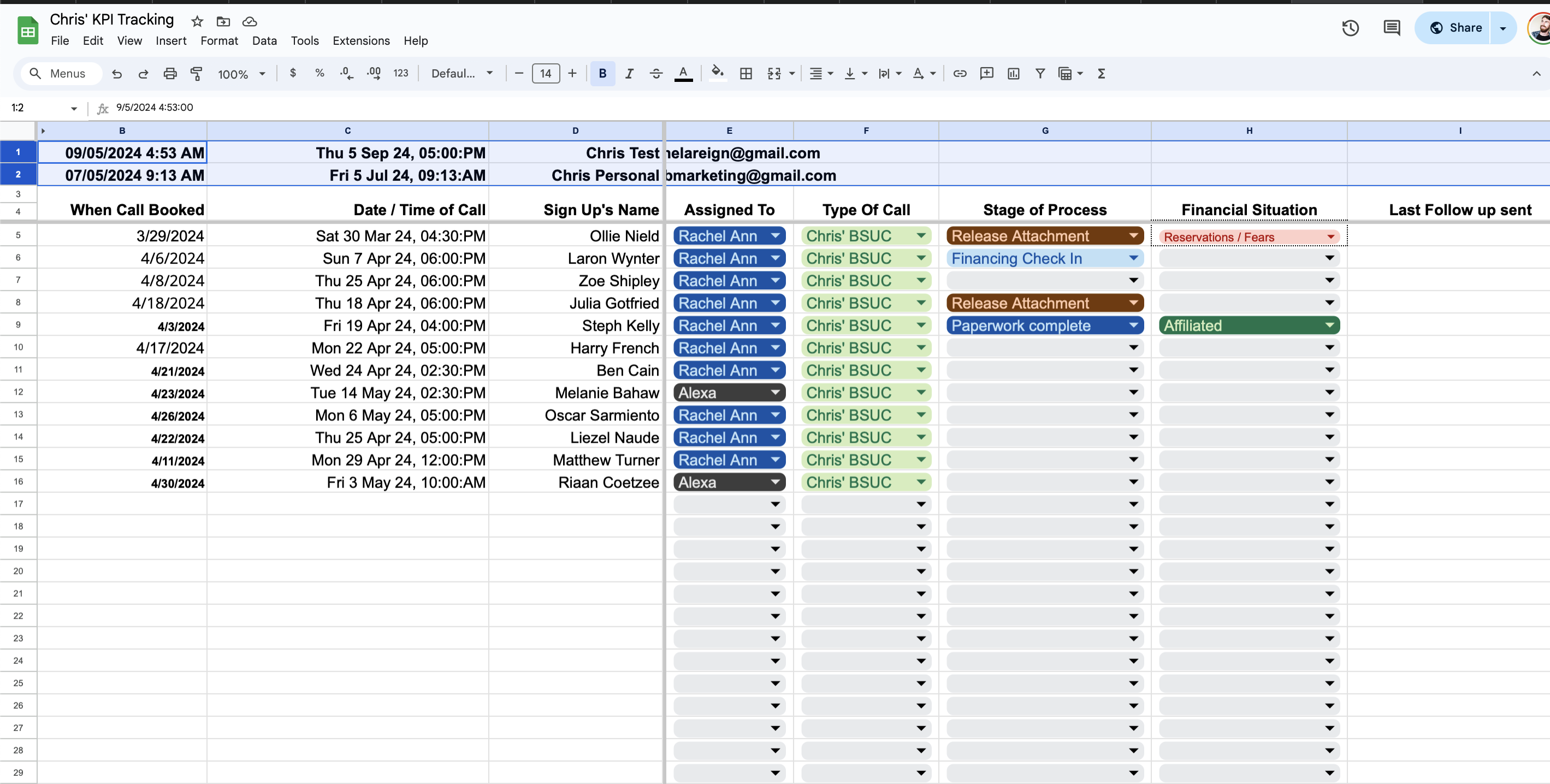
Thanks! and how do I get the next response to populate at the bottom of the last response rather than at the top of the spreadsheet? (Like shown in the screenshot)
The Google Sheets: Add New Row will automatically pass the data to the new row in your Google Sheet at the end.
The Google Sheets: Add New Row will automatically pass the data to the new row in your Google Sheet at the end.
Normally it does, but for some reason in this automation it is adding the new row to the very top of the spreadsheet and creating a new row at the top.
How do I fix this?
Normally it does, but for some reason in this automation it is adding the new row to the very top of the spreadsheet and creating a new row at the top.How do I fix this?
I recommend that you review the headers on the sheet, as this problem often occurs when the headers are not properly aligned. It's important to ensure that the headers are correctly formatted and organized to avoid potential issues.
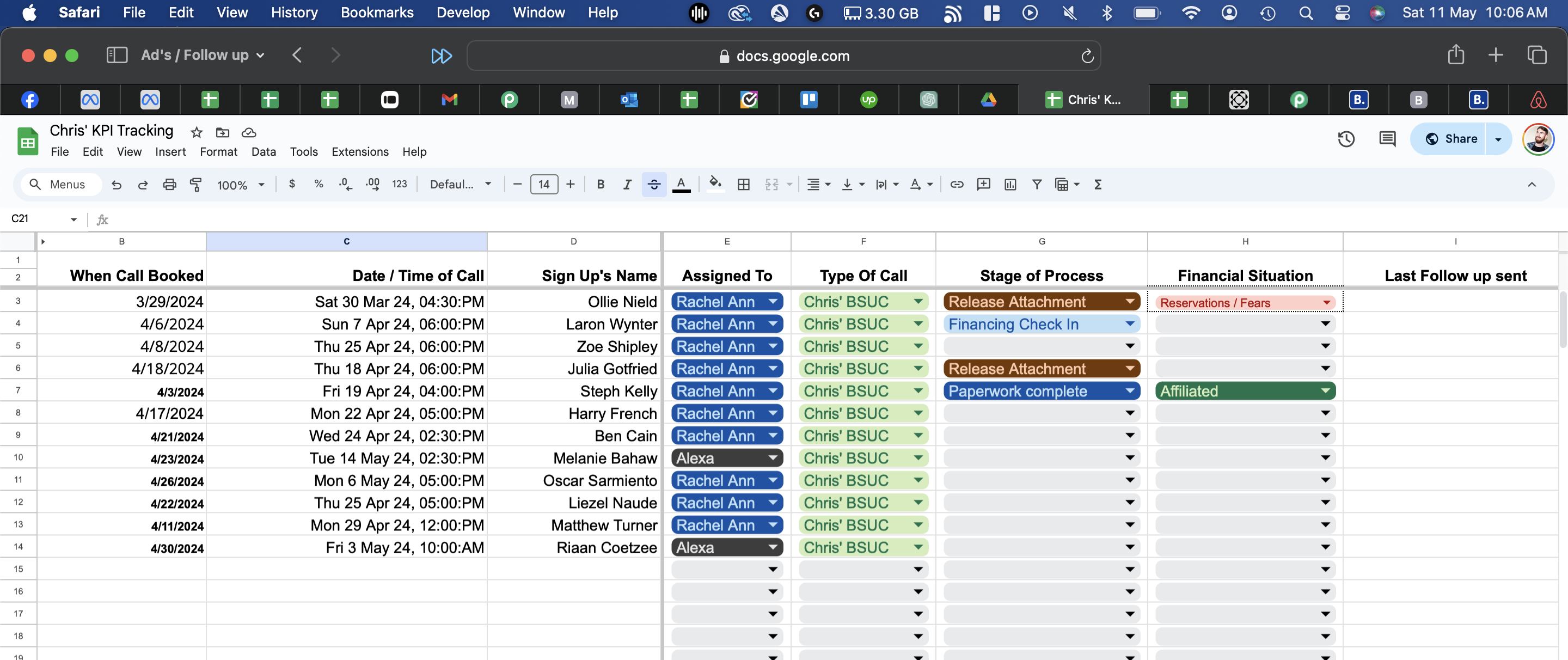
They are aligned correctly though?
Attachments
Hey @Chrisbrowniee
Please move your column name to the first index row, begin the row from the second index, and then try again.