Pinterest Create a Pin test says "Invalid request"
Status: Closed · Asked by Ingrid on · 0 views
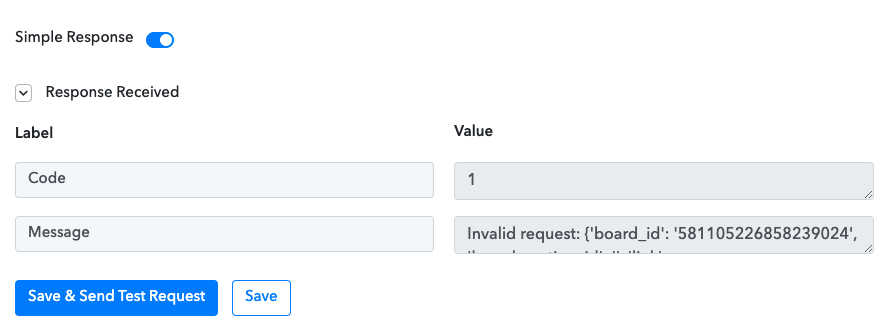
I'm setting up a "Create a pin" workflow but when I send a test it says "Invalid request:" in the value and opens brackets with all the pin info but it's not posting to Pinterest. (see image below)
This is also causing issues because
1) It's not posting.
2) The next part of my workflow to update a record in Airtable can't be added correctly since I need the Pin id that will exist once the pin is actually created.
Pabbly is correctly reading the info from Airtable, and it's seeing all the fields, but I am not able to create the Pin, I keep getting an invalid request. I don't know what to do to make it work, any help is appreciated!
Hey @Ingrid
It seems like the image URL you are passing is not publically accessible and because of that the action step might not be performed accordingly.
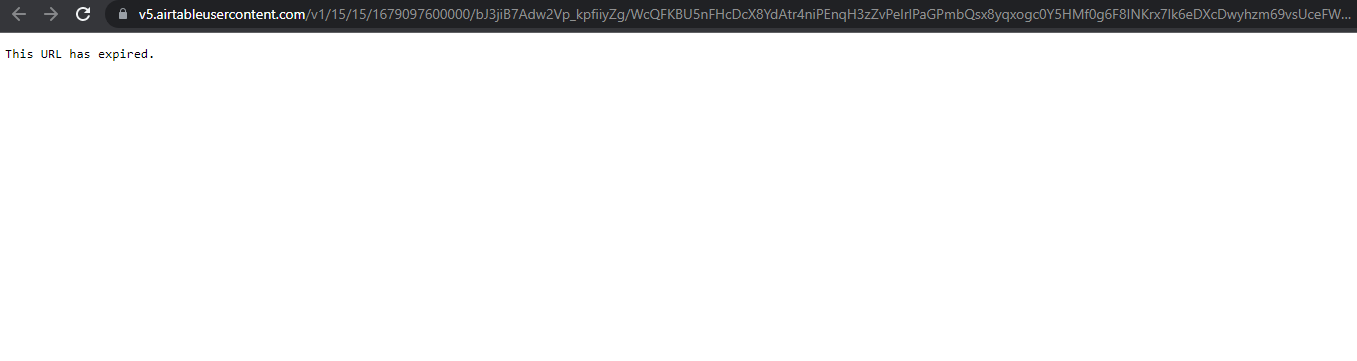
So, please pass that image URL which is visible in nature and try again.
Hi @Supreme Thanks for that info. I just tried it again, with a new post and image, and I still get the invalid message. I grabbed the URL of the image and it's valid/public: https://v5.airtableusercontent.com/v1/15/15/1679133600000/bfrSTwraoGLzK3Cs48hDtA/C_r4Ntus9c21uwoHYeFIqHOhZ_MG4WLU3NSNHVl_8JvktuioiGl5N8jO6mH5seIxrh68ECUXG6hQsQ4vOIbn7Doj02qYo_igPrTIKxFfrWHeajd5uO5Tk2gaDmZzhfHXfnMpEGsci4Dfi4i0MJYyXhJUa9-Tar8z9dr4sjMG8wY/tmIZj9w0r-sIcgOFrNXtMZwzEZqryzgoM5SoWx54Pos
Not sure why it still says Invalid/" does not match "?
I just tried a different Airtable, a different Pinterest board, and a new Workflow so everything is fresh and new, following the Pabbly youtube video tutorial to create a new Pin from Airtable to Pinterest and I get the same issue of "Invalid/does not match".
Can this be a token error, API error, or something else?? even when I tried a simplified version of my workflow to simply connect Airtable and Pinterest creating a new Pin when there is a new record I keep getting the error message.
Invalid request: {'board_id': '581105226858239041', 'board_section_id': '', 'link': 'https://penguindesigning.com/how-strong-branding-can-influence-consumer-behavior/', 'title': 'How Strong Branding Can Influence Consumer Behavior', 'description': 'A strong brand is a crucial component of any successful small business. By creating a consistent and memorable brand, you can establish trust and credibility, create emotional connections with customers, and increase the perceived value of your product or service.', 'alt_text': '', 'media_source': {'source_type': 'image_url', 'url': 'https://v5.airtableusercontent.com/v1/15/15/1679133600000/YgaUC-yXfuEWuEF6n-7ADw/XCwu2tsymJRhUJewLZaL2vjteFTr076jASpuh_gLNCYqwSEKaBhCJ1thgKH61SLG3b6W8MGLPcJxXjJJsAOA7UB6j5LH0ASYLOZYlWxFjLI/89pnSg_wcxjzM3OCtcbvADskALZUPPlZTdXPA5Hk_WE'}} ('' does not match '^\\d+$')
I don't know what else can be wrong :(
As you are not getting the file URL in the proper extension, kindly upload the image first in the Imgur application to convert the proper file extension and then pass its generated file URL further.
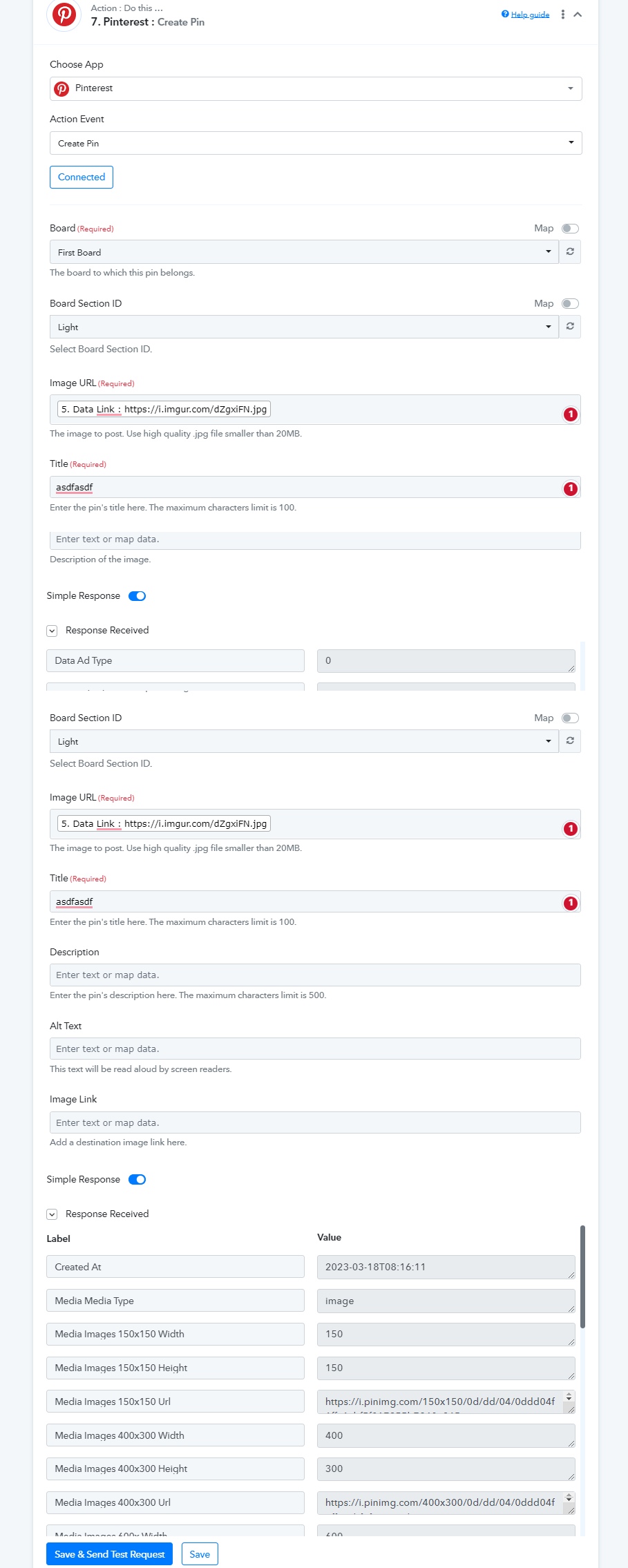
As you are not getting the file URL in the proper extension, kindly upload the image first in the Imgur application to convert the proper file extension and then pass its generated file URL further.
@Supreme I hope I did this right — I uploaded the image to Imagur VBI6MVS
Then tested the workflow by manually adding the imagur link instead of using the Airtable upload as shown in the Pabbly tutorial video and still got an invalid error:
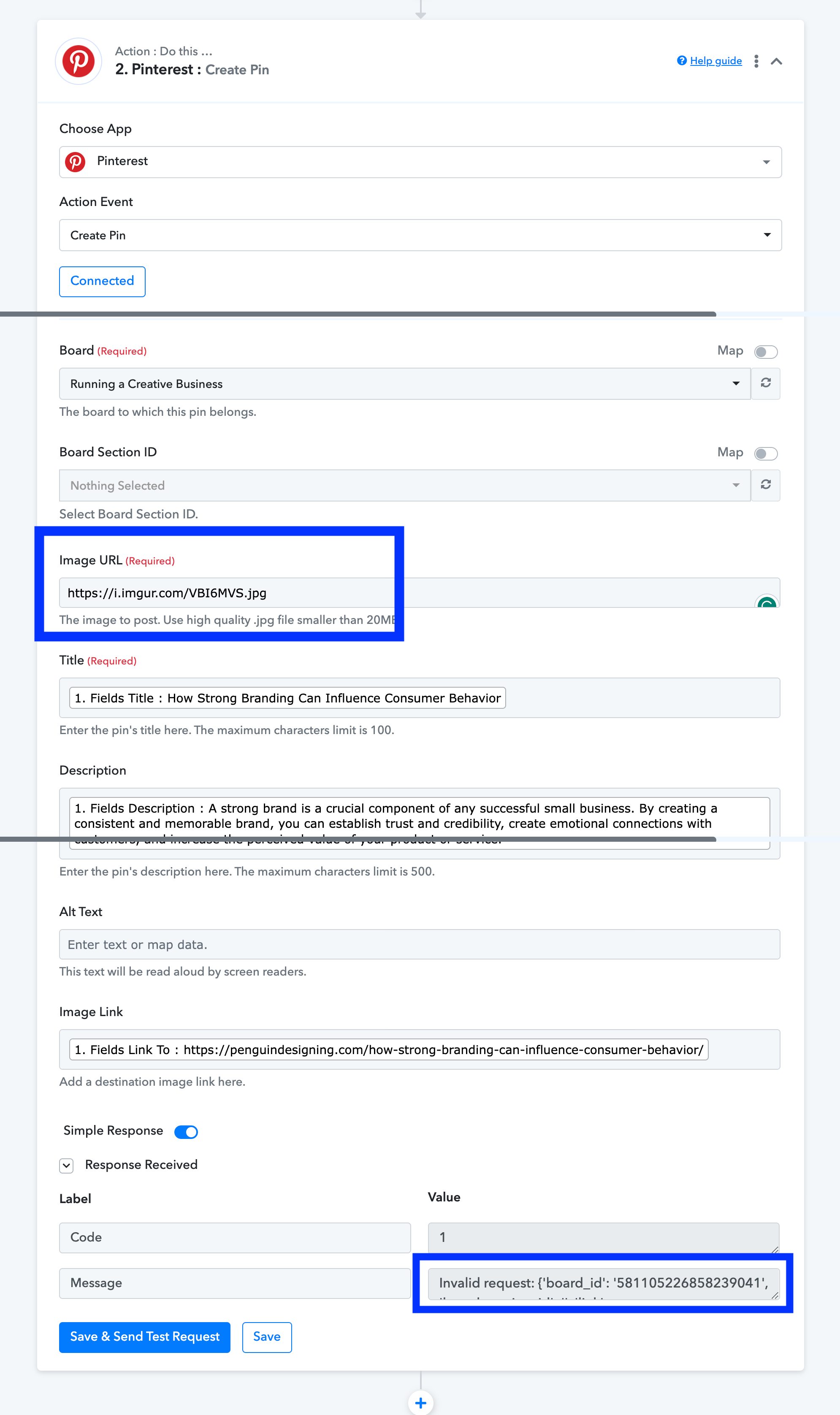
Invalid request: {'board_id': '581105226858239041', 'board_section_id': '', 'link': 'https://penguindesigning.com/how-strong-branding-can-influence-consumer-behavior/', 'title': 'How Strong Branding Can Influence Consumer Behavior', 'description': 'A strong brand is a crucial component of any successful small business. By creating a consistent and memorable brand, you can establish trust and credibility, create emotional connections with customers, and increase the perceived value of your product or service.', 'alt_text': '', 'media_source': {'source_type': 'image_url', 'url': 'VBI6MVS'}} ('' does not match '^\\d+$')
Just adding this here as I shared it in the Facebook Group, too, and hoping this can get resolved quickly!
I've extensively tested this today:
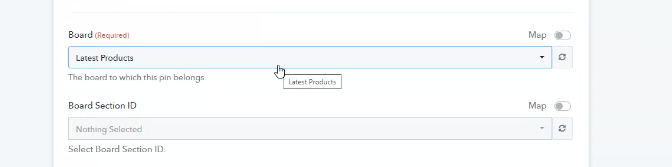
With the Pinterest 'create pin' update, it looks like it's not working anymore because of the new 'Board Section ID' field. Leaving this blank doesn't create the pin as it used to, but it will work for a board that DOES have sections. So, it's not the image URL, it's the board section field that isn't allowing a blank field.
Any chance this can be fixed soon? Not many people create Pinterest boards with sections.
My workflow is now working properly!!
Hey @IntrovertCoach
In the Pinterest, action step if you do not want to pass anything you can simply leave the field blank or select the Board Id in which you want to pin.