PipeDrive x Calendly
Status: Open · Asked by Renato Drumond on · 0 views
Hello, I use calendly to make the bookings, and have an intergration that creates the deal and a meeting activity in PD.
But I´m trying to find a solution to cancel the meeting in Calendly, if the lead it marked as not qualified on PD.
I was trying to create the automation here in Pabbly, that if a personalized field is "x", than send the action to Calendly to cancel the meeting, but I could not find a way to select an specific fild update to be a trigger.
When I select updated deal, it brings all the information regarding it, and it doesn´t let me move on. I´m new here, so can anyone help me with a direction?
Hi @Renato Drumond,
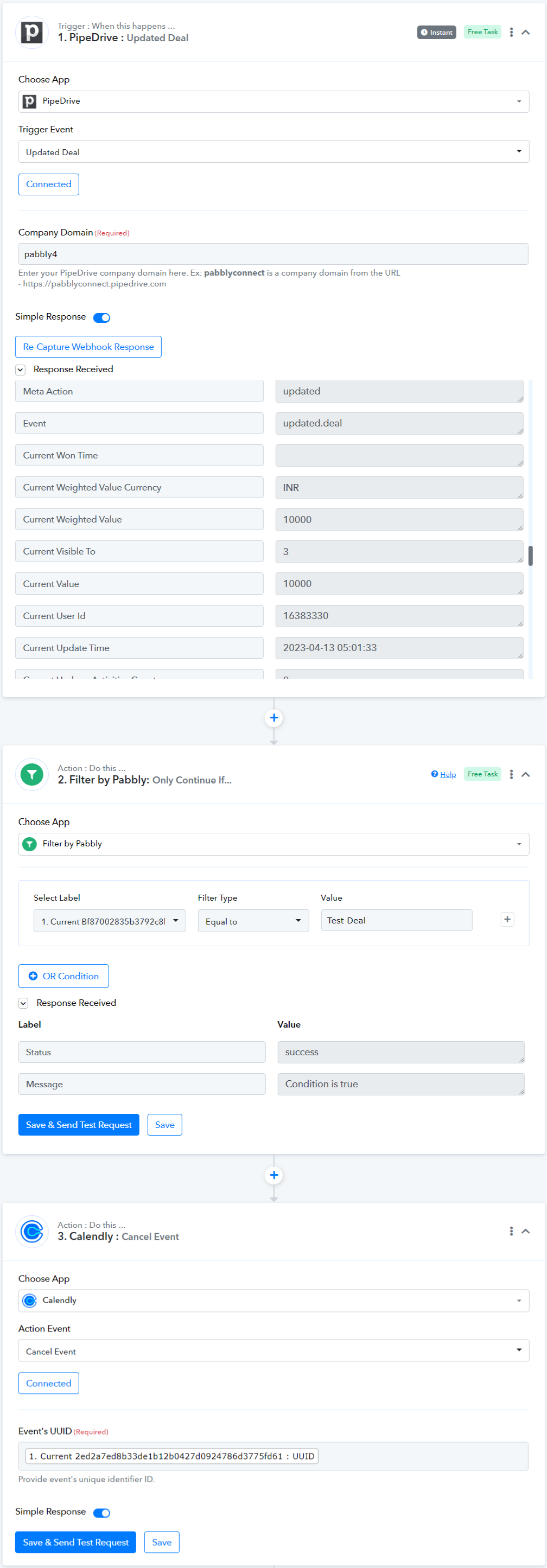
Based on your request, it seems like you would like to cancel events in Calendly by updating the text in a Custom Field in Pipedrive. To do this, you can follow the steps below:
- Add a Filter in your workflow that will only execute if you enter "X" text in your Pipedrive Custom Field.
- Create a new Custom Field in Pipedrive that will contain the UUID of the event you wish to cancel. Pabbly Connect will utilize this UUID from the Custom Field to cancel the event.
@ArshilAhmad thank you. I´ll test it right now.
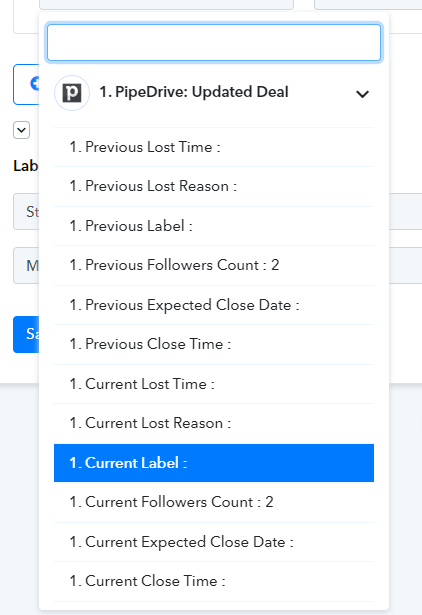
I´m not being able to select the field on the filter because it is not bringin the full information from Calendly.
For example I could use a label as the trigger as not qualified.
but the label information is empty.
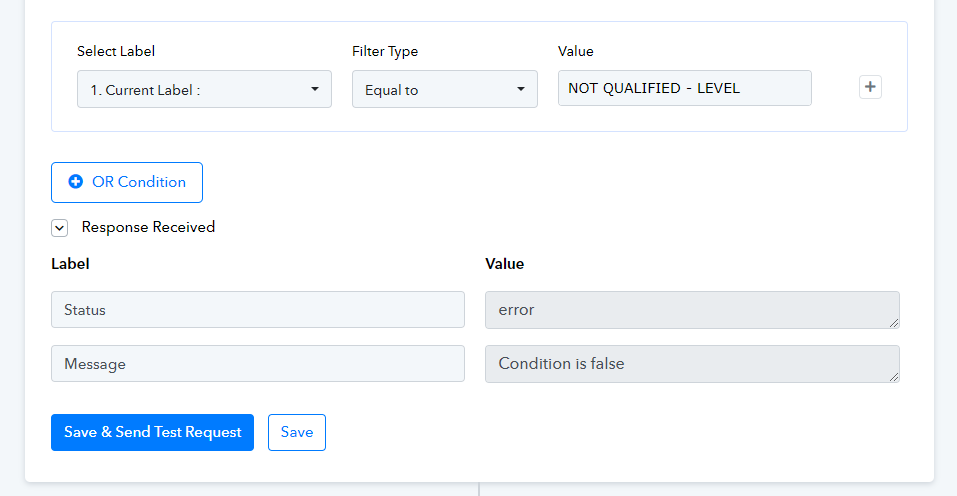
And when ei select it and type the value it gives me an error message.
Hi @Renato Drumond,
We have made some changes to your workflow which will help you map the UUID from above.
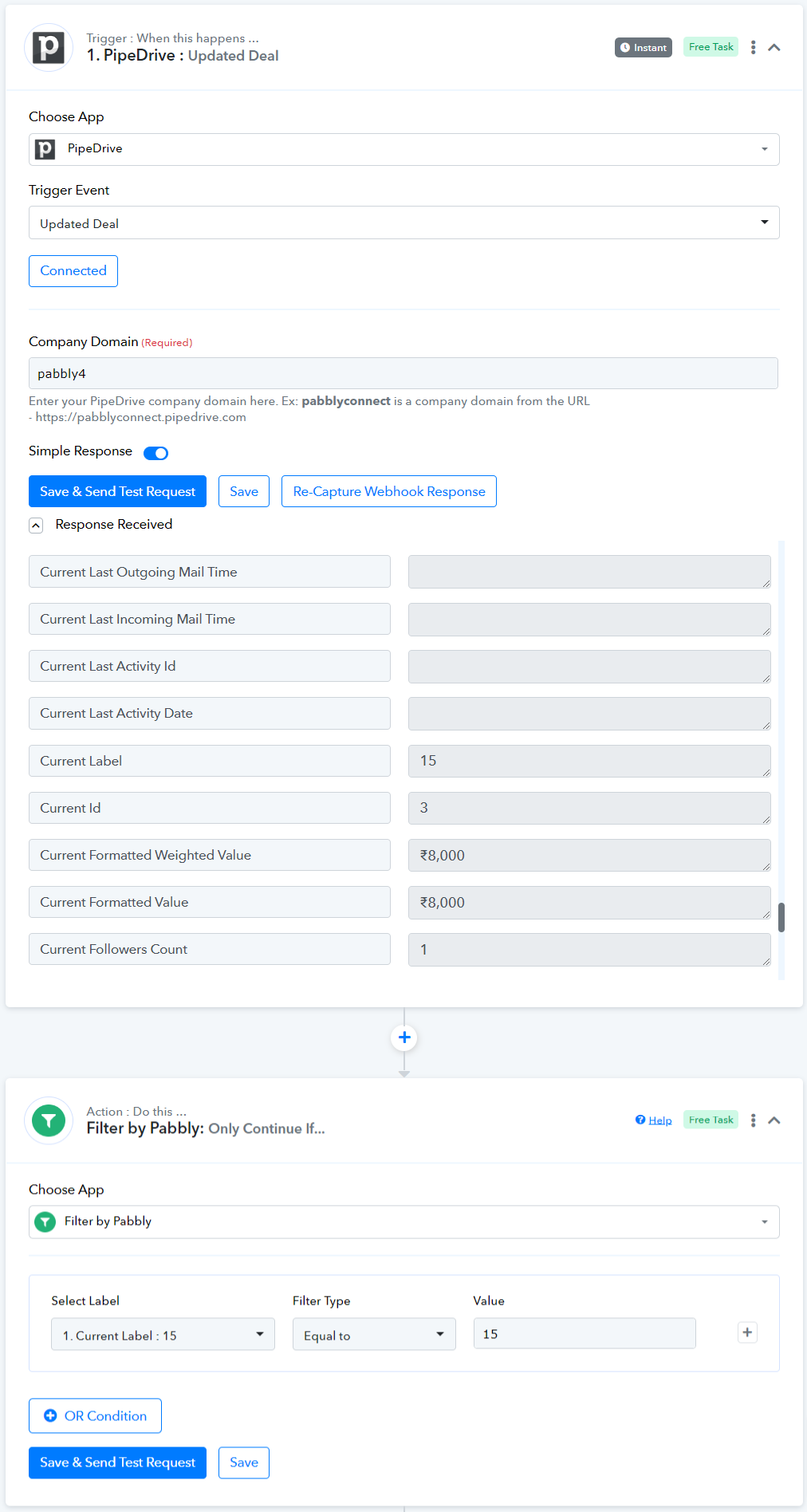
As for the issue of not getting the Current Label from above - Try adding the Label again, as at our end we are able to get the Current Label without any problem.
Attaching a screenshot for your reference.
Hello, sorry to bother again.
But I´m still having an error. I reseted the api connection and now it is showing the labels.
However, when I select current labelm it shows the label that the deal has. But, when I add the label code I need to be the trigger it gives me an error.
It only accepts if I add the same code ans the "select Label" field. But if I leave it like that it will trigger with a different label.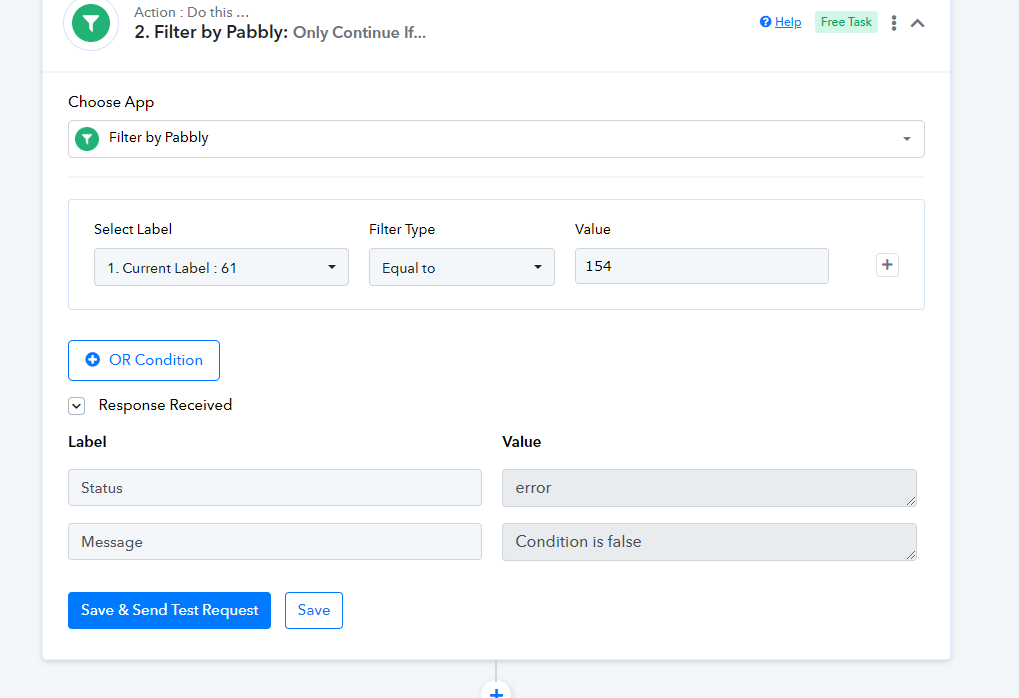
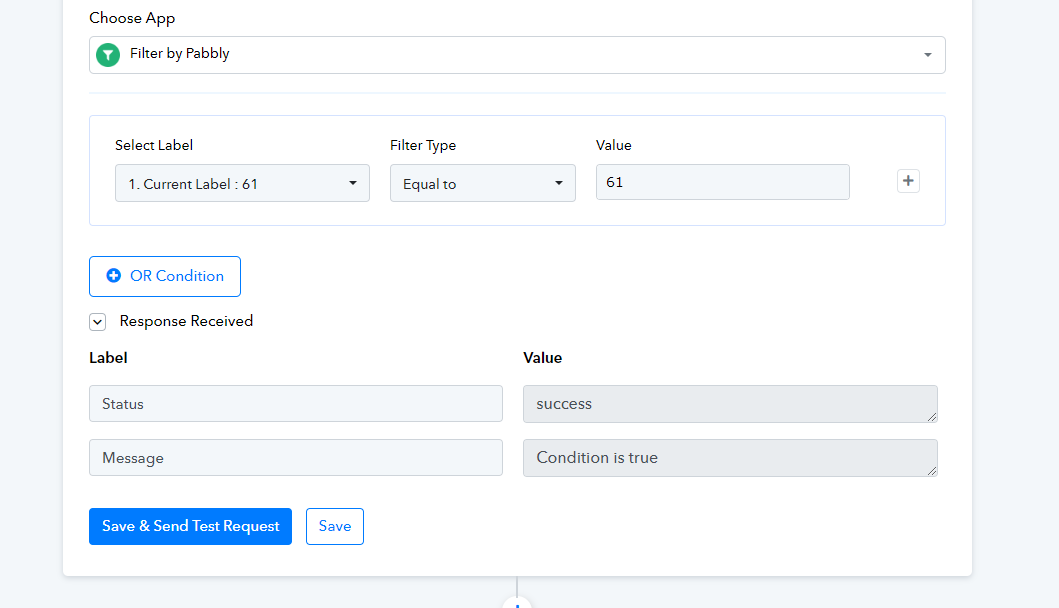
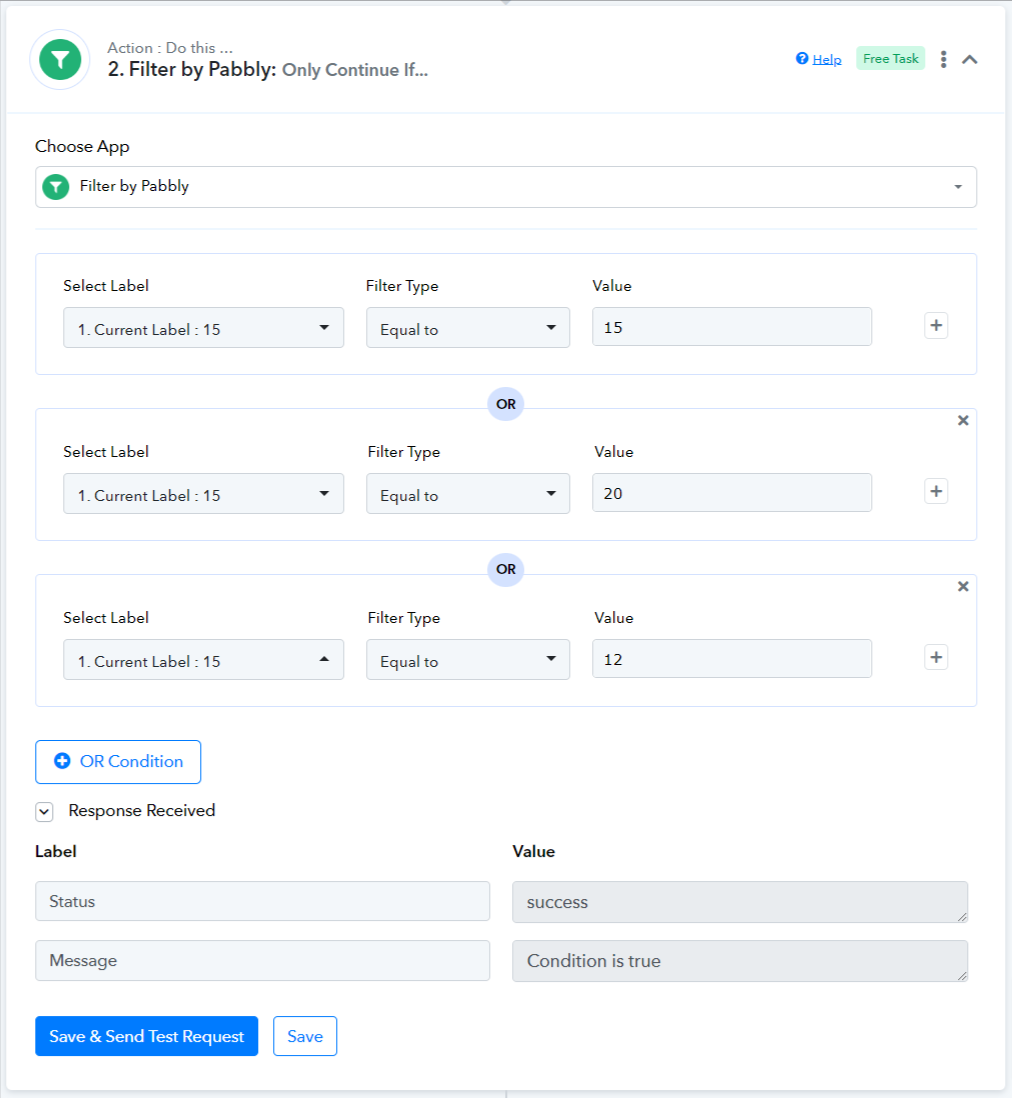
Renato, that's the way filters are supposed to work. It will prevent the execution of your workflow in case the label is different.
If you want the workflow to be triggered for other labels as well, you can add multiple OR conditions and enter the value of those labels.