Platformly Add Tag to Contact failed to execute.
Status: Closed · Asked by DentistFind App Dev on · 0 views
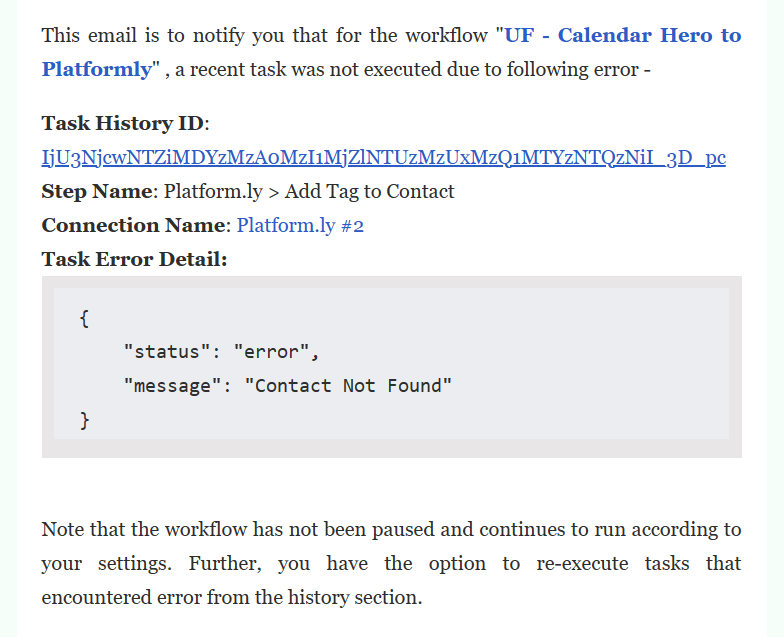
This is the error that I got. Can't seem to understand why this is happening, and how to solve this.
Hey @DentistFind App Dev
It appears that the contact you are getting in the automation doesn't exist in your Platformly and because of that, you are getting this error.
So, as a solution you would need to create the Router action step to check the existence of the contact then you need to create it and then apply a tag to them else if the contact does exist then you can simply apply the tag.
Though we have configured the action step in your workflow and it should work now.
Hi, thanks for configuring the workflow. But the last execution failed.
Your message was sent last Feb 2, 2023 at 6:11AM, while the last execution was at 4:10PM same day.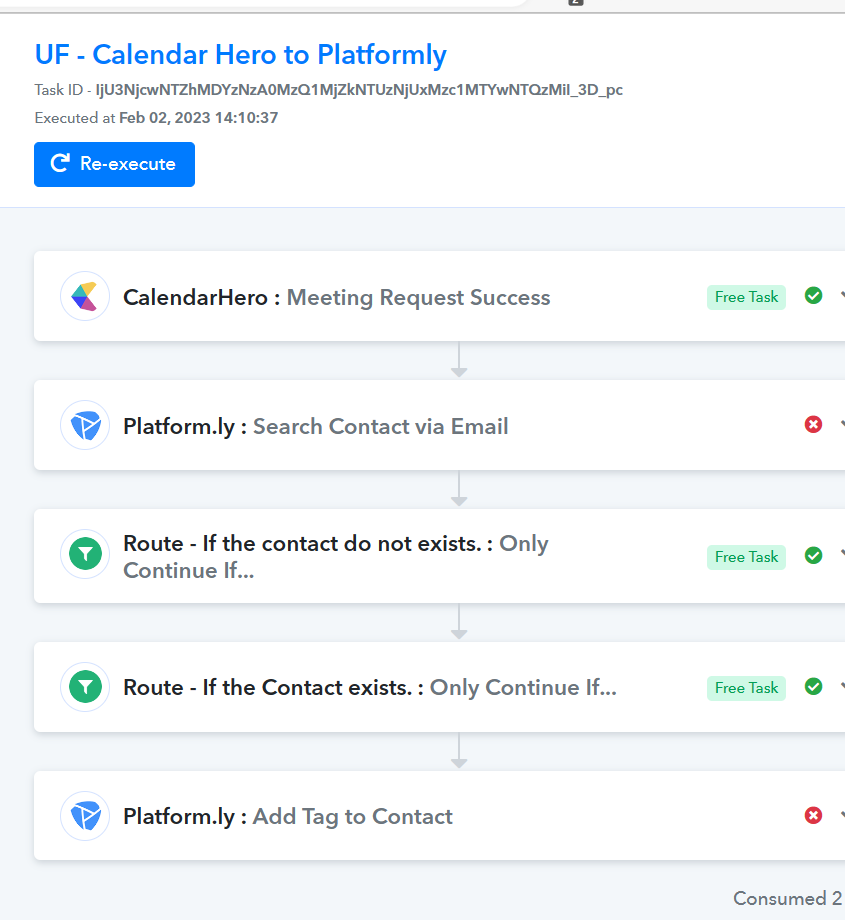
Hi, thanks for configuring the workflow. But the last execution failed.
Your message was sent last Feb 2, 2023 at 6:11AM, while the last execution was at 4:10PM same day.
The error message was given by the Platformly API itself when the contact doesn't found.