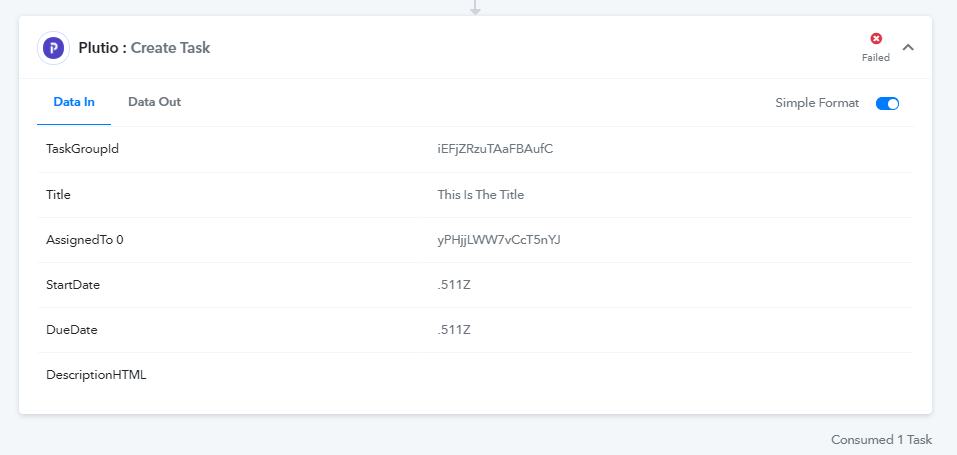
Plutio - date issue
Status: Closed · Asked by WADEDIGITAL on · 0 views
Hi there,
Both of my Plutio integrations have broken as of a few months ago.
Investigating it seems to be with the start/due date fields.
I’ve previously been using the text splitter which worked fine, but a few months ago things stopped working.
Looking at the error log it’s due to the start/due date fields.
Originally the date was:
1. Emails 19870671 Date : 2021-07-10T10:44:51+0000
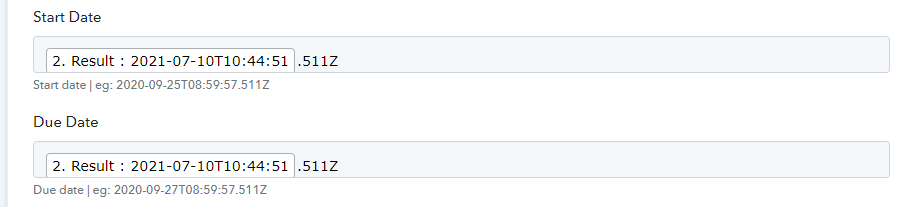
then the splitter removed the +0000
Then afterwards .511Z was added.
I can get the workflow to work without using the splitter and using a fake date, but this isn't ideal.
Mike
Hey @mikewade
We checked over your concern and found that the credentials which you were using weren't correct. So, kindly provide the new credentials to connect it with your Plutio account.
I hope this might help you.
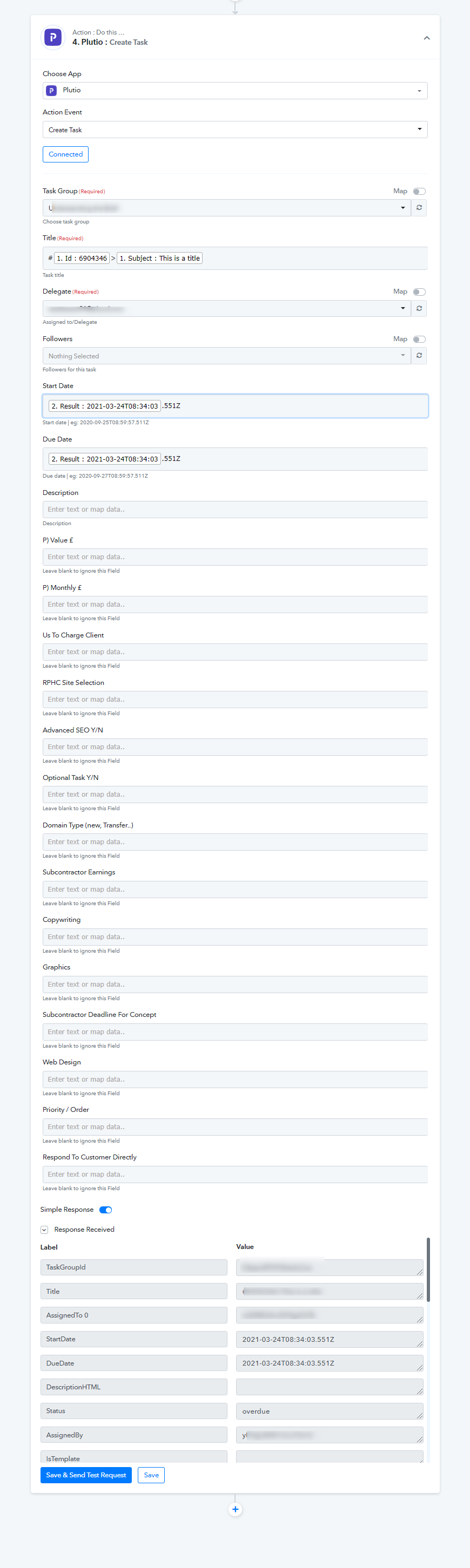
Hi there,
Thank you, I don't think the credentials were the issue, as it's been working.
I've removed and re-authenticated Plutio just in case, it's still the same.
This particular workflow is: "Helpwise > Plutio (Max)"
To recap, the date field with a splitter simply does not work anymore.
I don't know if Plutio has made an update or something, but it doesn't work with your splitter.
If I enter the data manually such as "2020-09-25T08:59:57.511Z" this works, but the splitter doesn't (see image attached of split results)
Attachments
Hey @mikewade
We have checked over your concern again and the Plutio Action step is working but the date label is coming differently from Helpwise.
Sometimes it is -
Emails 19909399 Date-,
Emails 19870671 Date -.
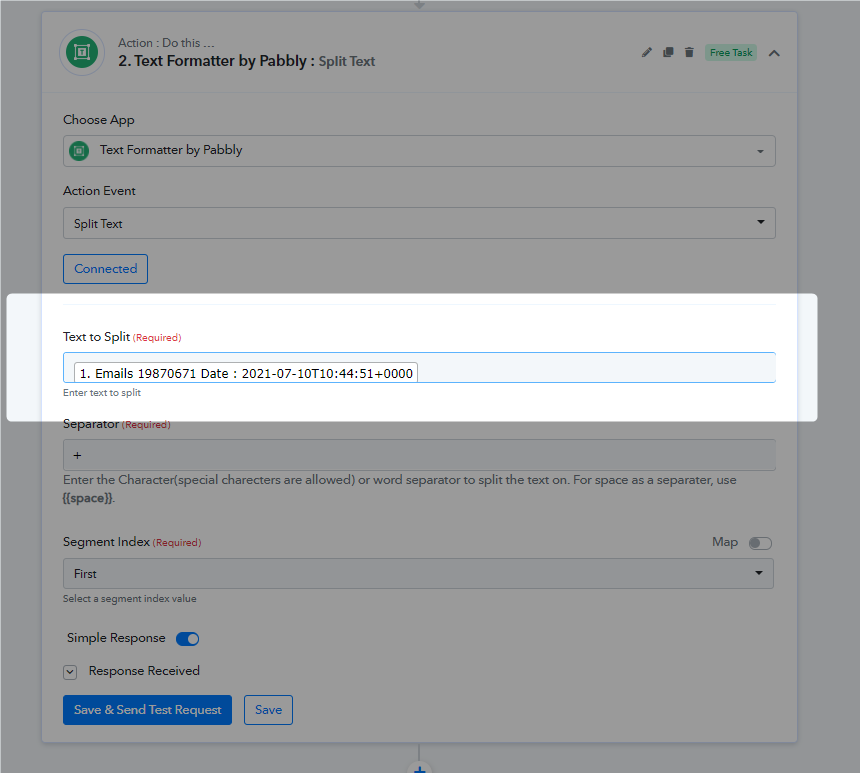
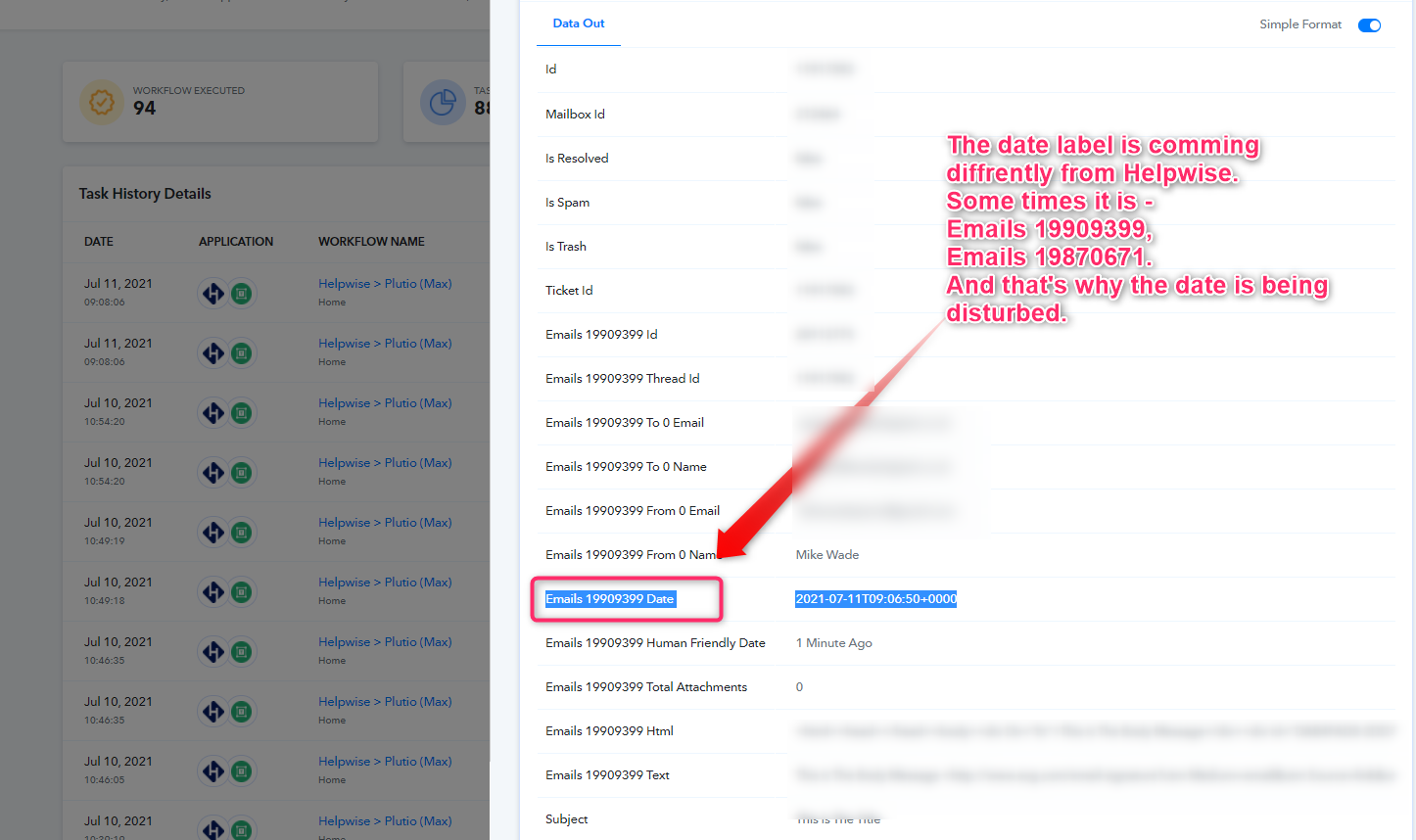
And that's why the date is being disturbed and the mapped date values are getting empty.