Podio: Update on field change
Status: Closed · Asked by Fusion on · 0 views
We're moving from Zapier for obvious reasons.
This is a much better solution and community.
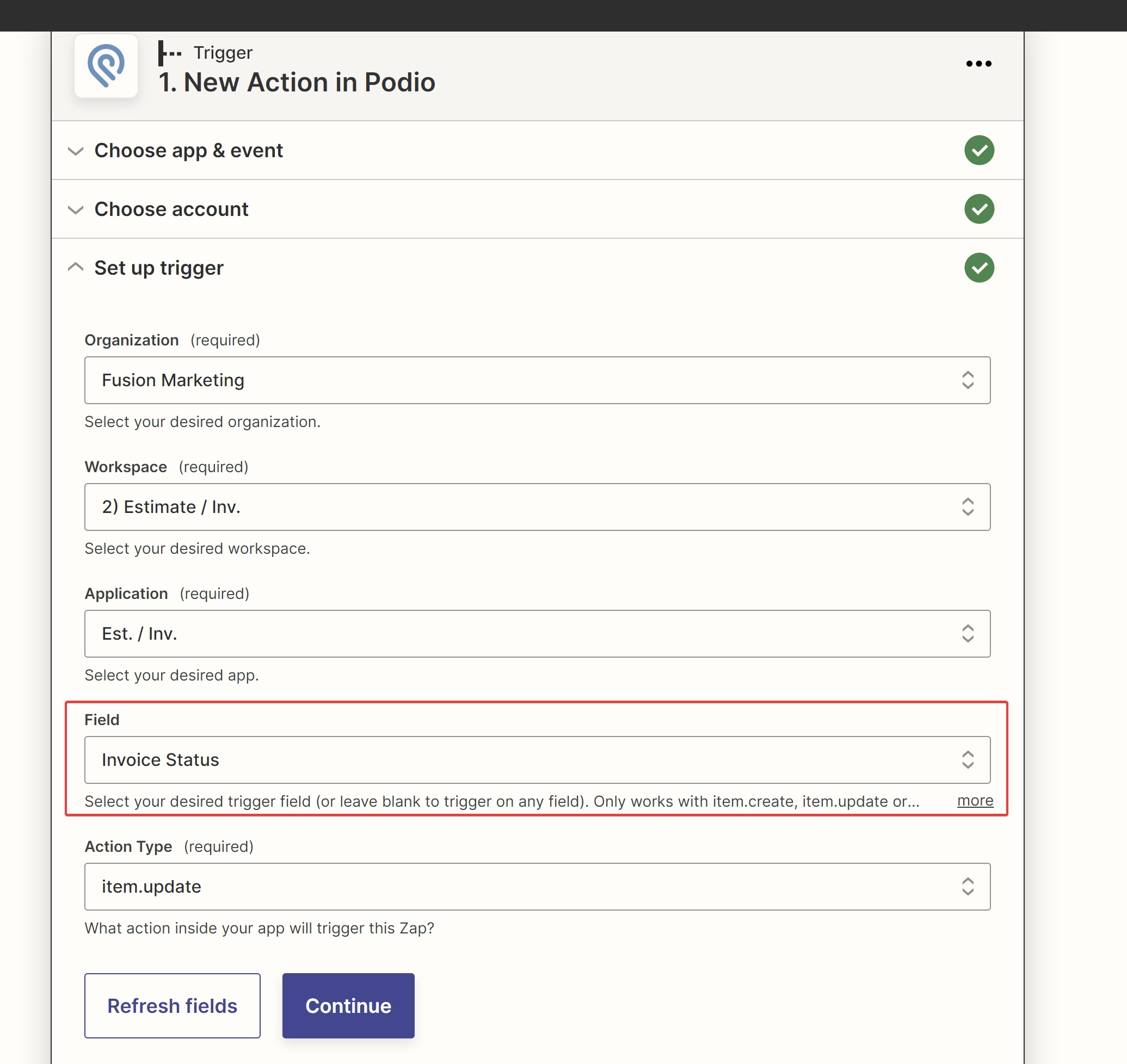
One thing I am missing witch we use often is the ability to trigger on a chosen field when updated.
As it stands any update causes the trigger.
I am including a screenshot of what the UI looks like in hope for a similar solution from Pabbly.
Use case:
This will allow me to watch a field, and when the update matches "x", do something.
Thank you in advance!
-JH
Hey @Fusion
We are currently looking into it, so kindly allow us some time.
You are amazing!
I'm pretty sure this is the last thing that is holding us to Zapier. I truly hope this implementation is easy for you to accomplish.
Please let me know if you need finding for the additional development as I am more than willing to help however I can.
Hey @Fusion
We have added the required action event in Podio. Kindly check that out and try this at your end.
Let us know if that works for you.
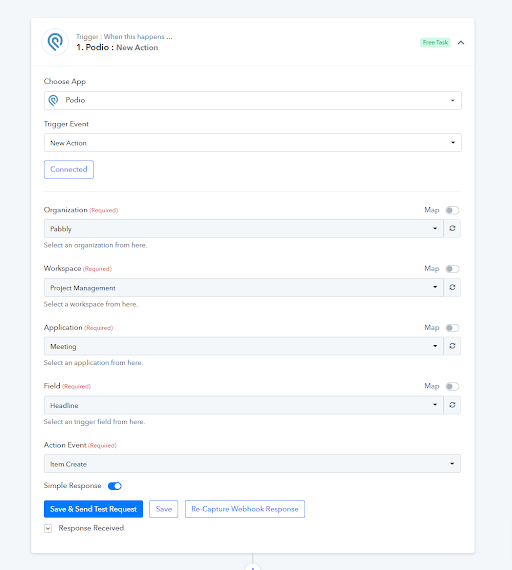
I cannot get the item to save after mapping the data.
https://www.loom.com/share/45866301367a40a1b78123c57d8769a9
(note: I see that the "Michigan" was in the "Country" section. Moving this did not resolve the issue)
Hey @Fusion
We have made some changes in Xero's action step and it is working now, kindly try again and let us know if you get stuck at any step further.
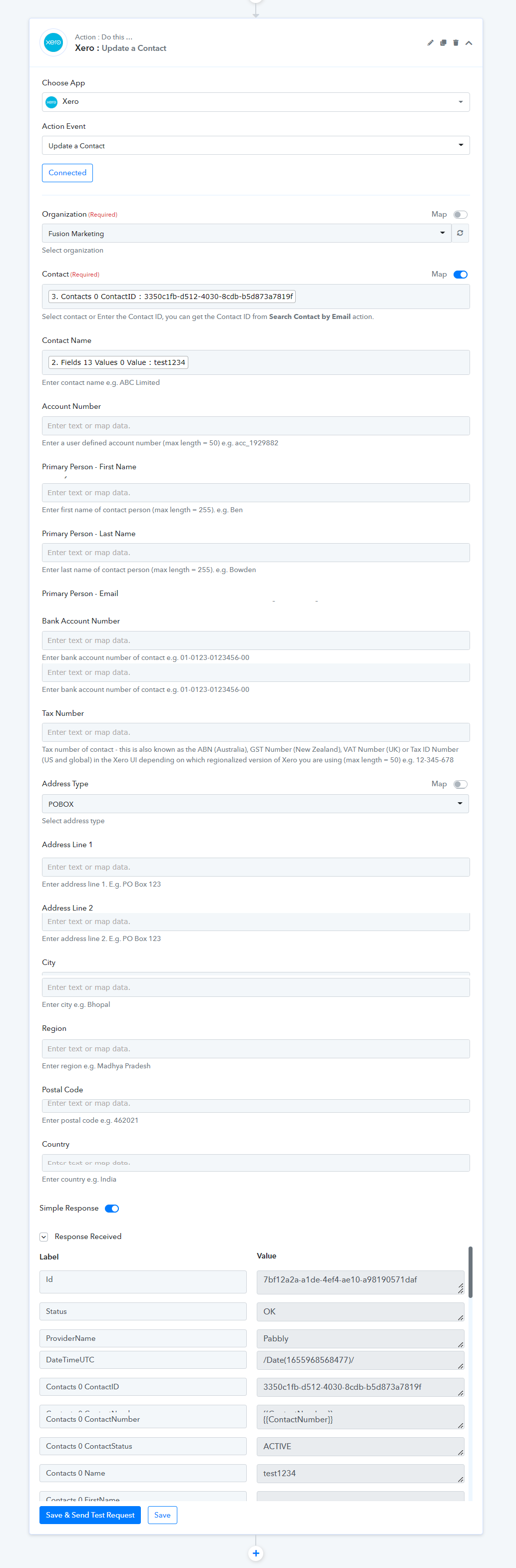
Working now.
I noticed that the "phone number" field is missing for the update Xero options
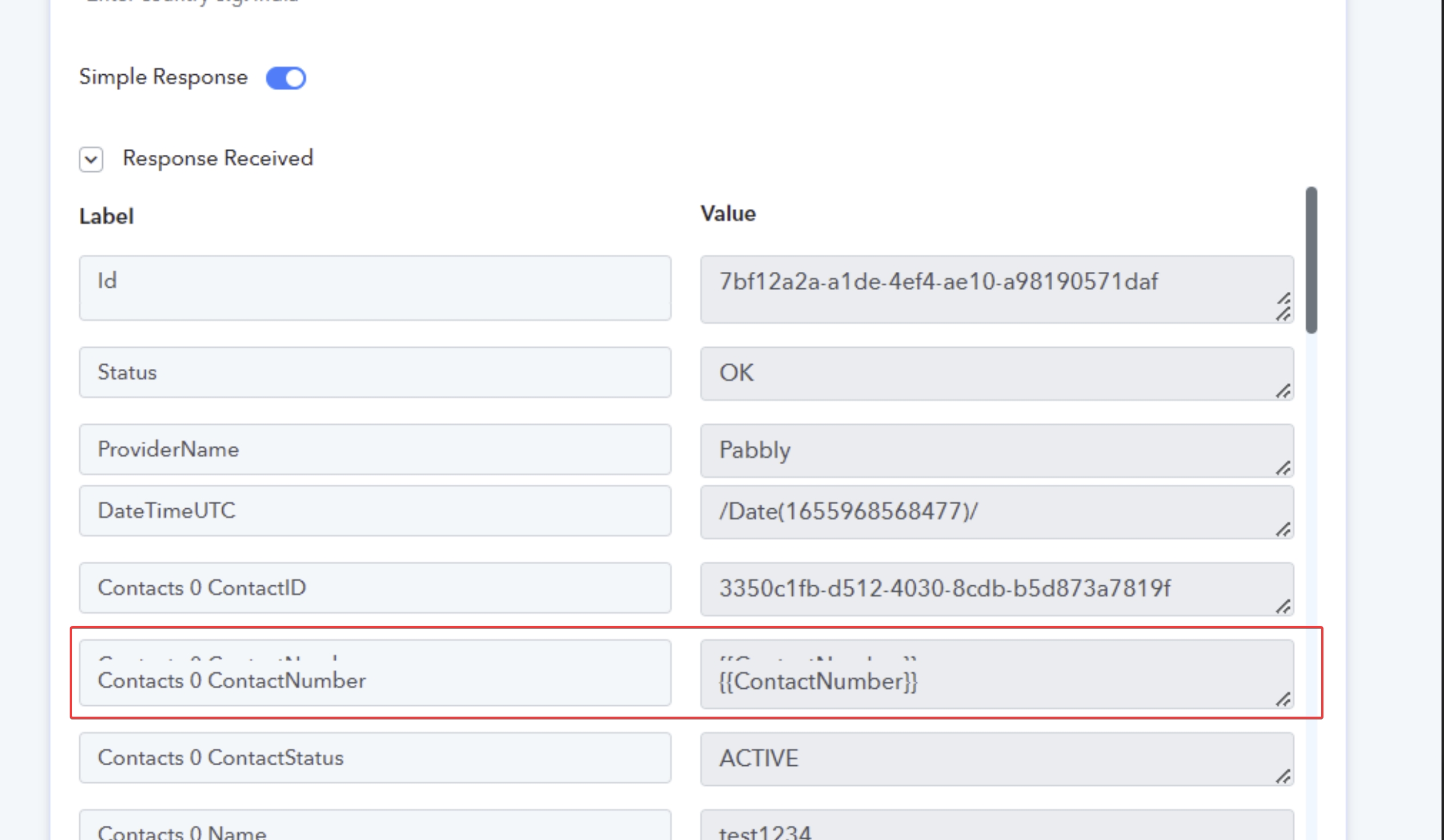
Also, missing the Xero "attention" field for the 'postal address' options.
Thank you for all you do!!
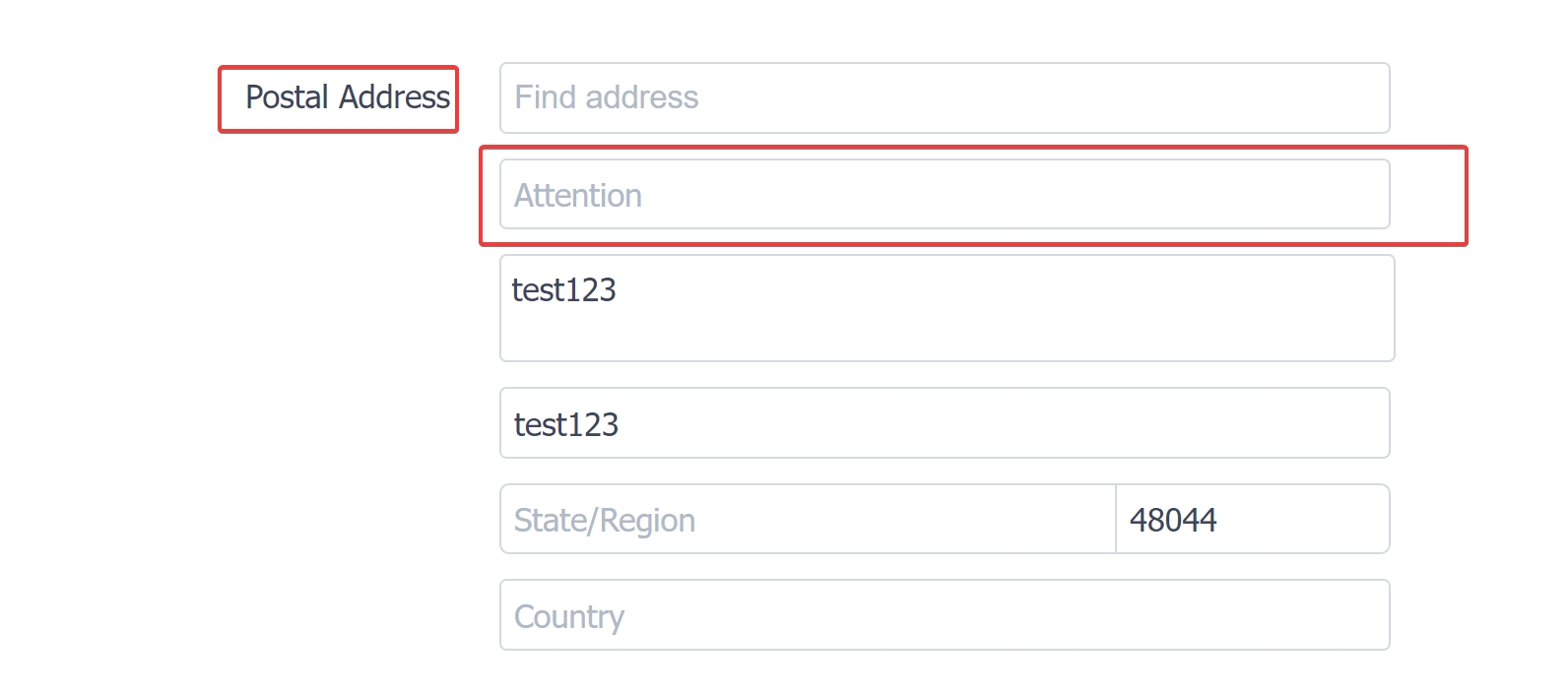
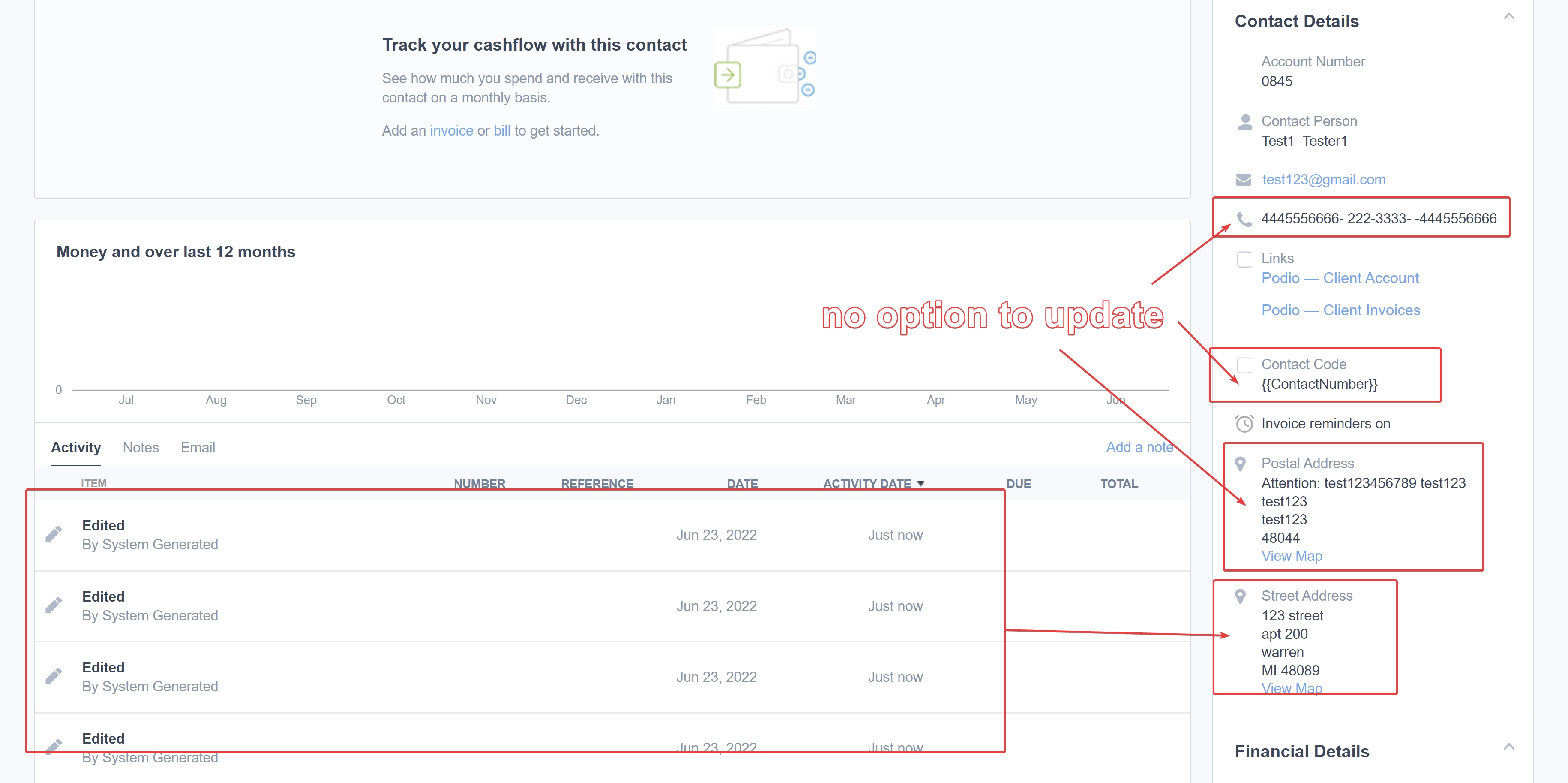
I have highlighted the fields missing in the "update Xero contact".
- Phone
- contact code
- postal address
(current address options allow you to update the "street address" only)
Hey @Fusion
Our team is currently looking over your requirement, so kindly allow us some time.
Hey @Fusion
We have added the required fields in the " Create Contact" and "Update Contact" action events of Xero.
Kindly check that out and let us know if that helps you out.
I'm seeing "street address" but do not see "postal address" fields
Also, thank you for the quick work as always
Hey @Fusion
I'm seeing "street address" but do not see "postal address" fields
You will see the Postal Address field in the "PO BOX" address-type field. Kindly check the following option and let us know if that works for you.