Problem on sending numbers to a spreadsheet
Status: Open · Asked by Carlos Melo on · 0 views
Hello,
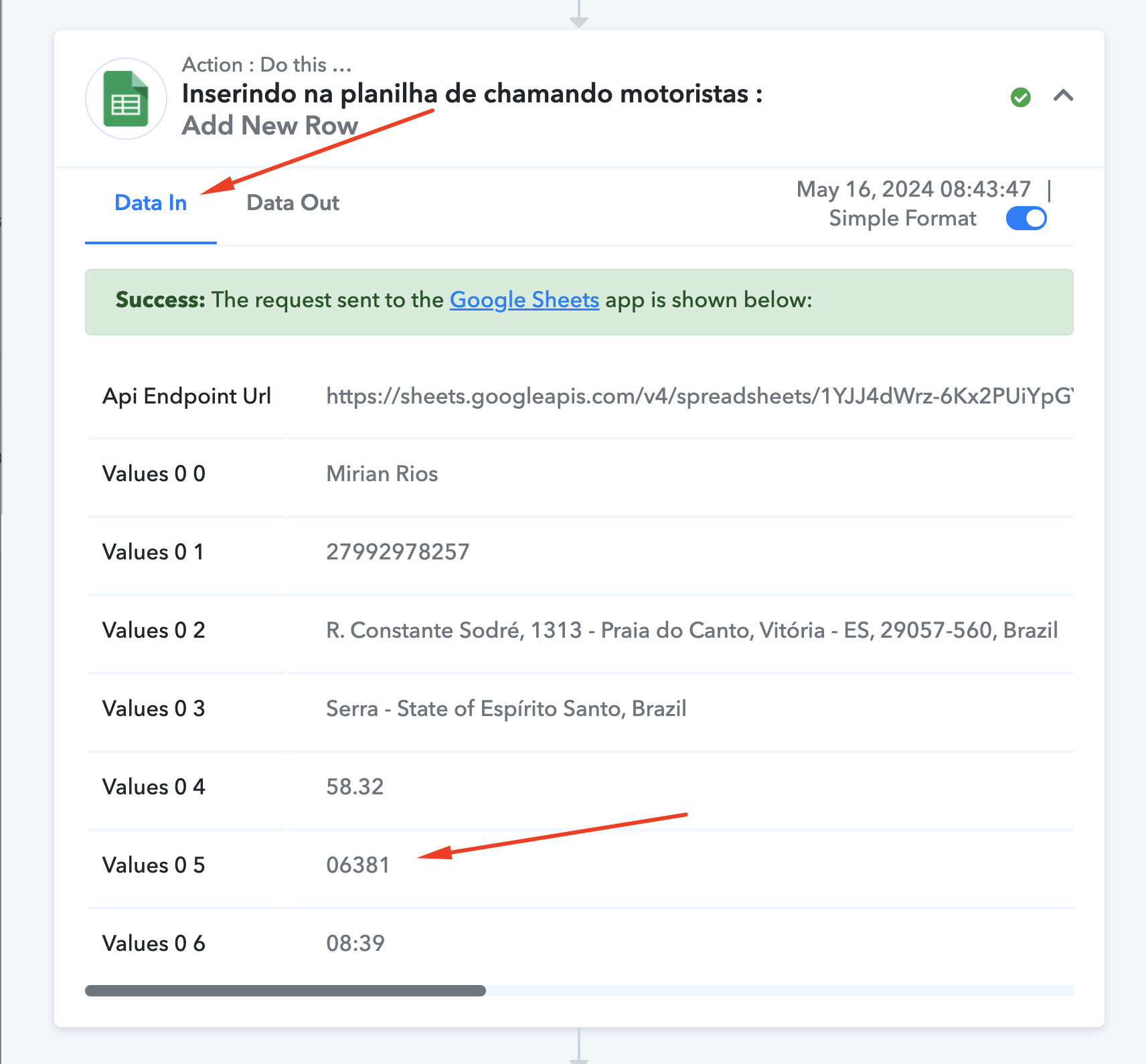
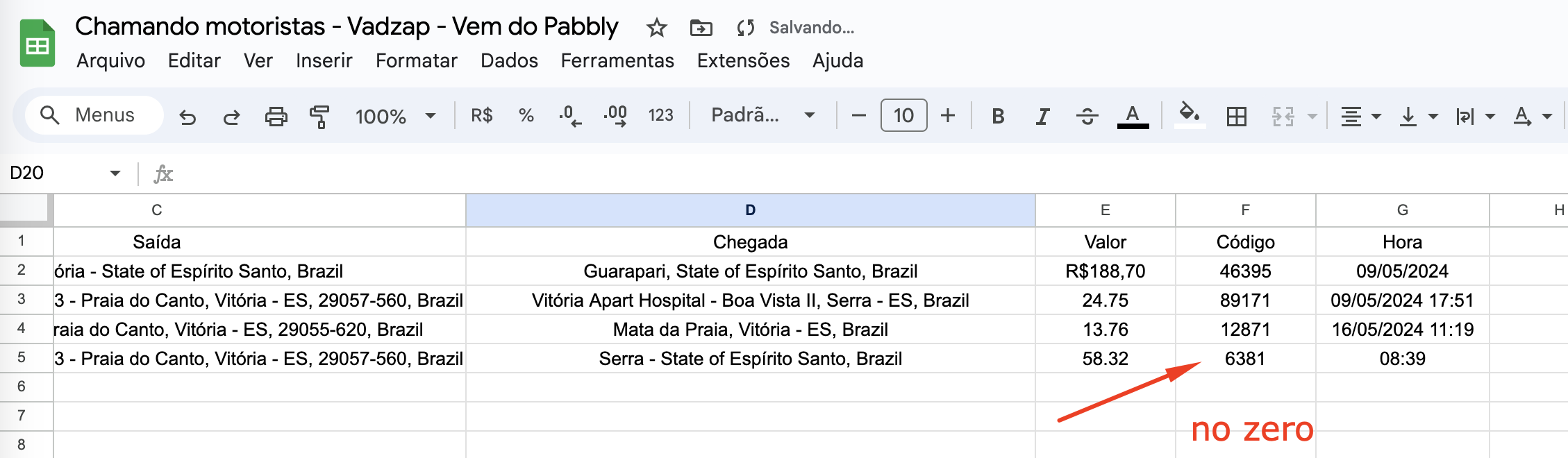
I'm having a problem sending numbers to a spreadsheet when these numbers have the digit zero as the first or last digit. The workflow inserts the number into the spreadsheet without the digit zero if this digit is the first or the last one.
Can anyone tell me what I can do to fix this? Maybe using text format or what ?
Please take a look at the images below.
Workflow task history (step 4):
Spreadsheet:
Carlos M.
Hi @Carlos Melo,
Try changing the column format to 'Plain Text' and see if that resolves your issue.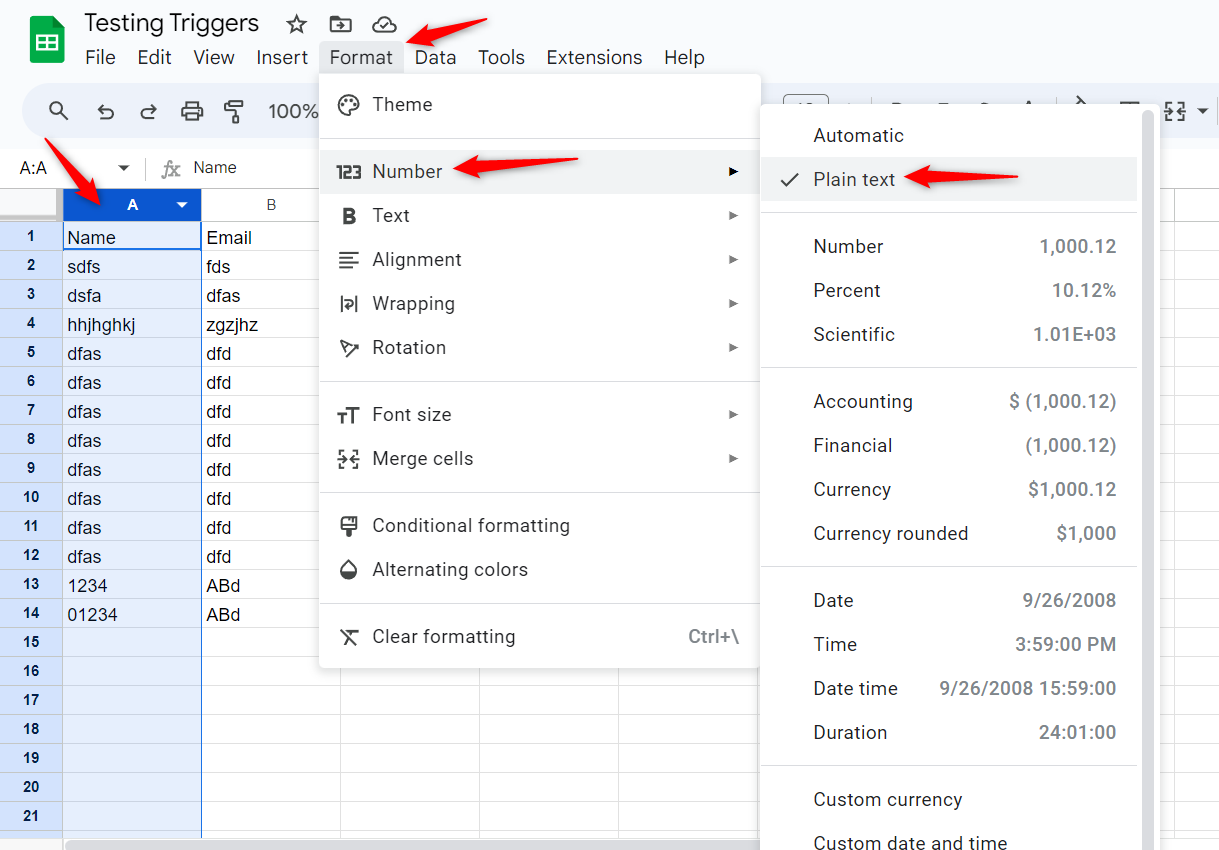
I already have tryied that without success.
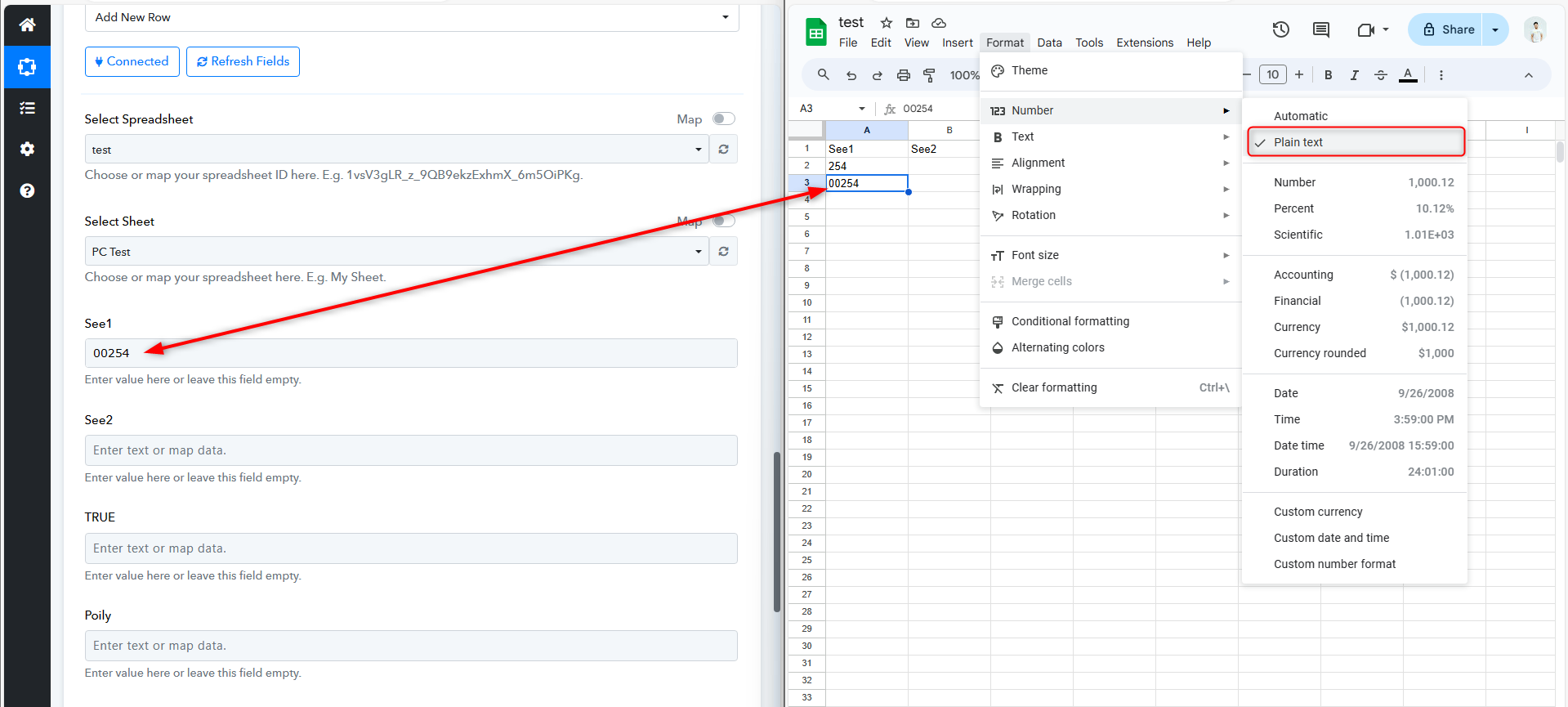
We have tried the same procedure on our end with all the changes, and the numbers are being transferred to the Google Sheets with zeros.
Please check the attached screenshot.
Ok, I think we have to wait for the next workflow triggering that can bring zeros to check if the new format works as expected.
I haven't done that test yet.
So think you for your support, anyway.