Problem with filters
Status: Closed · Asked by Dawid Kotrys on · 0 views
Hello, I record quick video: https://www.loom.com/share/7878e6520e21453bb3b06b93bb9dcc6b
Here is automation: https://connect.pabbly.com/workflow/mapping/IjU3NjUwNTZmMDYzMDA0MzU1MjZlNTUzNzUxMzci_pc
Here is example of issue: Task History ID - IjU3NjIwNTZmMDYzMzA0MzU1MjZjNTUzMjUxM2E1MTYxNTQzMiI_3D_pc
Hey @twocolours
Concerning your filter criteria, it's advisable to pre-capture the webhook response in the advanced response section. This can be achieved by toggling the "Simple Response" button once. Doing so will extract the Line time from the JSON array, which can then be used within the Filter action step using the "Contains" filter type. This method ensures a more precise and targeted filtering process aligned with your specific requirements.
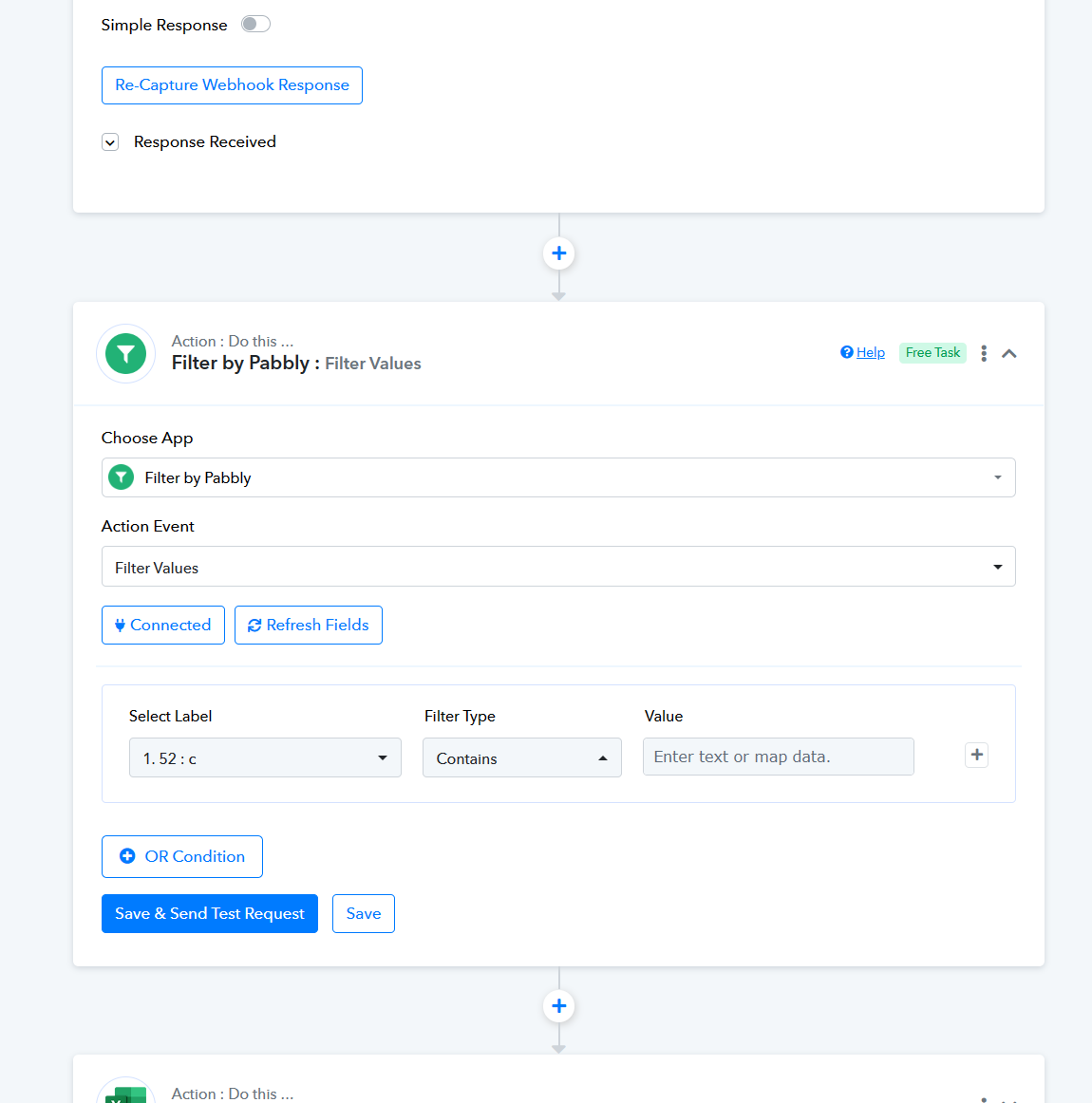
I don;t think it will work. I tried it but in advanced response I have all product data in one field. In my automation I need to check if in the order I have any product which applies in this conditions.
1. Doesn't have "ZESTAW" in product name
AND
2. Price is less than 0.01
If in order there is product like this it should notify me.
How to achieve it with your solution? What should I add in filters field? Maybe you can show me on this clonehttps://connect.pabbly.com/workflow/mapping/IjU3NjUwNTZlMDYzMTA0MzA1MjZiNTUzMjUxM2Ii_pc
Kindly capture the webhook response in the specified advanced format as outlined earlier. Once this is done, we can seamlessly proceed to add the necessary filter conditions tailored to meet your specific requirements. This will allow for a more precise and effective implementation aligned with your needs.
OK, done: https://connect.pabbly.com/workflow/mapping/IjU3NjUwNTZmMDYzMDA0MzU1MjZlNTUzNzUxMzci_pc
I did it on main automation.
Hey @twocolours
Could you kindly take a moment to review the filter action step again? We've implemented a minor adjustment, and your input would ensure that the process aligns accurately with our requirements.
Unfortunately it not work as expected. I record video: https://www.loom.com/share/93914783a2494c218927daaae92e864c
Here is Task History ID - IjU3NjIwNTZmMDYzMTA0MzA1MjZiNTUzYzUxM2E1MTYxNTQzMyI_3D_pc - this scenario should be success but it doesn't.
Hey @twocolours
For specific products within an order, you prefer excluding them from the automation process. However, for other products that possess prices greater than zero, do you aim to initiate and execute the workflow seamlessly?
Under those circumstances, if you're employing the Line Itemizer in your workflow, it won't process the entire line item together, as it handles all the order's line items collectively. However, substituting the Line Itemizer action step with the Iterator action step will enable the processing of individual line items sequentially, excluding products with a value of $0.
Sorry but I don't understand. I watch video I understand it but I don't know why it doesn't work on my end.
Below theres is few scenarios explaining what I want to achieve
Scenario 1:
Product 1: ZESTAW / 0 PLN -> error price is 0 but product name contains word "ZESTAW" (only one condition met)
or
Product 2: SHAKER / 2 PLN -> error price is 2 and product name doesn't contains word "ZESTAW" (no condition met)
FINAL STATUS > ERROR
Scenario 2:
Product 1: ZESTAW / 0 PLN -> error price is 0 but product name contains word "ZESTAW" (only one condition met)
Product 2: SHAKER / 0 PLN -> SUCCESS price is 0 and product name doesn't contains word "ZESTAW" (two conditions met)
FINAL STATUS > SUCCESS
How I can achieve it? Can you help me fix automation as it?
Please let me know. Thank you:)
We recommend hiring an automation expert who can design such automation for your workflow and manage everything for you - https://forum.pabbly.com/threads/pabbly-connect-experts-and-consultants.22/
And can even find automation experts in our Facebook group as well - https://www.facebook.com/groups/formget.deals/