Problem with Linkedin lead forms to Airtable Automation
Status: Open · Asked by Rodrigo Gomez on · 0 views
Hello,
I just signed up for Pabbly and am considering buying the lifetime subscription.
But I ran into a problem with my first automation setup.
I followed the exact steps provided in this video:
youtube.com/watch?v=tFMY94DkeGs
I simply want to add linkedin lead data to my airtable CRM everytime a lead is added.
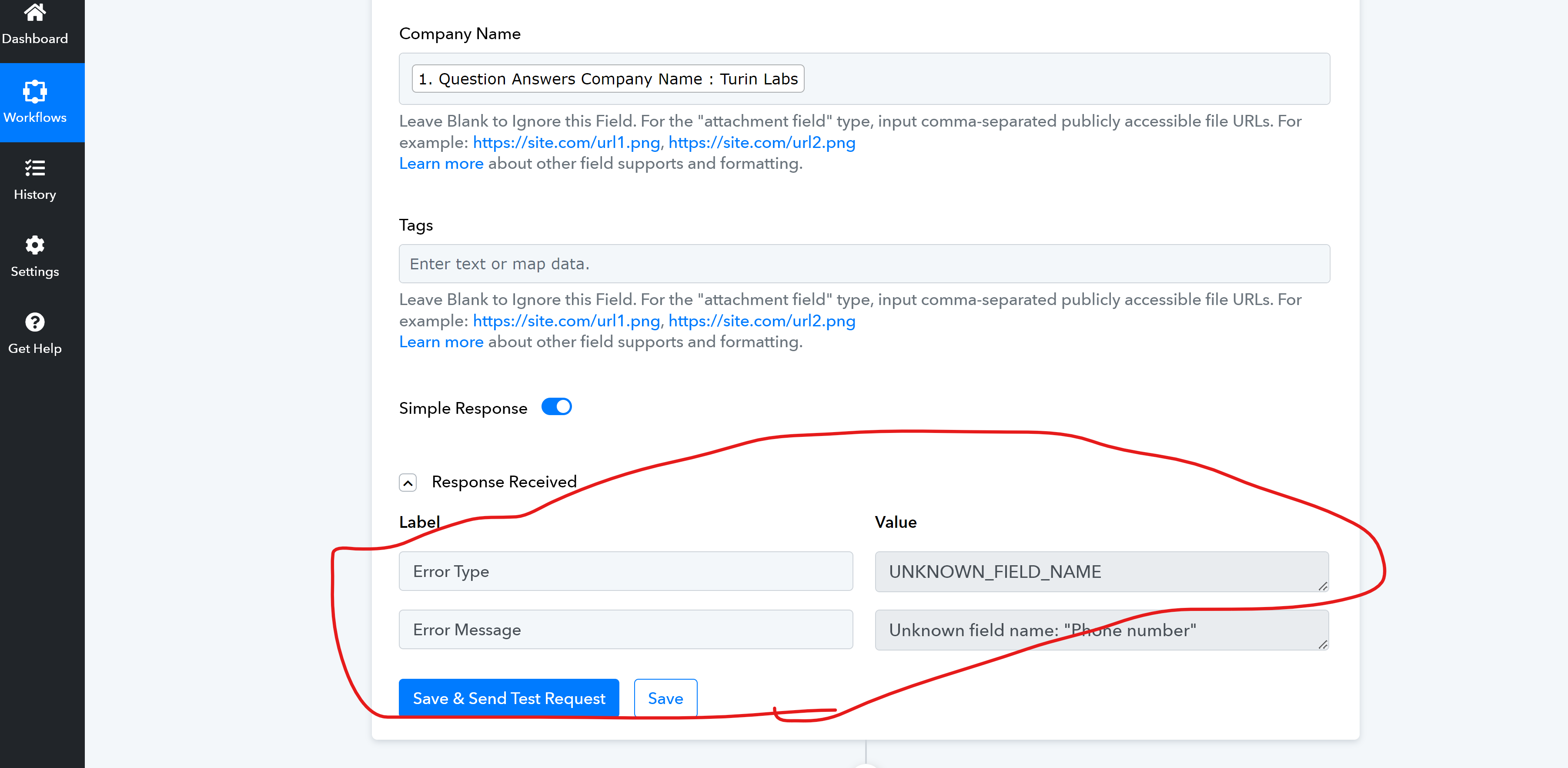
But when I save and test the automation I never receive the data on Airtable and get the following errors , which I don't know what they mean:
I would really appreciate your help with this issue.
Attachments
Hi @rogour,
Please establish a new connection to your Airtable account, ensuring that you add all the scopes mentioned in the help text. Once you have made the new connection map the details from LinkedIn trigger response and click on 'Save & Send Test Request'.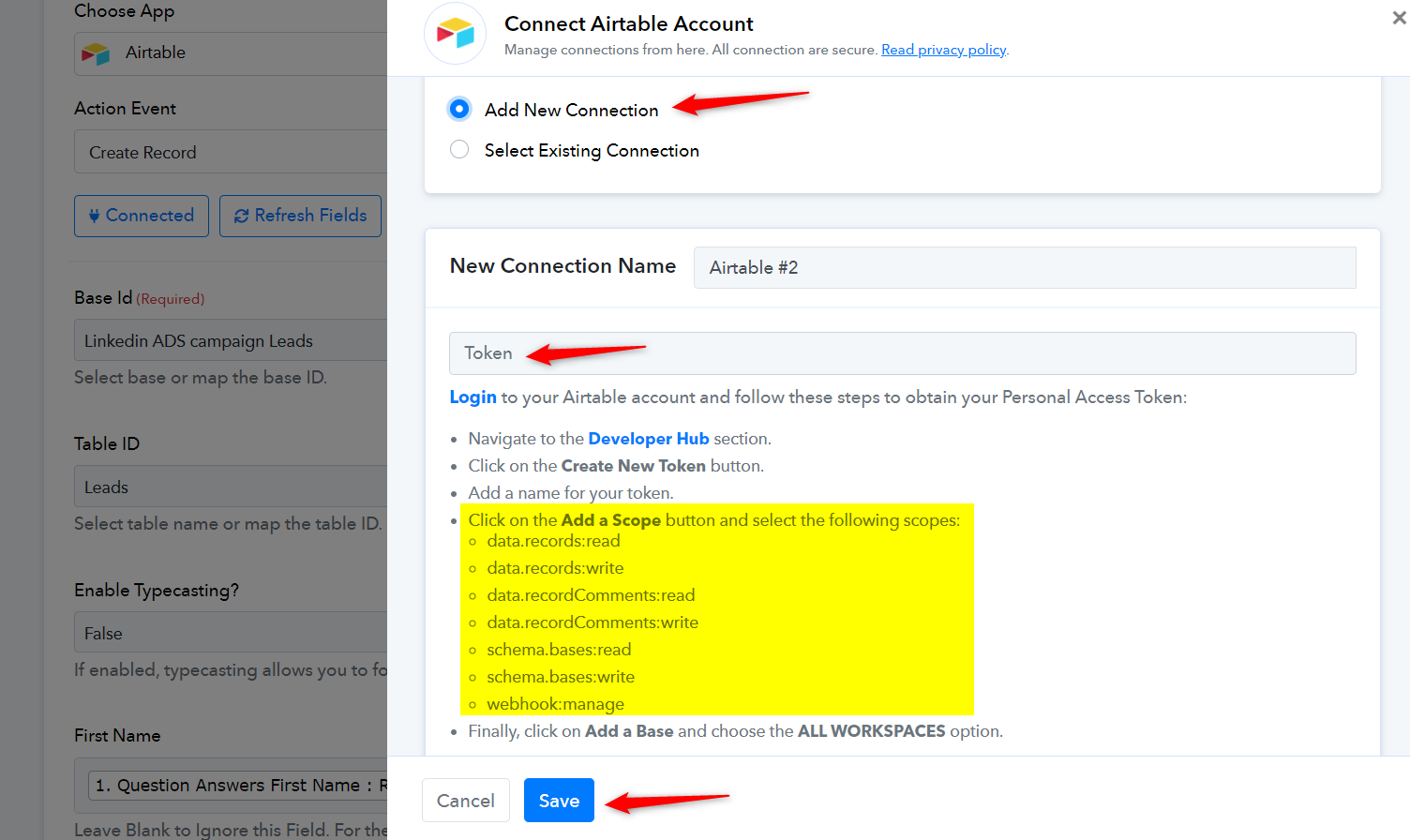
Hello, thanks for your response!
Unfortunately I keep getting the same error.
I added a new connection, and yes I was missing a scope. But even when I updated the token I keep getting the same error on Pabbly. 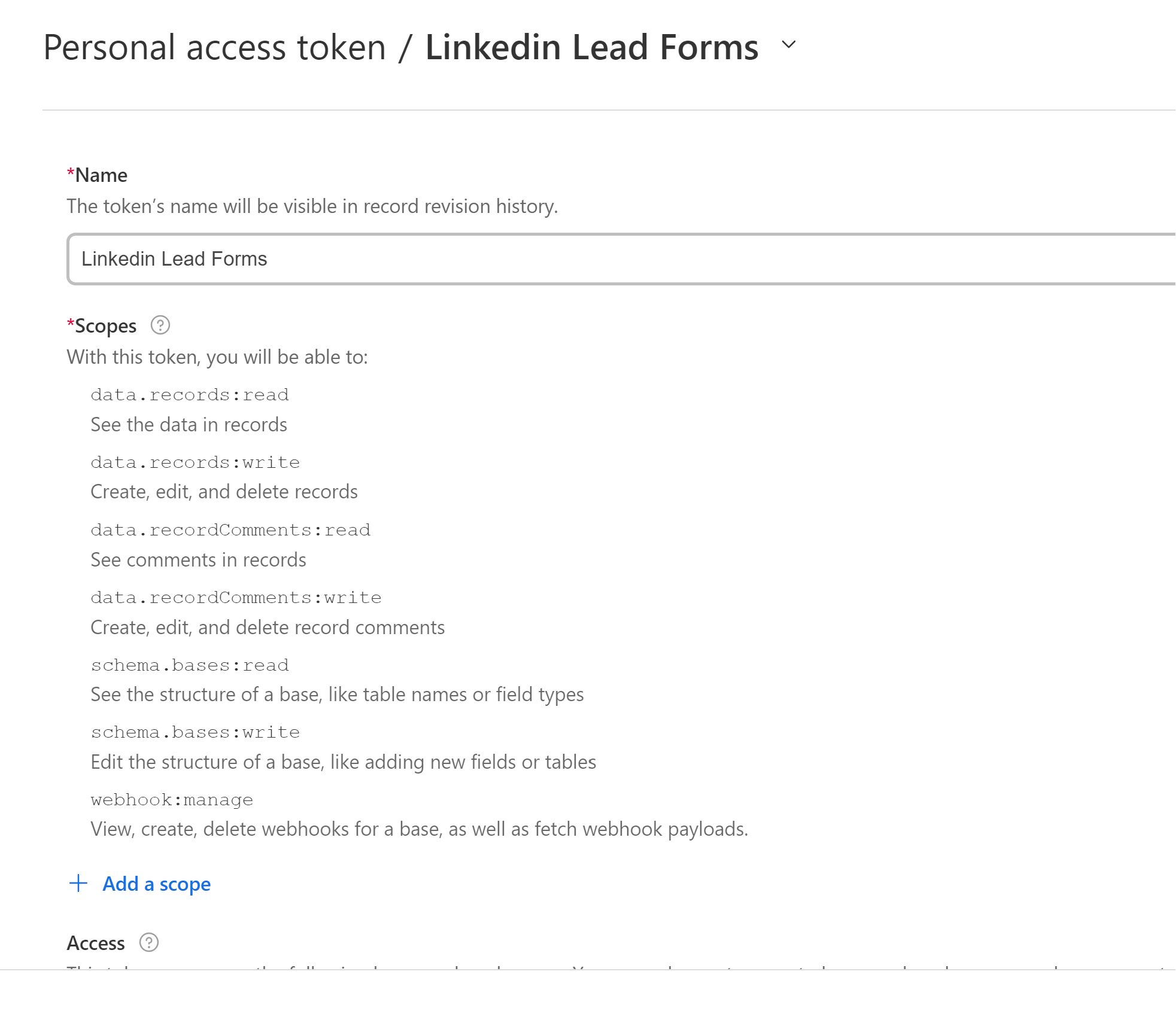
What could be going wrong?
Please allow us some time to look into this concern. We will get back to you with an update soon.
Thanks! I will be waiting.
Appreciatee your help!
Do you have any updates? Would love to esolve this.
The fields on my airtabl are all plain text. It should work fine, but it doesnt.
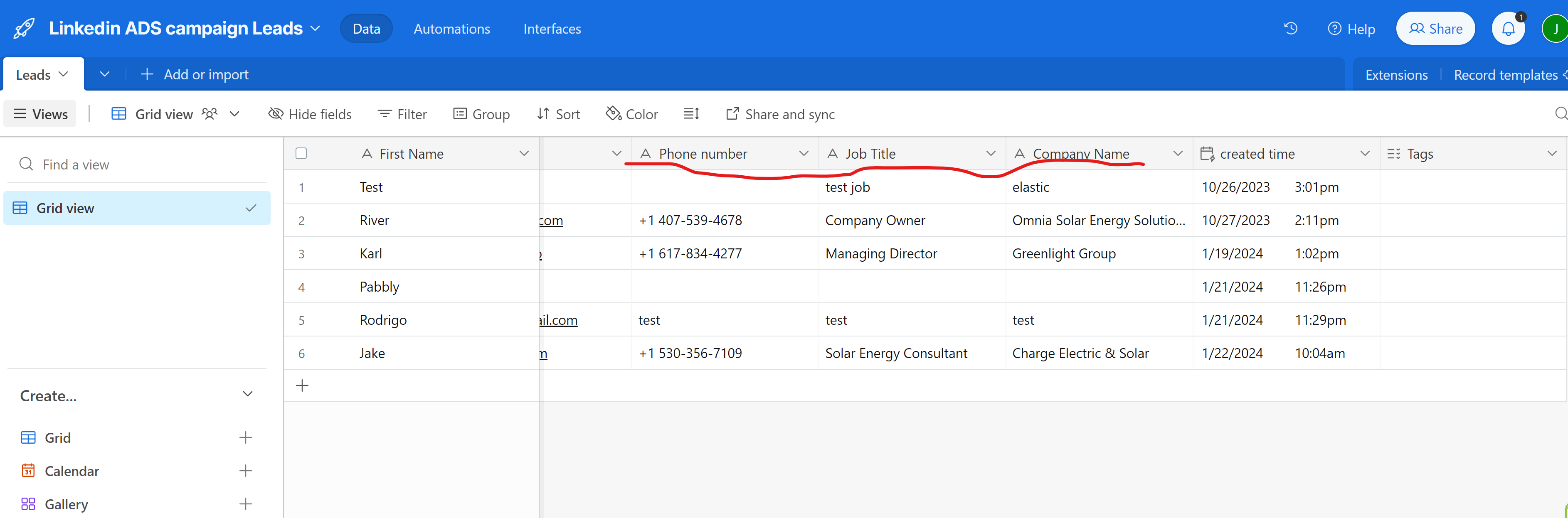
Our team is still working on this concern. We will get back to you as soon as we have any updates.