Problem with the Date/Time Formatter und Google Meet Event
Status: Open · Asked by HeiMa on · 0 views
Hello,
I have a problem with the Date/Time Formatter and the creation of a Google Meet event.
The following message appears in the last step Google Meet: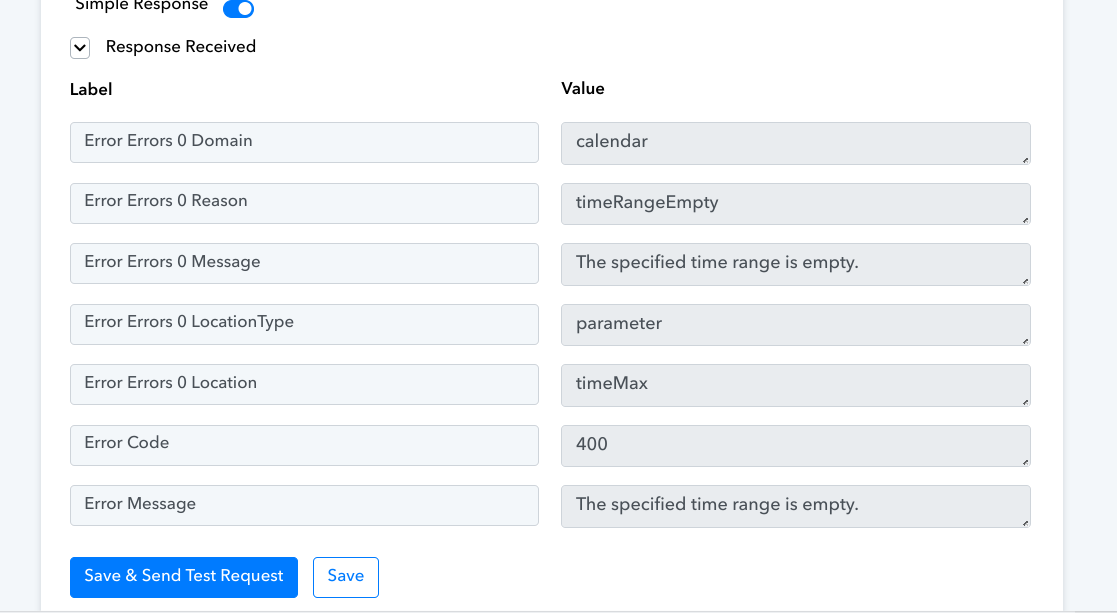
I don't understand what I'm doing wrong. I find the Date/Time Formatter somehow illogical and difficult to use and I don't understand whether I have to take the date and time from the Date/Time Formatter step in the next step or from the form before the Date/Time Formatter step?
I had it working once, but the Google Meet event was always entered 2 hours later than selected in the form.
Please help me urgently!
Now I think I have managed to create a Google Meet event, but I want it to be set to 60 minutes automatically and not 30 minutes by default. How can I have the Google Meet Event automatically created for 60 minutes?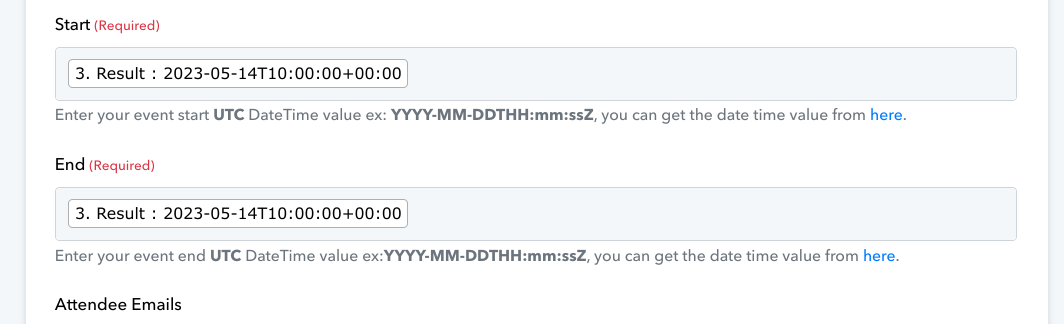
Hey @heiko,
Please grant me access to your workflow by adding me as a team member. This will allow me to gain a better understanding of your issue.
Once you have added me as a Team Member, do let us know the name of your workflow.
Email: arshil.ahmad@pabbly.com
Also, remember to revoke access once your query has been resolved.
Attaching a video for your reference:
I have added you as a team member.
Workflo Name: "[LIVE] Pafe Beratungsanfrage zu FluentCRMvListe Anfrage Beratungsgespräch"
You can reduce your end time by 30 minutes by using the Date/Time Formatter: Add/Subtract Time action event.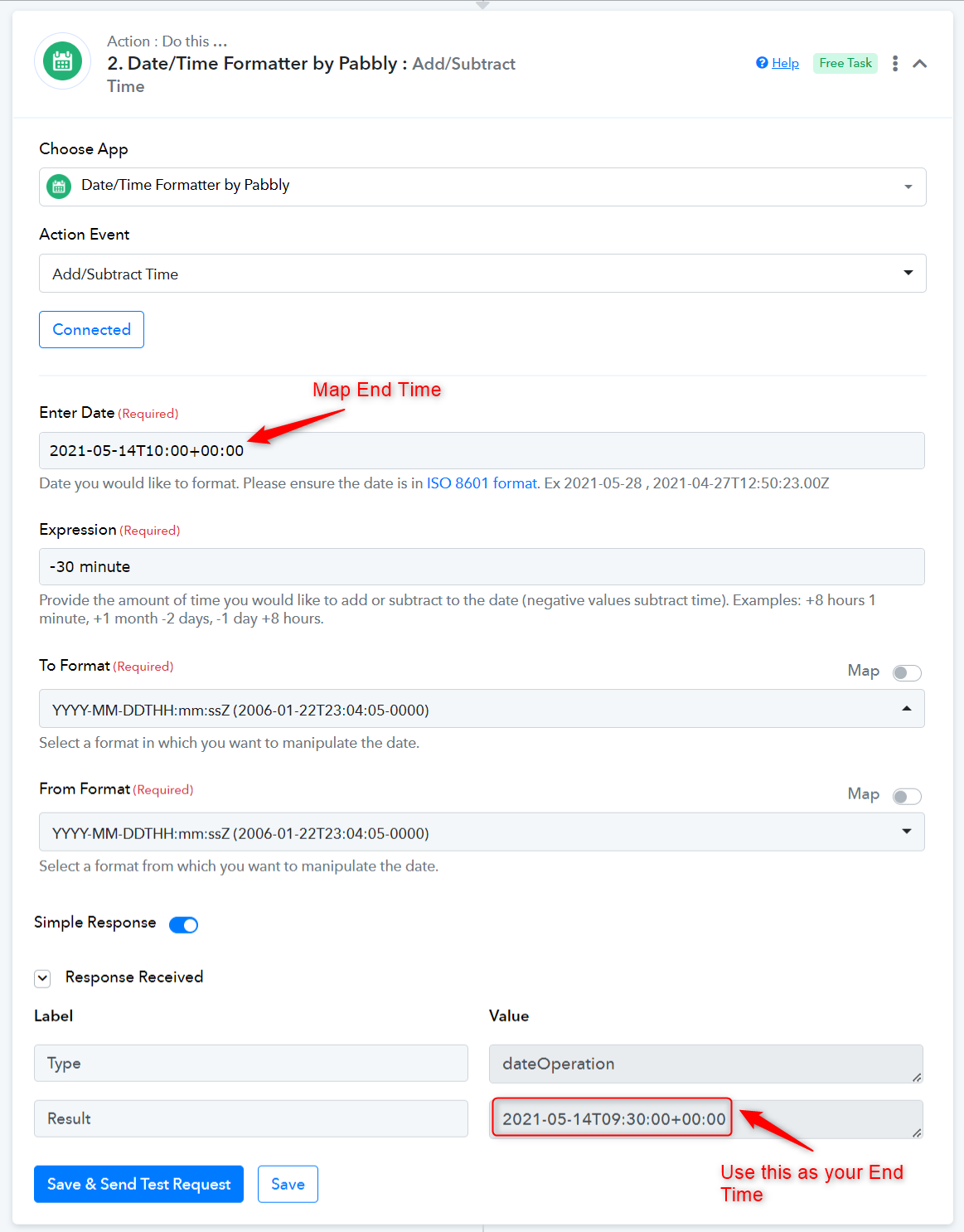
I don't understand it like that. The start time of the meeting was entered in the form by the user, but the end time was not. I want a Google Meet Event to be created with the start time that the user has entered. The meet event should then be created for 60 minutes.
Which start time do I define now, if the Date/Time Formatter has configured +1 hour in the expression?
OK I have now used 2x Date/Time Formatter, the first for formatting the start date and time for the correct timezone. And the 2 Date/Time Formatter to add 1 hour for the Endtime. Now it seems to work.