Push Image from Google Sheets to Google Docs
Status: Closed · Asked by David Ho on · 0 views
How can I push the image from Google sheets to Google docs like the image?
Please provide step by step help.
Attachments
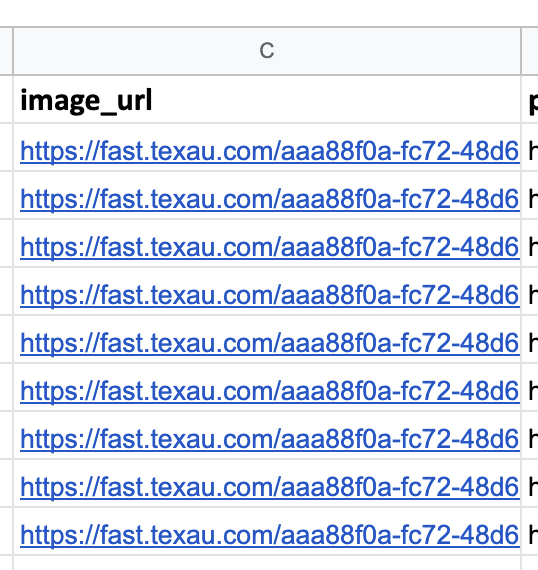
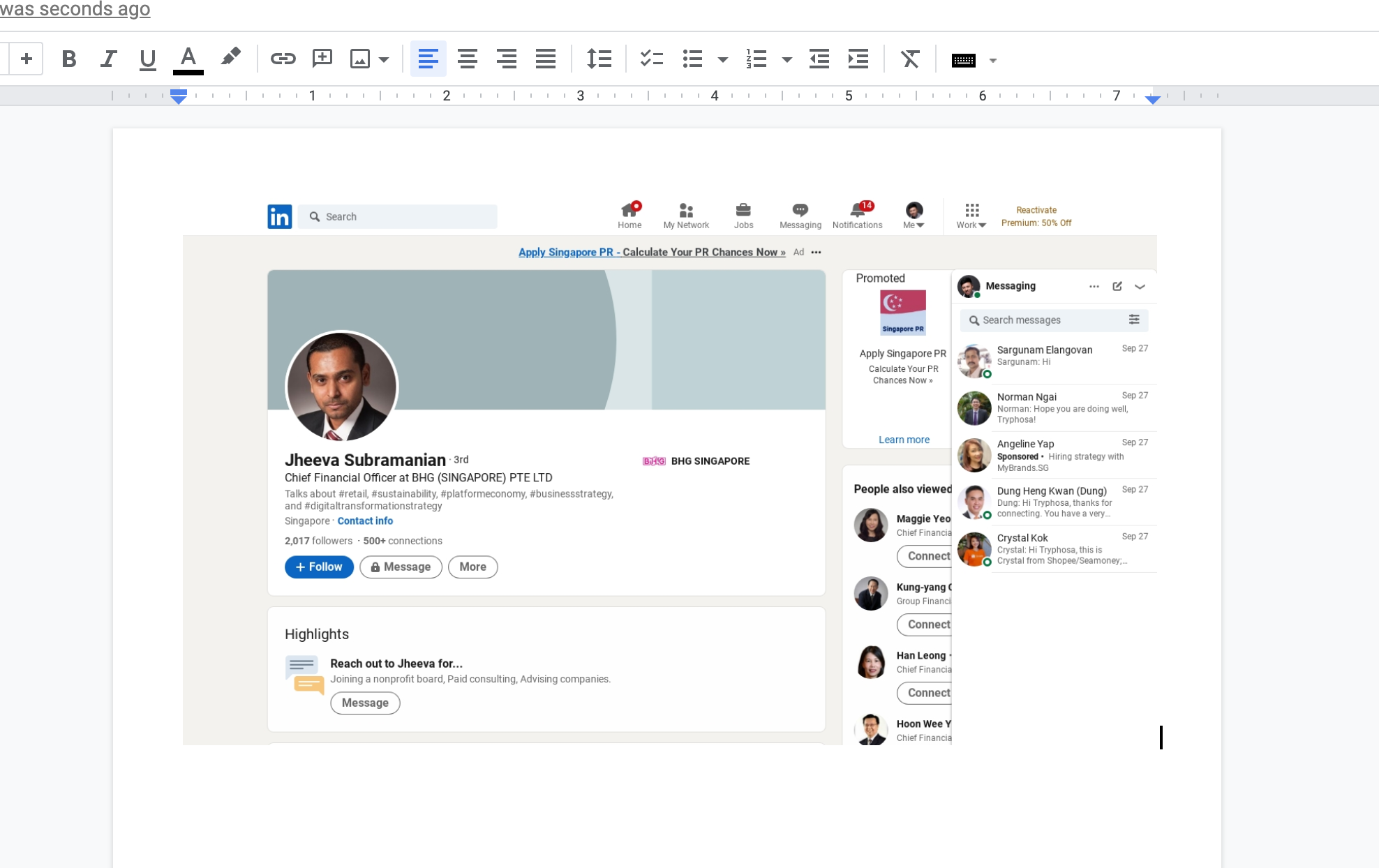
Hey @david
You can refer to our tutorial video for better understanding, rest you can design your document all by yourself. Kindly try this at your end and let us know if you need any further assistance regarding your automation.
(Watch the first two parts of the video)
@Supreme I have watched the video, it does not teach me how to send from Google Sheets image URL to Google Docs and resize it accordingly to the Google Doc
Hey @david
You can check out the following screenshot with the required action steps to achieve your use case.
Google Doc - https://docs.google.com/document/d/1XmDAiouXGc8cUa91uWcnX4ipQUfFYnK3SeZihz3RfUA/edit?usp=sharing
Rest you can design your template by yourself and you need to pass the size(circular, square, etc) of the image as required and the dimension of the image you can decide in the Google Docs: Insert an Image to a Specific Location action event.

@Supreme How can I do it slowly so that it would not reach Google's API limit?
Hey @david
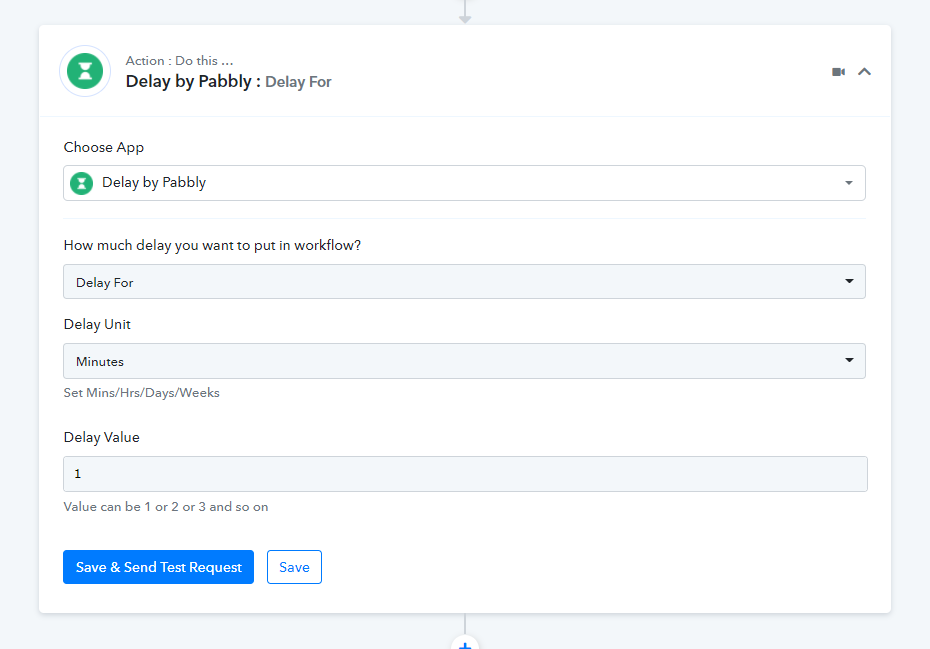
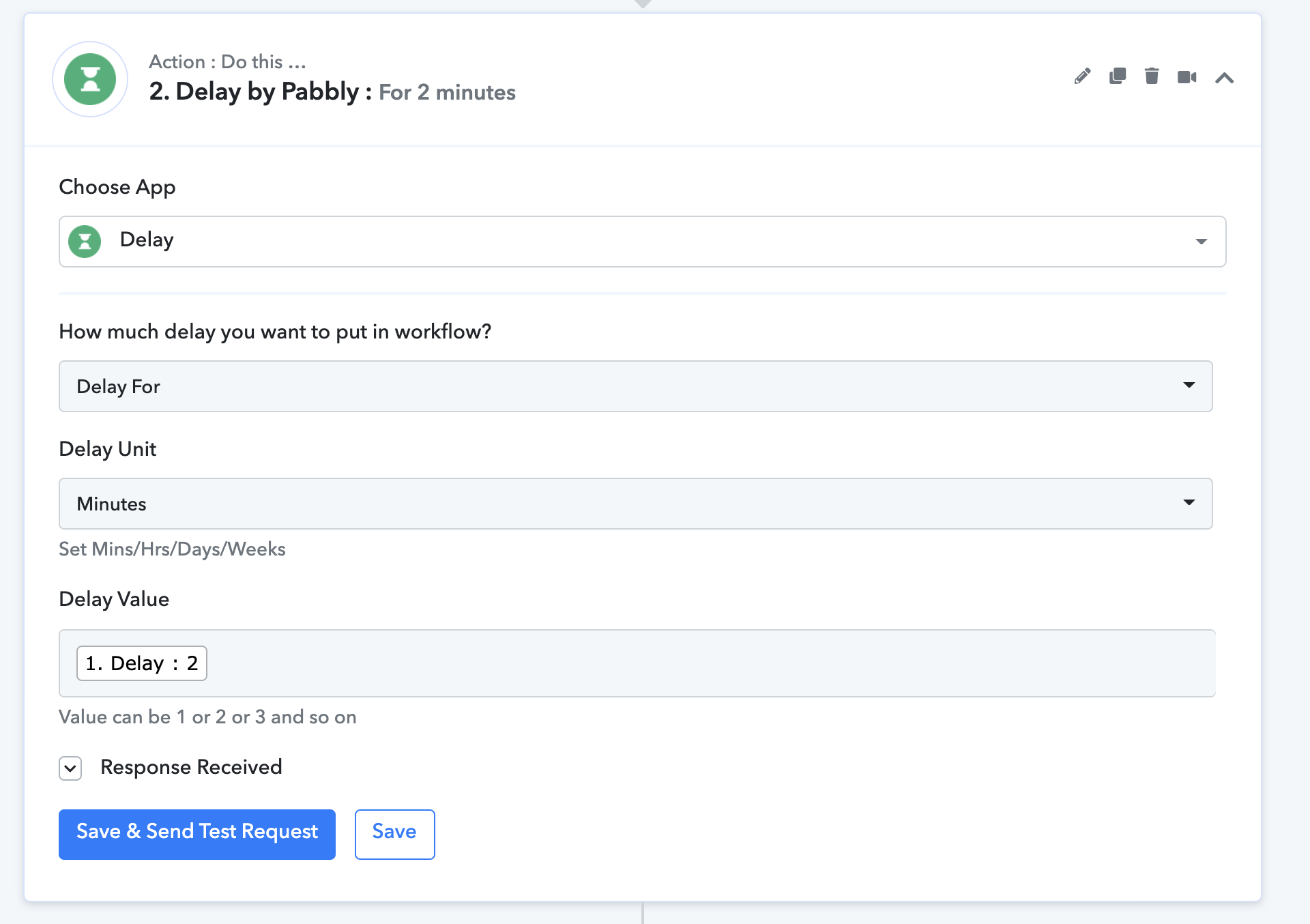
You can add 1 min Delay action step to avoid the rate limits.
@Supreme How can I send just rows from C2 to C105 column and then continue from row C106 the next day? Please provide step by step guide.
Hey @david
Could you please share your use case or the respective workflow in which you wanted to implement this?
Thanks
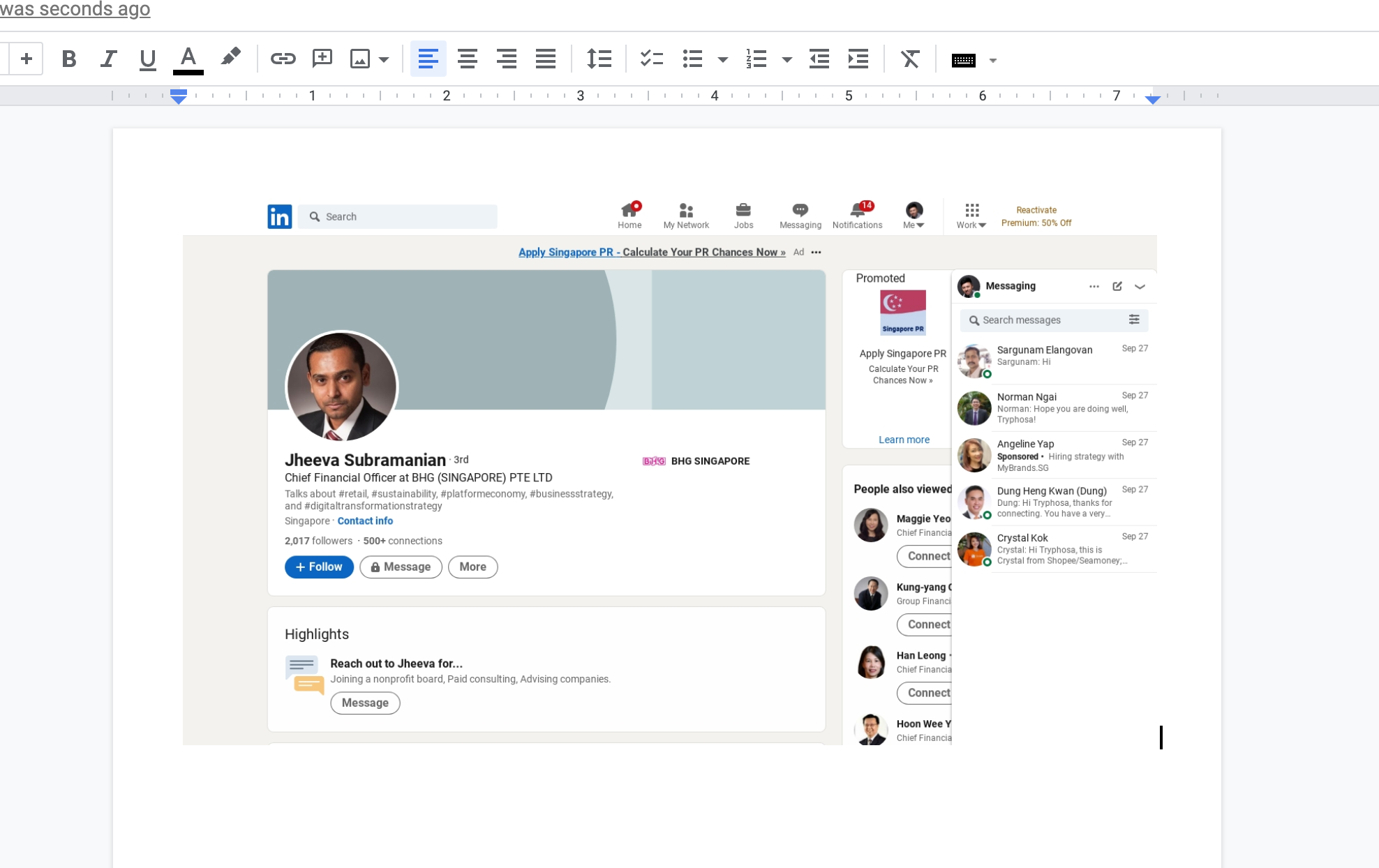
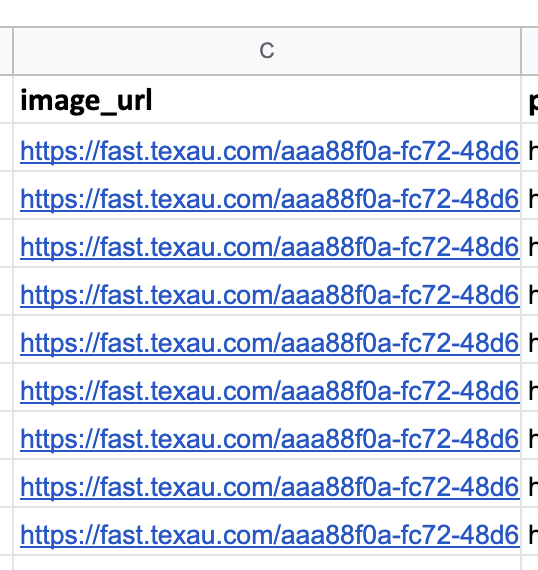
@Supreme I want the image from C2 to C105 from Gsheets to be here like thi
Attachments
Hey @david
How can I send just rows from C2 to C105 column and then continue from row C106 the next day? Please provide step by step guide.
Please check out the following screenshot for your concerning use case and for a better understanding please check out the following screenshot.
Kindly try this at your end and let us know if that works for you.
Happy New Year:)
Regards
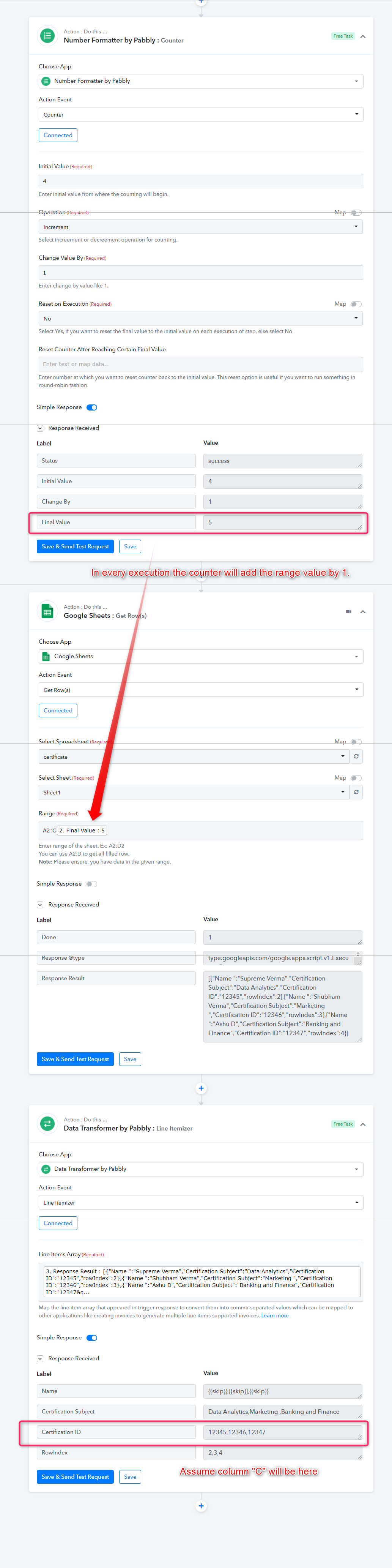
@Supreme What I meant is from Google Sheets C2 to C105 send image from Pabbly Connect to Google Docs. How can I do it? (The screen you have povided earlier are for number formatting, which is incorrect?)
Hey @david
We have used the C2:C105 range but you can use the range from C2 to C105 it will work as it is. And which part of the number formatting is incorrect, please let us know.
If you still face any difficulty while building the automation, you can also consult the same with the other automation expert for your concerning use case.
https://forum.pabbly.com/threads/pabbly-connect-experts-and-consultants.22/
Thanks
@Supreme Got it so Pabbly Connect doesn't provide guide and support on how to build automation?
@Supreme I want to send image link from cell c2 to c300 to google docs. Which one should I click on? Please provide step by step guide.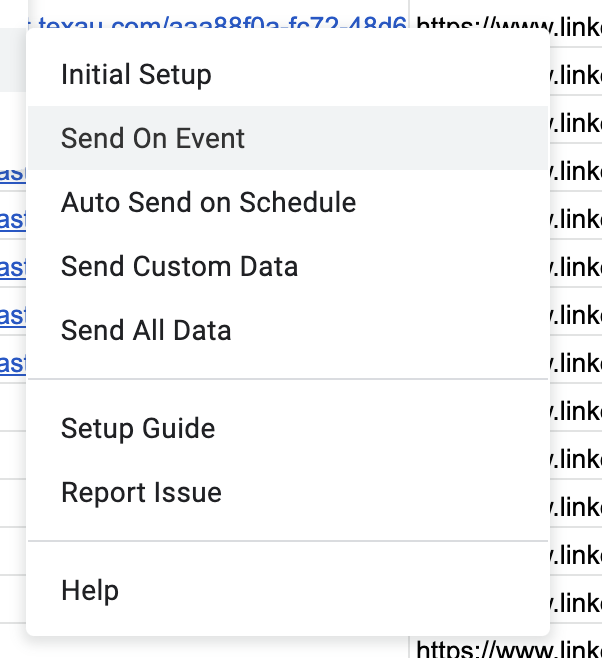
How long should the delay be? Please provide step by step guide.
Hey @david
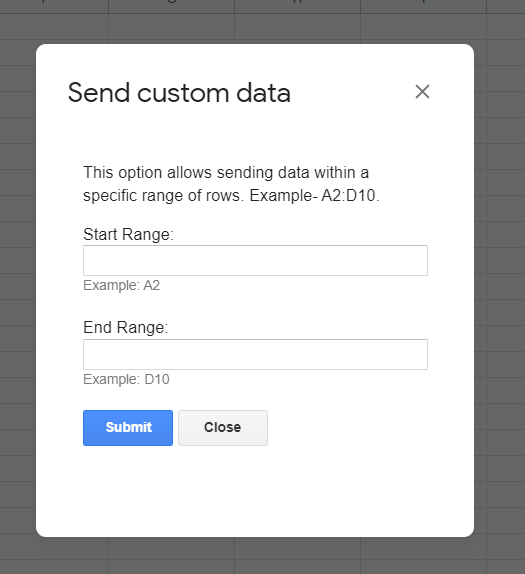
If you are using Google Sheets trigger event and you want a specific range to be forwarded, you can use the "Send Custom" ad-on, where you can decide the "Start Range:" "End Range:" but that would work once.
@Supreme
My start range would be C2:C250, that means it will skip the header row, is that correct?
There are 250 rows, can I run all 250 without Google stopping it?
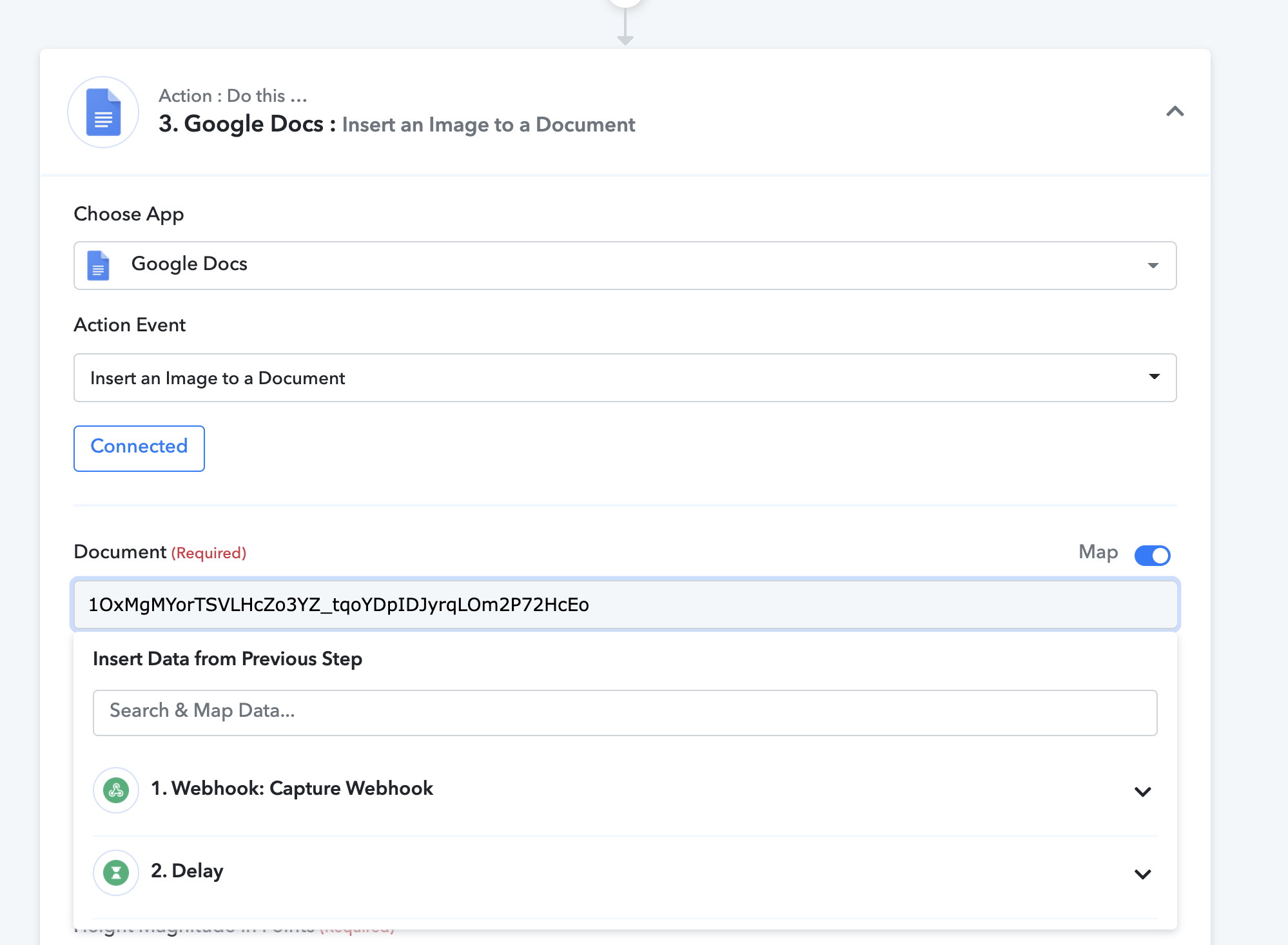
@Supreme How can I map my Google Sheet to be inserted the image?
Hey @david
My start range would be C2:C250, that means it will skip the header row, is that correct?
There are 250 rows, can I run all 250 without Google stopping it?
Yes, it will skip the header from the range.
How can I map my Google Sheet to be inserted the image?[IMG alt="Screenshot 2022-01-15 at 12.11.46 AM.png"]https://forum.pabbly.com/attachments/screenshot-2022-01-15-at-12-11-46-am-png.7008/[/IMG]
Could you please elaborate on your query!!
@Supreme How can I select the Google Doc I want? Presently it's not selecting the correct Google Doc
Hey @david
Could you please share the workflow name and the Doc name which is not appearing with the help of a screenshot or a short video?
@Supreme Work flow name: 2_CFO Image Gsheets to GDocs
It says my tasks count are exhausted. Could you help me find out where I have gone wrong? I didn't get the outcome I want that is images over to Google Docs
Hey @david
Again you haven't mentioned the doc name which is not appearing and available in your Google Docs. And it is not possible to pass the image in the Google Sheets with the help of Google Docs action event.
And as we can see you haven't exhausted any of the tasks from your given workflow. Further, you can check your overall task count from your accounts history section.
@Supreme could you kindly help me reset my task count? I am not sure what I did wrong that resulted in exhausted tasks count.
It is possible possible to push Google Sheets to google Docs with Pabbly, I have done it before. It was successful in my tests but I am unabel to execute for all of the rows in Google Sheets. Could you or another colleague more familiar with this help out?
Doc name: Letter Campaign to CFO
Hey @david
We still didn't get your use case and are unable to process into. Though we couldn't find any extra consuming consuming workflow in your account still we have to rest all of your tasks for the last time.
@Supreme I have recorded a video for you to explain in clear terms: https://app.vmaker.com/record/Kv3z36FJoldZK3YM
Thanks for your help!
Hey @david
We tried your workflow at our end and it is working accordingly the image is posted at the top of the page.
Kindly try with a new doc.
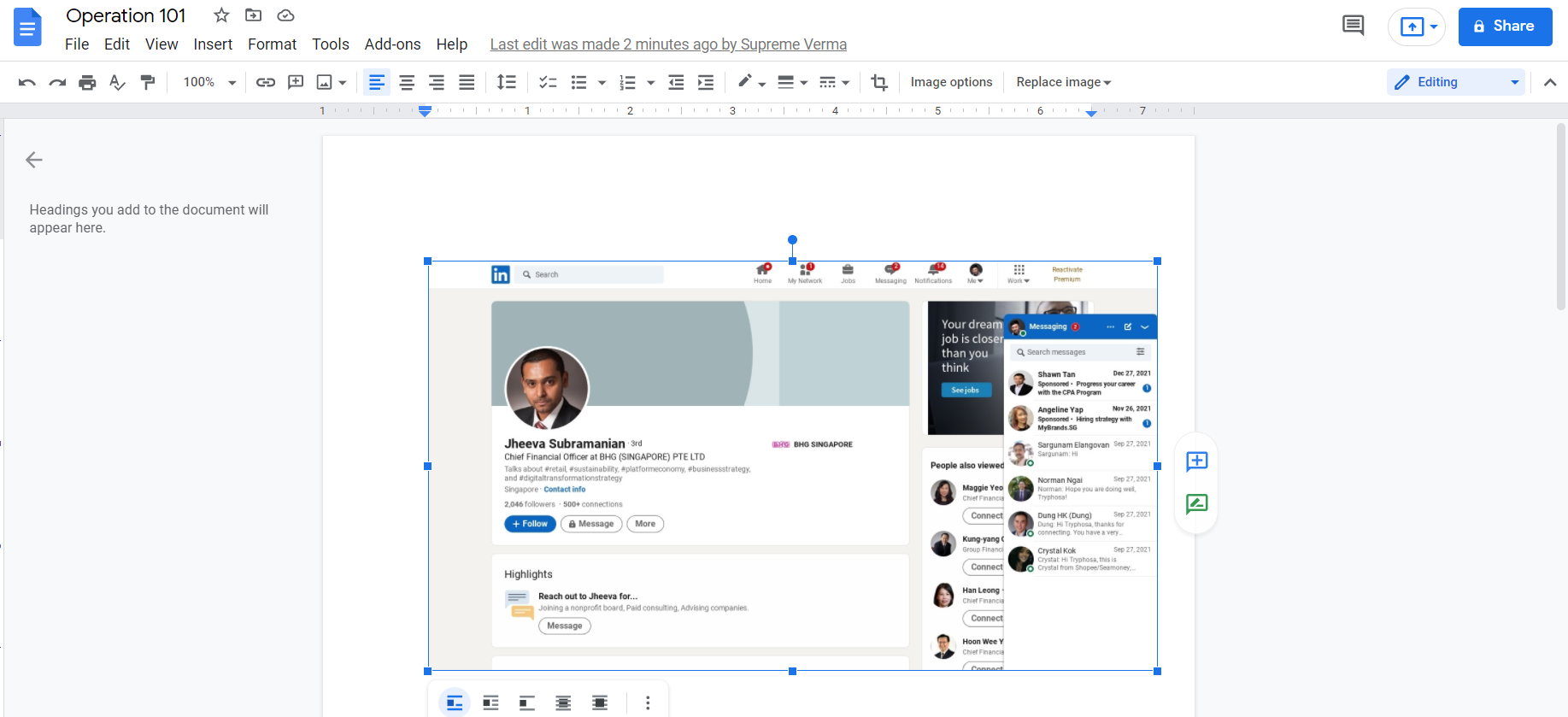
@Supreme I tried this and it is successful, but how do I execute for all the 500 images I have in Google sheets without exhausting all my tasks limits?
Hey @davidWe tried your workflow at our end and it is working accordingly the image is posted at the top of the page.
Kindly try with a new doc.
@Supreme I have watched but it doesn't explain how I can use Send Event or Custom event from Gsheets. How could I use Send Event or Custom Send instead of using Get Rows?
Hey @david
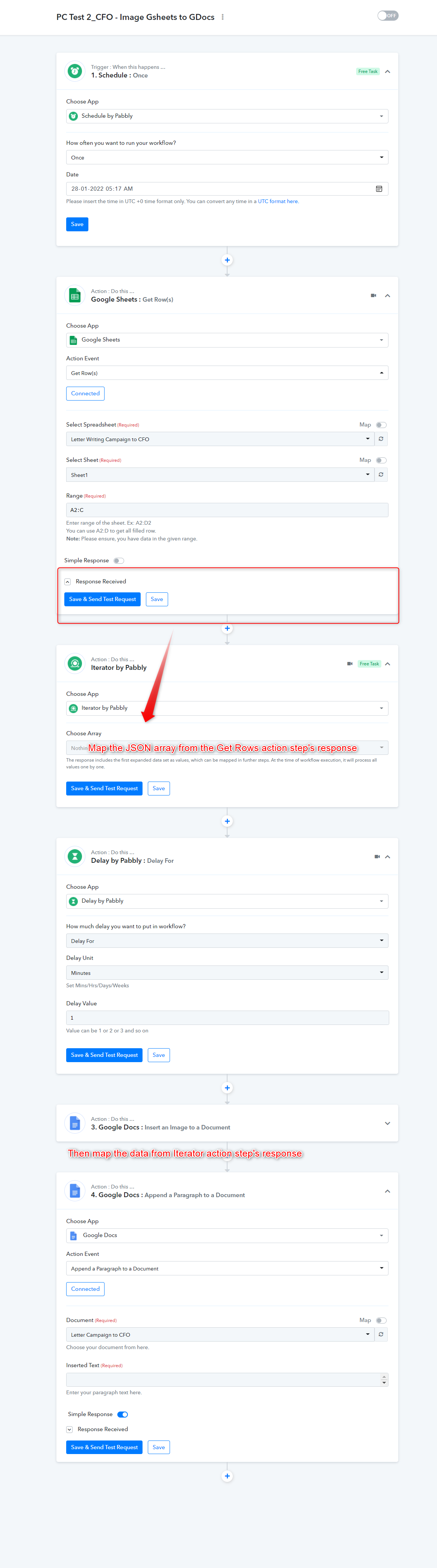
We have designed a workflow according to your use case, it will post all the LinkedIn photos to your Google Docs at once. Please check out the following screenshot and review the workflow in your account.
You can give it a try with 5 or 6 rows of your Google Sheets.
@Supreme 1) how can I do it from Google Sheet Send Event or Custom event? This way I save more tasks. If I use Get Row I will consume more tasks limits. 2) how can I prevent it from going into a loop and consume all of my tasks limits?
Hey @david
how can I do it from Google Sheet Send Event or Custom event? This way I save more tasks. If I use Get Row I will consume more tasks limits.
You can use Send custom data ad-on from the Pabbly Connect extension, to send a limited row at a time manually.
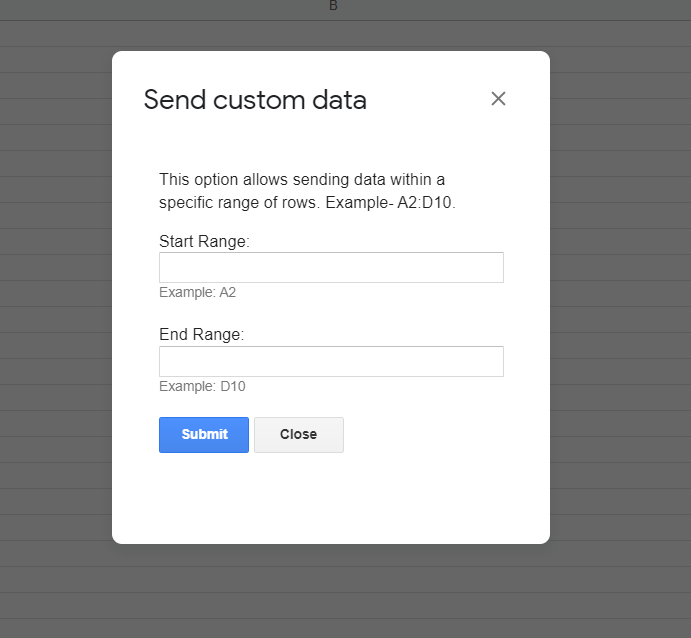
@Supreme
- What is the max row limits I could send from?
- What should I do to prevent it going into a loop and consume all of my task limits?
Hey @david
What is the max row limits I could send from?
You send all the rows if you want, but would recommend sending fewer rows at a time. So that your action step wouldn't exhaust the applications' rate limit.
What should I do to prevent it going into a loop and consume all of my task limits?
Check for the same event type in the trigger and in the action step.
@Supreme
There is data found on C2, why does it prompts no data found on row 2? 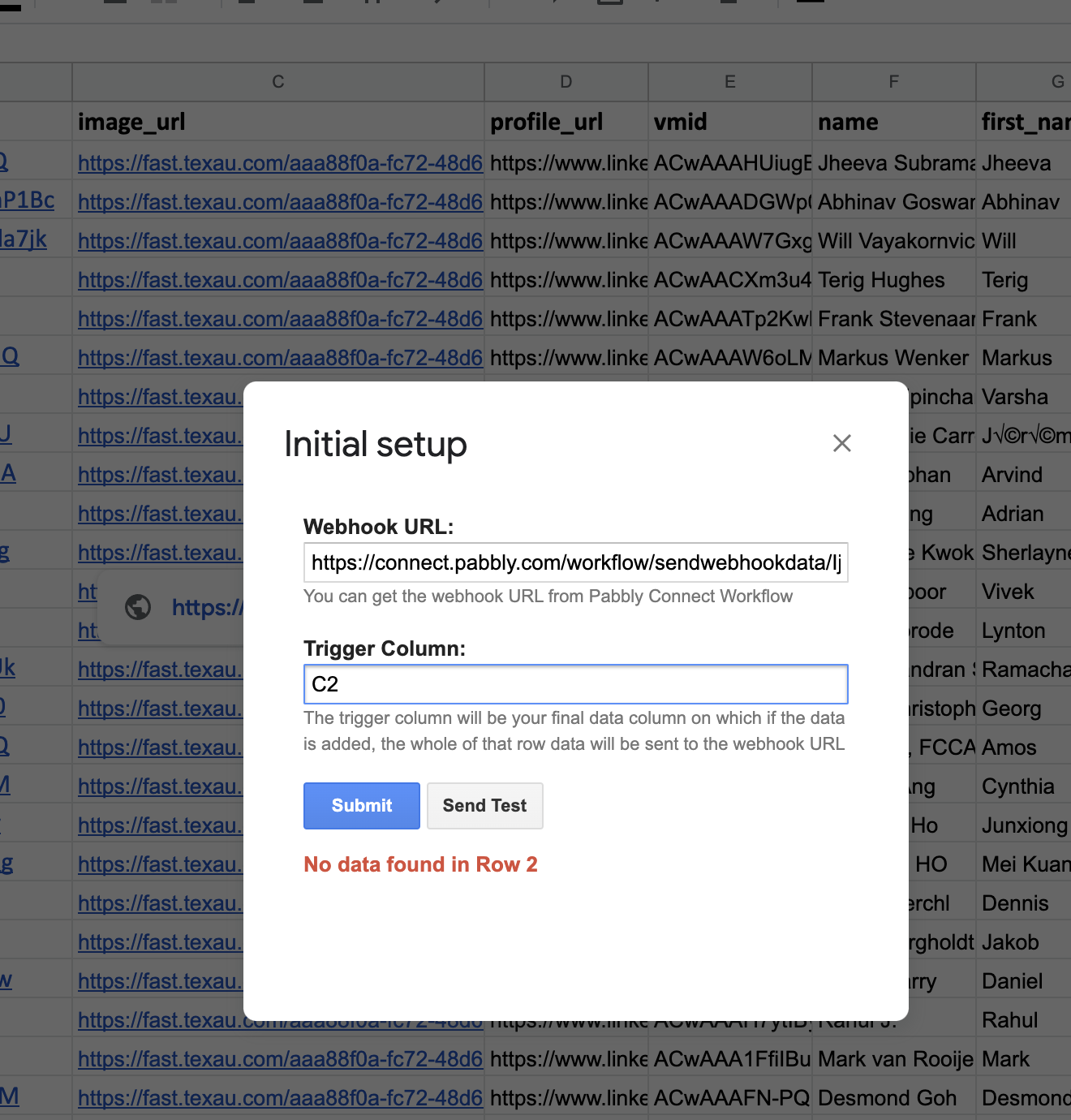
@Supreme I just click send custom data and selected C2 to C10 but no results to my Google Docs. Why is that?
Hey @david
You have picked the wrong option to send the custom data, you need to check for the "Send Custom data" instead of "Initial setup".
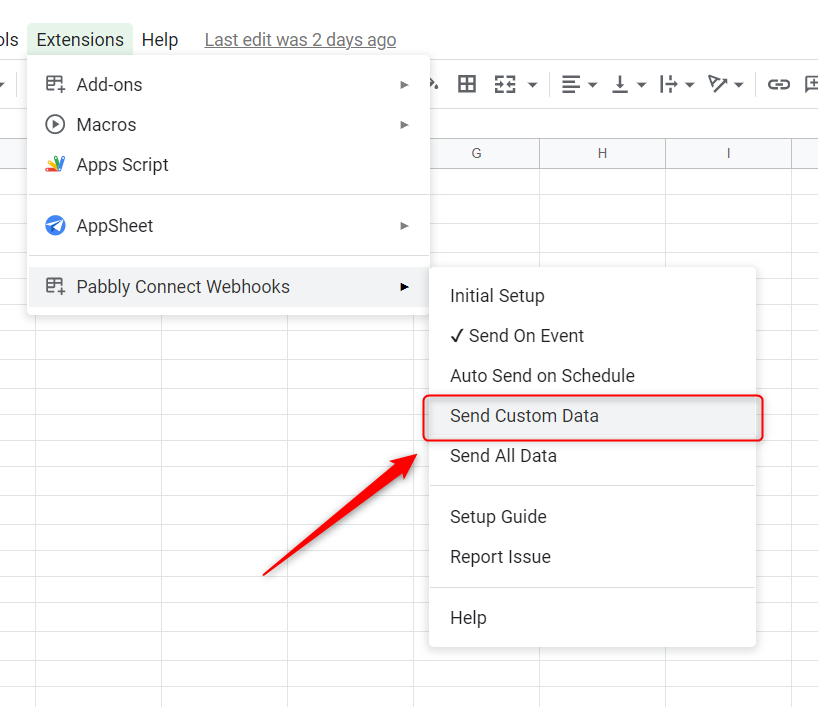
@Supreme I've followed your instructions step by step here: https://app.vmaker.com/record/J2biyw3iXD8yPE4g
Please let me know if I did it correctly? I still not achieve the images that I want in Google Docs.
Hey @david
Please check out the following short recorded video regarding your concern, kindly check that out -
@Supreme I've followed your instructions but partial success. https://app.vmaker.com/record/6UrNpGvU2J2vWsvC
Hey @david
Try adding the "Google Docs: Append a Paragraph to a Document" action step with the same spacing before the "Google Docs: Insert an Image to a Document".
But you have to make sure that you have already inserted the first picture to make it in sequence. And the start with the C3: C5 because we have already added the first picture.
@Supreme I've followed your instructions step by step but still unable to get what I want. https://app.vmaker.com/record/6nqaUvXJTIulsgr0
Hey @david
I have gone through the video. I'll check for the workaround for the same and shall update you
@Supreme Thanks, it used to work fine but not sure what happened it's not in sequence and does not work well anymore. Thank you for checking out for me.
Hey @david
We have tried different workaround for your use case but there are no other options left. But if we found any other solution for your use case, then we will let you know.
You can try once the following workflow, which will almost cost you the same amount of tasks.
[IMG width="488px" alt="2022-01-28_11h26_49.png"]https://forum.pabbly.com/attachments/2022-01-28_11h26_49-png.7340/[/IMG]
@Supreme I've just tried your workflow guide but I got this error:
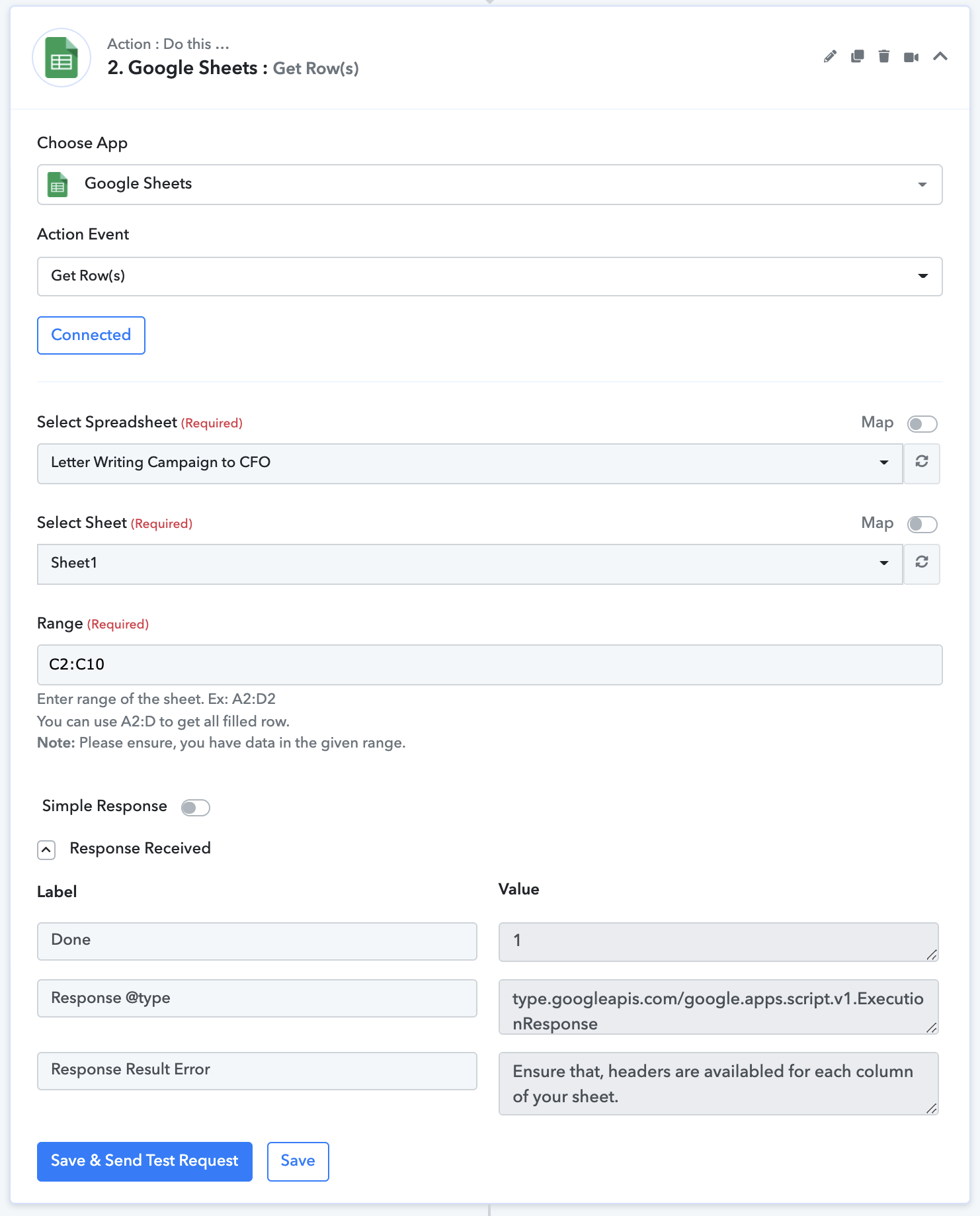
@Supreme any suggestions/solutions?
Hey @david
You might be using some kind of validation in your Google Sheets or may have entered the data in any random cell which doesn't have the header on it(Column name), try removing it and then try. Else you can try it with a new spreadsheet.
Thanks
@Supreme I have followed your instructions to start a new google sheet and used the workflow you have created: PC Test 2_CFO - Image Gsheets to GDocs. No results are sent to Google Docs when the workflow is turned on. But when I run tests it work flawlessly for each and every step.
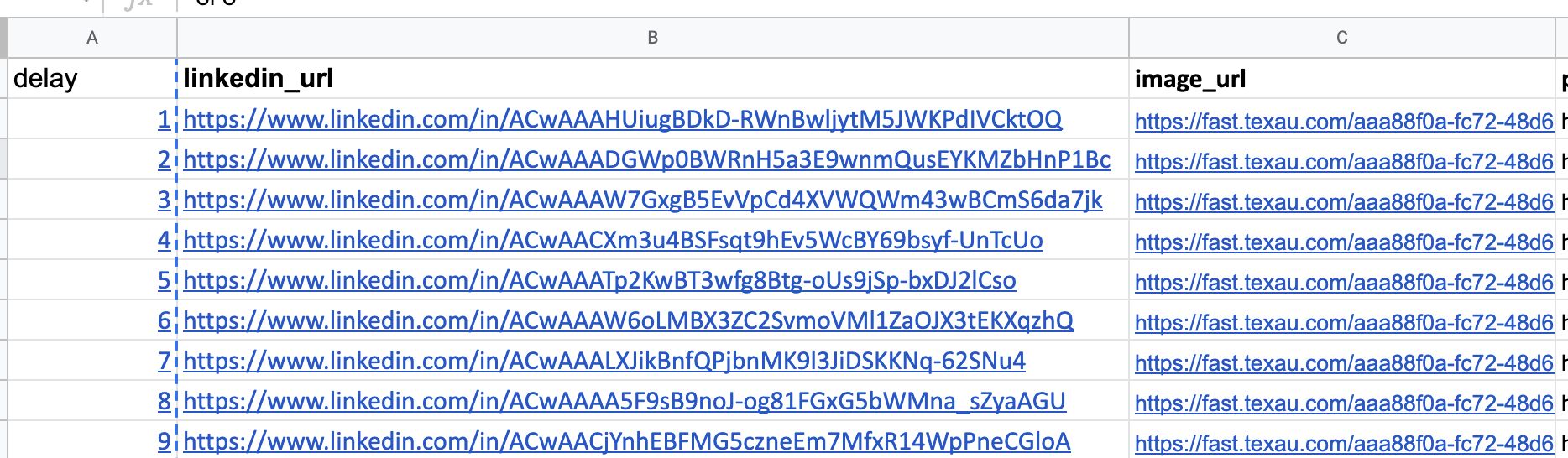
@Supreme in the previous google sheet I did not use any validation, it's plain text cells in Google Sheets with column headers
Hey @david
We would recommend you use another spreadsheet and can also hire an automation expert who can manage this type of work for you.
@Supreme I have used another sheet like you asked but it's still the same. I have approached some automation experts and they mentioned to write in to ask support as they are unable to know why it doesn't work on Pabbly's side. Is there someone who could resolve this definitely and permanently?
@Supreme any updates?