Putting email addy into a Plutio task
Status: Closed · Asked by Durkis on · 0 views
I am trying to create a task in Plutio, triggered by creation or editing of a proposal, and containing the email of the proposal's client for tracking purposes. Problem is that I cant figure out how to get the email address. I got the webhook to listen for contact creation a and proposal creation, but that just triggered too many tasks being created.
Hey @Durkis
Kindly share the name of the workflow for which you are concerned about.
Thanks
the convoluted name to assist my memory, is:
"Create first follow up task. Attach proposal ID and EMAIL OF CLIENT. don't want to trigger by create person"
Thanks!
Hey @Durkis
Please check out the following screenshot for your concern. Though we have set the API call in your workflow, kindly check that out.
Regards
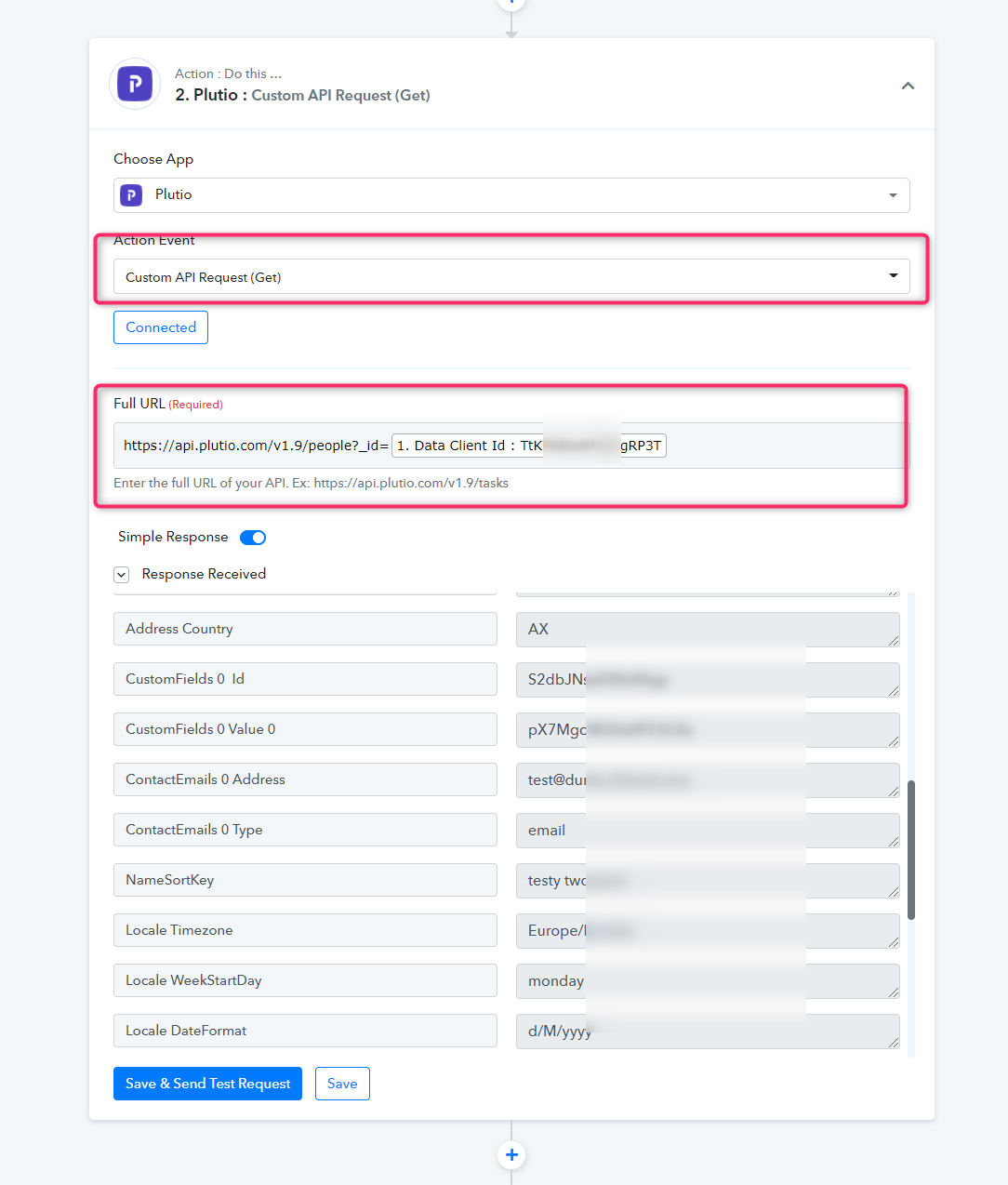
Thanks. I watched the video.
When I run this automation, Plutio goes into a loop producing tasks entitled "AUTO follow up email 1" which is is not the title given in the automation, nor the template given, or the date specified in the automation. The webhook is listening for only proposal editing, so I don't see where the loop comes from. I did not go as far as turning off the two other running automations, but neither of them are creating tasks with that title. This happened twice.
Thanks,
Stuart
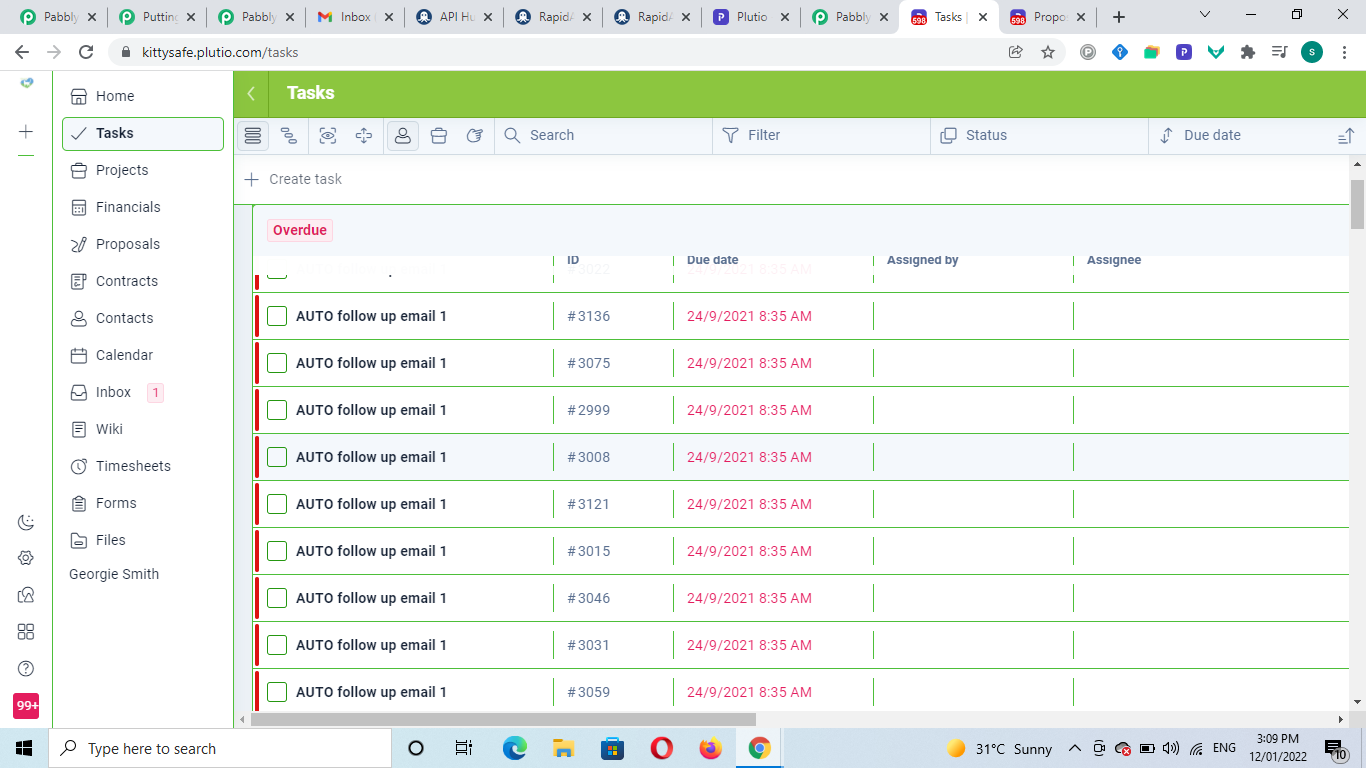
Hey @Durkis
In your workflow(Create first follow-up task. Attach proposal ID and EMAIL OF CLIEN.....) you are using the webhook trigger to capture the proposal but from the trigger, you are getting all types of methods whereas tasks data are also coming and which is moving on the Plutio's action event of "Create Task". Therefore it is creating a loop.
As a solution, you can use the filter action step, where you can restrict other methods except the proposal which you are converting further.
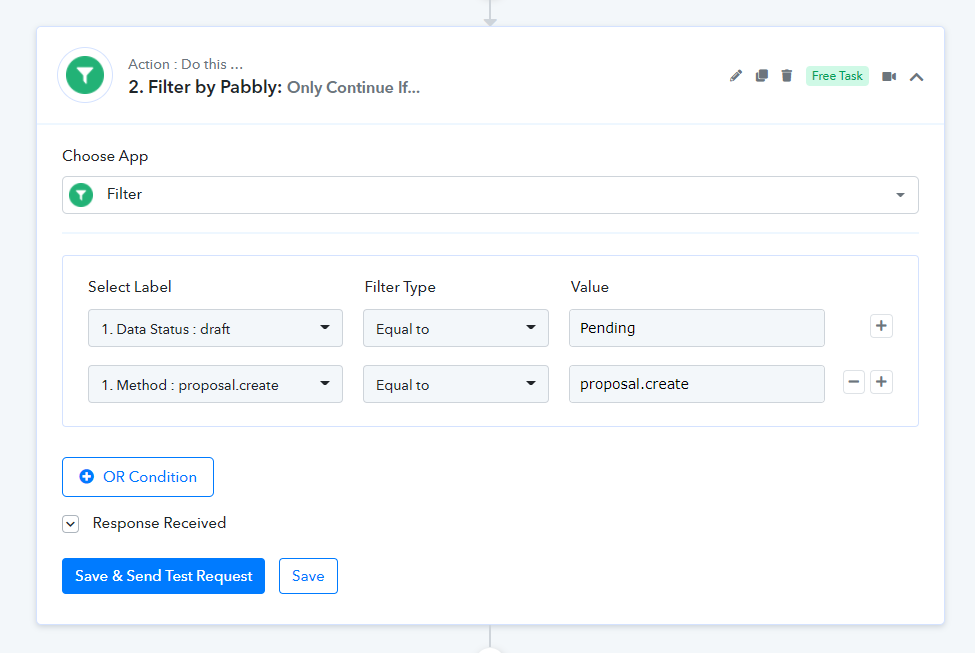
Ok I understand, but perhaps you can help me to understand why? The webhook is not listening for task creation, only for proposal editing. Why is it responding to task creation? This is what I mean when I say I don't understand the source of the loop.
Okay, can you tell me why the automation is not producing any tasks? It says its working, but no task.
Hey @Durkis
As we can see in your workflow you have previously filtered "Proposal.edit" in your workflow and you are getting trigger events for "proposal.create".
Though as we can see in your you have corrected your filter condition, kindly try again and let us know if it is working.
Thanks
Done. Still get "Condition false"
TO trigger it I a changing the status from Draft to Pending
Hey @Durkis
Could you please tell us is it working for you or not? As we can see from your history logs the proposal.create is working in your automation, except when the proposal.edit is coming. I hope the workflow is working fine.
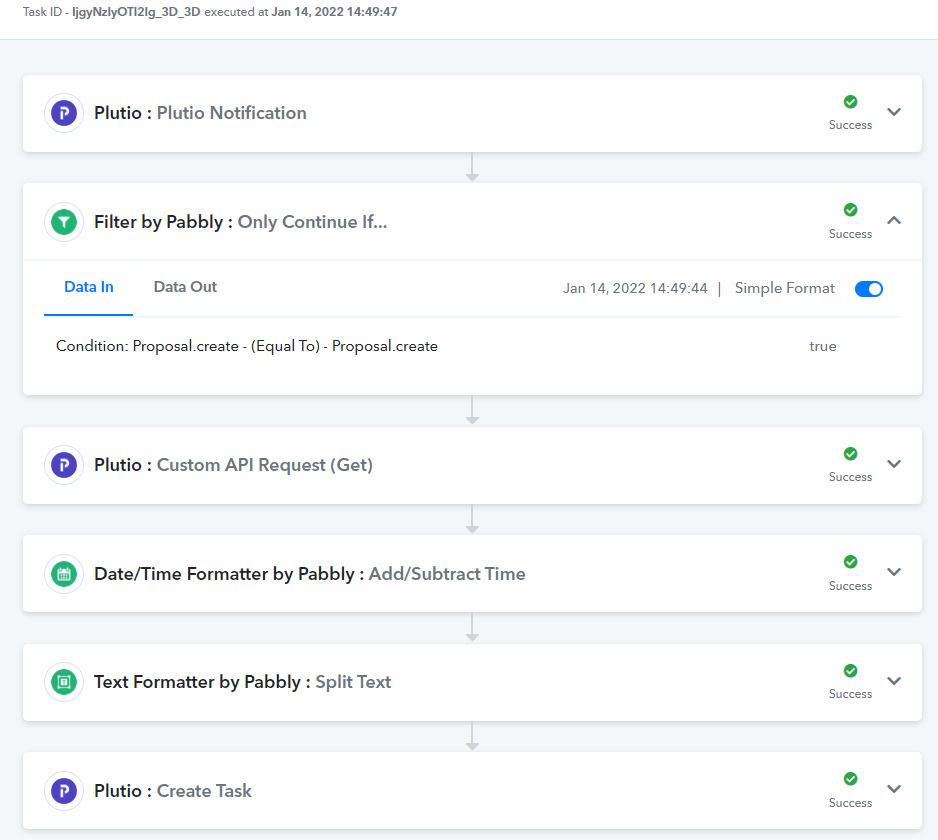
Thank you. I am now able to trigger the automation based on proposal.edit.
I am now trying to associate the task with a project. Can you help with the JSON code to change the task's "Breadcrumb 0 Id" field to the relevant project ID value?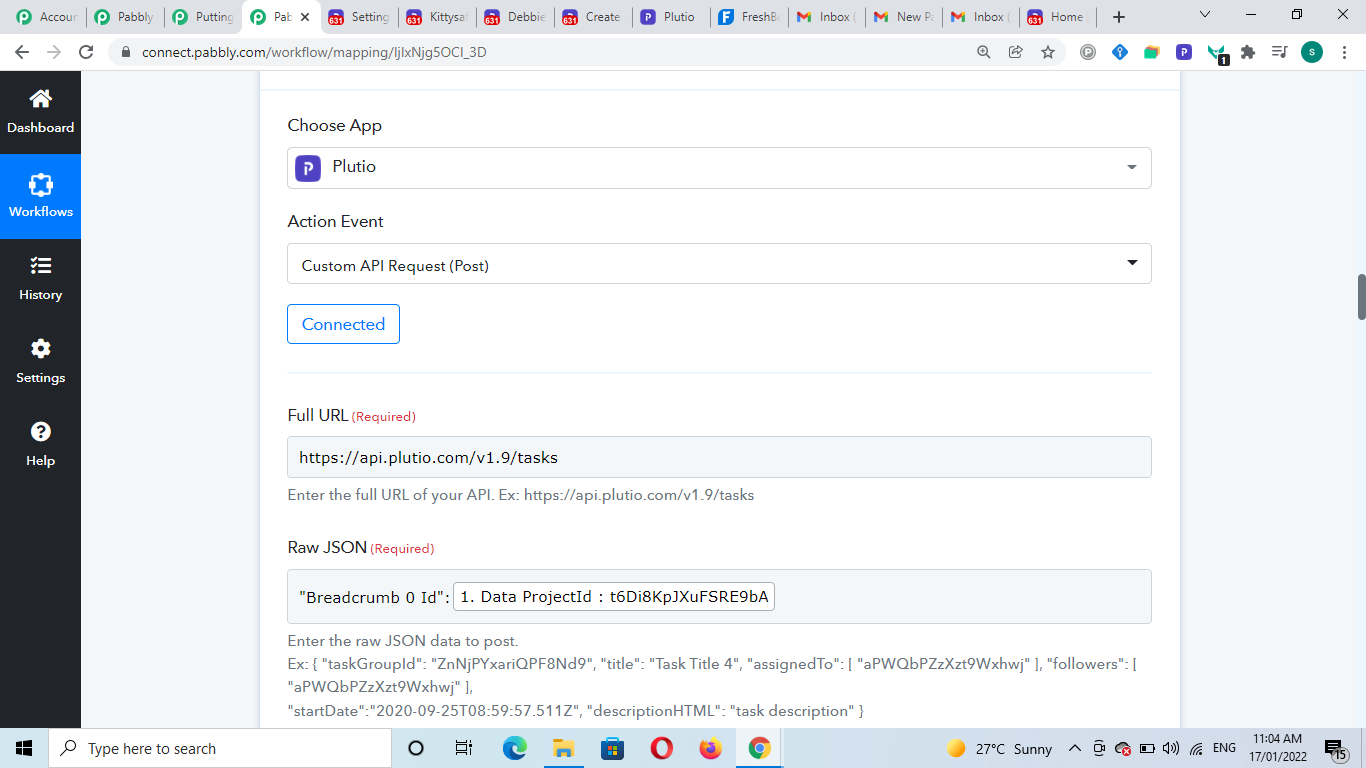
Hey @Durkis
You can make the custom JSON for your API call from Plutio's API documentation.
API documentation - https://docs.plutio.com/#tasks-delete-task
Eg -
{"taskGroupId":"wnsYeQATiztShX8Zf","title":"My task","assignedTo":["7uvJeXLgDw858widw"]}
{"title": "My task","projected": " "}
thank you.