Python code use case
Status: Open · Asked by Felipe Arbeláez on · 0 views
I'm trying to use the following Python code to print the closest to the two target times, 7 am or 1 pm. If the current time is past 1 pm, the target time will be 7 am on the following business day. Can I use the 'pytz' module in Pabbly?
import datetime
import pytz
def closest_time(now, time1, time2):
if now < time1:
return time1
elif now < time2:
return time2
else:
return None
def main():
# Set timezone
tz = pytz.timezone("US/Eastern")
# Get current time
now = datetime.datetime.now(tz)
# Check if it's a business day (Monday = 0, Sunday = 6)
if now.weekday() < 5:
# Define target times: 7 AM and 1 PM
time1 = now.replace(hour=7, minute=0, second=0, microsecond=0)
time2 = now.replace(hour=13, minute=0, second=0, microsecond=0)
# Get the closest target time
target_time = closest_time(now, time1, time2)
if target_time:
print(f"Closest target time: {target_time.strftime('%Y-%m-%d %H:%M:%S')}")
else:
# If it's past 1 PM on Friday, set the target time to 7 AM on the following Monday
if now.weekday() == 4:
next_monday = now + datetime.timedelta(days=(7 - now.weekday()))
next_monday_time1 = next_monday.replace(hour=7, minute=0, second=0, microsecond=0)
print(f"Closest target time: {next_monday_time1.strftime('%Y-%m-%d %H:%M:%S')}")
# If it's past 1 PM on any other business day, set the target time to 7 AM the following day
else:
next_day = now + datetime.timedelta(days=1)
next_day_time1 = next_day.replace(hour=7, minute=0, second=0, microsecond=0)
print(f"Closest target time: {next_day_time1.strftime('%Y-%m-%d %H:%M:%S')}")
# If it's Saturday or Sunday, set the target time to 7 AM on the following Monday
else:
next_monday = now + datetime.timedelta(days=(7 - now.weekday()))
next_monday_time1 = next_monday.replace(hour=7, minute=0, second=0, microsecond=0)
print(f"Closest target time: {next_monday_time1.strftime('%Y-%m-%d %H:%M:%S')}")
if __name__ == "__main__":
main()
Hey @felipearbelaez
The Python Pabbly code module does not yet allow the import of time and DateTime.
Ohh, is this on your roadmap already? This would be very extremely helpful. Do you have any suggestions for achieving something like this?
Just to complement my previous response, the reason is so important to be able to import time and DateTime is that code needs to be able to account for the transition between daylight saving time and standard time, for instance. Not being able to do this forces you to make "manual conventions to the time, but you'll have to remember to come back to adjust the code later on when there is a transition of time. That being said I just tried adjusting the code to be able to workaround the limitation, and I didn't get an error, but this time, the response is blank: the code is the following:
import time
def closest_time(now, time1, time2):
if now < time1:
return time1
elif now < time2:
return time2
else:
return None
def main():
# Get current time in seconds since the epoch (UTC)
now = time.time()
# Calculate the current day's 7 AM and 1 PM timestamps in seconds (EDT to UTC: +4 hours)
current_day = now // 86400 # 86400 seconds in a day
time1 = (current_day * 86400) + (11 * 3600) # 11 * 3600 seconds in 11 hours
time2 = (current_day * 86400) + (17 * 3600) # 17 * 3600 seconds in 17 hours
# Get the closest target time
target_time = closest_time(now, time1, time2)
if target_time:
print("Closest target time (UTC):", time.strftime('%Y-%m-%d %H:%M:%S', time.gmtime(target_time)))
else:
# If it's past 1 PM on Friday, set the target time to 7 AM on the following Monday
weekday = time.gmtime(now).tm_wday
if weekday == 4:
next_monday = now + (3 * 86400)
next_monday_time1 = (next_monday // 86400) * 86400 + (11 * 3600)
print("Closest target time (UTC):", time.strftime('%Y-%m-%d %H:%M:%S', time.gmtime(next_monday_time1)))
# If it's past 1 PM on any other business day, set the target time to 7 AM the following day
else:
next_day = now + 86400
next_day_time1 = (next_day // 86400) * 86400 + (11 * 3600)
print("Closest target time (UTC):", time.strftime('%Y-%m-%d %H:%M:%S', time.gmtime(next_day_time1)))
if __name__ == "__main__":
main()
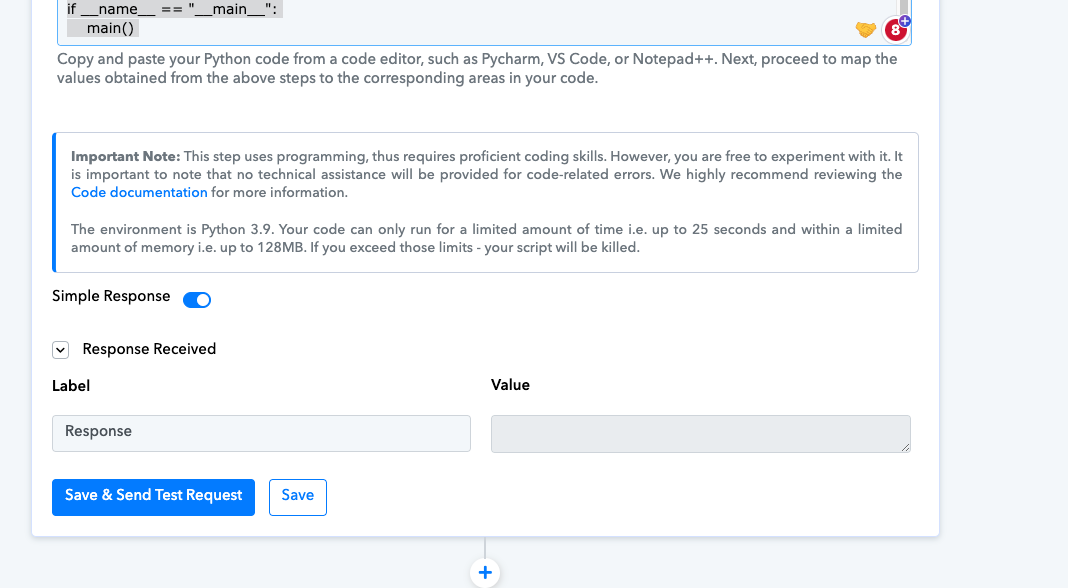
Hey @felipearbelaez
Your code appears to be in the incorrect format based on our ability to run it, which could account for the potential blank result.
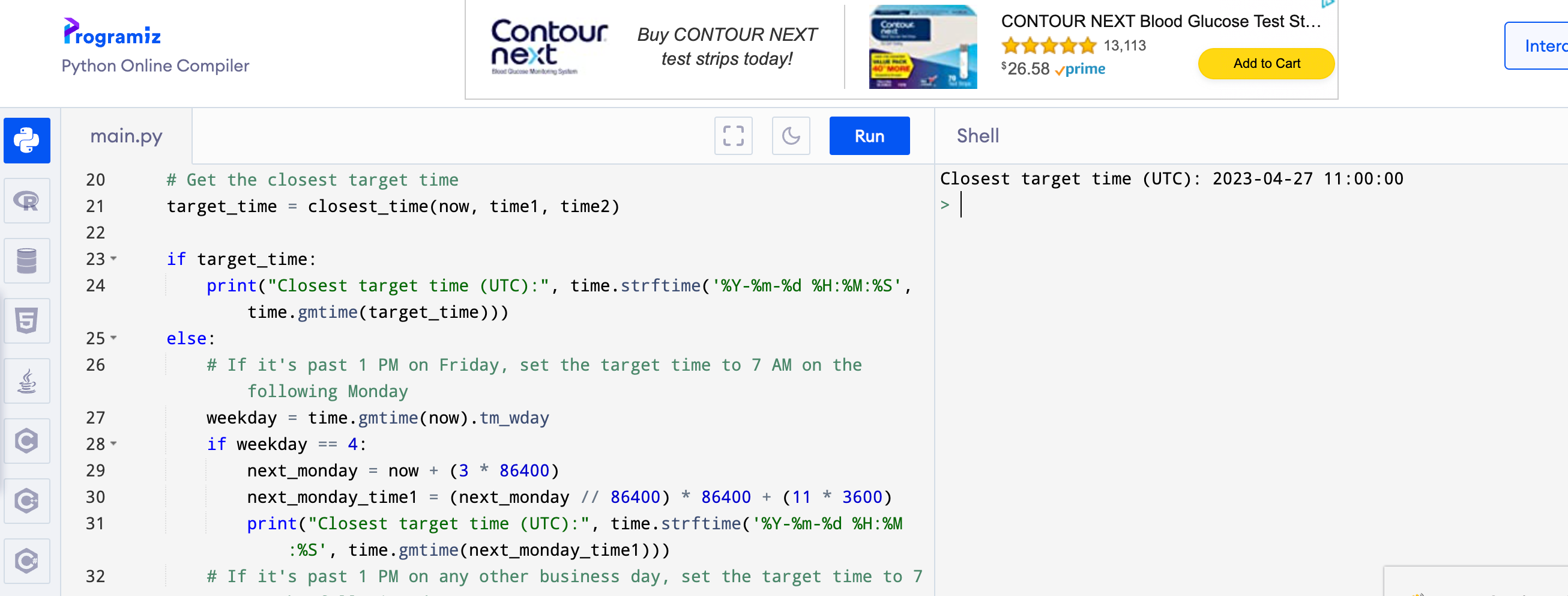
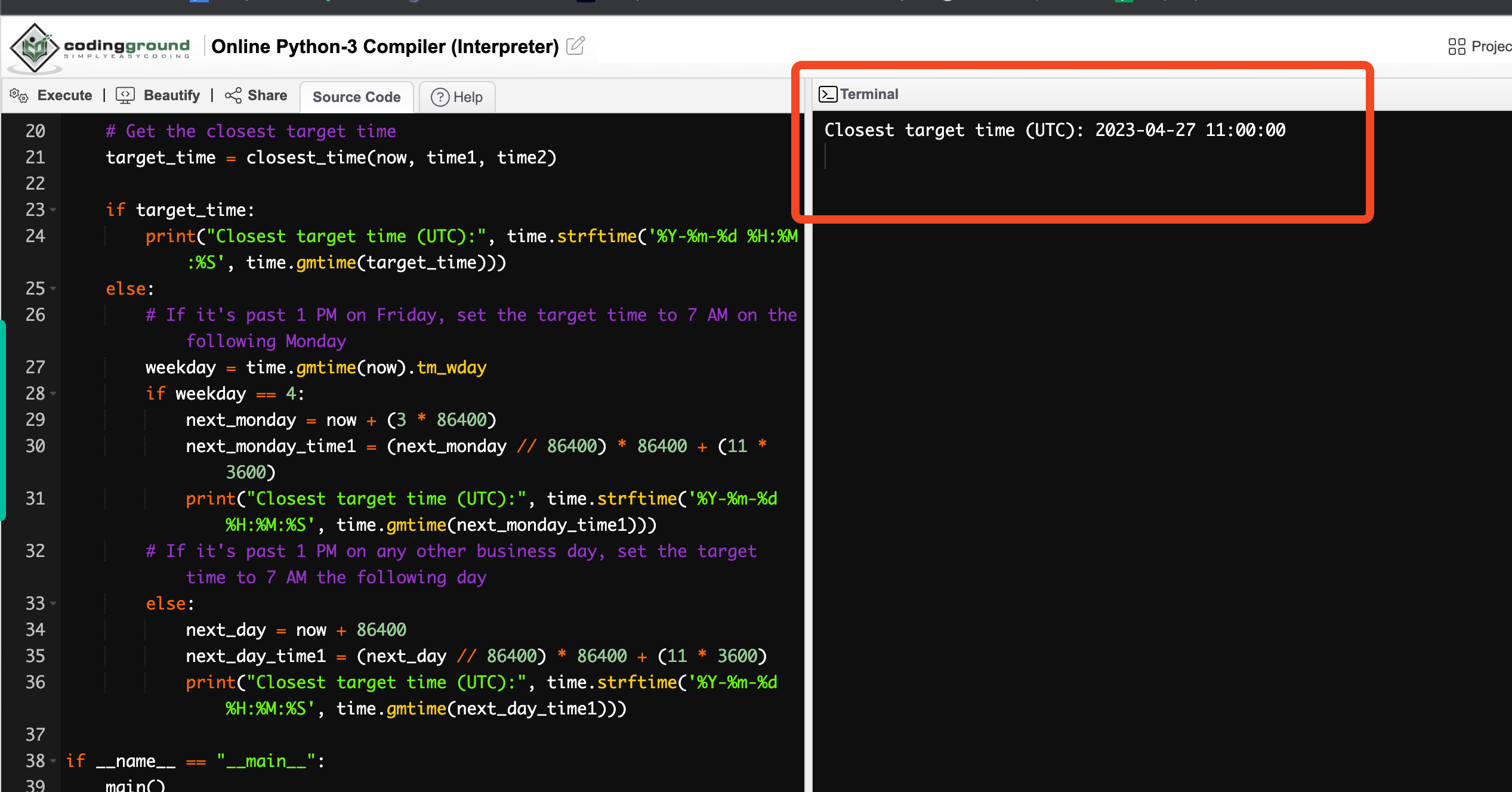
I tried running the code myself and it works
https://onecompiler.com/python/3z6uztkg6
Here are other tests in different platforms
import time
def closest_time(now, time1, time2):
if now < time1:
return time1
elif now < time2:
return time2
else:
return None
def main():
# Get current time in seconds since the epoch (UTC)
now = time.time()
# Calculate the current day's 7 AM and 1 PM timestamps in seconds (EDT to UTC: +4 hours)
current_day = now // 86400 # 86400 seconds in a day
time1 = (current_day * 86400) + (11 * 3600) # 11 * 3600 seconds in 11 hours
time2 = (current_day * 86400) + (17 * 3600) # 17 * 3600 seconds in 17 hours
# Get the closest target time
target_time = closest_time(now, time1, time2)
if target_time:
print("Closest target time (UTC):", time.strftime('%Y-%m-%d %H:%M:%S', time.gmtime(target_time)))
else:
# If it's past 1 PM on Friday, set the target time to 7 AM on the following Monday
weekday = time.gmtime(now).tm_wday
if weekday == 4:
next_monday = now + (3 * 86400)
next_monday_time1 = (next_monday // 86400) * 86400 + (11 * 3600)
print("Closest target time (UTC):", time.strftime('%Y-%m-%d %H:%M:%S', time.gmtime(next_monday_time1)))
# If it's past 1 PM on any other business day, set the target time to 7 AM the following day
else:
next_day = now + 86400
next_day_time1 = (next_day // 86400) * 86400 + (11 * 3600)
print("Closest target time (UTC):", time.strftime('%Y-%m-%d %H:%M:%S', time.gmtime(next_day_time1)))
if __name__ == "__main__":
main()
UPDATE: This is possible.
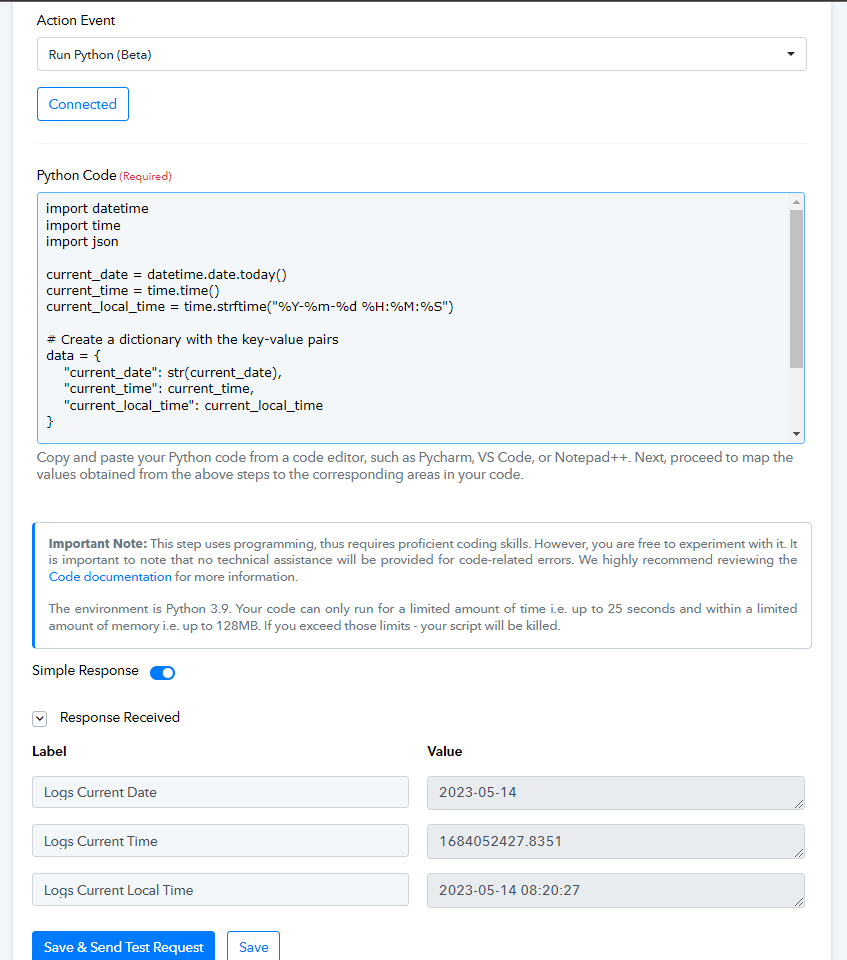
Code:
import datetime
import time
import jsoncurrent_date = datetime.date.today()
current_time = time.time()
current_local_time = time.strftime("%Y-%m-%d %H:%M:%S")# Create a dictionary with the key-value pairs
data = {
"current_date": str(current_date),
"current_time": current_time,
"current_local_time": current_local_time
}# Convert the dictionary to JSON
json_data = json.dumps(data)
# Print the JSON data
print(json_data)
Old Response:
I am afraid the import of time and DateTime is not currently possible with the Python Pabbly code module.
@Supreme @felipearbelaez I tried using both time and datetime , looks like it is working now
code- 1-
import time
# Get the current time in seconds since the epoch
current_time = time.time()
print("Current time (in seconds):", current_time)
# Pause the execution for 2 seconds
print("Pausing for 2 seconds...")
time.sleep(2)
print("Resumed execution.")
# Get the current local time as a formatted string
current_local_time = time.strftime("%Y-%m-%d %H:%M:%S")
print("Current local time:", current_local_time)
code -2
import datetime
current_date = datetime.date.today()
print(current_date)
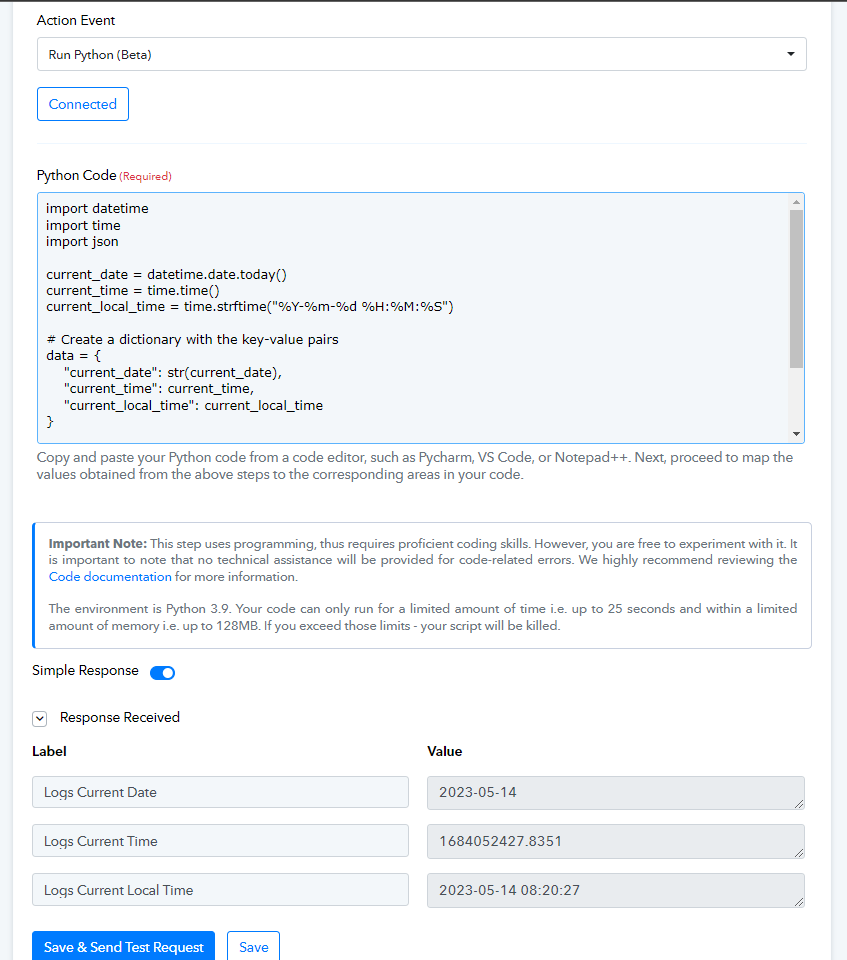
Code used above.
import datetime
import time
import jsoncurrent_date = datetime.date.today()
current_time = time.time()
current_local_time = time.strftime("%Y-%m-%d %H:%M:%S")# Create a dictionary with the key-value pairs
data = {
"current_date": str(current_date),
"current_time": current_time,
"current_local_time": current_local_time
}# Convert the dictionary to JSON
json_data = json.dumps(data)
# Print the JSON data
print(json_data)