Query regarding Calendly- Google sheet integration through Pabbly
Status: Closed · Asked by Sandeep Vaidya on · 0 views
Hi,
I am Dr Sandeep Vaidya from Thane, Maharashtra, India and I own a Pabbly subscription. Our hospital is about to initiate an online appointment service through Calendly wherein our patients can book appointments by logging onto our website. We have integrated Calendly with google sheet through so that appointments booked can be easily seen and printouts can be taken. However we would like to have a solution wherein if the patient cancels his appointment through calendly his entry in google sheet gets deleted. I tried the "Delete Row" option in google sheet action, but am getting an error message. Please suggest steps to set up this workflow.
Regards
Dr Sandeep V Vaidya
Please share the workflow name so that we can review the setup you have done.Or you can share the screenshot of error.
Thanks!
I have created three workflows labelled "Dr Yogesh Vaidya", "Dr Sandeep Vaidya", and "Dr Parag Lad". These workflows are for adding rows to google sheet when invitee event is created, and that is working fine. Wanted to figure out a way to delete these rows if the invitee event is cancelled.
Hey @Sandeep Vaidya
For your concern use case, please check this out -
Here is the Workflow for better understanding - https://connect.pabbly.com/workflow/share/WhJSYAdQUnpeF1QuDm9QeVhLBzAJVQc9XU0GD1w5URc#
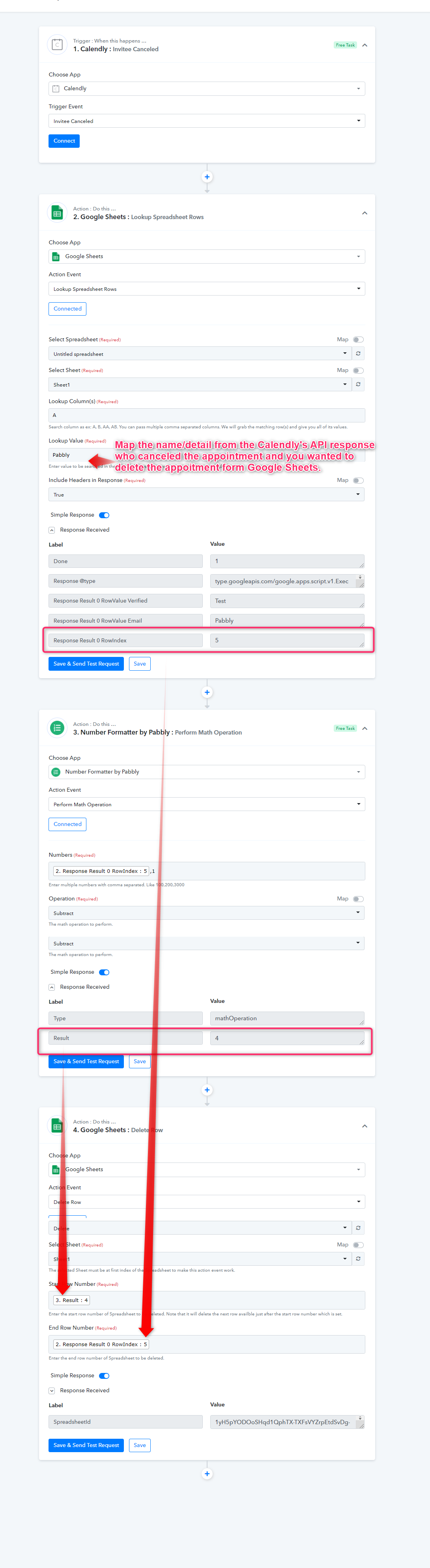
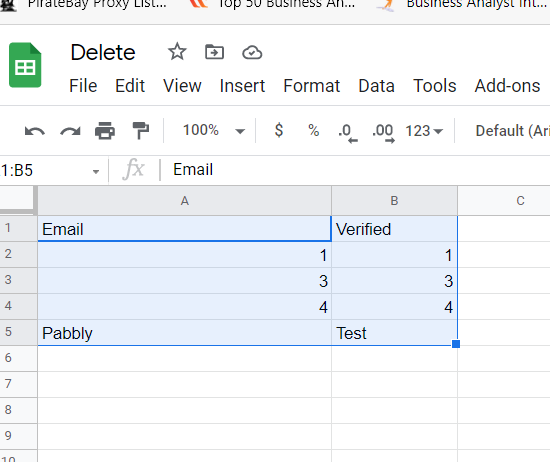
Date will be deleted from the Google Sheets as shown below -
Please try creating the workflow at your end and let us know if you stuck at some step.
Hi, i have created a new workflow labelled "Dr Yogesh Vaidya Cancel" as directed by you. However, am getting an error message at last step. Could you please check and let me know. Thanks.
Hi, i have created a new workflow labelled "Dr Yogesh Vaidya Cancel" as directed by you. However, am getting an error message at last step. Could you please check and let me know. Thanks.
Hey @Sandeep Vaidya
Hi, i have created a new workflow labelled "Dr Yogesh Vaidya Cancel" as directed by you. However, am getting an error message at last step. Could you please check and let me know. Thanks.
We looked into your workflow and it looks like the data might not be present in that particular index or could you please confirm that the respective sheet of the spreadsheet is in the 1st index or not else the action step would work.
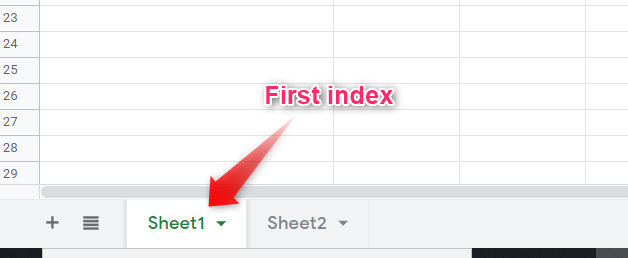
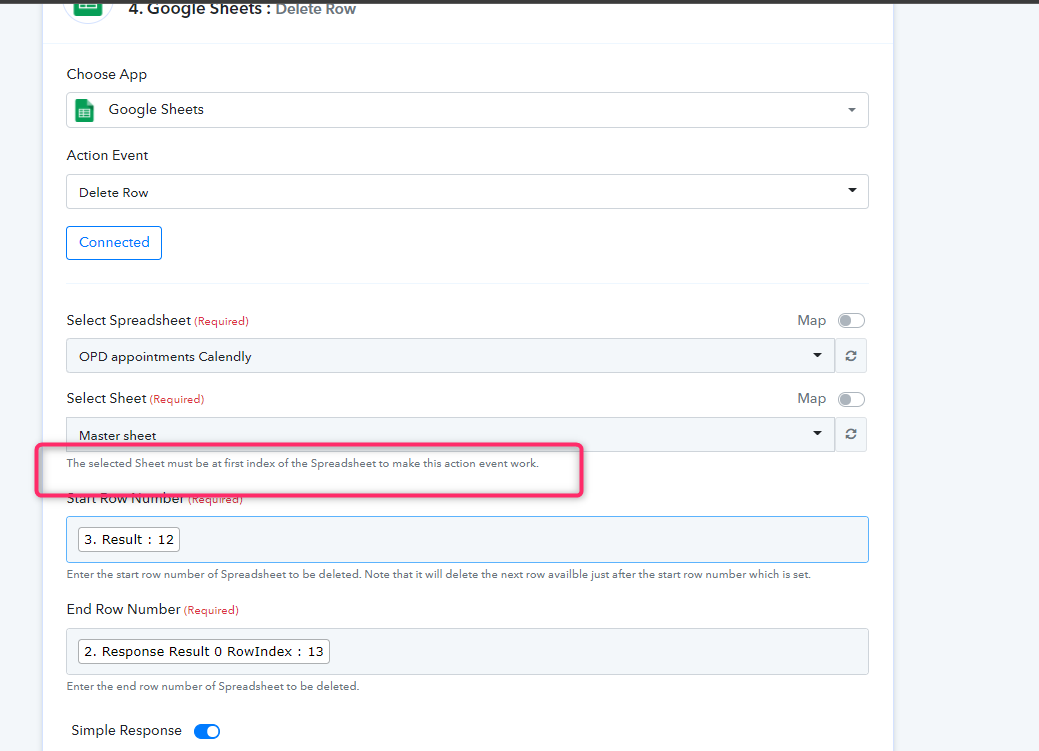
If the problem still persists could you please share the particular Google Sheet where we can try and show you the method?
Further, there is one more method to delete is Google Sheets "Delete Values" Action Step to delete the entities for the Sheet, please check this out -
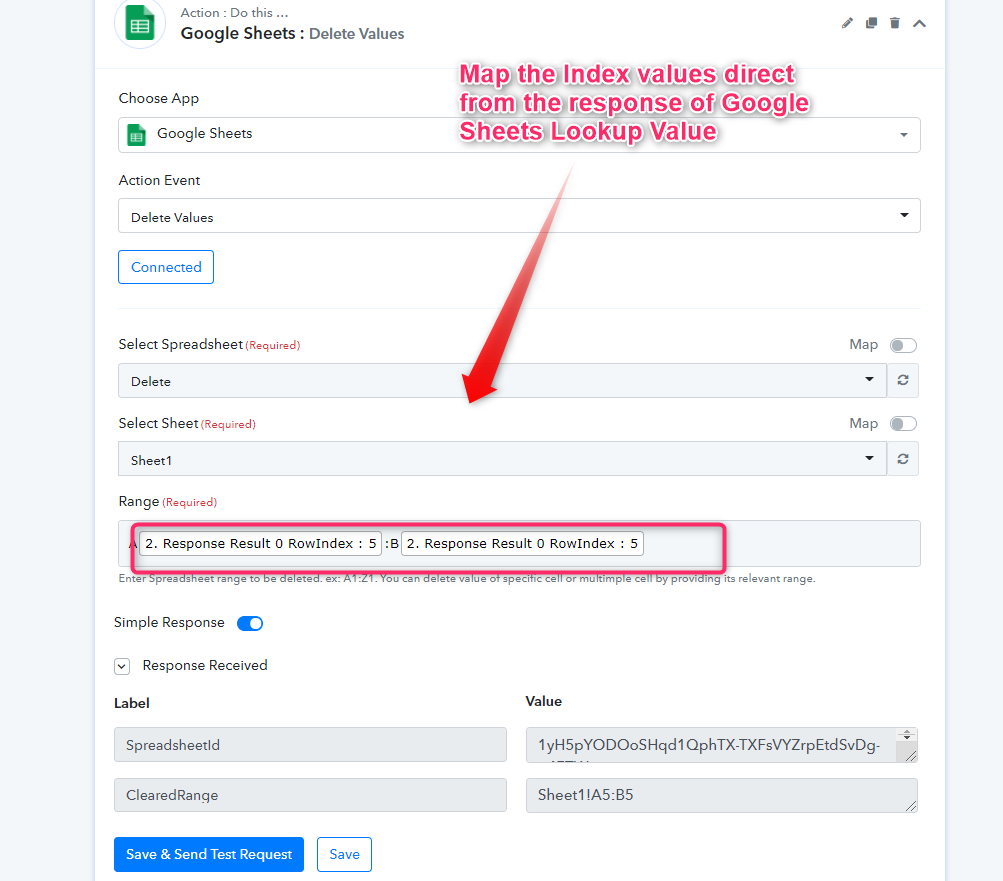
Thanks, done. The second option you suggested is simpler.