Query - Urgent
Status: Closed · Asked by Devarsh on · 0 views
In Pabbly Connect Action - Google Sheet, how to make label value as key value? because json extractor cannot read label value
In Pabbly Connect Action - Google Sheet, how to make label value as key value? because json extractor cannot read label value
We're not getting what exactly you're trying to do. Please create a video and explain what exactly you're looking forward to doing.
You can make use of this software for creating a video - https://www.loom.com/looms
We're not getting what exactly you're trying to do. Please create a video and explain what exactly you're looking forward to doing.You can make use of this software for creating a video - https://www.loom.com/looms
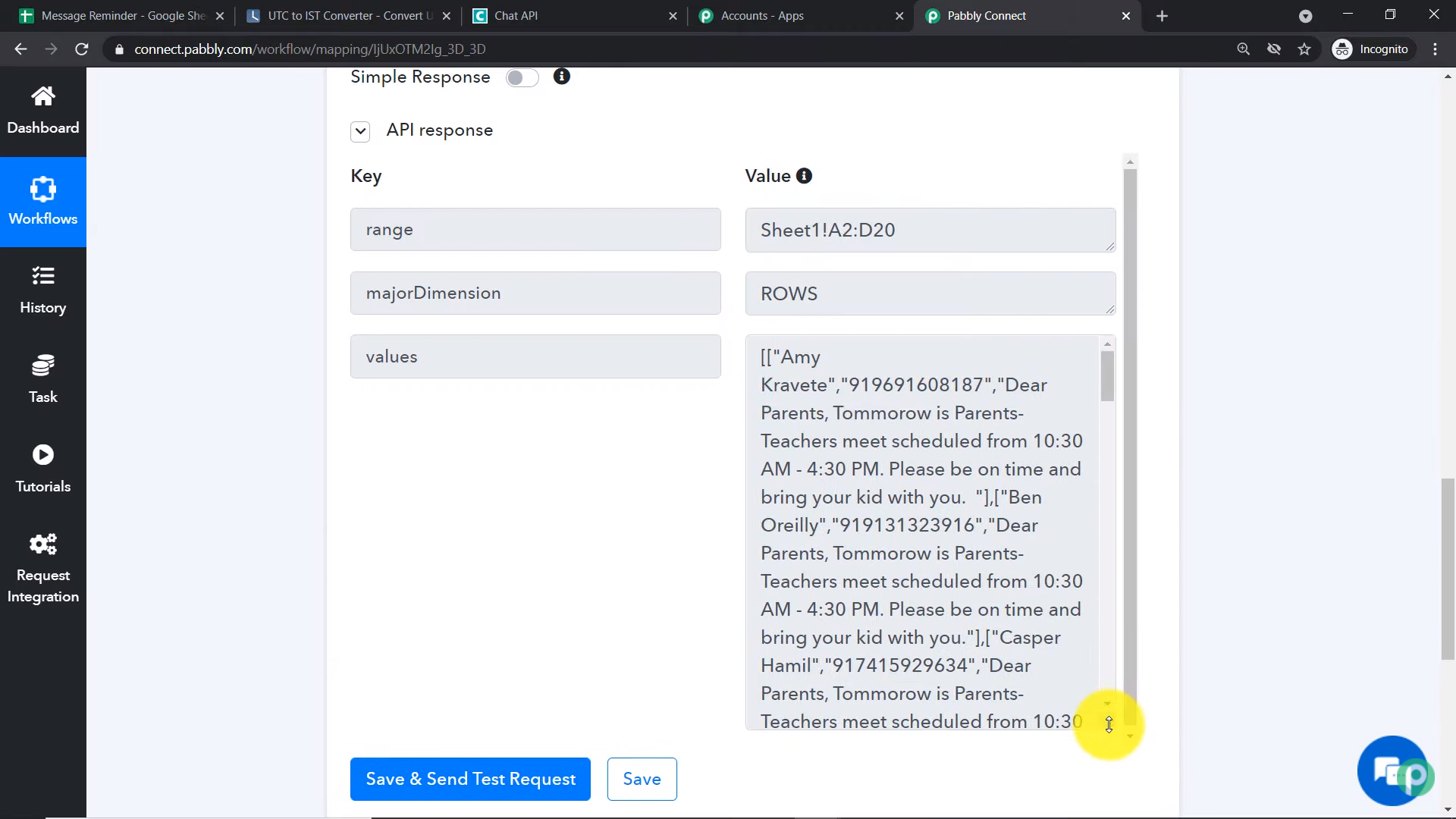
Here, I want data as image 1
but I am getting image 2(https://forum.pabbly.com/attachments/1653302384856-png.11129/).
Hey @Devarsh
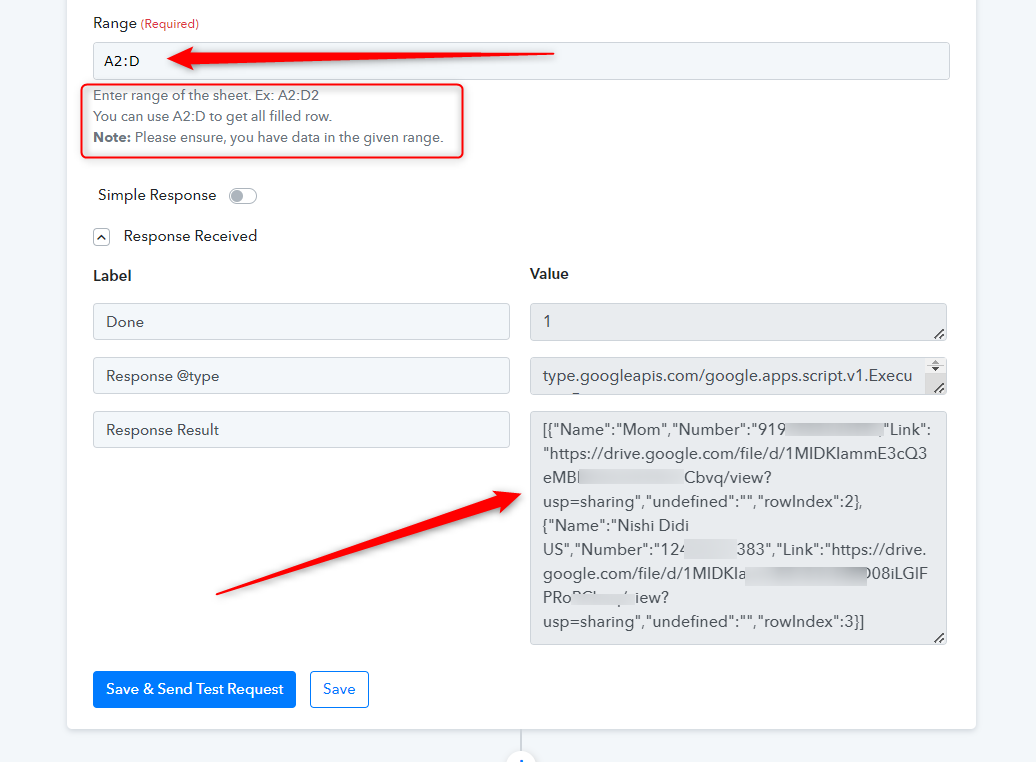
You might be got confused since you are not passing the complete range of the Row as it is available in your Google Sheets. Please check out the following screenshot for your better understanding.
Thank you
No, this does not help, even this keeps it as Label and Value. I need Key Value. I followed your youtube video still the same issue occurs.
Kindly arrange a call so I can explain, It's a little urgent.
Hey @Devarsh
You have to use the "Iterator" action step which will process all the array data one by one in the Key-Value pair.
You can also refer to the following video tutorial for your better understanding.
youtube.com/watch?v=zJaGQ-SIB0I
Kindly arrange a call so I can explain, It's a little urgent,
As of now, we are not proving any assistance on call but you can record a video on your concern. So that we can look into it and can guide you accordingly.
Hey @DevarshYou have to use the "Iterator" action step which will process all the array data one by one in the Key-Value pair.
You can also refer to the following video tutorial for your better understanding.
youtube.com/watch?v=zJaGQ-SIB0I
As of now, we are not proving any assistance on call but you can record a video on your concern. So that we can look into it and can guide you accordingly.
The video that you sent is not useful. I even used iterator but it doesn't help.
youtube.com/watch?v=H0aBHNl2ICc
In this video at 8:20 you will see key-value after sheet is attached but I see label and value as shown in the image sent earlier. Kindly help out
Hey @Devarsh
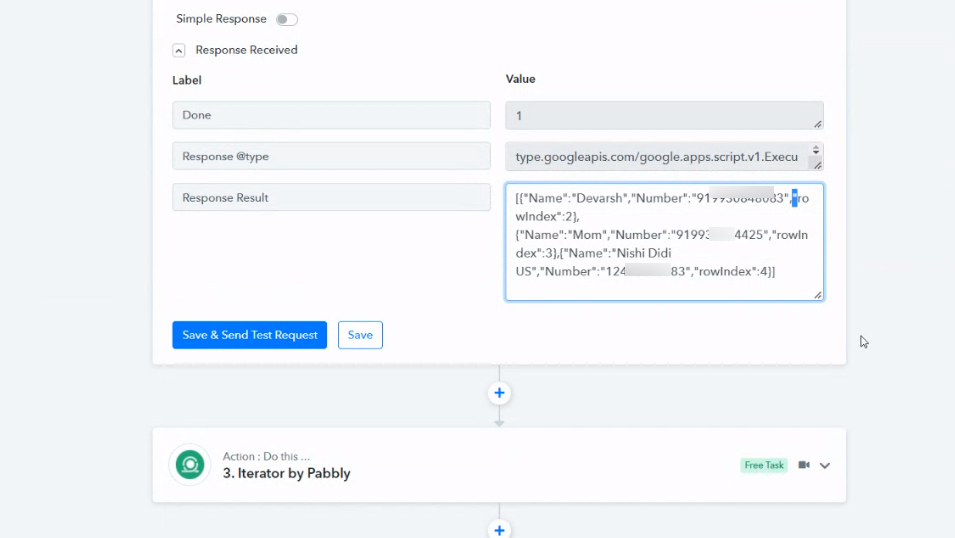
As we can see from your workflow, you are getting the data in the Key-Value pair now.
Please check again and let us know if that is working for you.
@Devarsh you can connect with me ... i can help you sort it.
~ AUTOMATION EXPERT
~ QUALITY SERVICE
~ ENTREPRENEUR
~ TECH INQUISITIVE