Question: Smartlead to Excel Sheets
Status: Closed · Asked by Luke on · 0 views
What is the cause for this issue of data being added on the spreadsheet is inconsistent, lots of cells are not being filled.
It does successfully pull all data from Smartlead using webhook when I check the Task.
Attachments
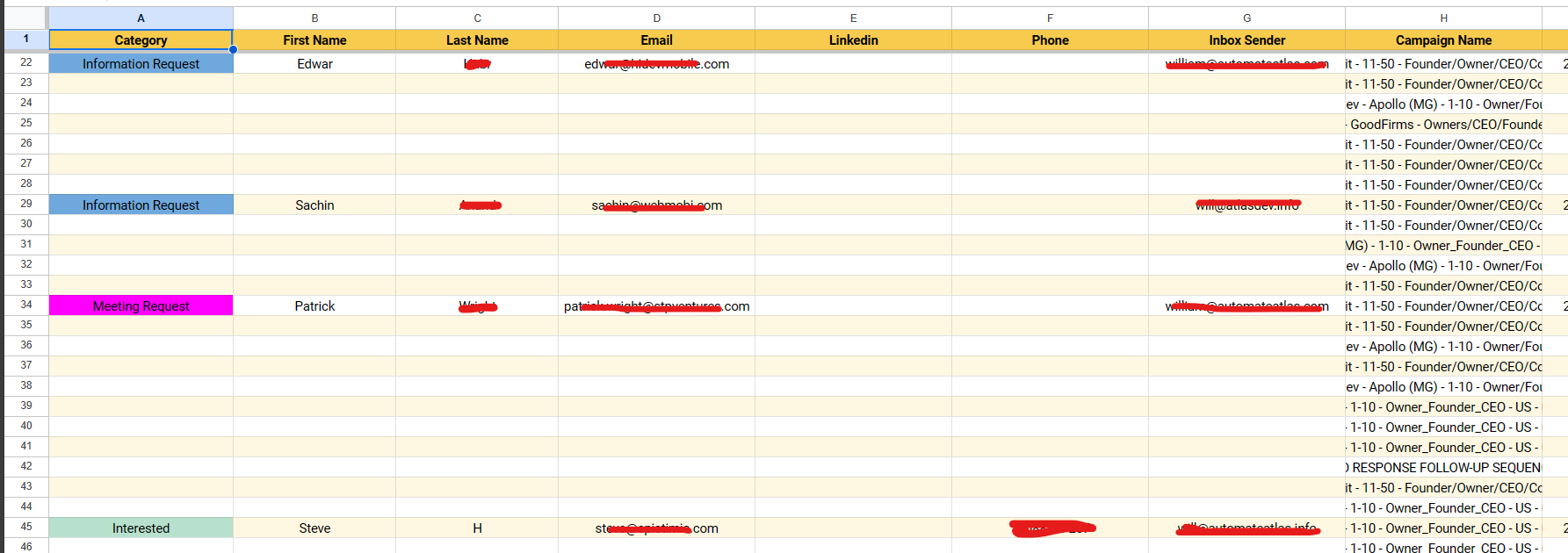
Hey @Luke
Based on your workflow task history, it's evident that your triggering application is generating multiple trigger events. Since you've specifically mapped the trigger response for the "LEAD_CATEGORY_UPDATED" event, it correctly processes that data. However, for other events, the response labels differ, resulting in incomplete entries being filled due to these variations.
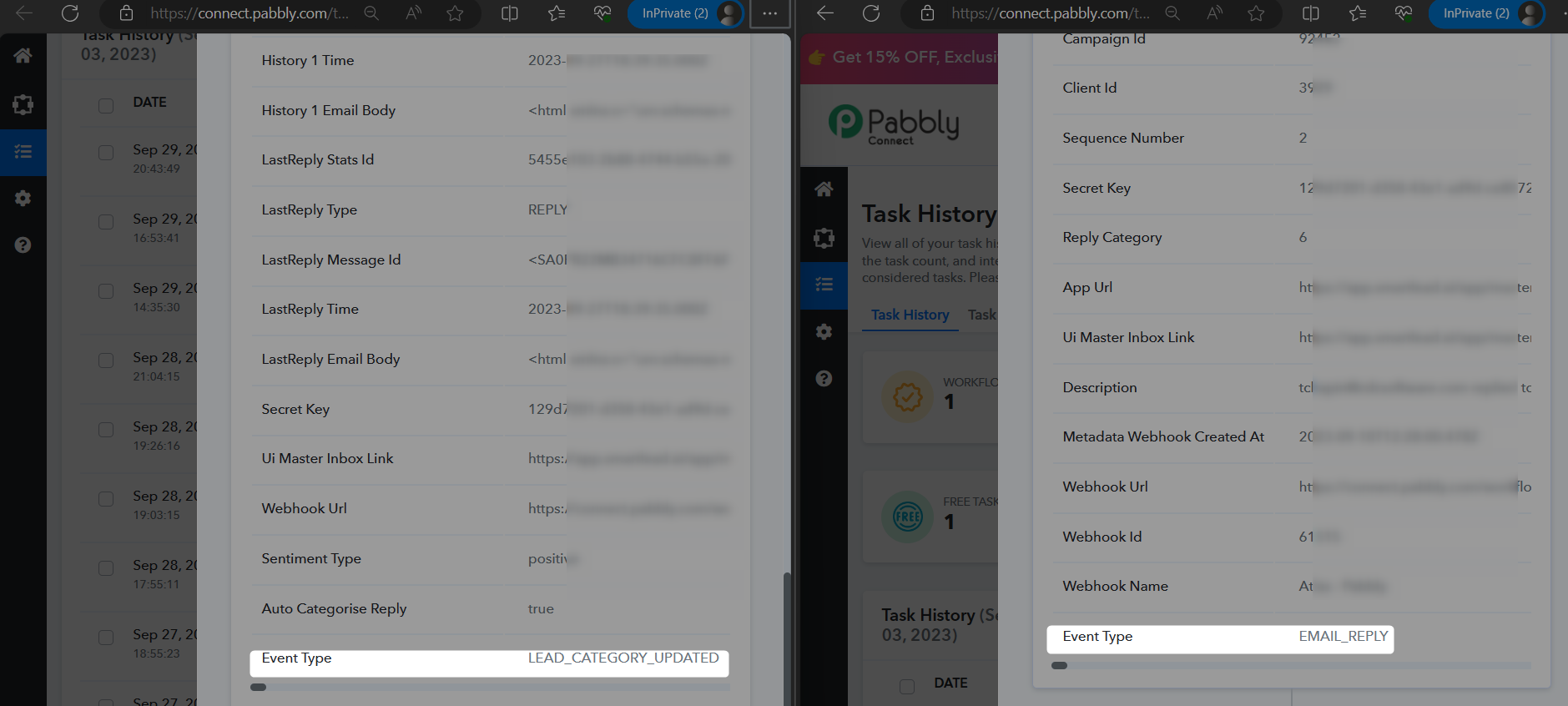
So, kindly use the Filter action step to only process the workflow for the specific trigger event coming from your triggering application.
Thank you, I'll test it out.