Quick response from message template to google sheet
Status: Closed · Asked by Dr. Deepak Rudramoorthy on · 0 views
Hi,
I have created a workflow to connect google sheets to whatsapp with a message template with media header being shared to my customer with quick buttons.
My query is that I do not see the quick button selected option being captured in the google sheet along with the other details.
Messages typed from whatsapp to google sheets are working fine.
How do I see responses from message templates on my google sheet.
The cell captured is blank.
Please help
Thanks in advance
Hey @Dr. Deepak Rudramoorthy
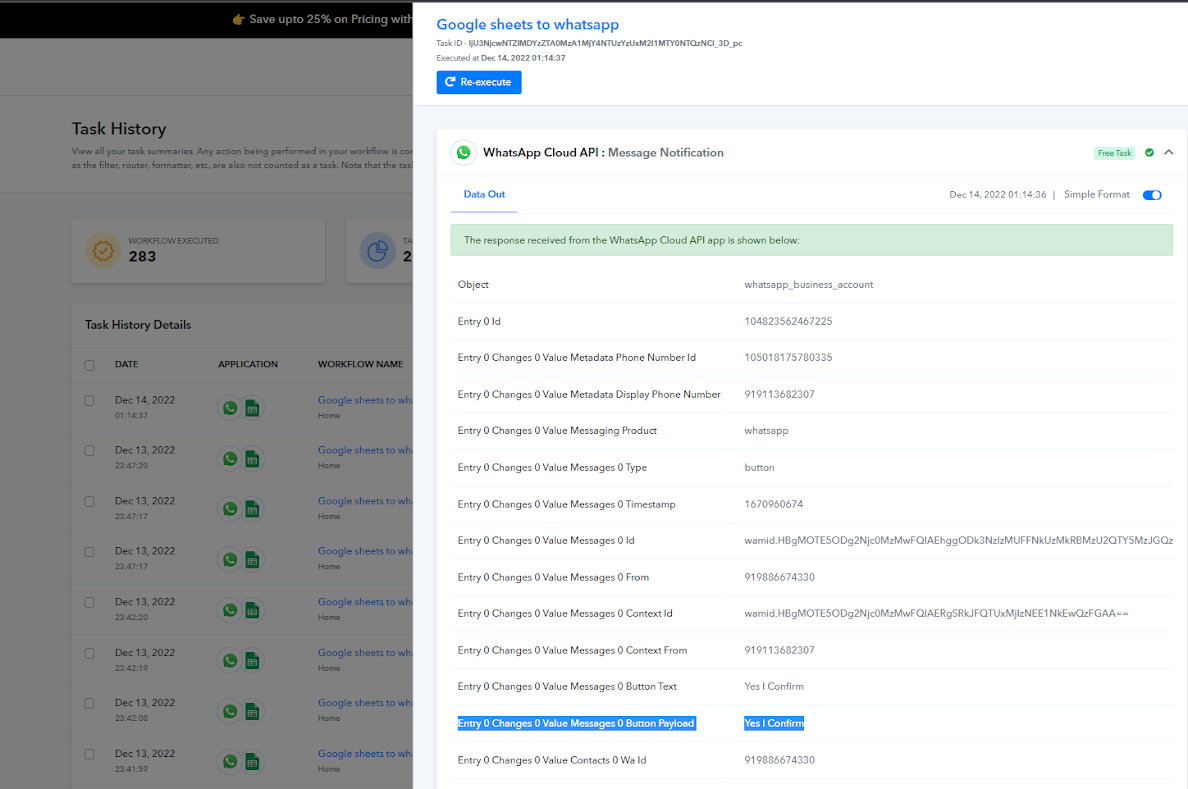
Please try to recapture the response which consists of a button payload.
@Supreme
Hi,
I am sorry i did not understand. can you please tell me the steps. Or send me a video link regarding the same
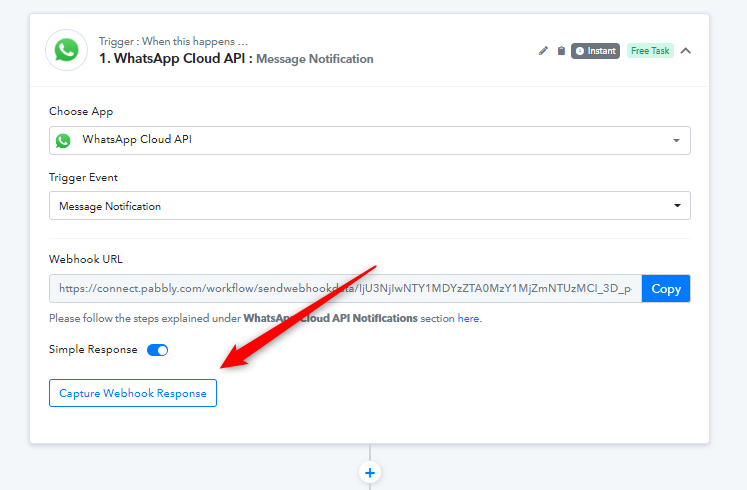
If you want to see the button field in the trigger response of your workflow then please recapture the webhook response from WhatsApp Cloud API by choosing the button field while doing the submission to the trigger response.
Further, as we can see from your history logs the button fields are coming from WhatsApp Cloud API accordingly.
Hi @ Supreme. I got this workflow.
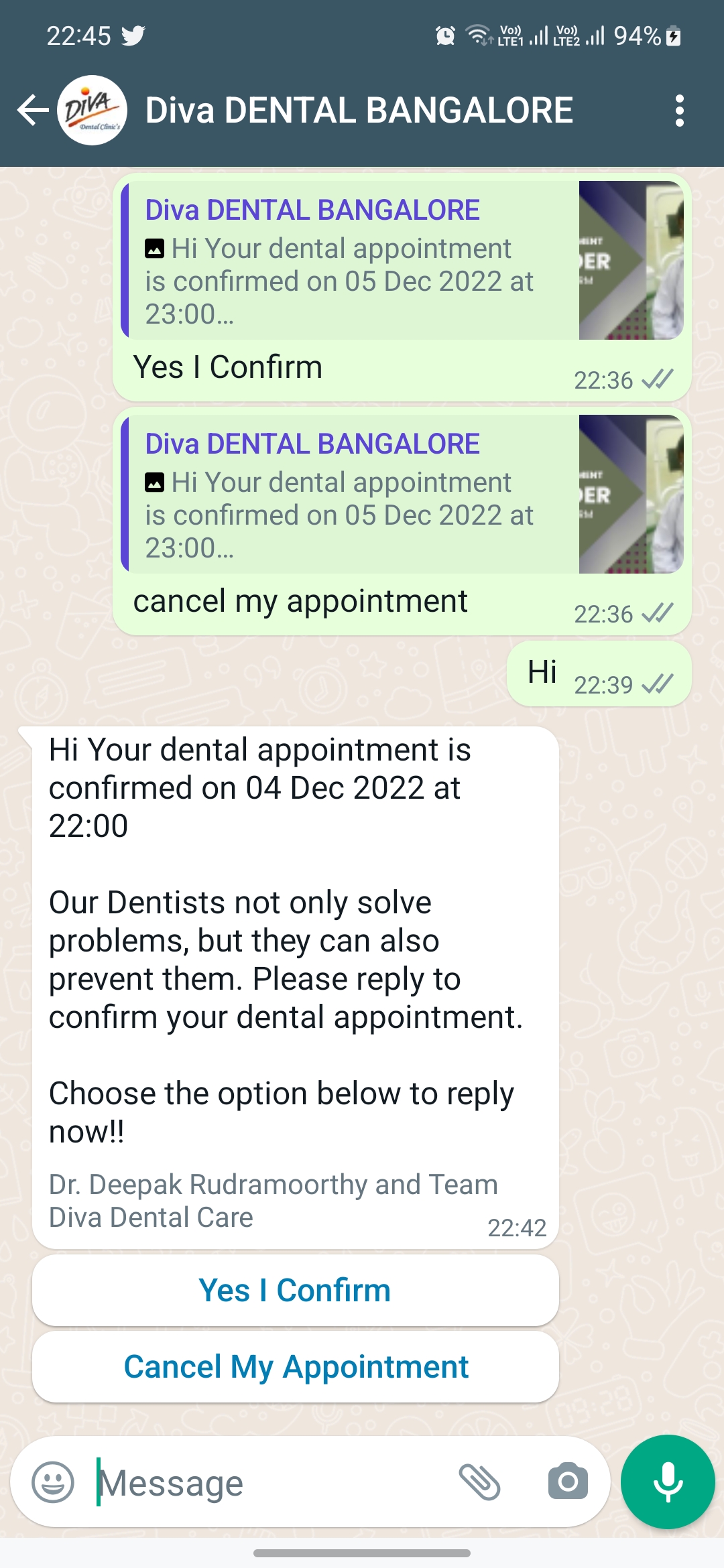
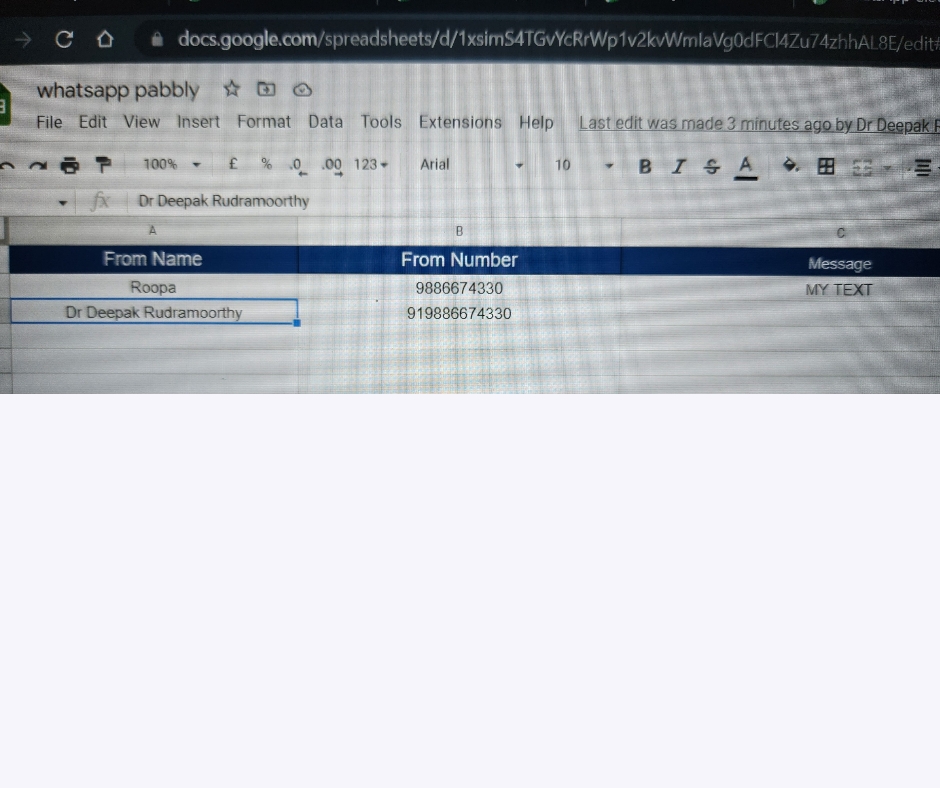
I was looking for how to capture the response from the last step in the workflow "Schedule Appointment" The excel sheet returns an empty cell for the response selected by the quick reply button. Please check the pictures in attachment
Attachments
Hey @Dr. Deepak Rudramoorthy
Please check the webhook response of the workflow it is already there with the button type.
Kindly set the workflow now and check again.
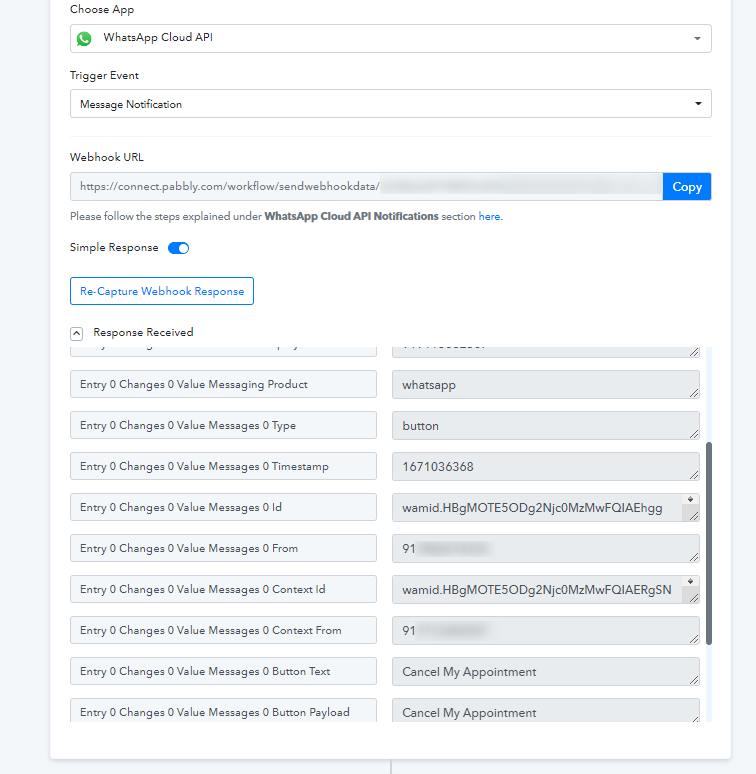
@Supreme Hi, i am having the same issue again. The quick button is not getting triggered in the webhook response
have i used all the tasks available it says 1202 tasks consumed. 1202 FREE TASKS CONSUMED.
Hi, i am having the same issue again. The quick button is not getting triggered in the webhook response
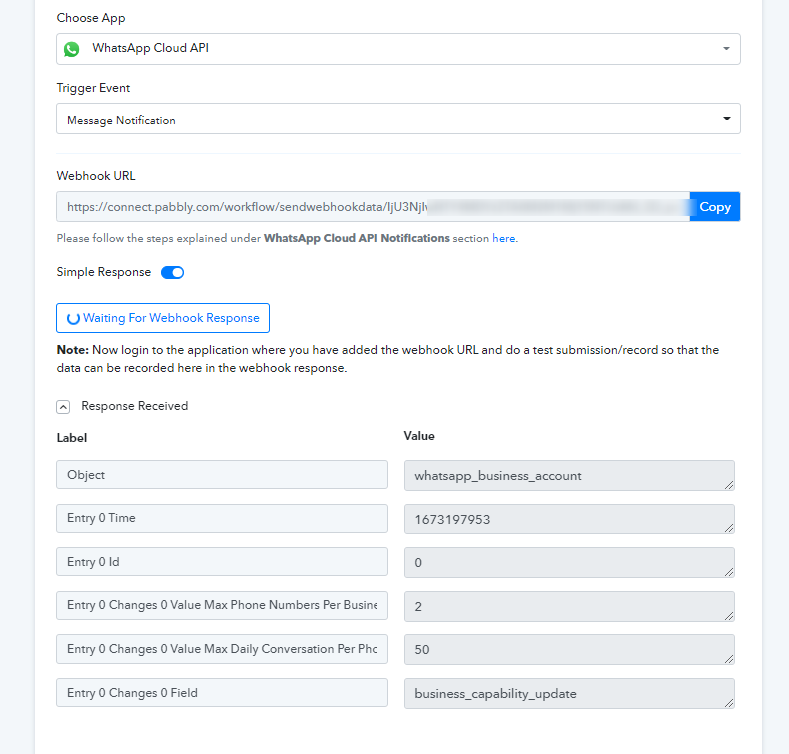
Kindly capture the proper webhook response once which you want to process it
have i used all the tasks available it says 1202 tasks consumed. 1202 FREE TASKS CONSUMED.
For every execution, it uses 2 tasks where as the trigger is a free step to use and the action step takes 1 task. So, I have required 1202 consumed tasks.
which webhook response should i capture, because when i select it on my phone it does not capture that response
@Supreme I have tried to configure again but it is not capturing the response. Please help and test
Upto 1000 executions it worked after that facebook stopped functioning
i do not get the response after I hit the test bottom from meta developers
Regarding your concern about your use case, you can refer to hiring an automation expert which will handle it and guide you accordingly.
https://forum.pabbly.com/threads/pabbly-connect-experts-and-consultants.22/ And can even find automation...
And can even find automation experts in our Facebook group as well - https://www.facebook.com/groups/formget.deals/
Oh great thank you