Quickbooks Find a customer
Status: Closed · Asked by Metro on · 0 views
I am trying to run a solution to email parsar a name and find a QuickBooks customer with something other than the email. looking over the quickbooks api info i see i can use
"GivenName":
"FamilyName":
"FullyQualifiedName":
"DisplayName"
I would like to run a filter that finds a customer using a name using the contains function with these above data sets.
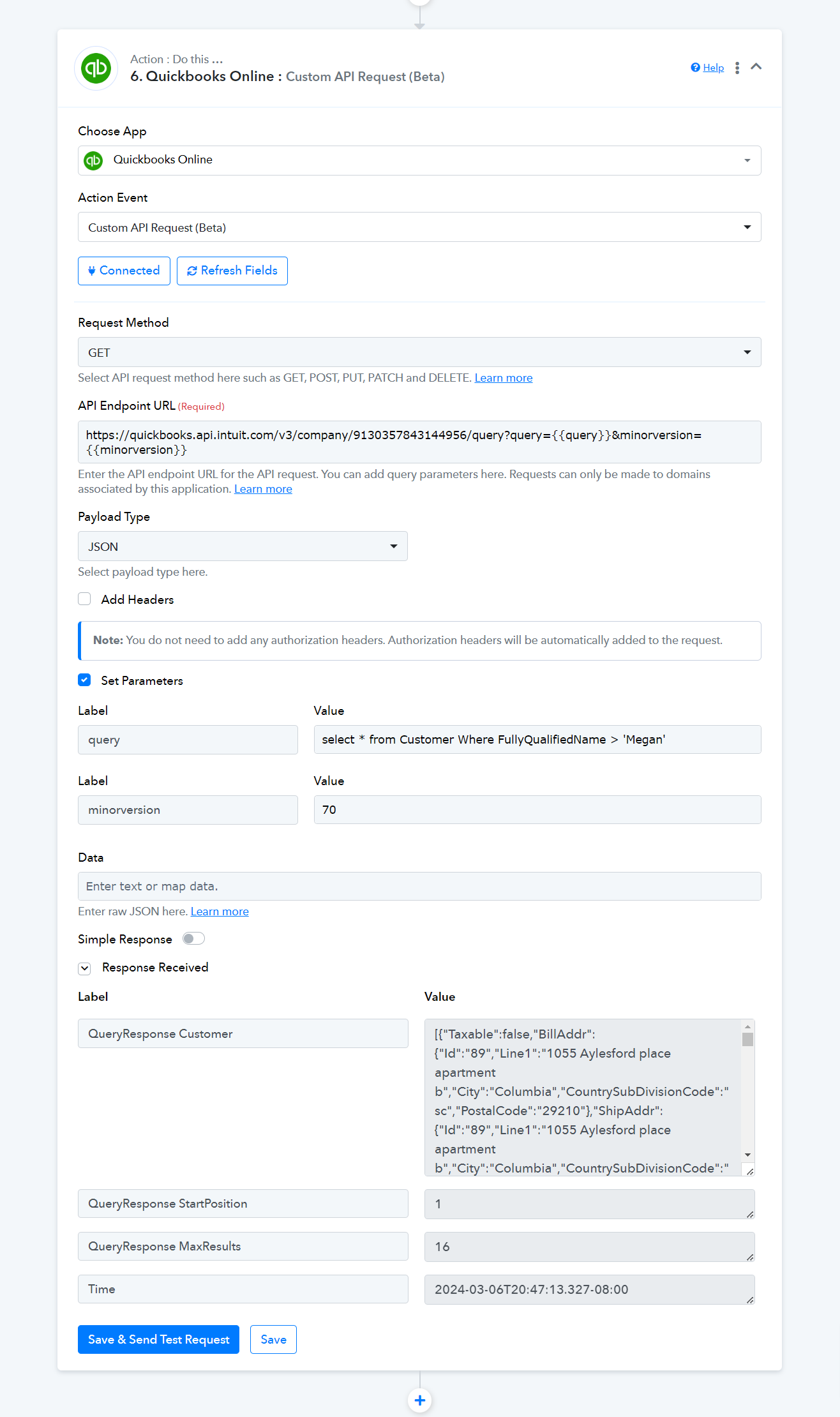
I tried running the api get function in the endpoint url using
https://quickbooks.api.intuit.com/v3/company/913XXXXXXXXXXX/query?query=select_*_from_Customer_Where_FullyQualifiedName_>_'Megan'&minorversion=70
in the data set but i'm getting a validation error.
Quickbooks request
GET /v3/company/913xxxxxxxxxxxxx/query?query=select * from Customer Where FullyQualifiedName > 'Megan'&minorversion=70
Content type:text/plain
Production Base URL:https://quickbooks.api.intuit.com
Sandbox Base URL:https://sandbox-quickbooks.api.intuit.com
seems to be working on their end.
is there something i am missing?
Hey @Metro
Could you kindly provide the URL for the workflow and grant permission to search for the customer within your QuickBooks inside your workflow?
what email do I use to add you as a team memberhttps://connect.pabbly.com/workflow/share/CEAHNVAHBWZUHgFrD1wBJggcCw8GXAE8VE0BE1ZZXSUGXAFUVBVdN1oWWXsFRgRlUxpVPwNfAToOGgAEVwFRIldNBRdXVFQuVRgFflQRCzgIVgcvUDE#
Please allow us some time, we are currently looking into it.
Hey @Metro
Kindly check the following screenshot setting up the query to get the customer details.