Quickbooks Online Invoice Creation
Status: Closed · Asked by sazpgh on · 0 views
I'm trying to create an invoice from the Highlevel integration. I am getting the below errors.
https://share.aerdia.com/xQuwD4yN
Also, it is requiring a Customer to create it, but what happens when it is a different customer, or I need to create a brand new customer?
https://share.aerdia.com/YEukpG5G
Hey @sazpgh
I'm trying to create an invoice from the Highlevel integration. I am getting the below errors.
To update the contact in GHL via the action step you have to pass the Contact Id with the help of "HighLevel: Search Contact" where you have to pass the email address only to get the contact Id.
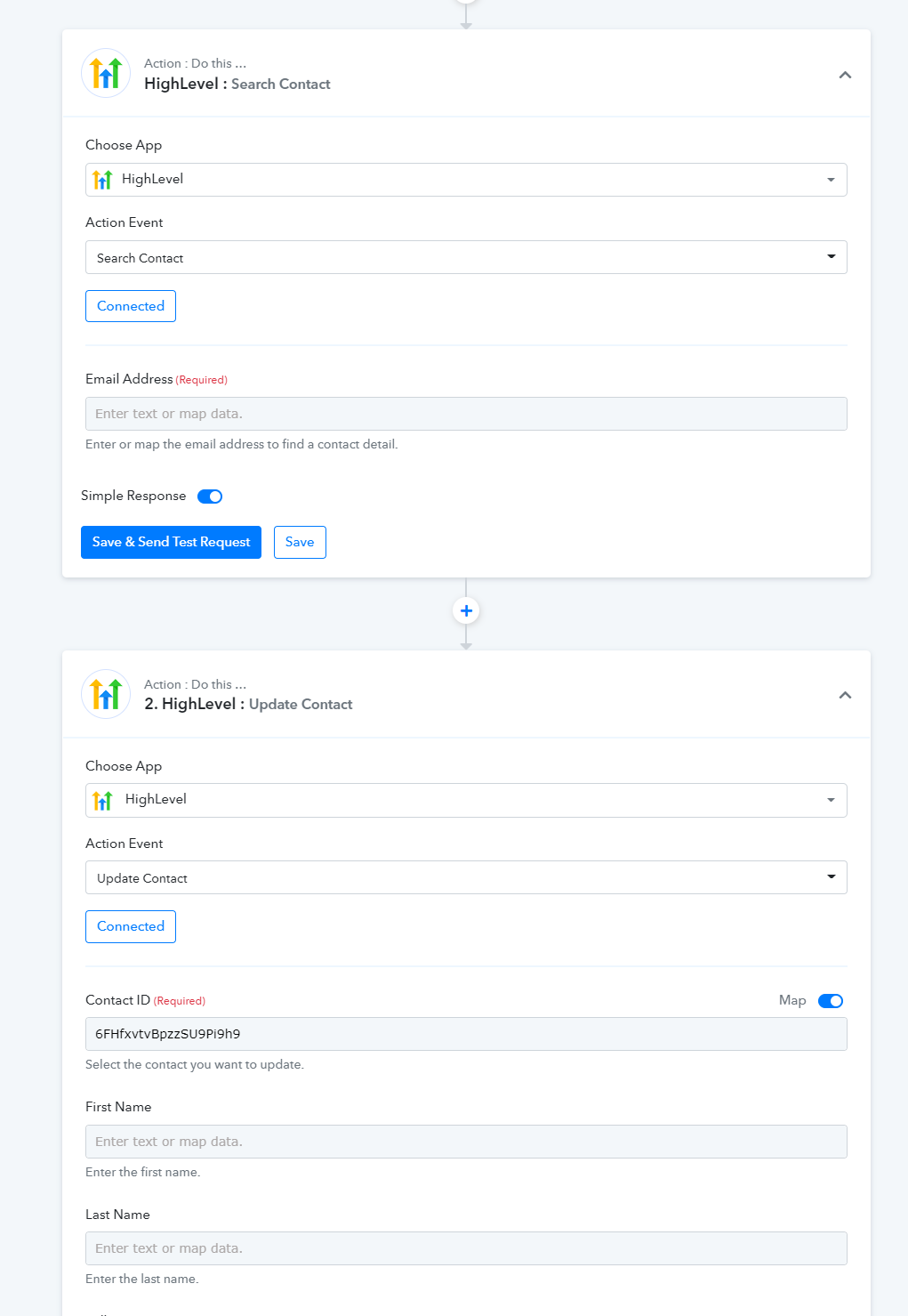
Also, it is requiring a Customer to create it, but what happens when it is a different customer, or I need to create a brand new customer?
Yes, to create an invoice you need a customer ID which you have to assign, for that you can either create one or can find a user with the help of
"Quickbooks Online: Find Customer" action step.
As per your case, we would recommend you to first use "Quickbooks Online: Find Customer" then you can use the router action step where you can build conditions when a user exists then you can simply pass the contact ID for creating an Invoice.
Else you can create a new customer then you can assign that customer to the invoice.
For a better understanding of the router action step, you can refer to the following video tutorial.
Thank you for the information. I watched the router video but I am still confused about how to do the QBO part. Can you explain the steps required? If possible, can you add them to my workflow?
Hey @sazpgh
Please check out the following short recorded video for your above concern.
https://www.screenpresso.com/=rk86f
Thank you. That all worked perfectly.