Quickbooks to Google Sheets - error 400
Status: Closed · Asked by furhan on · 0 views
I am trying to extract invoices, payments from one customer to send to Google Sheets.
I have connected both and mapped the fields.
When I do Save and Send Test Request I get an error 400, Error Message: Invalid values, Error Status: INVALID_ARGUMENT.
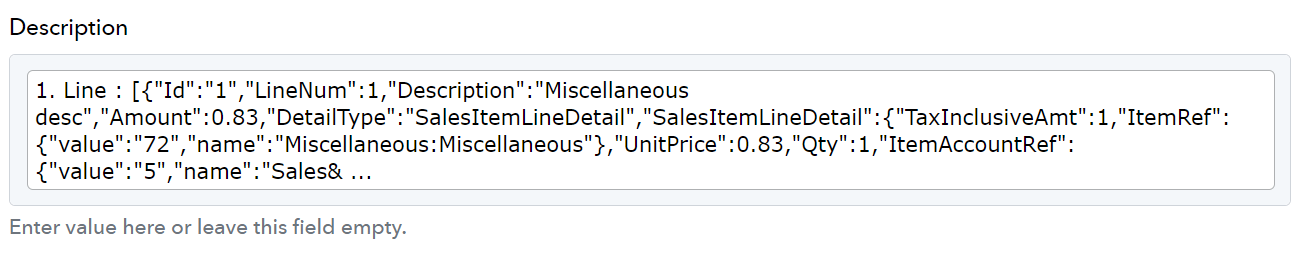
The problem appears to be the Description field that I want to import, it has several values from Quickbooks - pic attached.
If I delete this date, QB and Sheets works fine but I need the line item description to be exported to sheets.
I am a bit stuck here so I need some help please.
Attachments
Hi @furhan,
We have added a JSON Extractor to your workflow to extract the Description and mapped that Description to the Google Sheets action step. This seems to have fixed your issue.
Amazing thank you.