Quota exceeded for quota metric
Status: Closed · Asked by lelehelloworld on · 0 views
My workflow "PNL CS 建立新聯絡人 - Xero to Sheet"
I received the below task error message, what is the details about this?
{
    "error > code": 429,
    "error > message": "Quota exceeded for quota metric \u0027Write requests\u0027 and limit \u0027Write requests per minute per user\u0027 of service \u0027sheets.googleapis.com\u0027 for consumer \u0027project_number:1011300378975\u0027.",
    "error > status": "RESOURCE_EXHAUSTED",
    "error > details > 0 > @type": "type.googleapis.com/google.rpc.ErrorInfo",
    "error > details > 0 > reason": "RATE_LIMIT_EXCEEDED",
    "error > details > 0 > domain": "googleapis.com",
    "error > details > 0 > metadata > quota_limit": "WriteRequestsPerMinutePerUser",
    "error > details > 0 > metadata > service": "sheets.googleapis.com",
    "error > details > 0 > metadata > quota_limit_value": "60",
    "error > details > 0 > metadata > quota_location": "global",
    "error > details > 0 > metadata > quota_metric": "sheets.googleapis.com/write_requests",
    "error > details > 0 > metadata > consumer": "projects/1011300378975",
    "error > details > 1 > @type": "type.googleapis.com/google.rpc.Help",
    "error > details > 1 > links > 0 > description": "Request a higher quota limit.",
    "error > details > 1 > links > 0 > url": "https://cloud.google.com/docs/quota#requesting_higher_quota"
}Code:{
"error > code": 429,
"error > message": "Quota exceeded for quota metric \u0027Write requests\u0027 and limit \u0027Write requests per minute per user\u0027 of service \u0027sheets.googleapis.com\u0027 for consumer \u0027project_number:1011300378975\u0027.",
"error > status": "RESOURCE_EXHAUSTED",
"error > details > 0 > @type": "type.googleapis.com/google.rpc.ErrorInfo",
"error > details > 0 > reason": "RATE_LIMIT_EXCEEDED",
"error > details > 0 > domain": "googleapis.com",
"error > details > 0 > metadata > quota_limit": "WriteRequestsPerMinutePerUser",
"error > details > 0 > metadata > service": "sheets.googleapis.com",
"error > details > 0 > metadata > quota_limit_value": "60",
"error > details > 0 > metadata > quota_location": "global",
"error > details > 0 > metadata > quota_metric": "sheets.googleapis.com/write_requests",
"error > details > 0 > metadata > consumer": "projects/1011300378975",
"error > details > 1 > @type": "type.googleapis.com/google.rpc.Help",
"error > details > 1 > links > 0 > description": "Request a higher quota limit.",
"error > details > 1 > links > 0 > url": "https://cloud.google.com/docs/quota#requesting_higher_quota"
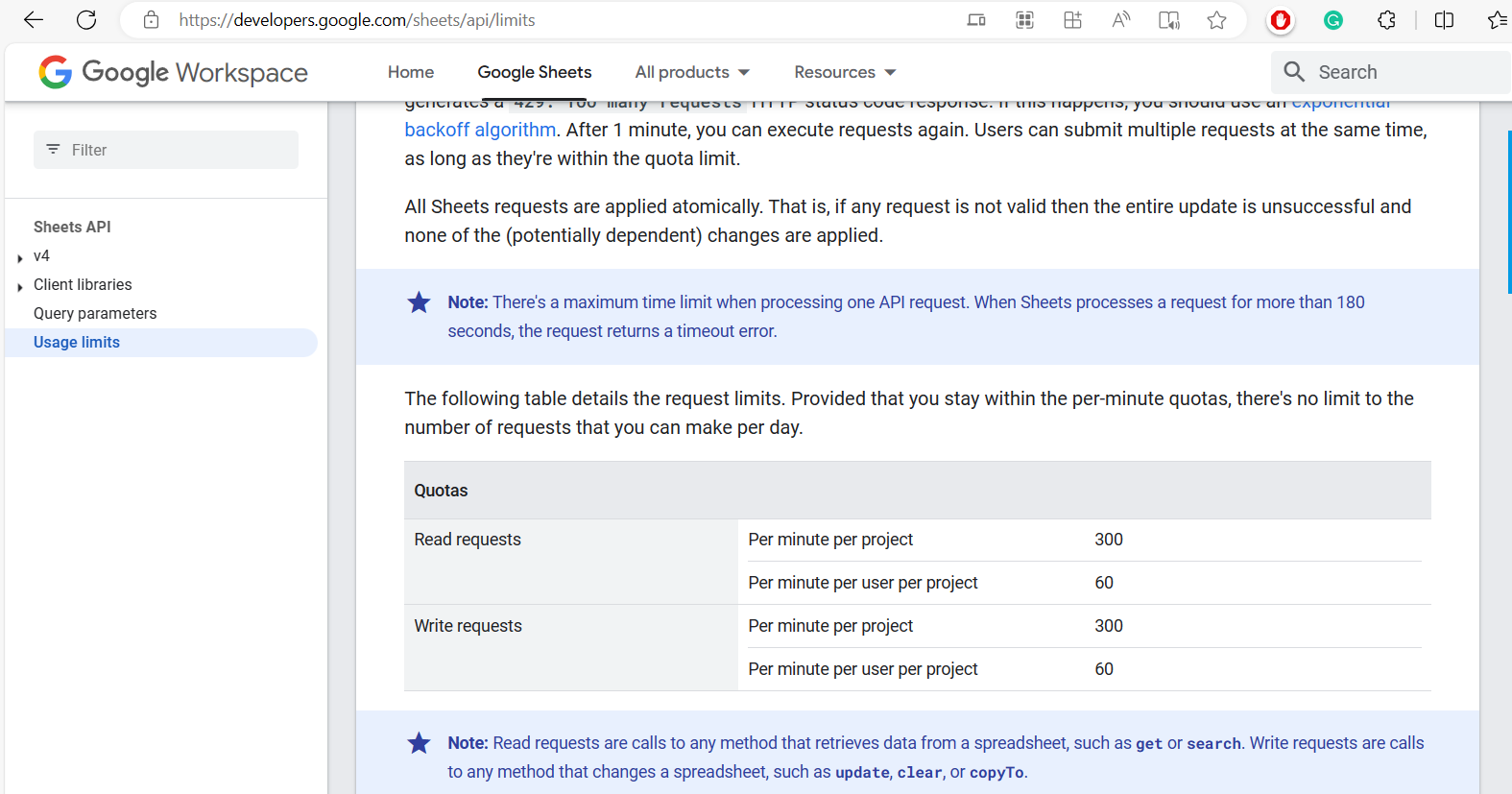
This error, "error > code: 429" indicates that you've exceeded the quota for the 'Write requests' metric in the Google Sheets API. Specifically, you've reached the limit for 'Write requests per minute per user' for this service.
Google Sheets API has usage limits of per user basis. In the error shown, your rate limit for adding rows of data to Google Sheets has been exceeded.
https://developers.google.com/sheets/api/limits
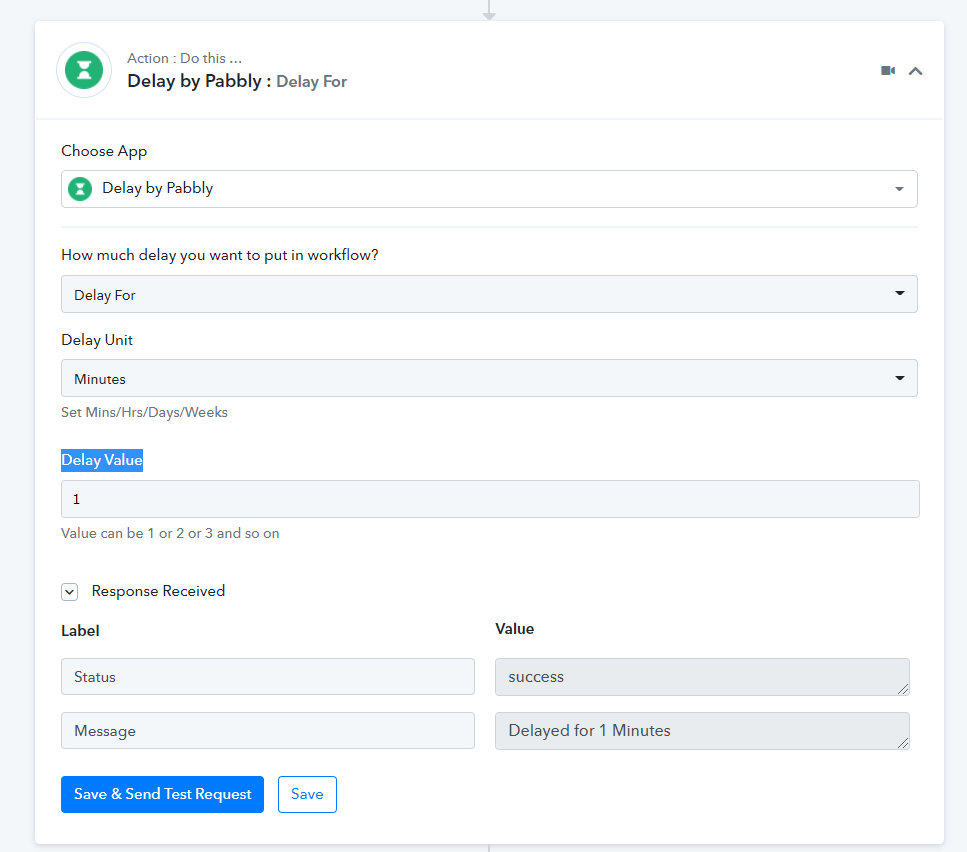
Please incorporate a Delay action step prior to the Google Sheets action step in order to extend the processing interval.
Attachments
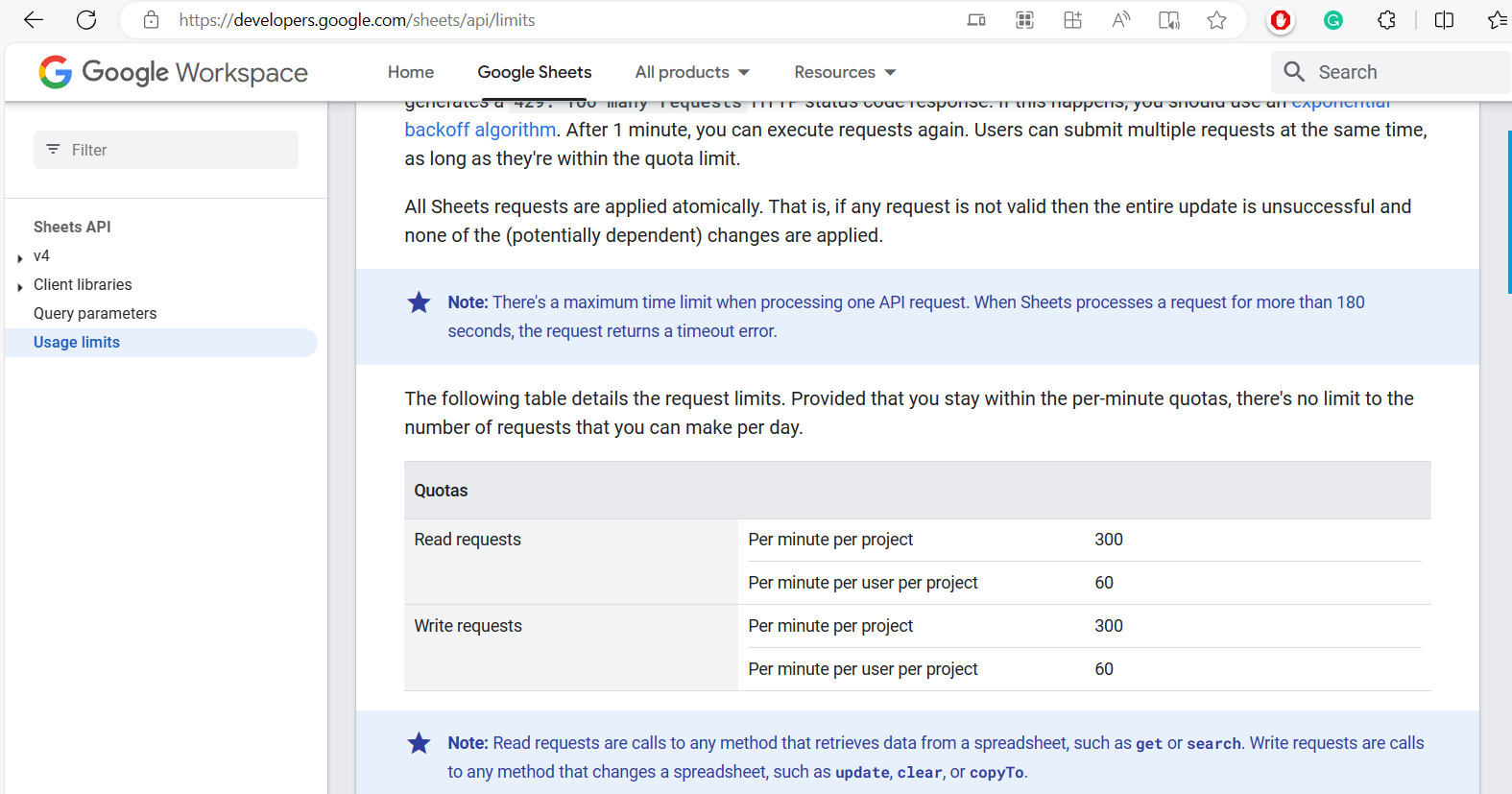
This error, "error > code: 429" indicates that you've exceeded the quota for the 'Write requests' metric in the Google Sheets API. Specifically, you've reached the limit for 'Write requests per minute per user' for this service.Google Sheets API has usage limits of per user basis. In the error shown, your rate limit for adding rows of data to Google Sheets has been exceeded.
https://developers.google.com/sheets/api/limits
Please incorporate a Delay action step prior to the Google Sheets action step in order to extend the processing interval.
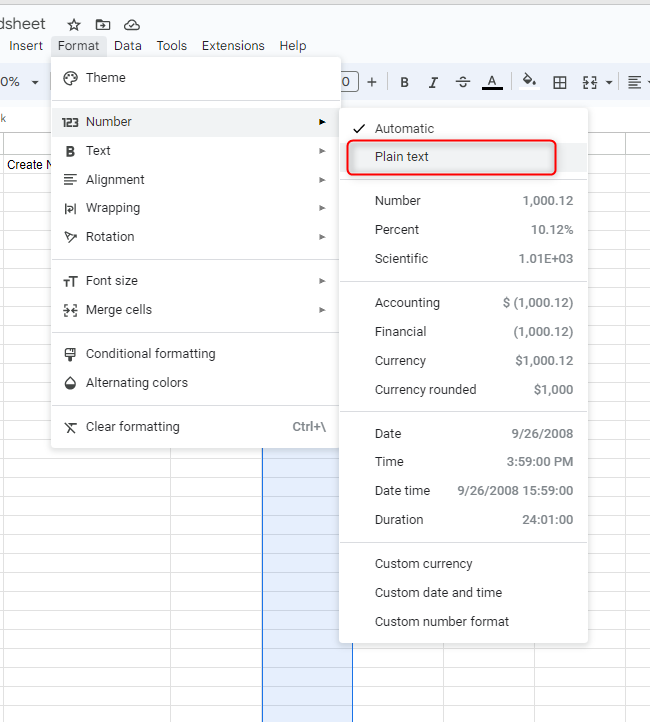
Thanks a lot. BTW, do you know how to format my current date?
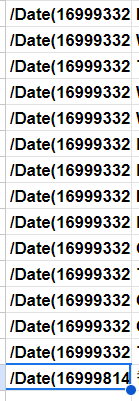
Please format the "Date" column in your Google Sheets as "Plain Text" and then attempt the task once more.