Received form UTM parameters keep changing their order in Google Sheet columns
Status: Closed · Asked by Ondra Rollo on · 0 views
Hi, I use 1 webhook to receive responses from multiple forms.
Forms are completely same, they just differ in location name, logo and UTM parameters.
Forms use conditional logic.
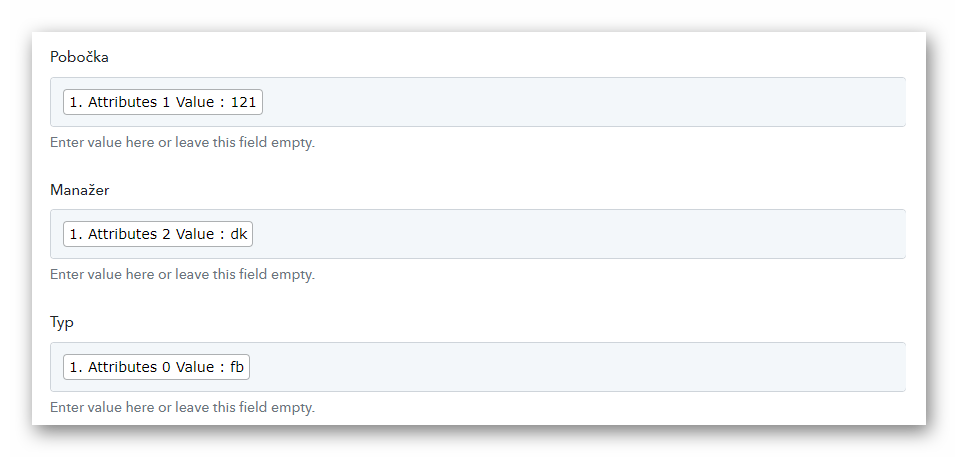
Every field is mapped and received correctly, just UTM parameters (www.xxxx.xx=?&1=Attribute1&2=Attribute2&3=Attribute3) that should go to Column 1: Attribute 1, Column 2: Attribute 2, Column 3: Attribute 3 keep changing their order to 1-3-2 / 3-2-1 / 3-1-2 / 2-1-3 / 2-3-1
Thank you for your help.
Andrew
Attachments
Hey @paul_
If you are getting multiple form data in your single workflow, you can try the router action step to create an individual route for your separate form data and inside it, you can map the data accordingly from the trigger response.
You can refer to the following video tutorial for a better understanding -