Receiving results from Browse.AI
Status: Closed · Asked by thms on · 0 views
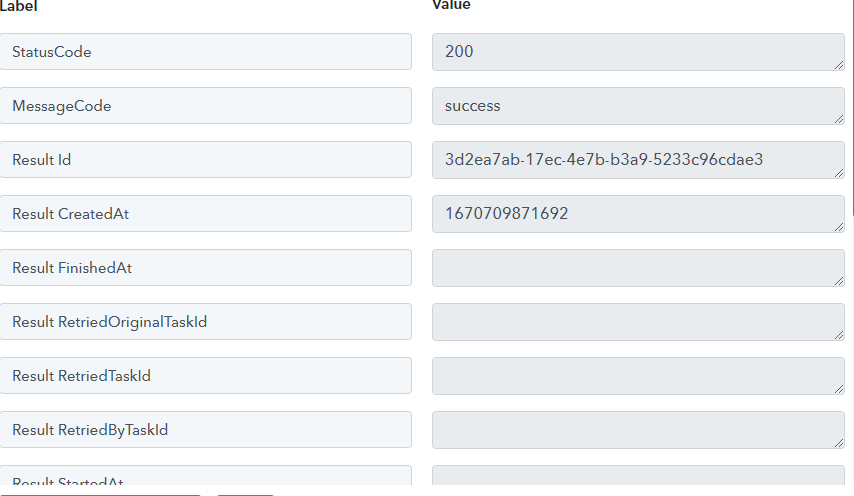
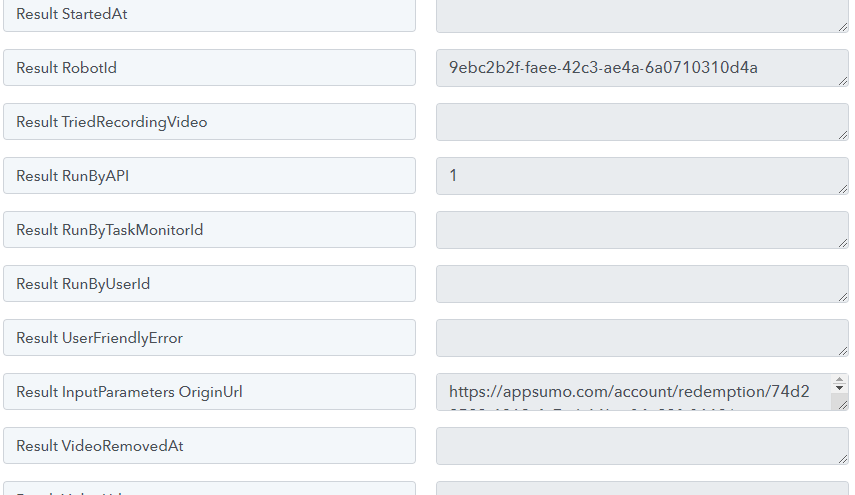
I can execute a task on Browse.AI, including passing parameters, from within my Pabbly Connect workflow. However, Pabbly Connect does not receive the response that Browse.AI extracts.
I would like to use the result to pass onto downstream actions.
Is this an error or is there a different process to gather the responses from Browse.AI executions?
The response I get from Browse.AI currently is below:

Hey @thms
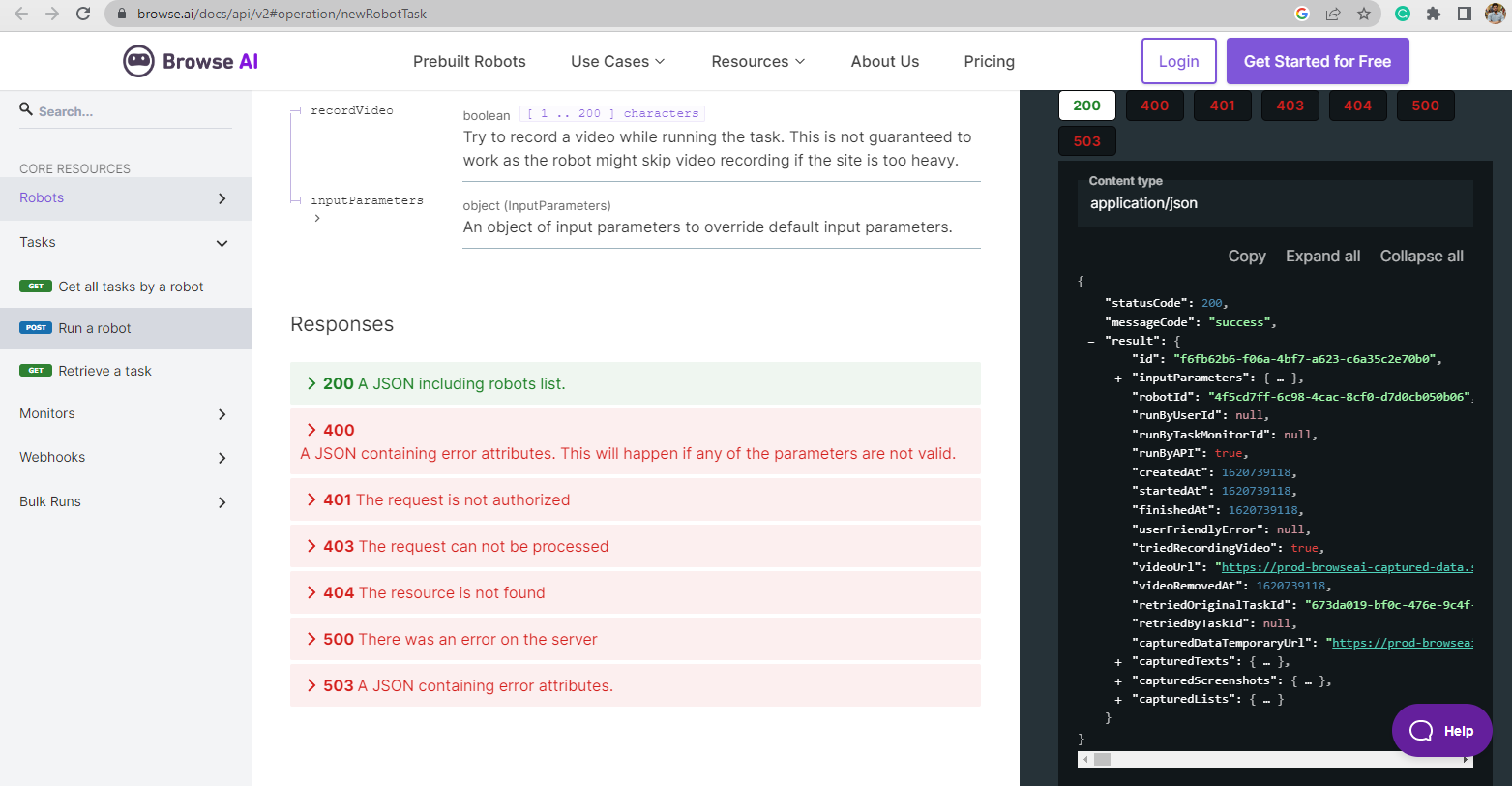
If you can see from your Browser.ai API documentation, you will see the success status it has brought all the fields that comes from their application.
https://www.browse.ai/docs/api/v2#operation/newRobotTask
Hi @Supreme,
Their API also shows "capturedTexts", capturedScreenshots, and capturedLists. I don't get these results from Pabbly.
For the record I also don't get the inputParameters result.
It seems as if the nested arrays are not returned at all.
It seems as if the nested arrays are not returned at all.
We checked the response at our end in the "Retrieve a Task" action step and it is showing the "capturedTexts" field correctly as the tasks which are in my Browse.ai contains the text.
So, in your case, you didn't capture the fields completely and perhaps you might not be getting the additional fields in the API response correctly.
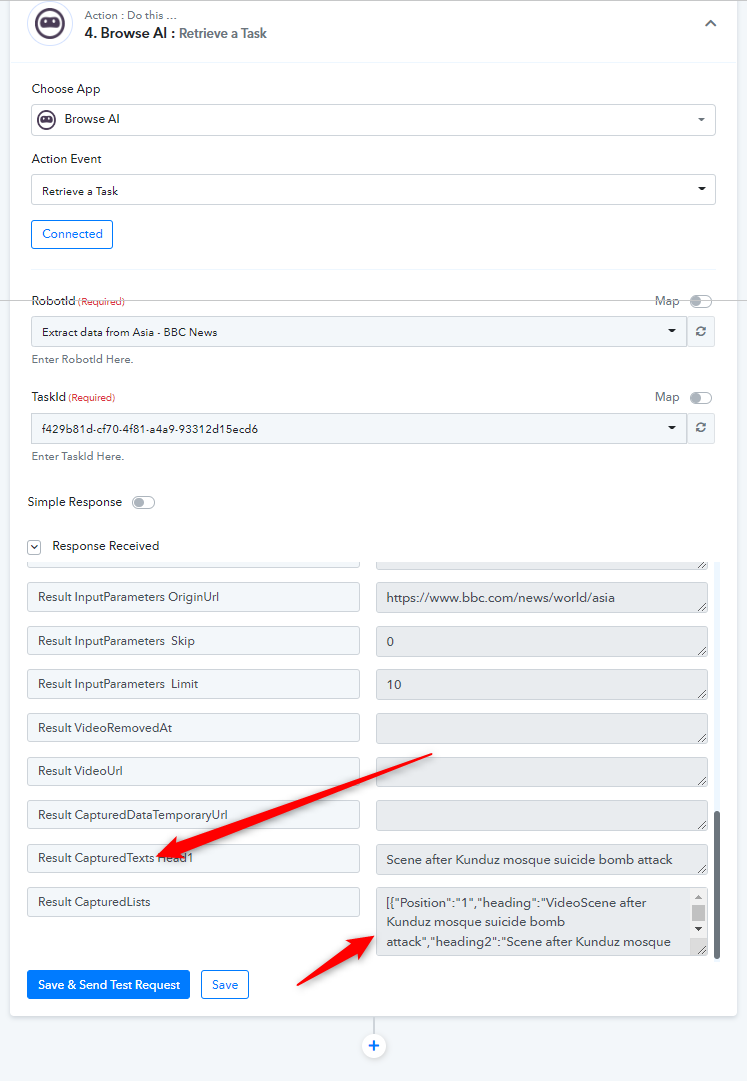
You want to use the Line Itemizer next to break up the data and make it usable.
https://help.browse.ai/article/118-how-can-i-integrate-browse-ai-with-pabbly-connect