REMINDER ISSUE SAME DAY
Status: Closed · Asked by matrix85 on · 0 views
I'm getting issues with reminders for appointments. For example, my client has an appointment with the visa office today, and I want to send a reminder in the morning. However, my workflow is sending reminders to those who had an appointment yesterday and those who have appointments after 2 days. That is the issue, and my WhatsApp template is according to the appointment being today. But my concern is only sending it to those with appointments today (same day).
When I made the workflow yesterday, I used that video for an idea, but some issues. I need help.
Hey @matrix85
Can you please share the workflow URL in which you have tried the same so that we can look into it?
Hi, any updates??
It seems like there might be a change in the Date Time format in your Google Sheets. The workflow you created has a different format selected, which is causing a disruption in the Date Time formatter action step, affecting the calculation of time differences. To resolve this, ensuring consistent Date Time formats between Google Sheets and your workflow settings will help maintain accurate calculations.
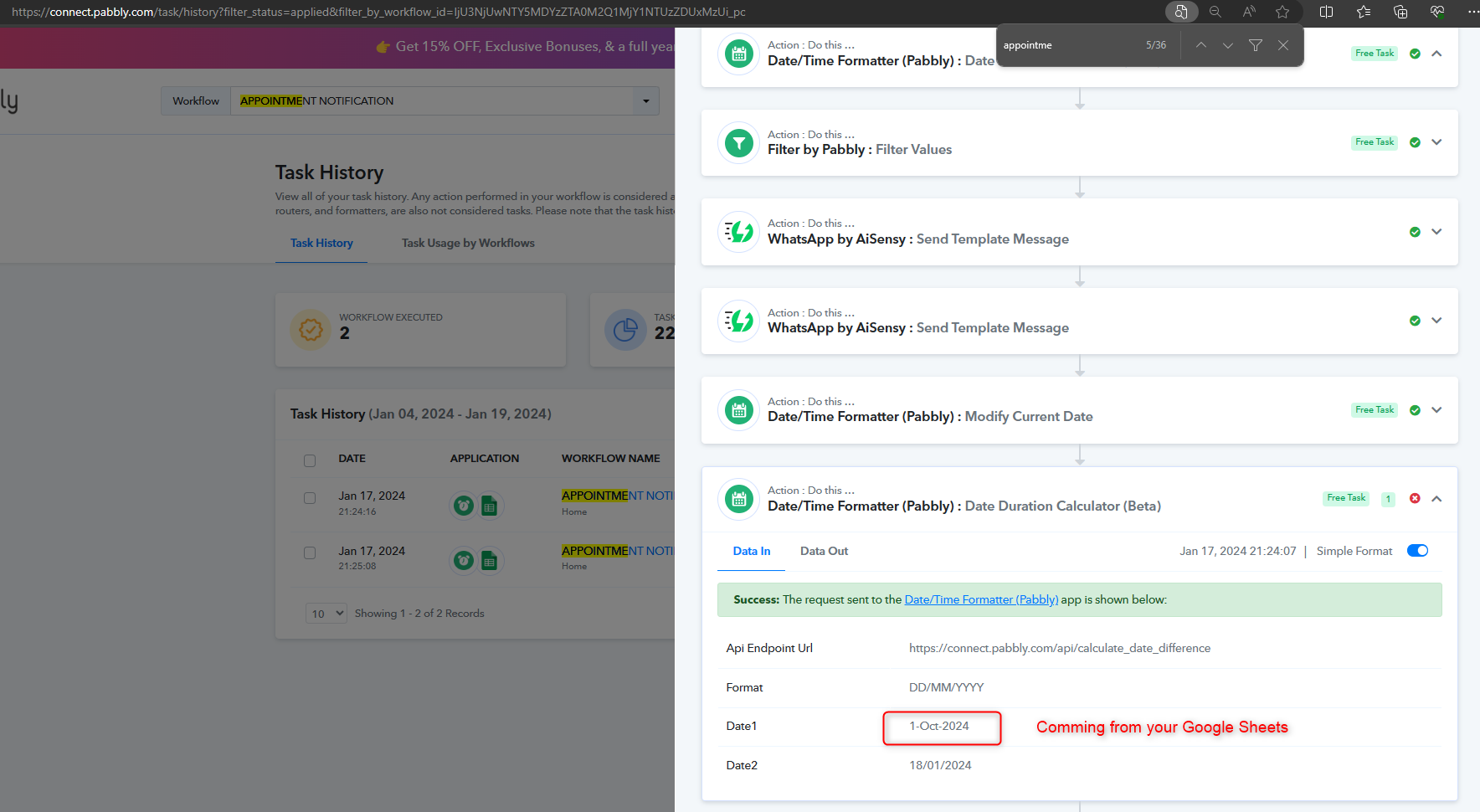
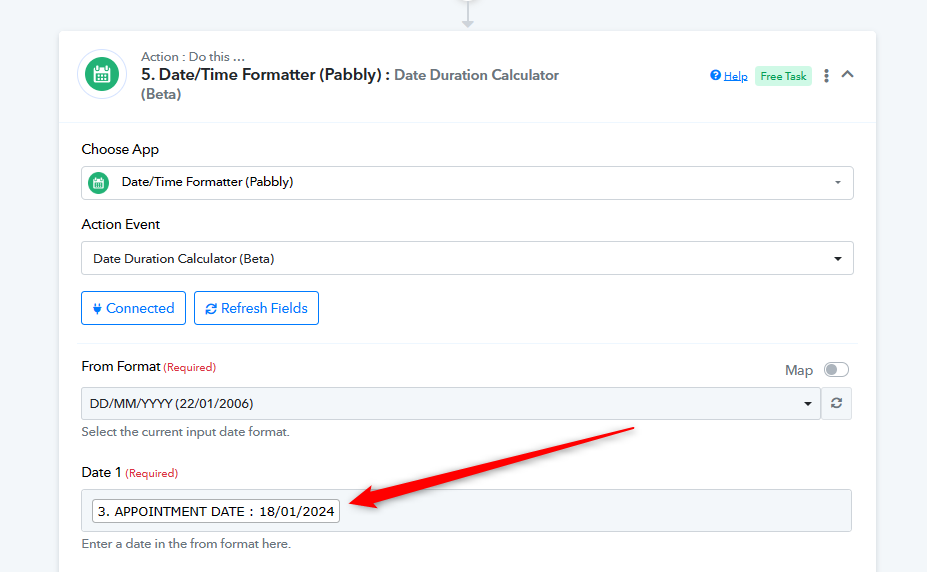
Yeah, but my concern is not about the error. That error I am aware of only changed yesterday. My concern is that the trigger will have the same date as today's appointment for my client. Only the message should go today, the same day, when the value is 1 The message should not go to those who have an appointment tomorrow, which I don't want. I also tried putting the value 0, but then the trigger sends messages to those who had an appointment yesterday and those who have an appointment tomorrow.
Attachments
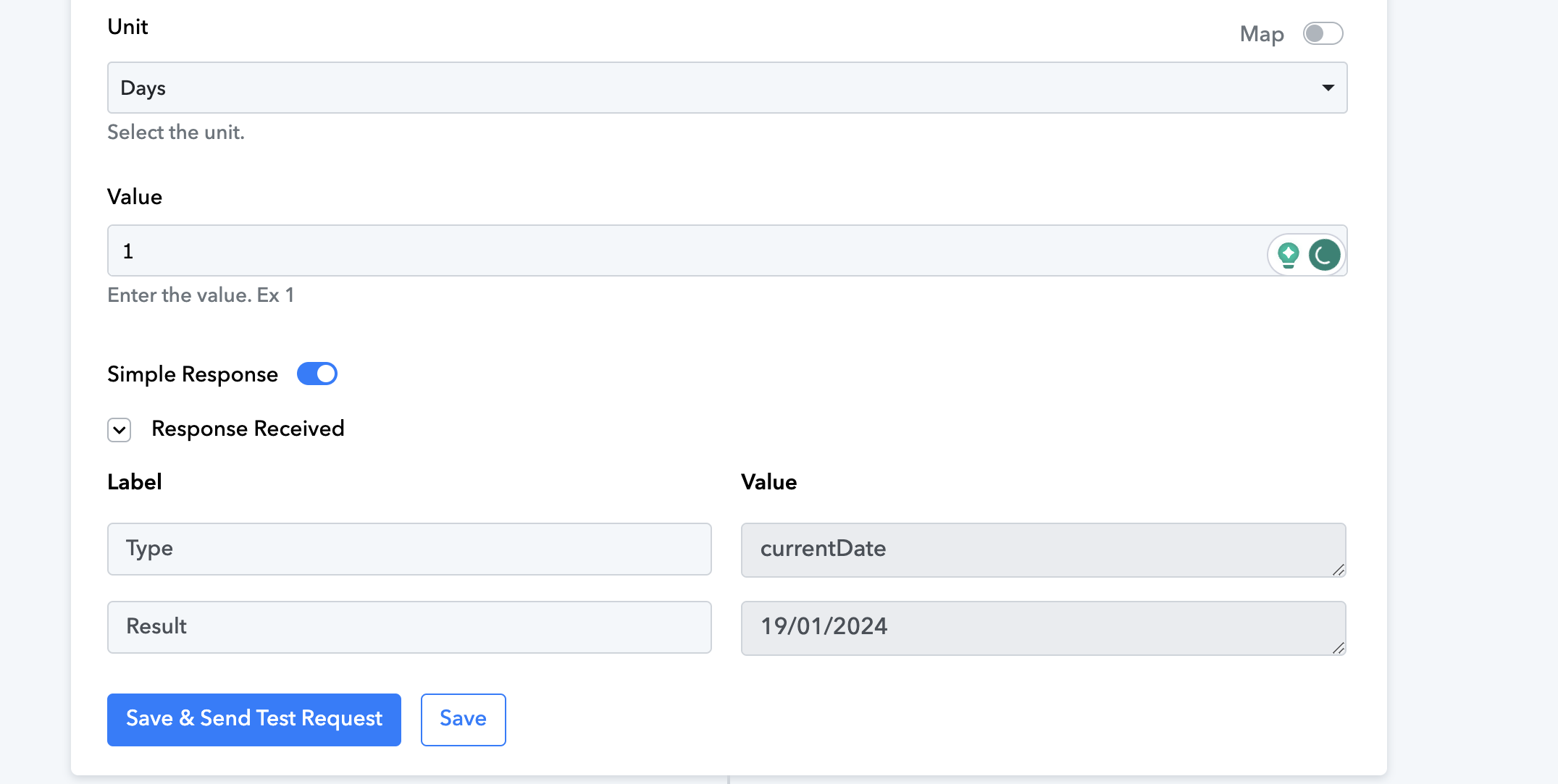
My concern is that the trigger will have the same date as today's appointment for my client. Only the message should go today, the same day, when the value is 1 The message should not go to those who have an appointment tomorrow, which I don't want. I also tried putting the value 0, but then the trigger sends messages to those who had an appointment yesterday and those who have an appointment tomorrow.
If you want to notify your users today? Check out this helpful video lesson where we've used a similar approach for the same purpose.