Remove bullets from HTML email
Status: Closed · Asked by Anders Nielsen on · 0 views
Hi,
About this:
https://share.getcloudapp.com/04uQLzmq
This is an email sent from Gmail using Pabbly. How can I remove this? I tried to use the Replace text but I can't seem to capture it:
it is step 16 in this:
https://connect.pabbly.com/workflow/mapping/IjMzNTA4MiI_3D
Hope you can look at it? I have tried many things - just can't get rid of it.
Hey @apps
Kindly also try these two screenshots in your workflow to remove the extra dots from your content.
Attachments
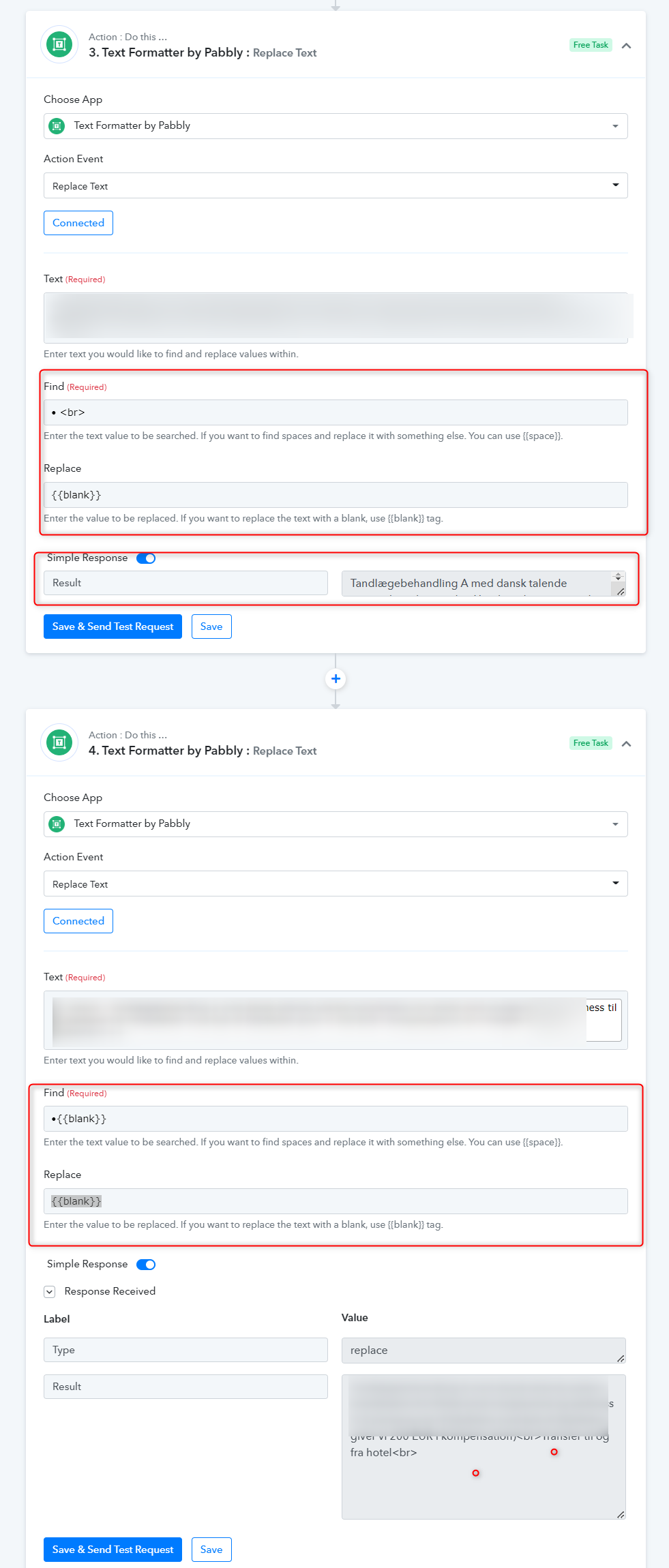
Thanks, but this is what I already tried:
It still results in this: https://share.getcloudapp.com/nOuXR6AP
(eg. I have "• •" left and I cannot get it to remove that even if I put "• •" in the Find field
Basically the goal is to get rid of all bullets that don't have text after them. Sometimes there might be 1, 2 or 3 bullets. The number can vary. So can I use regular expressions for this somehow instead?
This is how the text looks when I look at the raw source in the email (" ⢠â¢"):
https://share.getcloudapp.com/Z4uA7dlY
Hi, haven't heard anything from you for 17 days. How can I solve this in Pabbly Connect?
Hi, 23 days later - any news?
It is keeping the project from being able to launch for more than 3 weeks now.
Hey @apps
We looked into your concern and it is not possible to remove the uncertain bullet points from the Email content.
Further, If you wish any help in setting up your workflow from scratch, you can hire an automation expert from here - https://forum.pabbly.com/threads/pabbly-connect-experts-and-consultants.22/
They will help you in creating the workflow as per your requirement.
In case you get any issue or error while setting up the workflow, you can let us know. We will assist you accordingly.