Removing +65 Formatting from Customer Form (Ads)
Status: Closed · Asked by Omni Digital on · 0 views
Hi ,
I'm working on customizing a customer form for ads, and will it be possible to remove the +65 formatting for phone numbers. Does anyone know if this is possible and how to go about it?
Thanks in advance for your help!
Hey @yang_yang74
Kindly specify your query a bit more and let us know your workflow ID, so that we can assist you more effectively.
A few screenshots depicting the issue would be a lot more convenient.
How can I use the Pabbly filter to remove the country code from mobile numbers in Facebook Lead Forms
Hey @yang_yang74
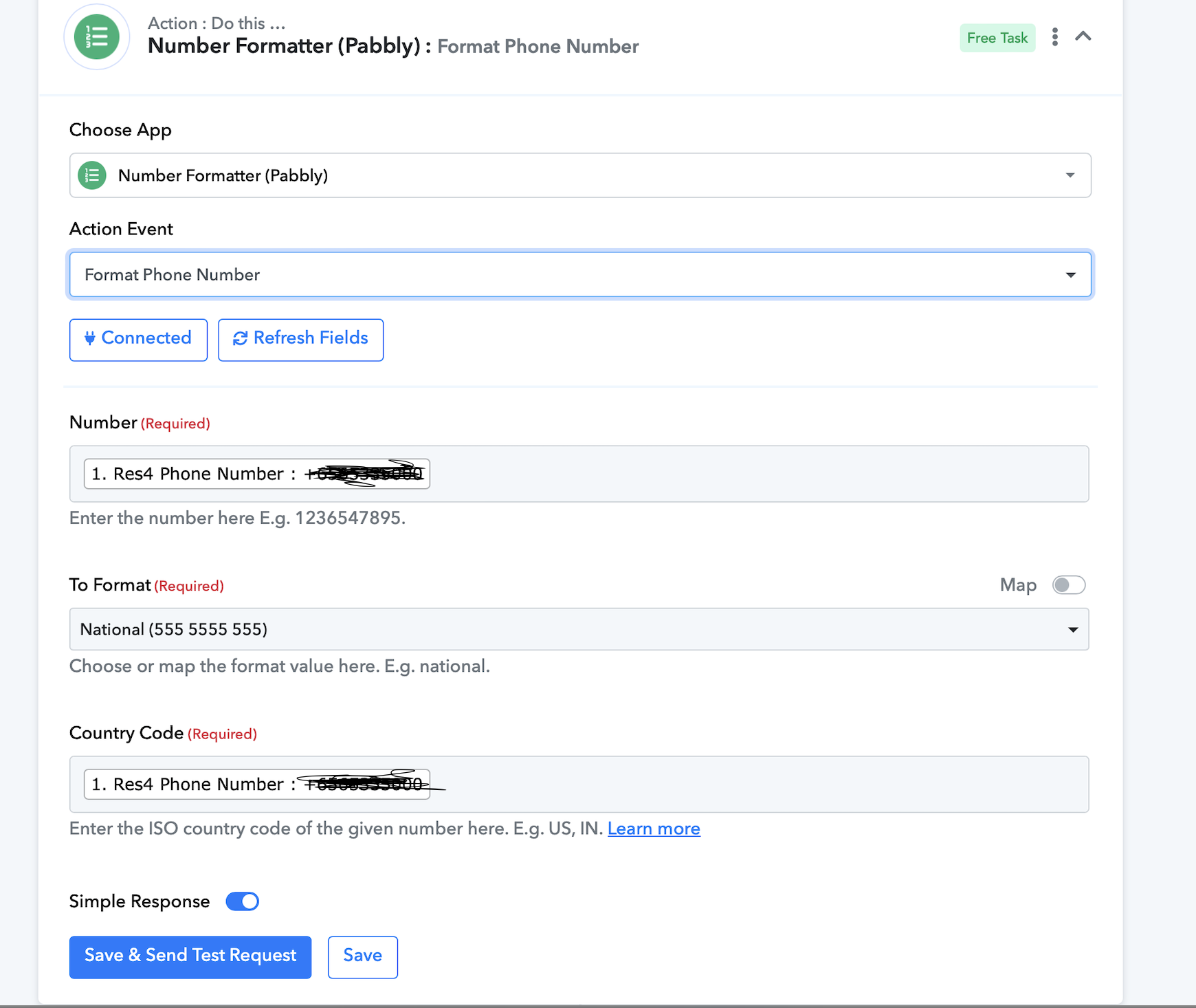
You can use the "Format Phone Number" action in Number Formatter. Kindly refer to this video for all the instructions
Hi so I'm working with a lead form in sheets using pabbly, and I need to remove the country code (+65) from the phone numbers. My goal is to extract only the last 8 digits of the mobile numbers. Here is an example of the format I'm working with:
- Original Format: +65 91234567
- Desired Format: 91234567
Could someone guide me through the specific steps to achieve this with the pabbly number formatter ? I'm looking for a solution that will allow me to automatically process a column of phone numbers and separate out just the mobile number digits without the country code.
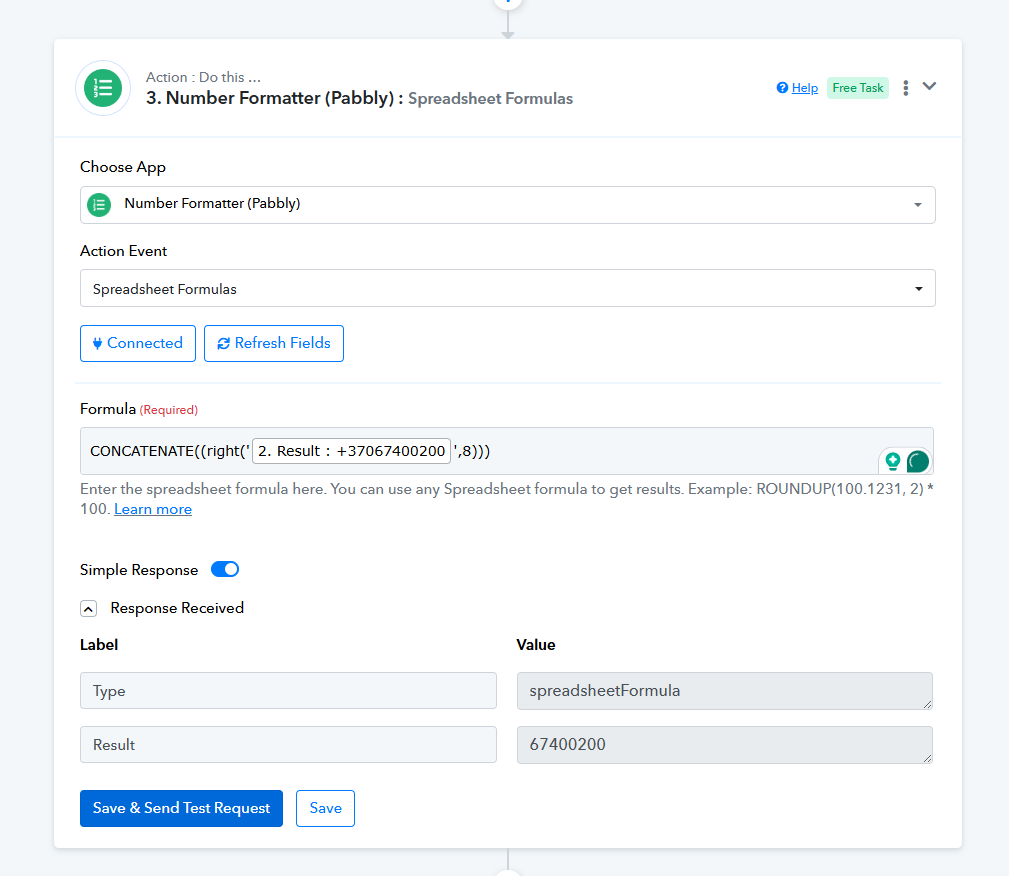
To address your concern, you can use the Spreadsheet Formulas action step to extract the phone number while omitting the country code.
CONCATENATE((right('+37067400200',8)))