Reply to Comment in Facebook Group
Status: Closed · Asked by DCG on · 0 views
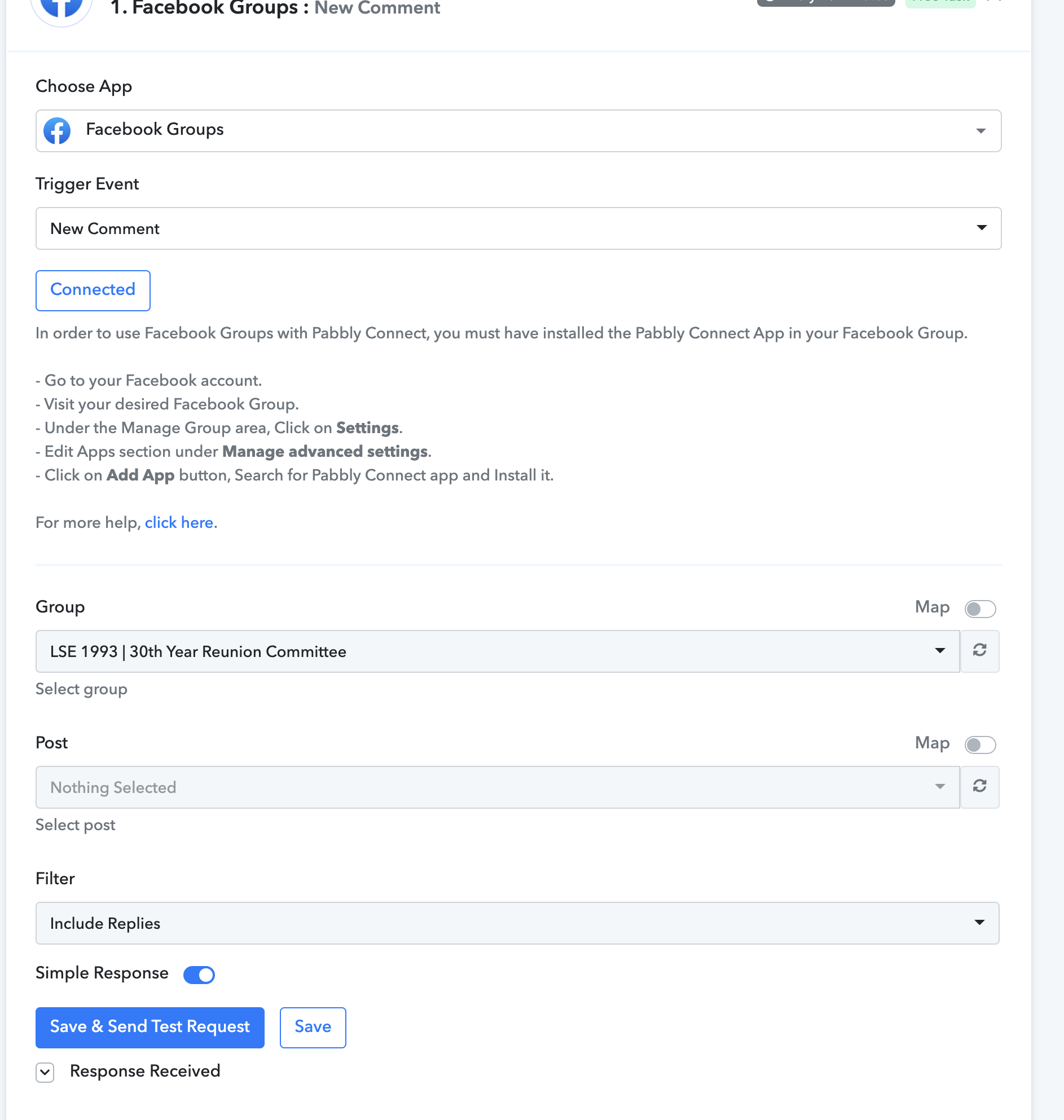
Facebook Comment Trigger: Pabbly isn't showing any Posts in a Private Facebook GROUP. i have tried to reconnect the Group several times, but unfortunately it still doesn't show a list of Posts from the Facebook Group.
We are trying to Connect a Particular POST in our Facebook GROUP to Pabbly so that when someone replies Yes in the COMMENTS in a Particular Post it triggers the workflow in Pabbly.
However, after we connect our Facebook GROUP, we don't have a list of posts showing in Pabbly as we've be instructed in
youtube.com/watch?v=eJb1NhWPnyA
.Here's a Vimeo Recording showing our issue: 777528604:6382089516
How can we link our Post to this Pabbly Workflow if it's not automatically showing in the Post drop down?
Thank you,
Julie
Hey @DCG
Kindly make a new connection and make sure that you have granted all the permission to access the Posts.
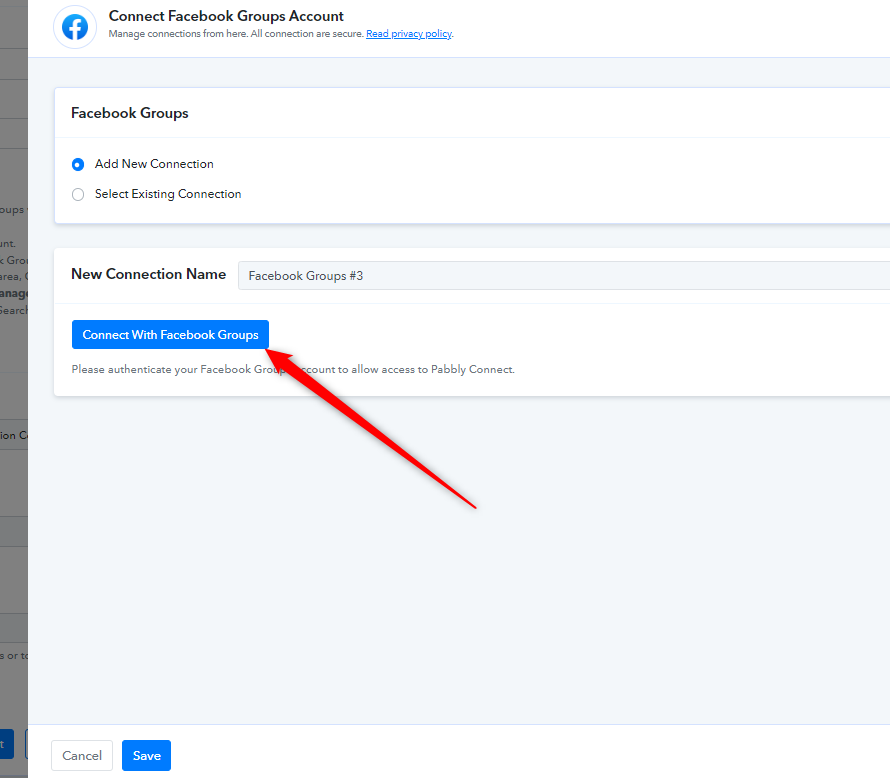
You can refer to the following video tutorial on how you can connect it with the action step.
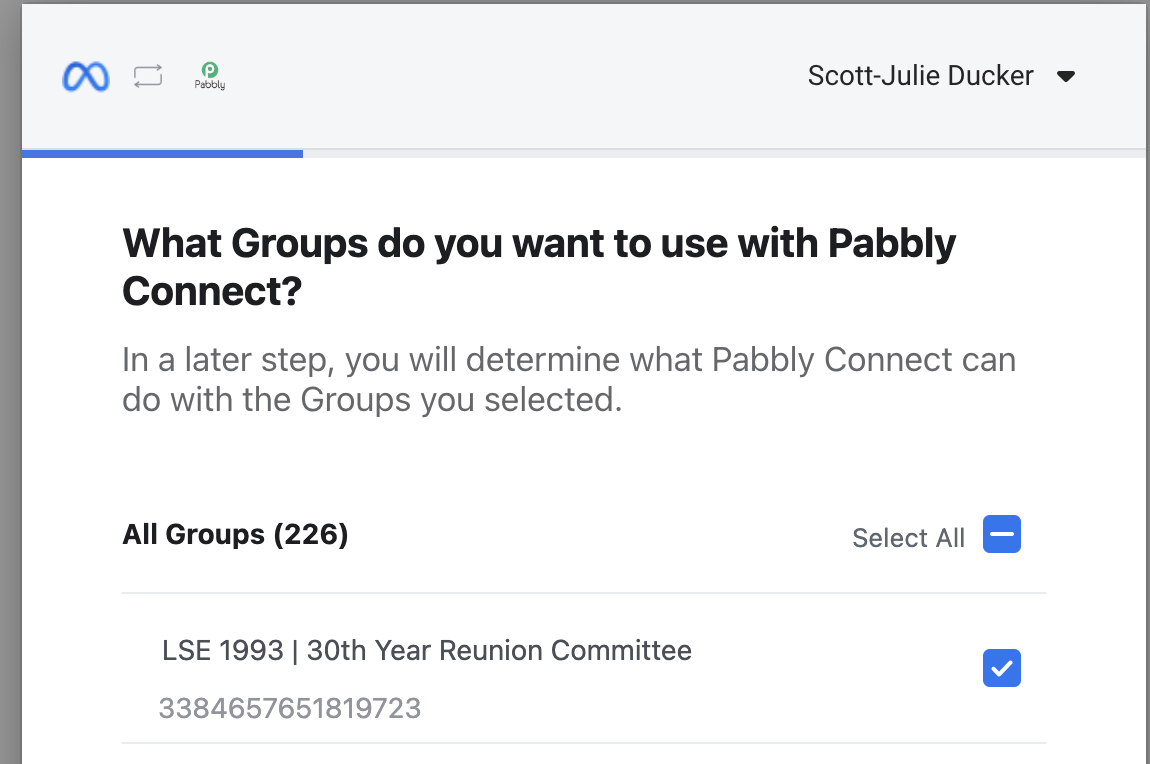
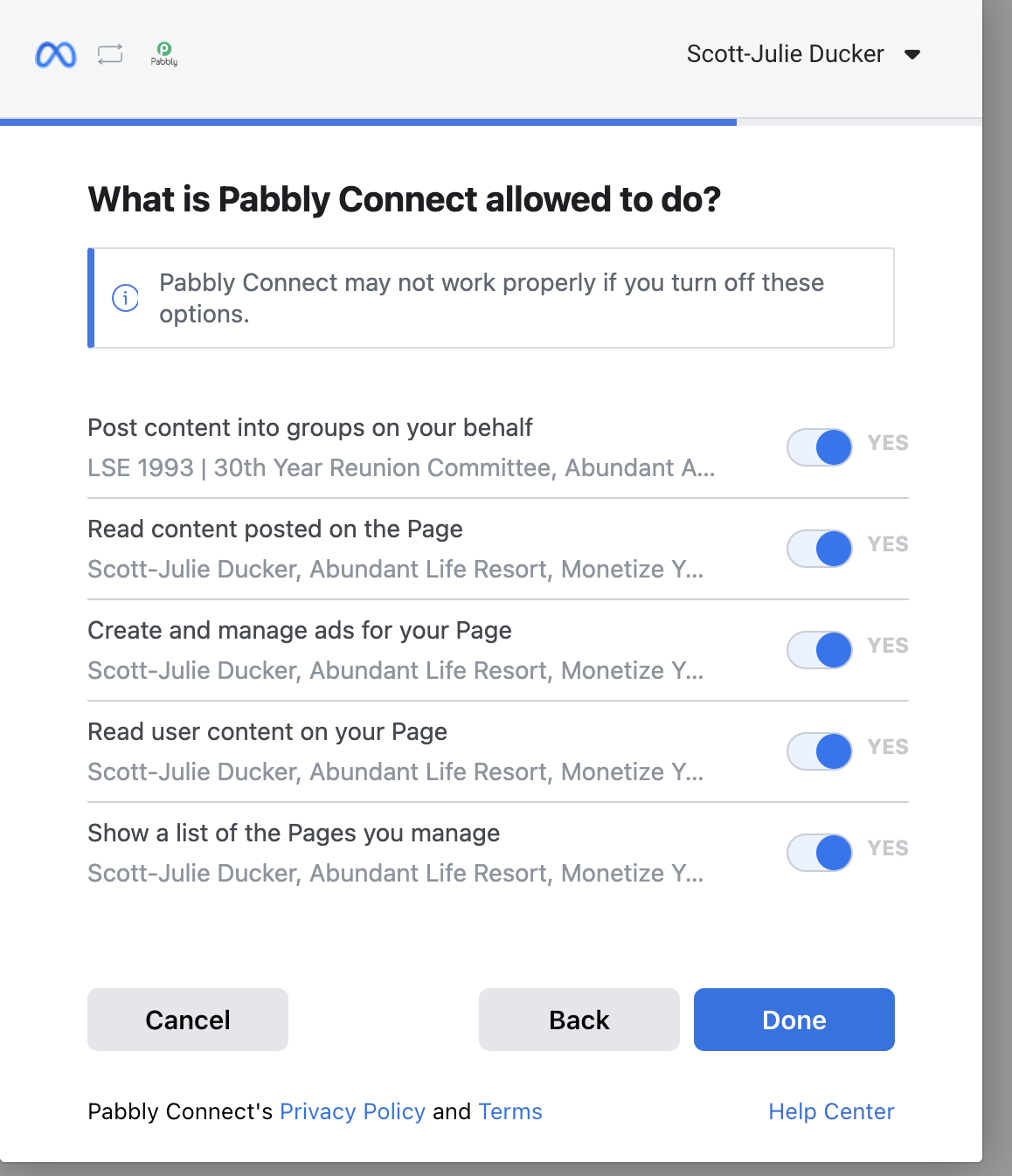
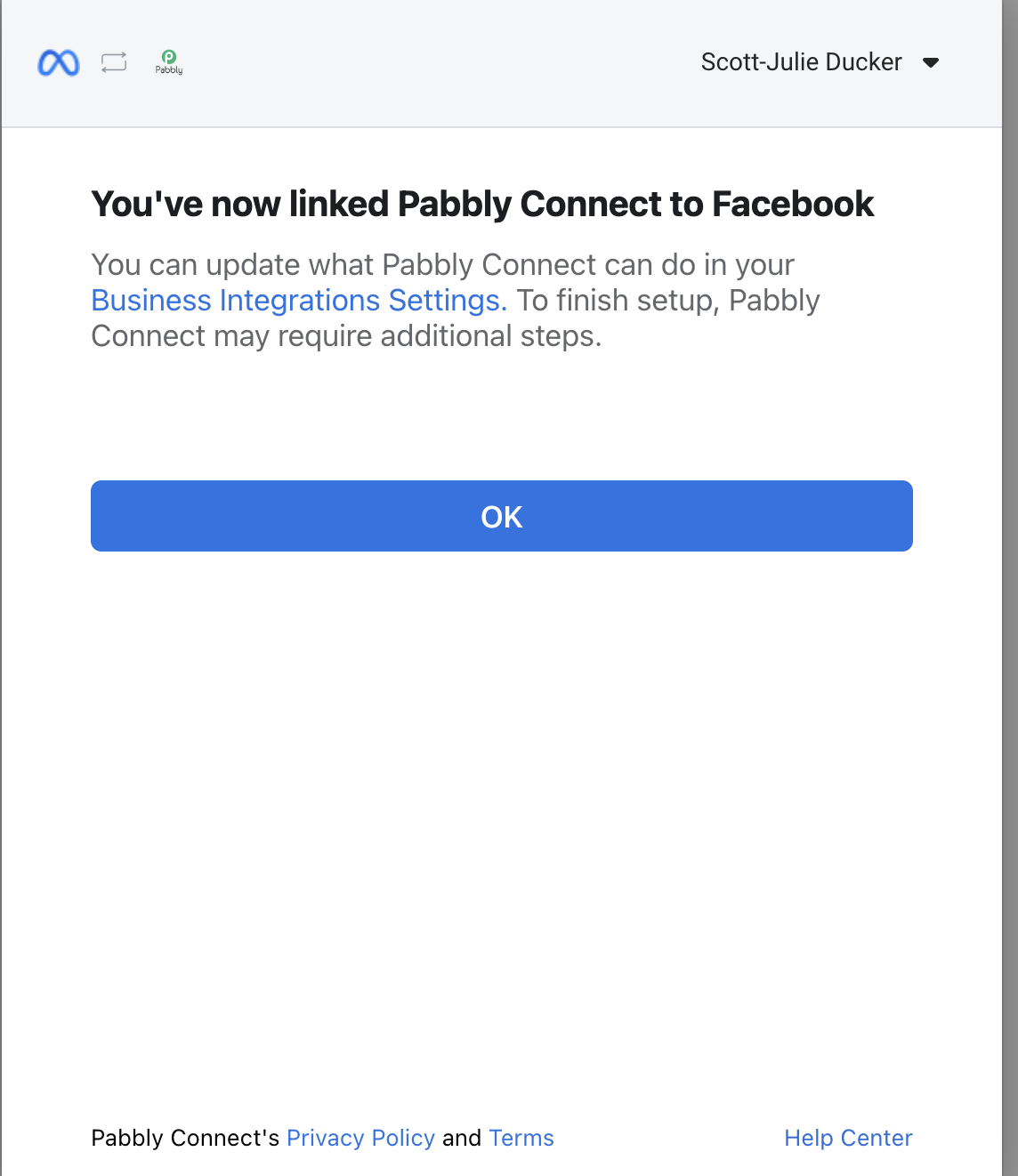
Hello! We followed the instructions provided with watching video (which we had also done prior to submitting question) and made a new connection: LSE 1993 | 30th Year Reunion Committee #2.
However, we still don't have any posts showing. See attachments.
Please advise on the next steps to follow to allow our posts to show in Pabbly.
Thanks,
Julie
Attachments

Hey @DCG
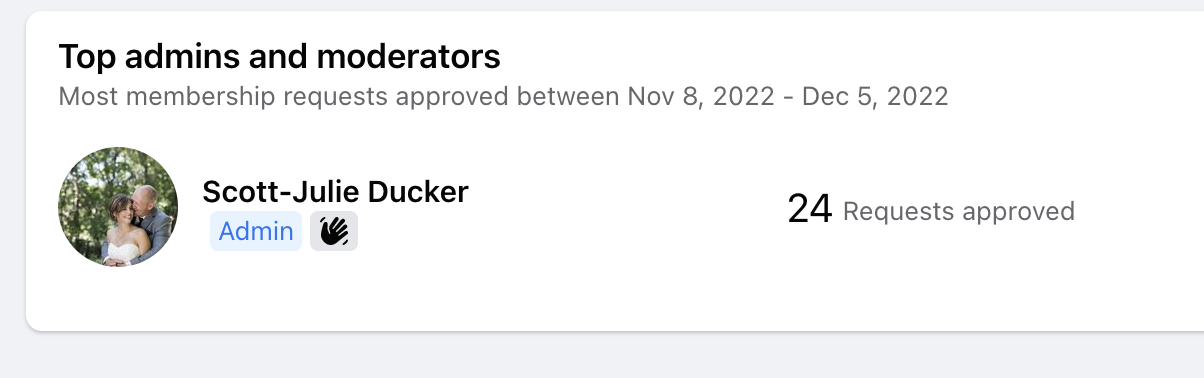
Could you please check whether are you the admin of the Facebook group or not?
Yes I am the admin, I created the group.
Attachments
Hey @DCG
Could you please check for the Pabbly Connect app in your Facebook group once, so that it will post the content in your Group accordingly?
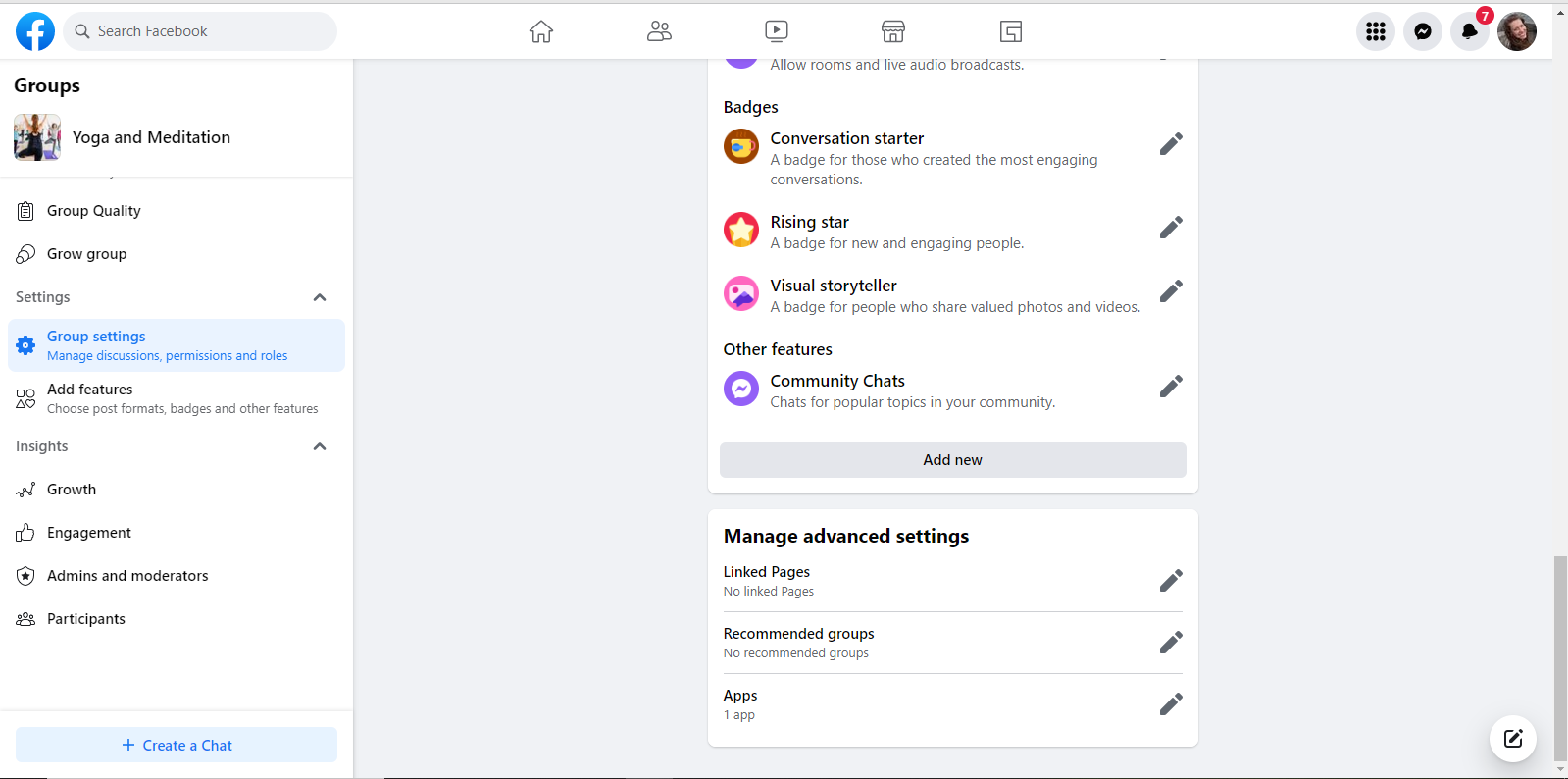
Check the app section -
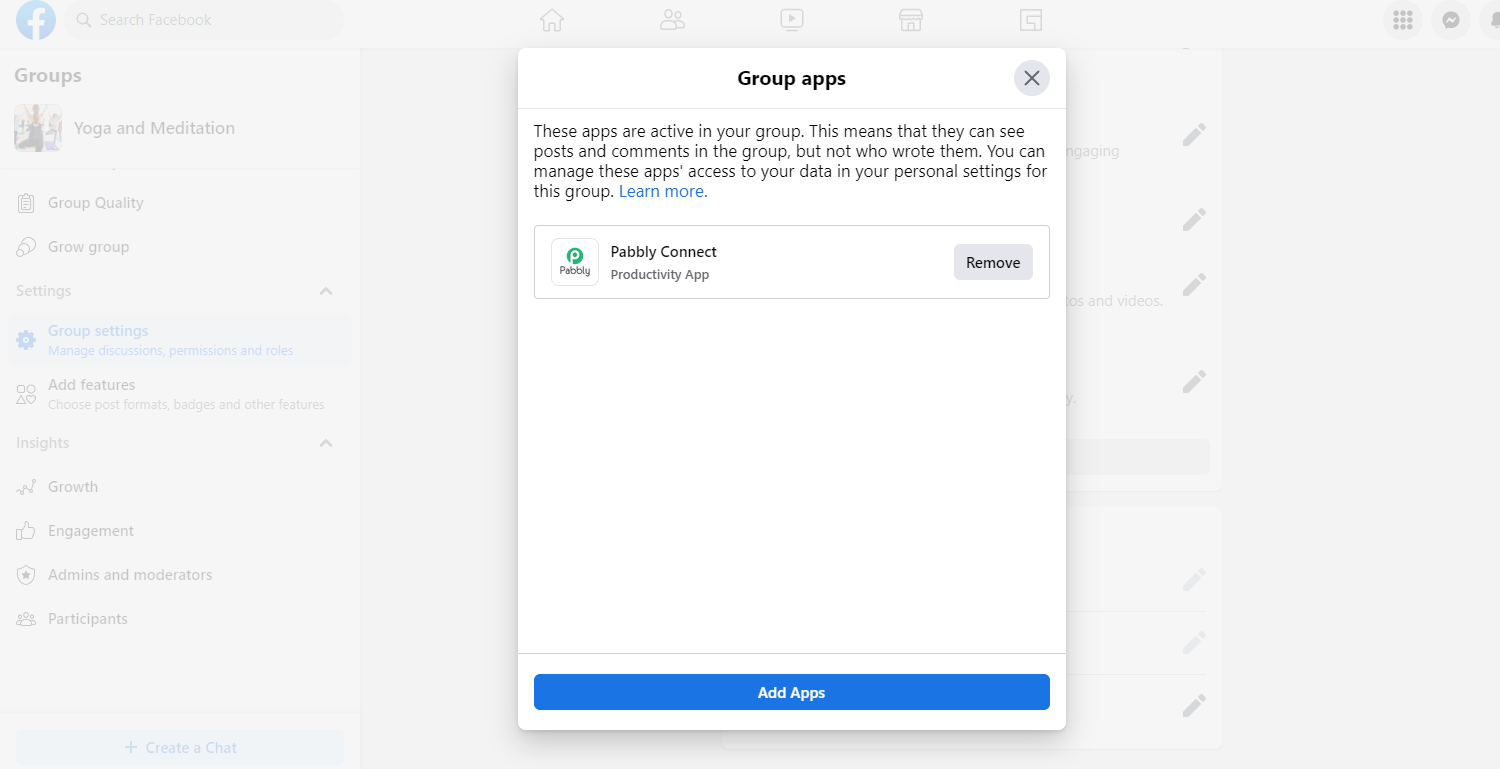
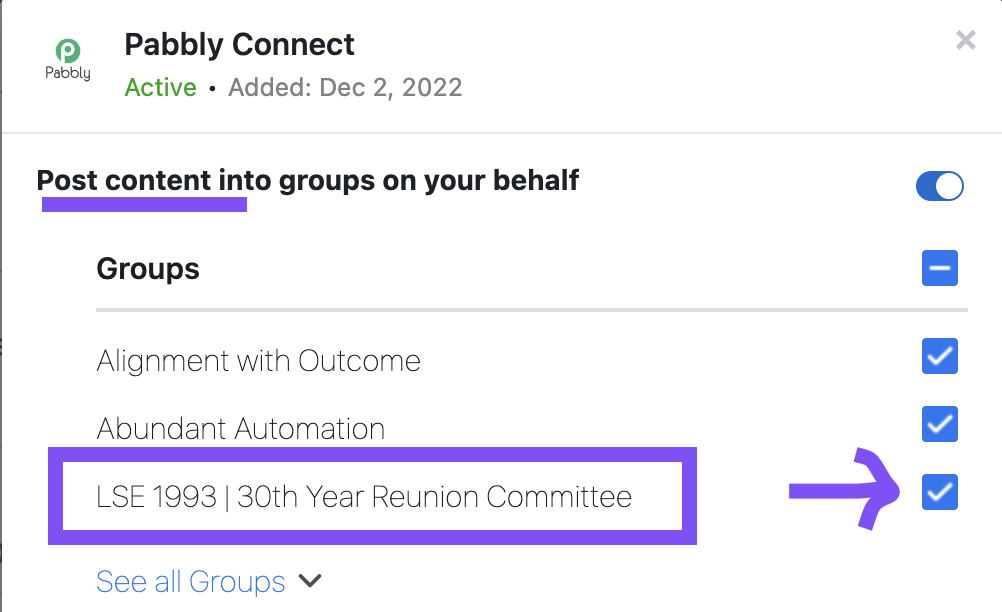
Also, make sure that you have granted permission to post the content on the group.
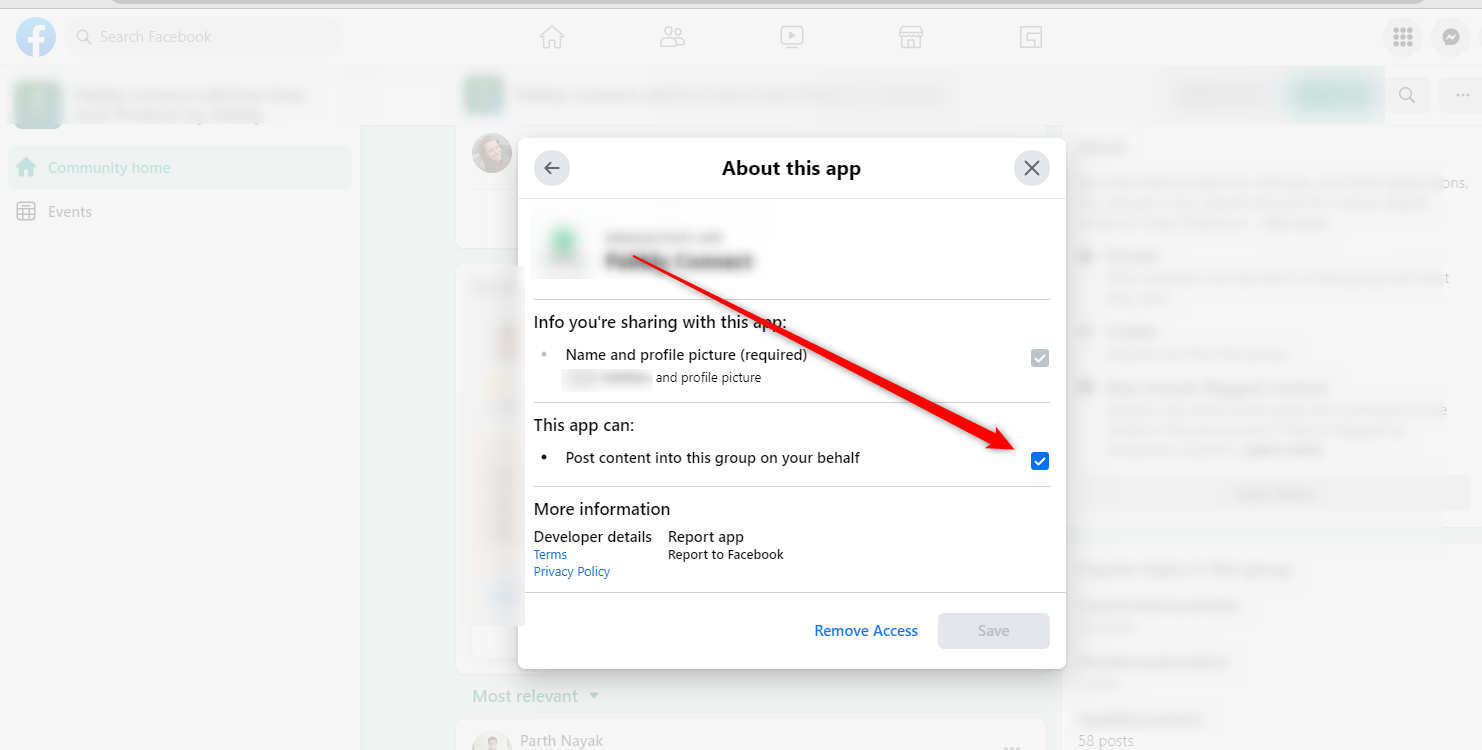
App is integrated in group and permission to post is checked for group.
Attachments
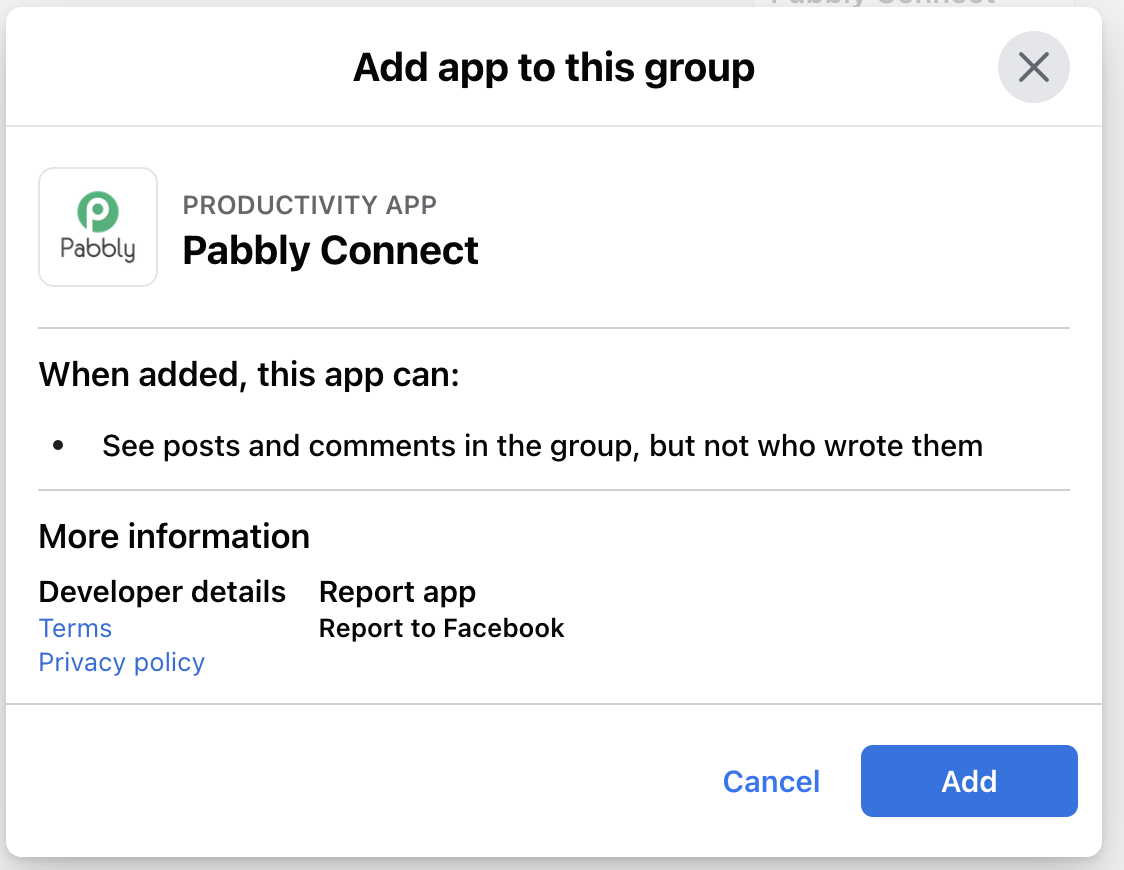
Hey @DCG
App is integrated in group and permission to post is checked for group.
Have you checked the permission of posting the content on the group?
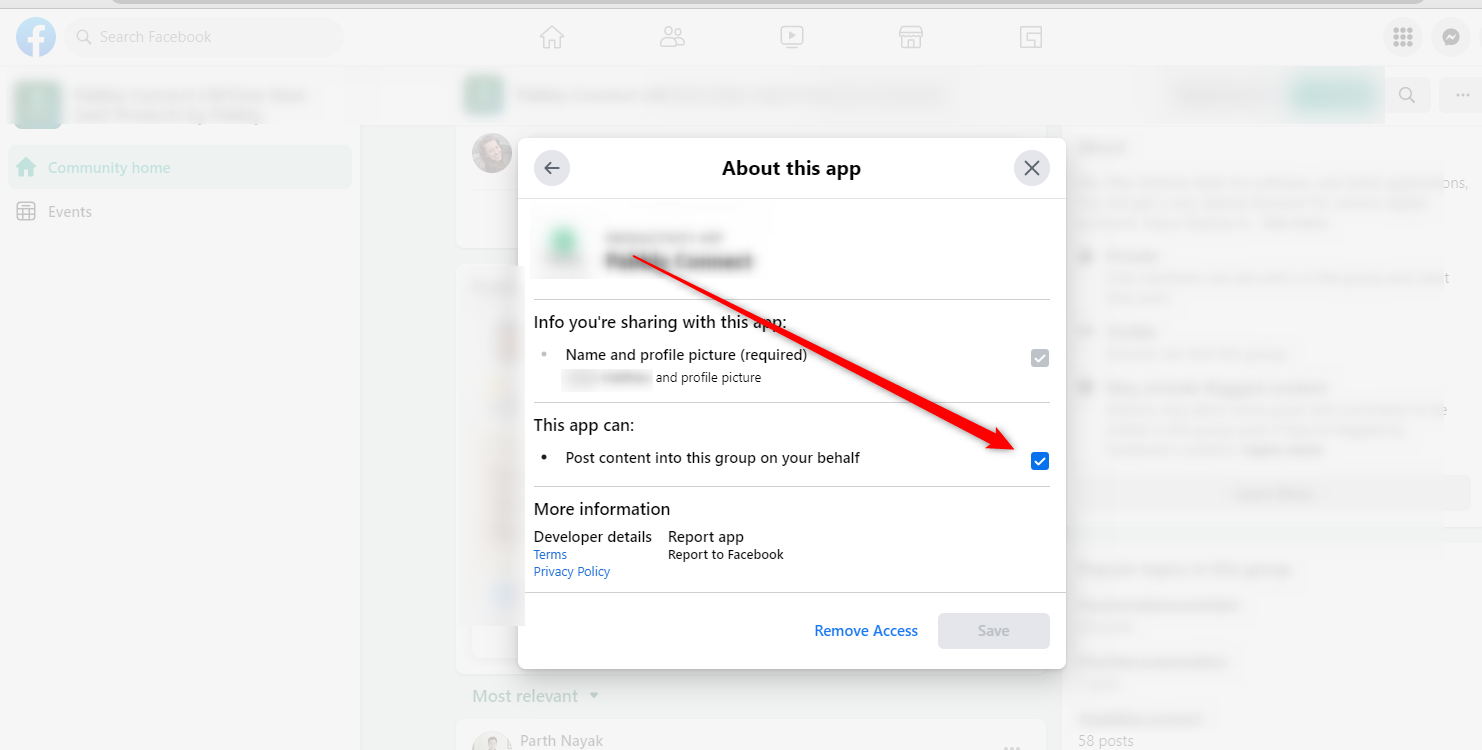
Hi! I am not sure where the permission image from the last message sent Tuesday at 11:46 PM, but in my message
Tuesday at 11:35 AM I provided the App is integrated in group and permission to post is checked for group by going to https://www.facebook.com/settings?tab=business_tools&ref=business_login_reentry
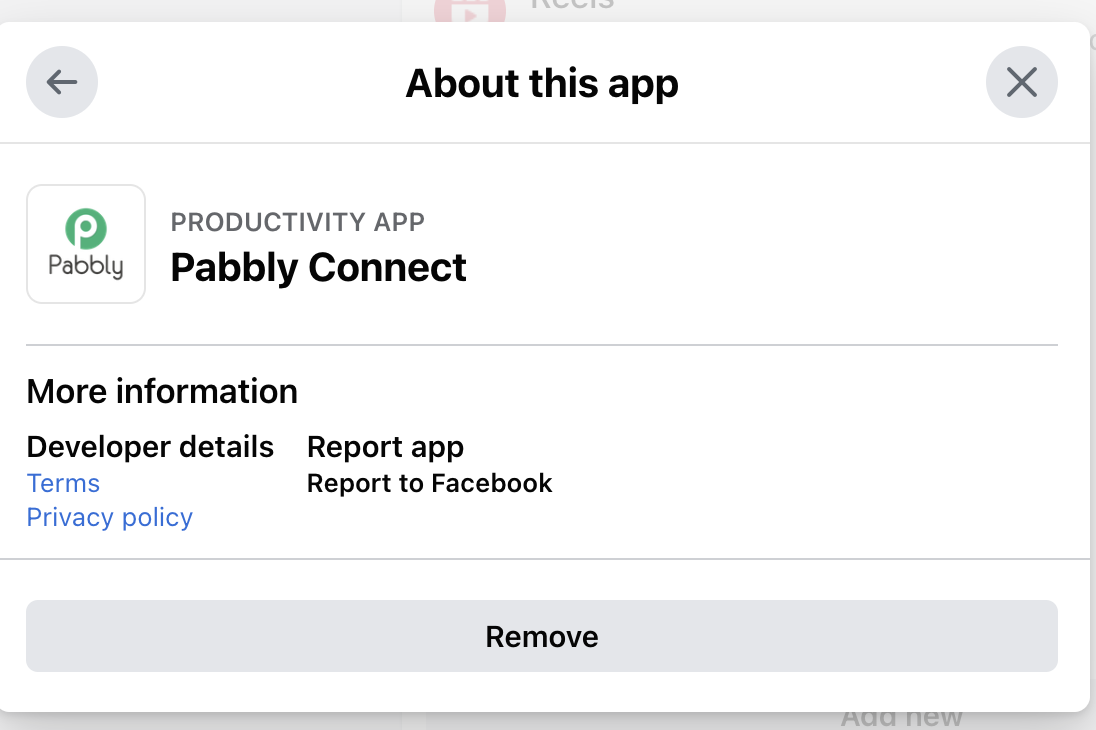
However, when I go to the actual facebook group, I don't see anything listed like you have in the last reply. See the 3 screen shots of what I see inside the. Facebook Group under the App section.
Attachments
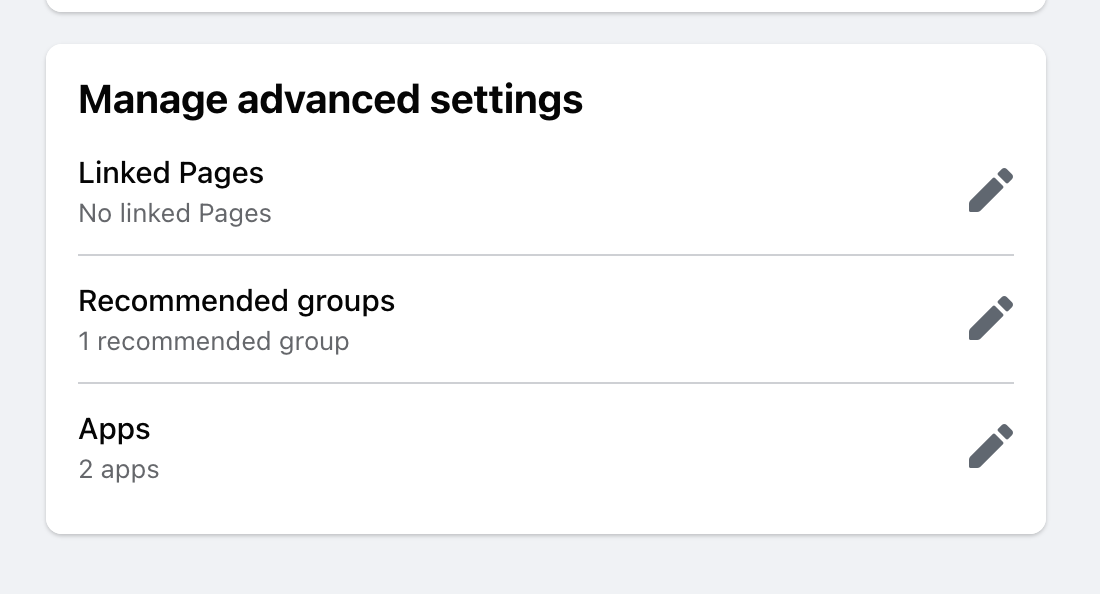
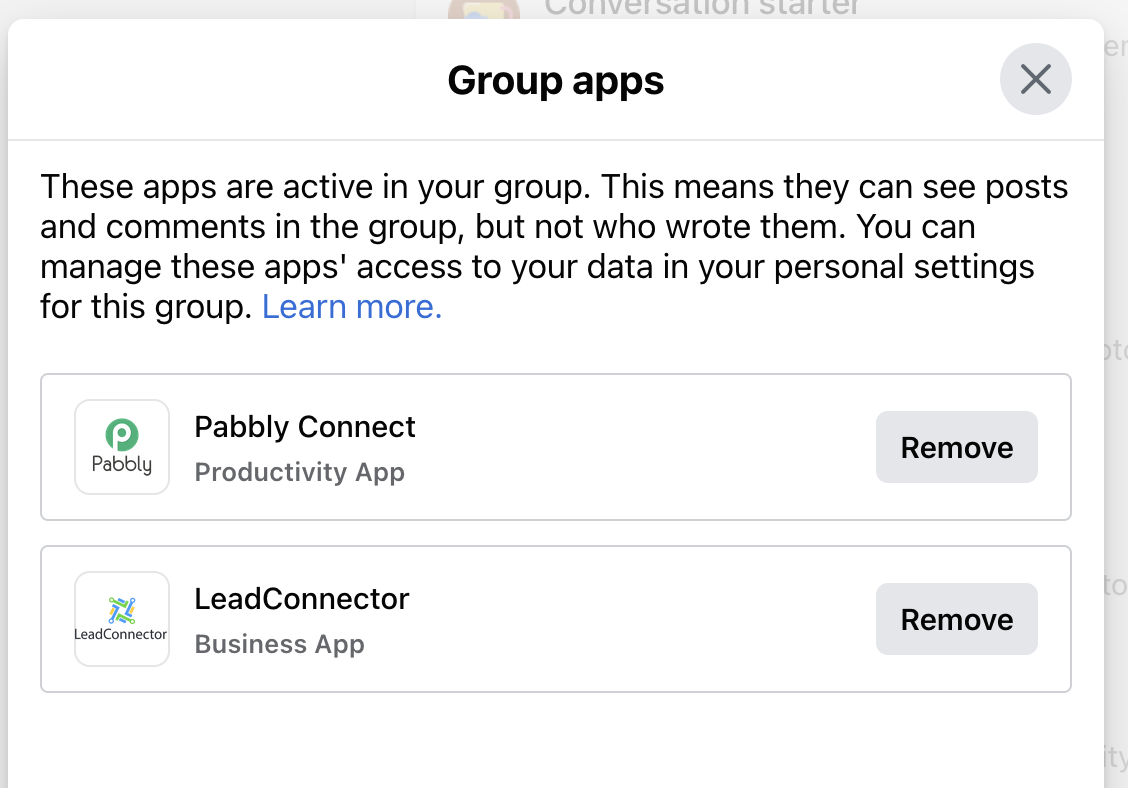
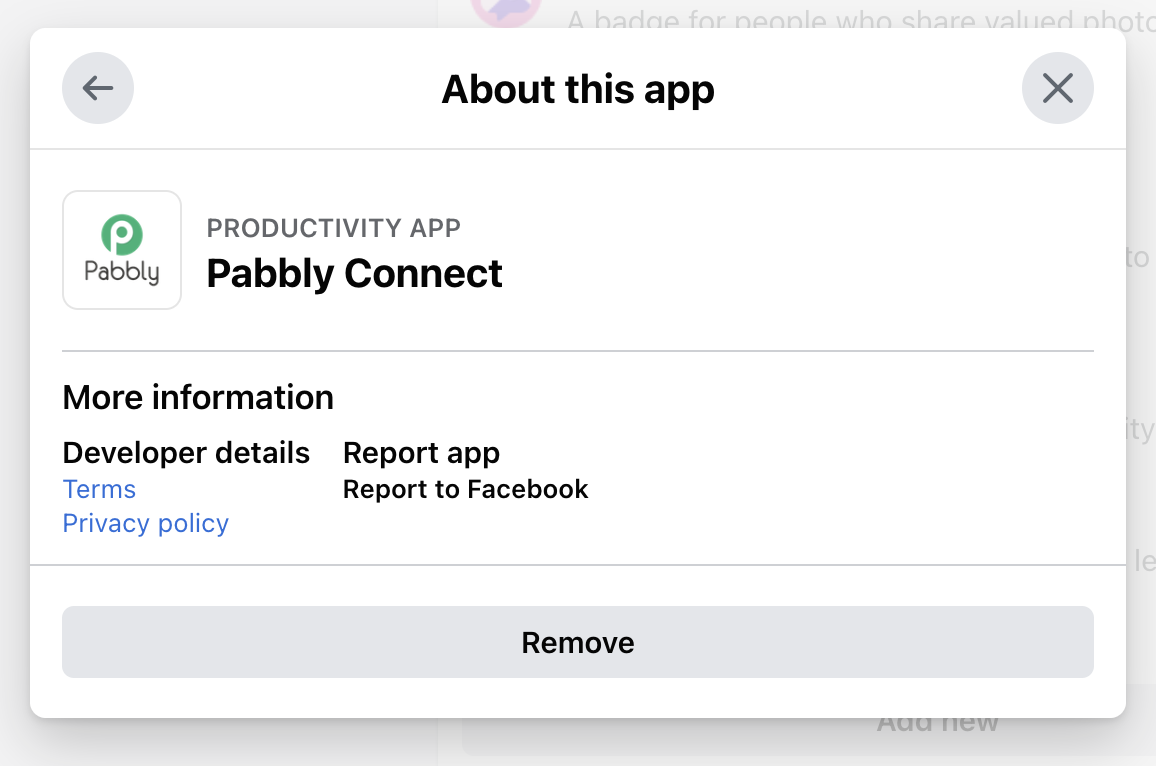
Hi! I am not sure where the permission image from the last message sent Tuesday at 11:46 PM, but in my message
Tuesday at 11:35 AM I provided the App is integrated in group and permission to post is checked for group by going to https://www.facebook.com/settings?tab=business_tools&ref=business_login_reentry
Please refer to the following short recorded video on how you can simply grant permission to post the content.
Thank you for the video. I confirmed the permission was already granted...so I don't understand why Pabbly isn't showing any Posts in a Private Facebook GROUP. I confirmed again today that No posts are showing.
Attachments
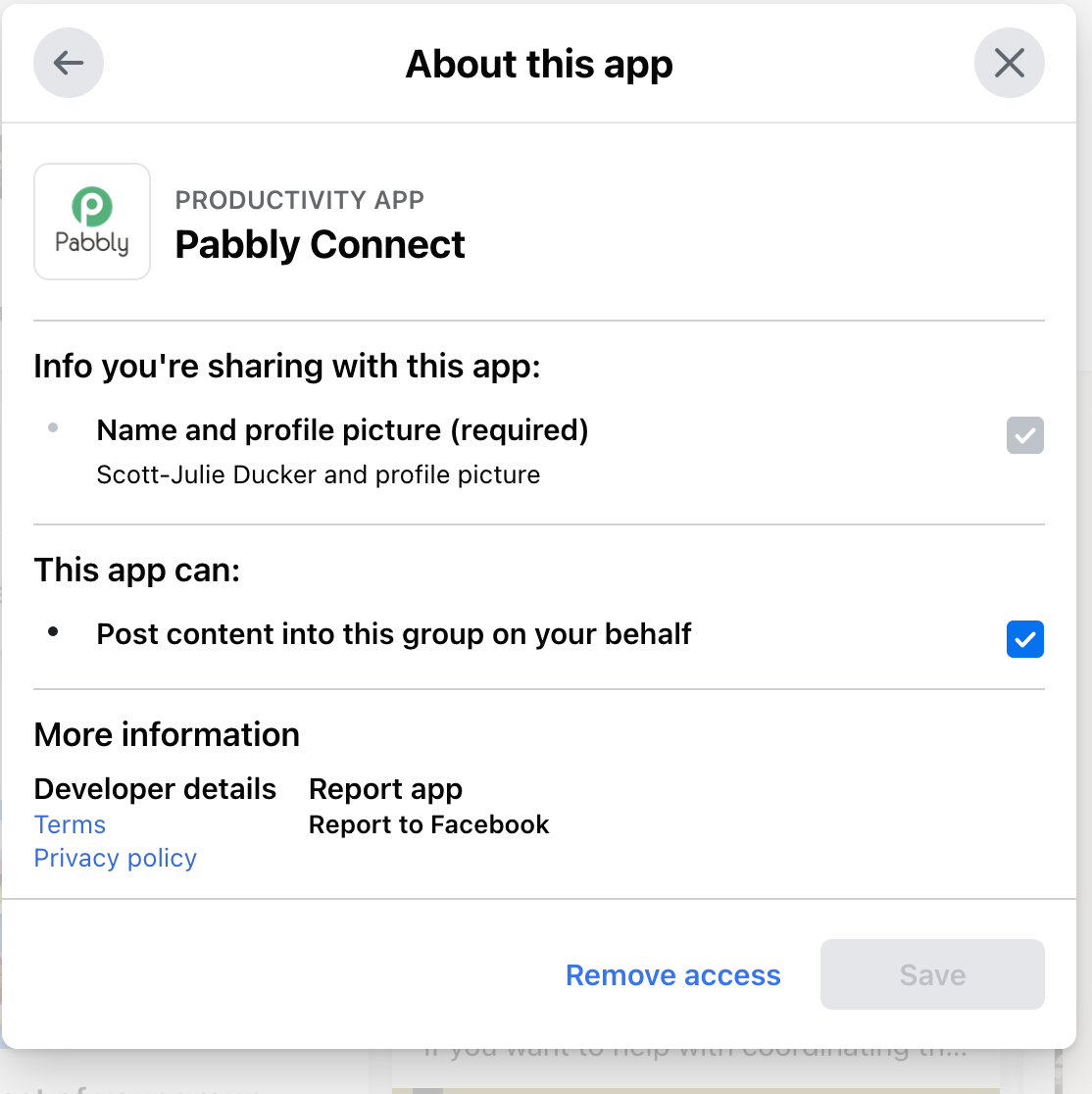
Hey @DCG
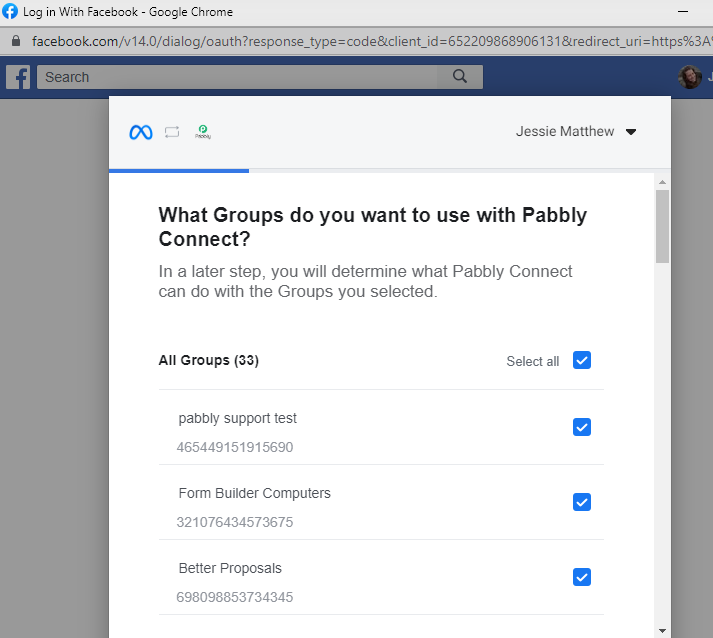
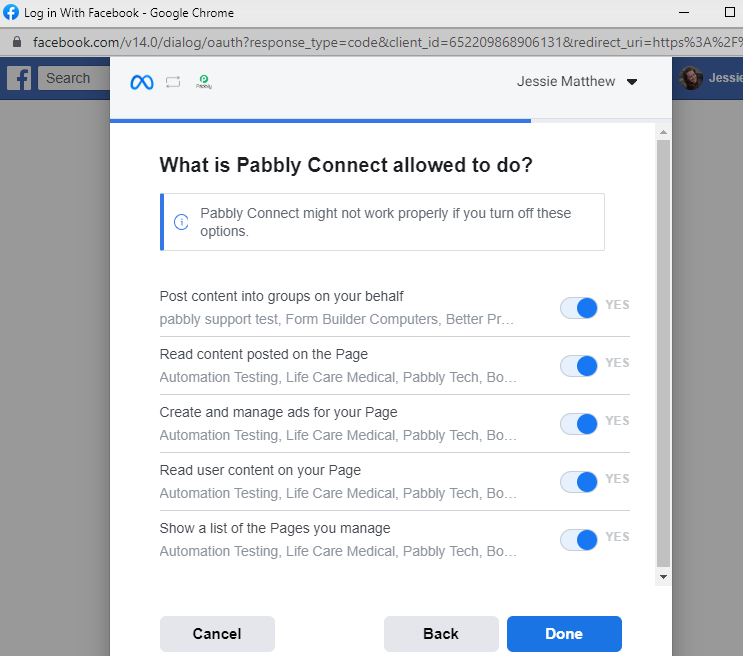
Could you please make a new connection and make sure that you have selected all the permission to fetch the group's post and its comment?
1.
2.
Hello! I have made a new connection and have selected all the permissions to fetch the group's post and its comment...but it's still not working.
I recorded what I did in 3 parts. Please help me get the posts to show up in Pabbly Connect so I can select the desired post.
Thanks
Julie
Part 1 - Removing App and adding it back: https://loom.com/share/09a61ea7bb234847a7faa708e1feb23a
Part 2 - Showing Pabbly Connection to Group https://www.loom.com/share/c222eeea21fe4938b5bff237458e8eca
Part 3 - Pabbly Connect still not pulling posts in https://www.loom.com/share/936c6b9852f14620972ef6a3e183f446
Hey @DCG
Kindly allow us some time, we are currently looking into it.
Hey @DCG
Having 2FA enabled on one of the accounts while not on the other can also lead to errors and failed posts. Kindly if you have 2FA enabled on both Instagram and Facebook as they are directly linked and then try to publish the content again.
So, please try disabling the 2FA authentication on your Facebook account and then try again by reconnecting the trigger event.
Hello! Are you saying that the only way for Pabbly to Connect to Facebook Group with a Trigger Event from New Comments is to have 2FA Shut off?
If this is the case, then this is not something I am able to do as we are required to have 2FA turned on to run Facebook Ads.
I was able to disconnect 2FA authentication on Facebook Account, and reconnected the facebook group and trigger event. I was able to see only one post, however there are multiple posts that were not shown. Plus by disconnecting 2FA, automatically shut off my Facebook Ads.
Please Advise.
Hey @DCG
Our team is investigating the account configuration of Facebook to use the Facebook Group trigger event and the Facebook Ads.
Hey @DCG
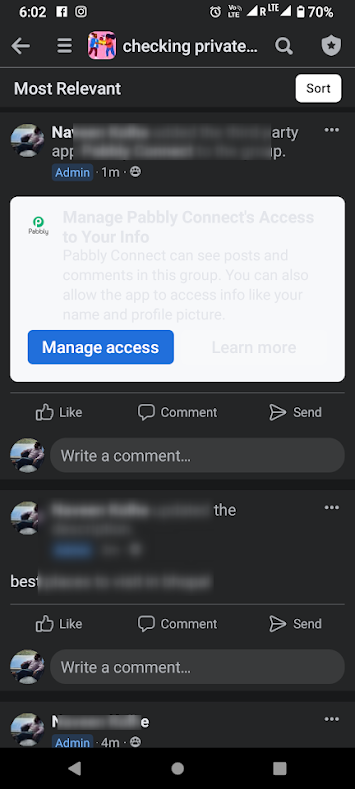
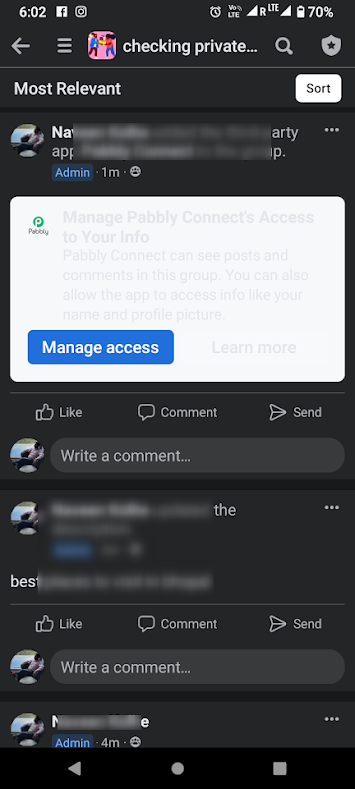
We deeply checked Facebook's permission to use the Facebook Group and we found that the user has to switch on the "Manage Access" option once to check the post and its comment in the trigger event.
@Supreme I have 2 questions since I still can't get this to work:
1. Do we need to have 2FA Shut off in Facebook for Pabbly to Connect to Facebook Group with a Trigger Event from New Comments? If so, then I can't use the auto comment feature with Pabbly since I can't have have 2FA Shut off in order to run Facebook ads.
2. Regarding your reply 12/22/22 "we found that the user has to switch on the "Manage Access" option once to check the post and its comment in the trigger event." I don't understand where this is done. Can you tell me where this Manage Access pop up happens?
@Supreme I have 2 questions since I still can't get this to work:1. Do we need to have 2FA Shut off in Facebook for Pabbly to Connect to Facebook Group with a Trigger Event from New Comments? If so, then I can't use the auto comment feature with Pabbly since I can't have have 2FA Shut off in order to run Facebook ads.
2. Regarding your reply 12/22/22 "we found that the user has to switch on the "Manage Access" option once to check the post and its comment in the trigger event." I don't understand where this is done. Can you tell me where this Manage Access pop up happens?
I do not have 2fa turned off and mine is connected just fine.
Hey @DCG
To find the "Manage Access" option, you need to follow these steps:
- Go to the Facebook Developer platform and log in with your Facebook account.
- Create a new app or select an existing navigate to the "Settings" section of the app
- Go to the "Advanced" tab
- Under the "Security" section, you should see the "Manage Access" option
Once you have enabled the "Manage Access" option, Pabbly should have the necessary permissions to trigger events based on new comments in your Facebook group.
Facebook Comment Trigger: Pabbly isn't showing any Posts in a Private Facebook GROUP. i have tried to reconnect the Group several times, but unfortunately it still doesn't show a list of Posts from the Facebook Group.We are trying to Connect a Particular POST in our Facebook GROUP to Pabbly so that when someone replies Yes in the COMMENTS in a Particular Post it triggers the workflow in Pabbly.
However, after we connect our Facebook GROUP, we don't have a list of posts showing in Pabbly as we've be instructed in
youtube.com/watch?v=eJb1NhWPnyA
.Here's a Vimeo Recording showing our issue: 777528604:6382089516
How can we link our Post to this Pabbly Workflow if it's not automatically showing in the Post drop down?
Thank you,
Julie
I FIGURED IT OUT!!! Here is exactly how I set it up. I am now getting automated responses on a post inside of a group. It has to be from your business page though. This is step by step how I set it up. Ive been going through your comments and that is what helped me. Here is a loom. Let me know if you have any questions!!!
https://www.loom.com/share/917b2424866c43e6901e40a8bfa2cf7d
Attachments
@Supreme I have 2 questions since I still can't get this to work:1. Do we need to have 2FA Shut off in Facebook for Pabbly to Connect to Facebook Group with a Trigger Event from New Comments? If so, then I can't use the auto comment feature with Pabbly since I can't have have 2FA Shut off in order to run Facebook ads.
2. Regarding your reply 12/22/22 "we found that the user has to switch on the "Manage Access" option once to check the post and its comment in the trigger event." I don't understand where this is done. Can you tell me where this Manage Access pop up happens?
I am stilll trying to figure this platform out. I left you a comment on another one of your posts with how I figured it out. Let me know if you have any questions or cannot find it.