Requesting for Video Tutorial On Connecting Google Sheets to Goto Webinar Create New Registrants
Status: Closed · Asked by syneoh on · 0 views
Hello Support,
Can you have a video tutorial in YouTube showing adding new registrants from Google Sheets to Goto Webinar platform?
I cannot find any on it.
Please advise. Thanks!
Please go through the following video for your use case.
Watch the first part of the video for the Google Sheet Trigger step-
youtube.com/watch?v=SF4uOKocmYI
Watch the second part of the video for the GoToWebinar action step-
Hey @syneoh
As of now, there is no video available with the Goto Webinar platform. But you can check out the following points to make your integration -
- Watch the first part of the video on how to use the Google Sheets trigger event.
- Add the action step by clicking on the + button and selecting the GoTo Webinar platform and connecting it with your account.
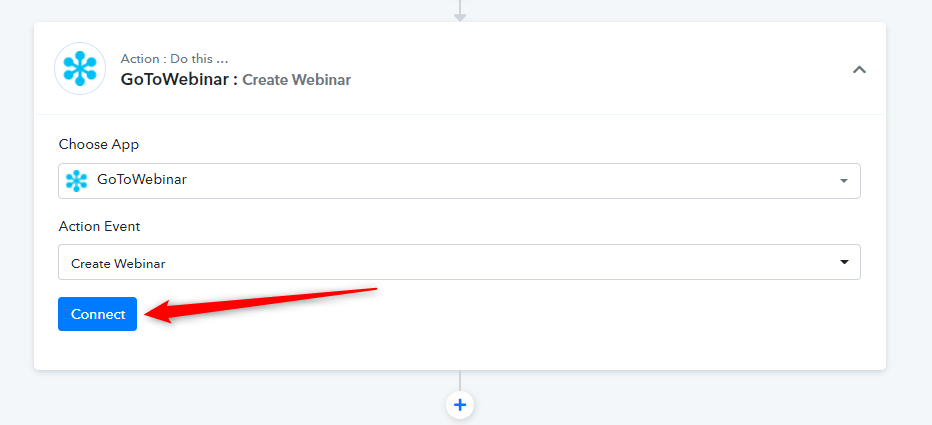
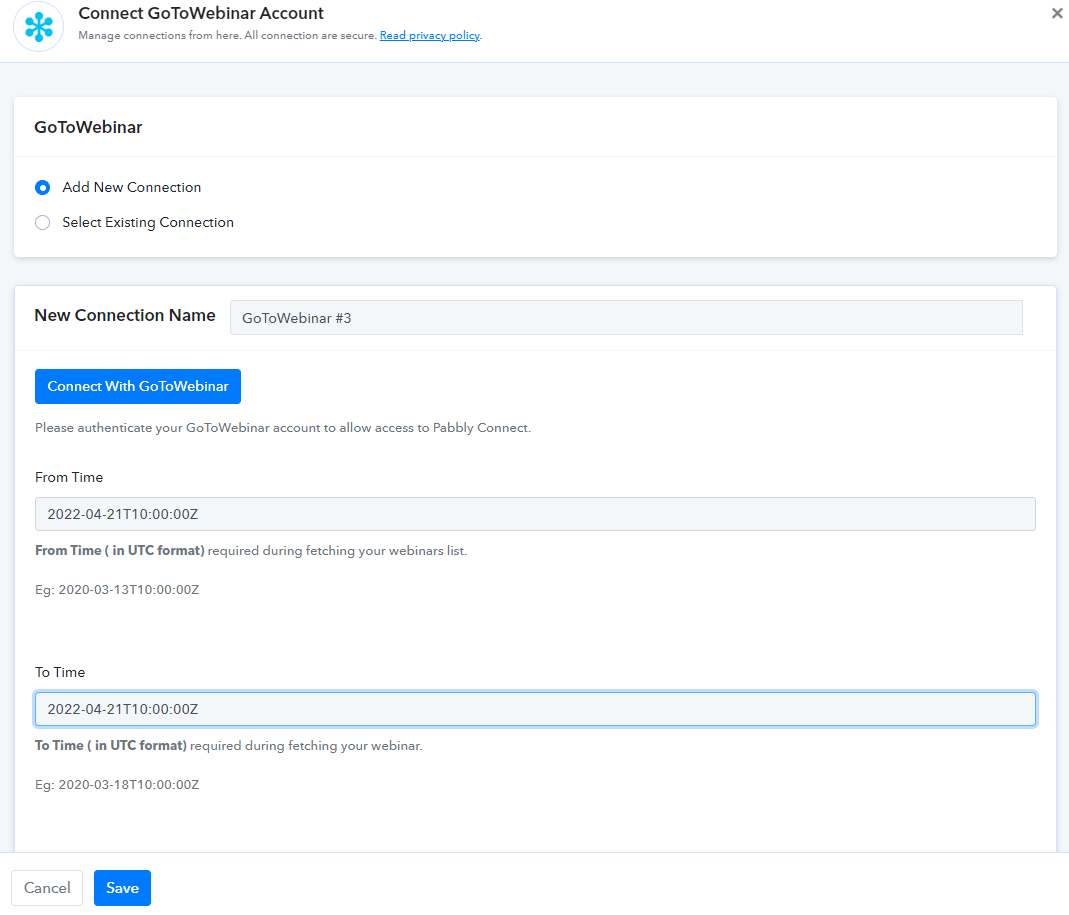
- After connecting the action then kindly map/type the respective fields accordingly.
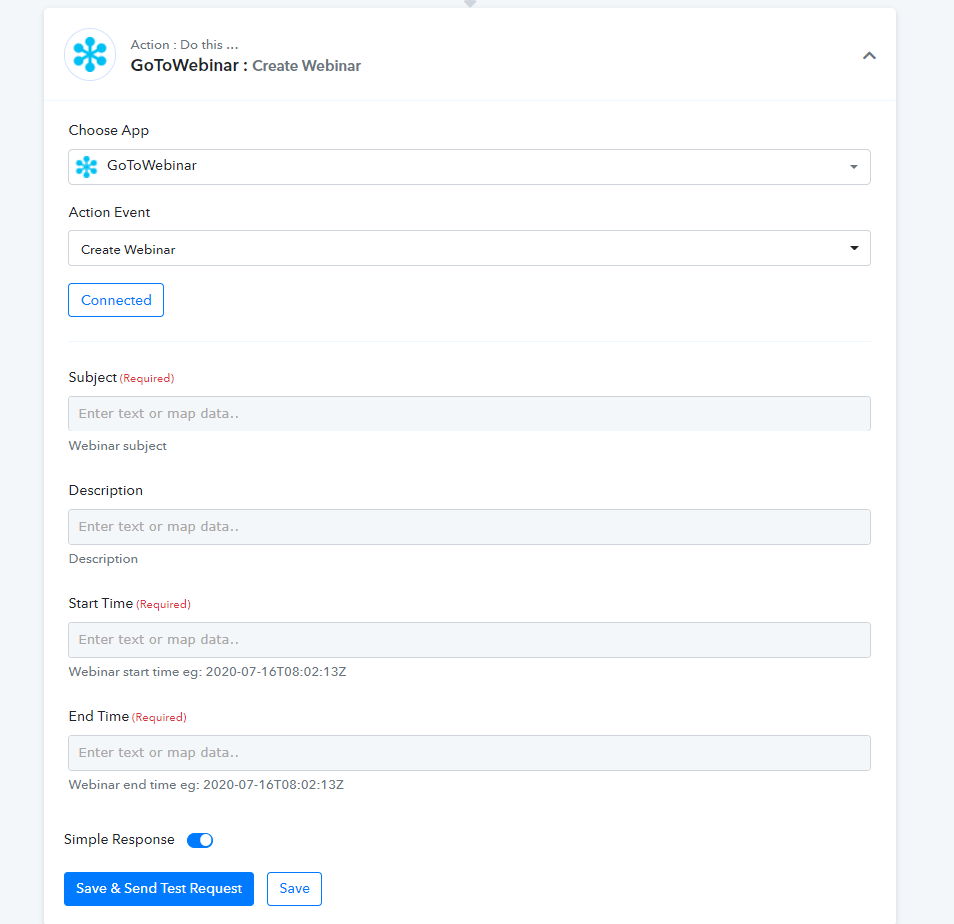
Kindly try the above action step and let us know if you get stuck at any step.
Please go through the following video for your use case.Watch the first part of the video for the Google Sheet Trigger step-
youtube.com/watch?v=SF4uOKocmYI
Watch the second part of the video for the GoToWebinar action step-
1) I'm sending bulk registration to create new registration. How does it works? Here, it shows single name per transfer only.
2) Is the webinar start and end time according to your Indian time against my (EST time zone) to create?
Please advise. Thanks.
Hey @syneoh
1) I'm sending bulk registration to create new registration. How does it works? Here, it shows single name per transfer only.
The workflow will process your registrant once by one only and even if you pass a large number of registrants from your Google Sheets it will work the same.
2) Is the webinar start and end time according to your Indian time against my (EST time zone) to create?
You have to convert your Start and End Timezone according to your UTC while connecting to your GoTo Webinar account.
Hey @syneohThe workflow will process your registrant once by one only and even if you pass a large number of registrants from your Google Sheets it will work the same.
You have to convert your Start and End Timezone according to your UTC while connecting to your GoTo Webinar account.
Hello,
Can I re-confirm....
So, If I have 100 people inside my Google Sheets to create new registrants for Goto Webinar, I still have to transfer one-by-one INSTEAD of all at once? Is that what u meant in above reply?
Pls advise. Thanks!
Hey @syneoh
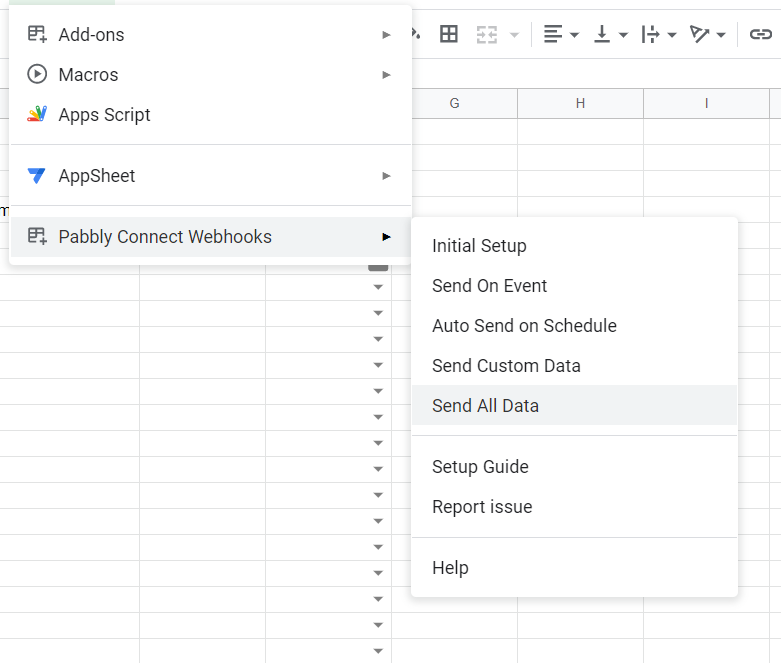
For your use case if you are referring to the above-mentioned workflow by us then you can use the "Send All Data" or "Send Custom Data" addon in the Pabbly Connects extension to send the data at once.