reset counter date
Status: Open · Asked by Ganga Narayan Das on · 0 views
How do you reset the counter on a date change?
Hey @ganganarayan.rns,
To reset the counter, you must choose 'Yes' in the Reset on Execution field. However, if you wish to reset the counter on a date change, we would require further details regarding your specific use case.
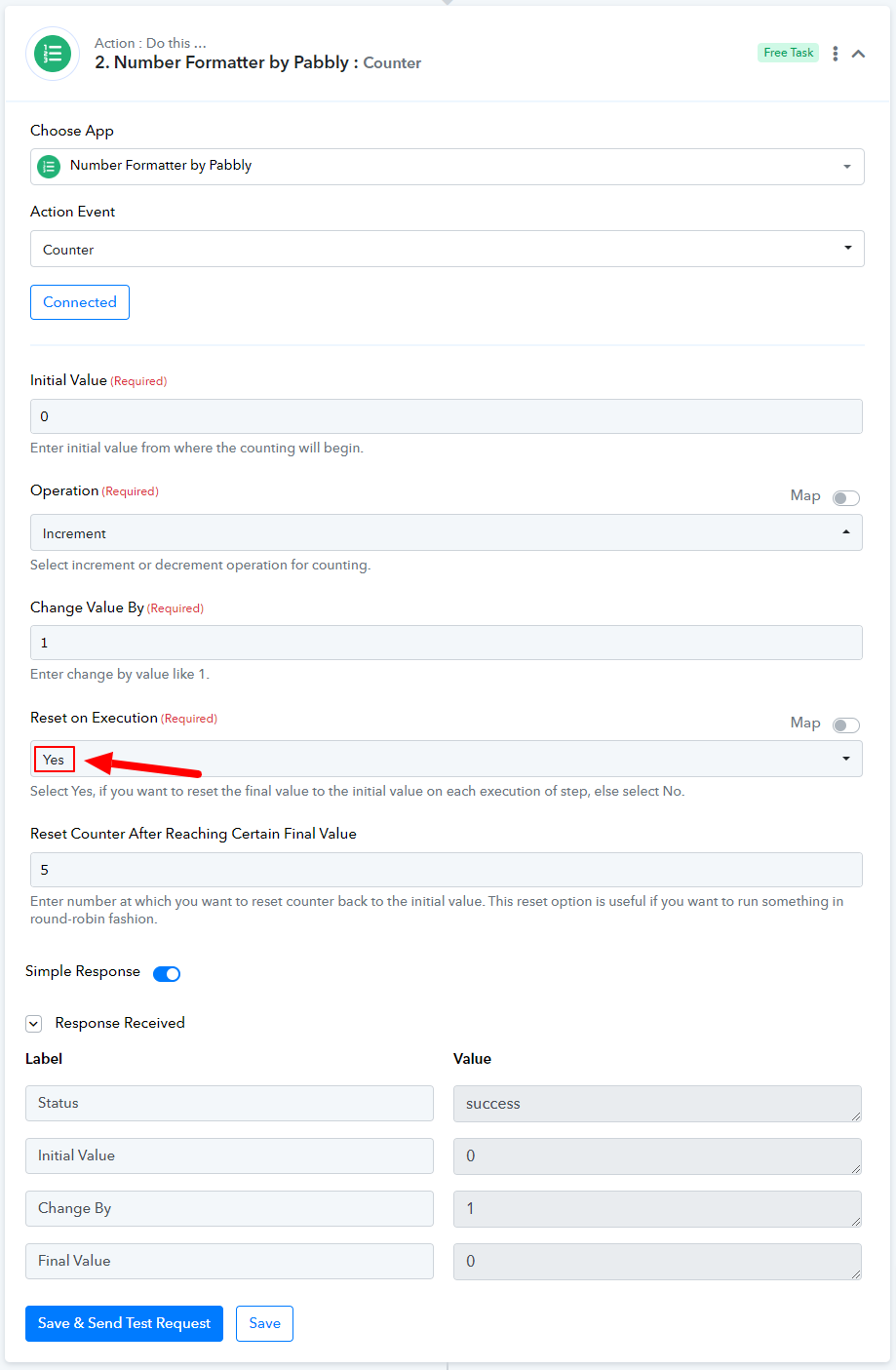
I know, I need to choose YES for reset.
But the reset happens only at a certain count and not at a date change.
I picked the FB Ad amount spent from the FB Ad Insight data.
I will pick the total no of leads who opted in the landing page.
The count will increase by 1 as and when one signed up.
This count needs to be reset at 12:00 AM when the FB Ad spent amount also gets reset for that day.
I want the total no of leads for each day against amount spent on each day.
How that can be achieved.
Thanks
Ganga Narayan Das
I know, I need to choose YES for reset.
But the reset happens only at a certain count and not at a date change.I picked the FB Ad amount spent from the FB Ad Insight data.
I will pick the total no of leads who opted in the landing page.
The count will increase by 1 as and when one signed up.
This count needs to be reset at 12:00 AM when the FB Ad spent amount also gets reset for that day.
I want the total no of leads for each day against amount spent on each day.How that can be achieved.
Thanks
Ganga Narayan Das
Unfortunately, the use case you are describing is not possible, as there is no way to reset the counter using date or time.
If you want to use the counter after 24 hours, the counter can automatically reset starting at 1
then how to do it? Do you have any alternative solution?
thank you
If you want to use the counter after 24 hours, the counter can automatically reset starting at 1
then how to do it? Do you have any alternative solution?
thank you
Your concern is being addressed on this thread.
https://forum.pabbly.com/threads/how-do-i-get-the-counter-to-reset-after-24-hours.20682/