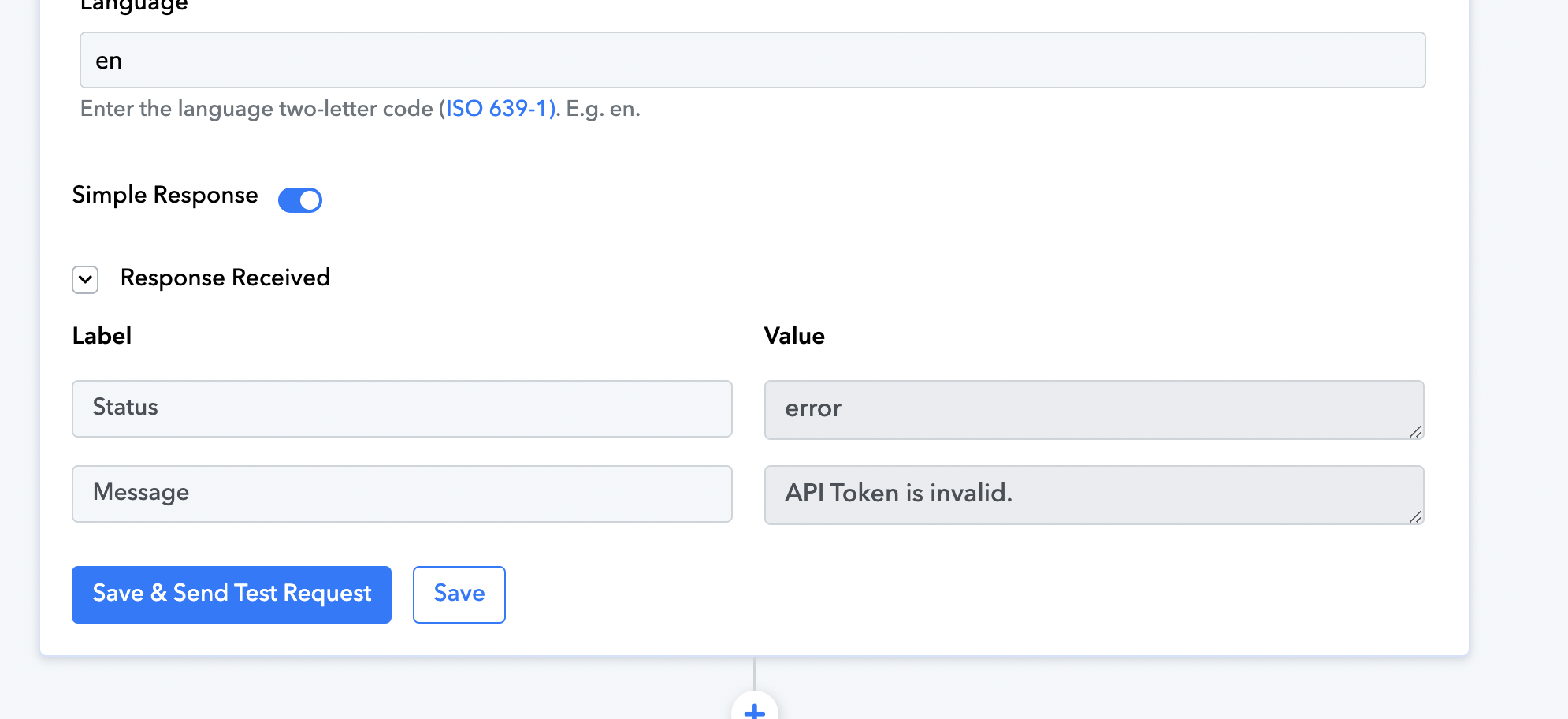
respond.io API is invalid
Status: Closed · Asked by Jenna on · 0 views
Hi i have put bearer follow by API key, but still invalid? How to solve this?
respond.io updated the API 2.0 or pabbly is not updated? Please help
Hey @Jenna
It seems possible that you did not pass the API key in the appropriate manner, as instructed in the help text. Please make sure to add a Bearer prefix to the API key.
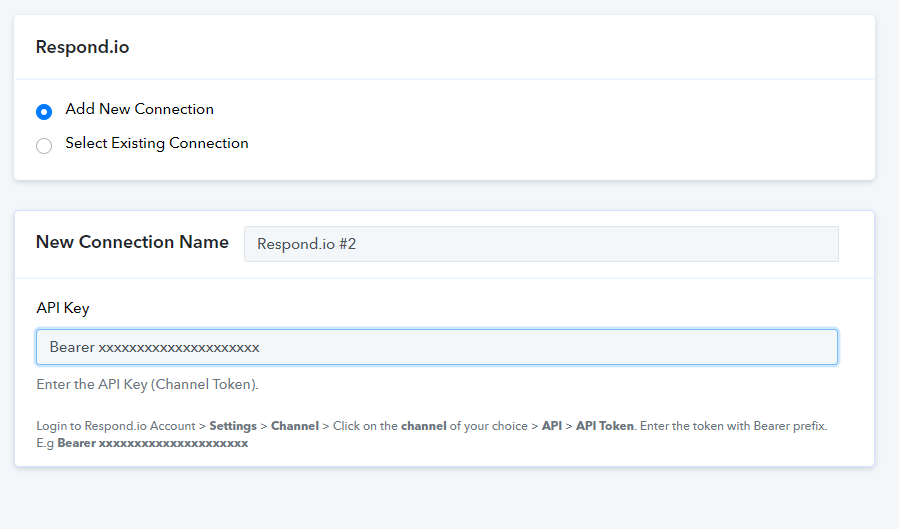
Hi thanks for your reply. I have put Bearer prefix, but still cant. Kindly refer this video. Thanks
Hey @Jenna
We are now modifying the API because, as we can see from the Respond.io API, they have deprecated the API.
Please give us some time we'll shortly provide you with an update.
Thank you so much. Looking for the update
Hi, any update? Thank you
Hey @Jenna
Our team is currently working on it and it might take a little while to make this up live.
Your kind patience will be highly appreciated.
Regards!
Alright noted. Can roughly know how long would its take? Then I can plan the process on my end. Appreciate that. Thank you
Performing all the necessary testing and implementation may require a week to complete the updates.
Okay noted thank you
Hi, any update for far? Thank you
Hi, any update for far? Thank you
Yes, we have updated the Respond.io's integration on the platform, kindly give it a try and let us know.
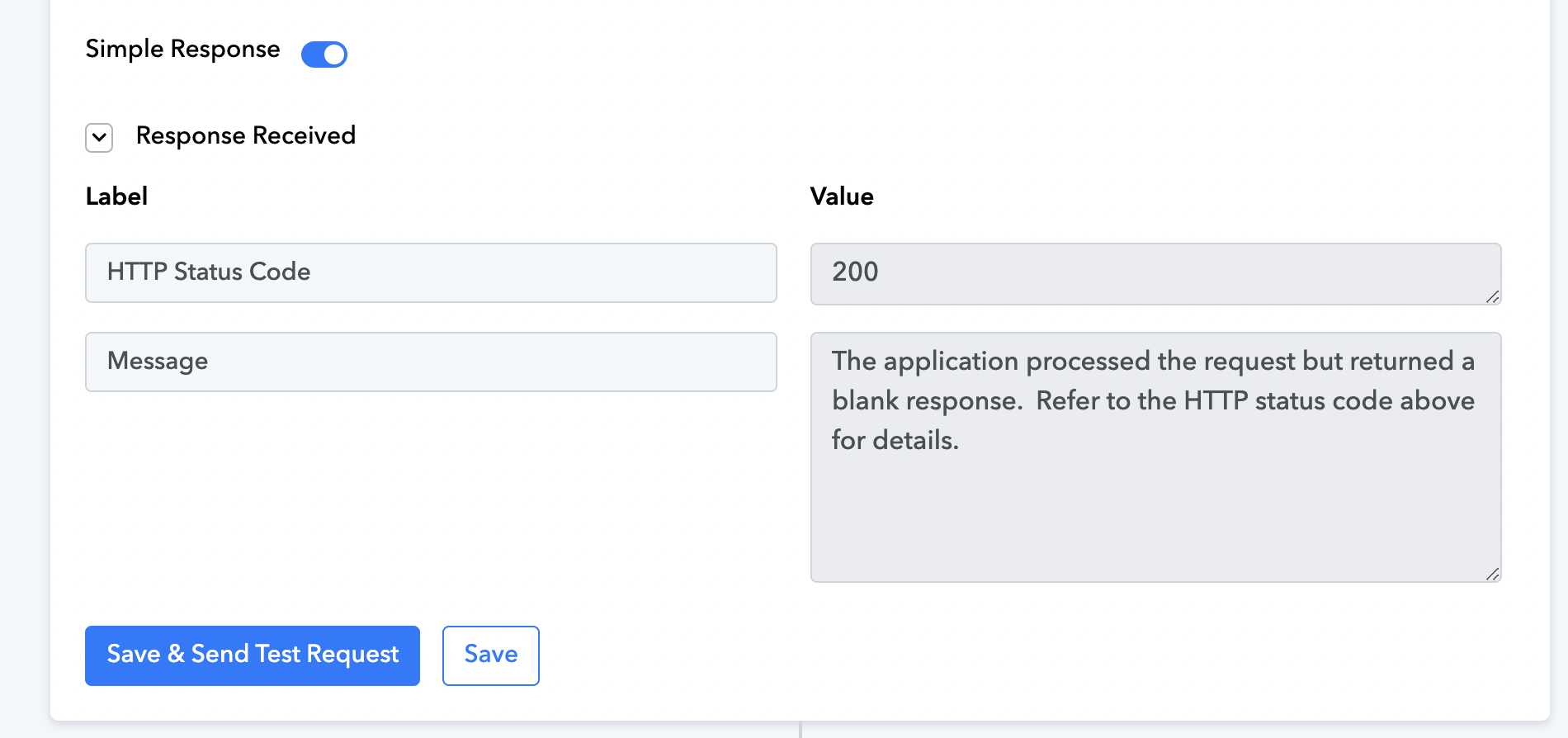
Hi what does this error mean? I face this issue when create a contact under respond.io.
And there are some extra info like Profile Pic Url, Keys, Please Map And Enter Comma Separated Key(s), what does it all about and what info i need to put in?
Hey @Jenna
We are currently looking into this, please allow us some time.
Okay thank you
Please check now, we have updated the action step. It should work now.
Hi, is it you have helped me to complete the action step 2 & 3?
Now i try to add in another action step 4, which is to add tag to contact, but this error appear.
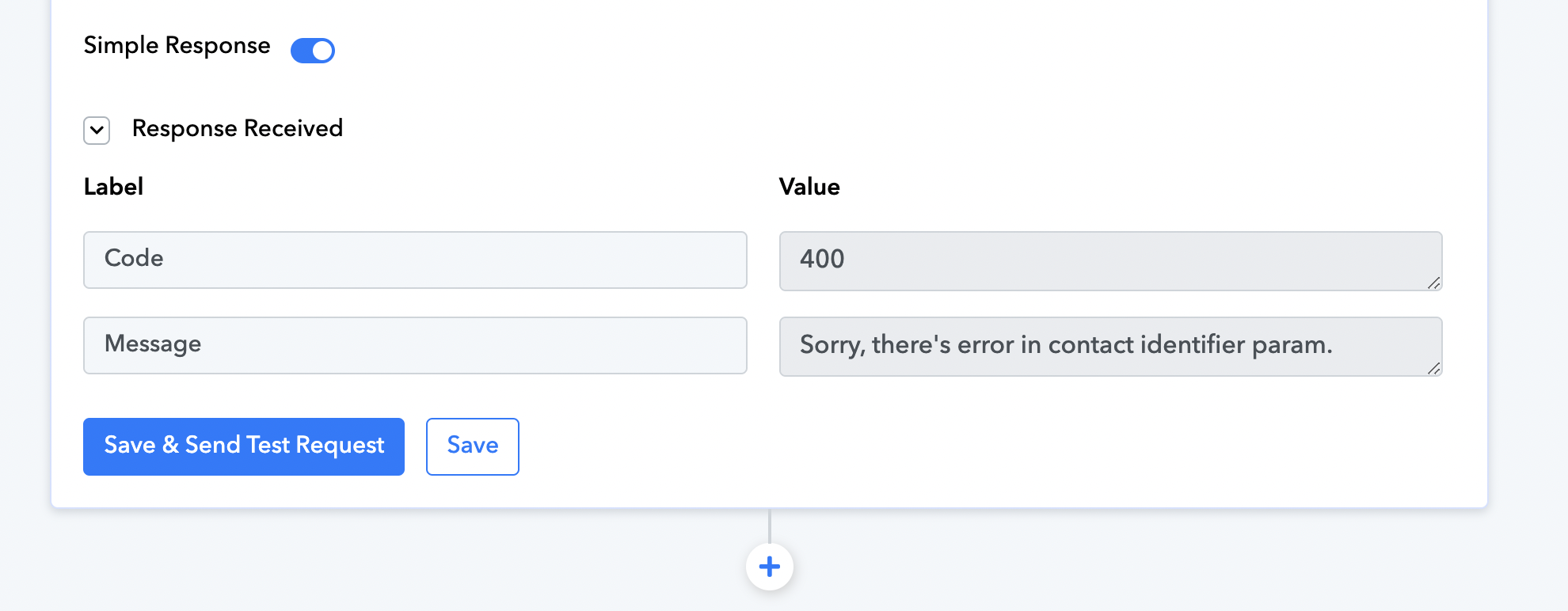
Please check -
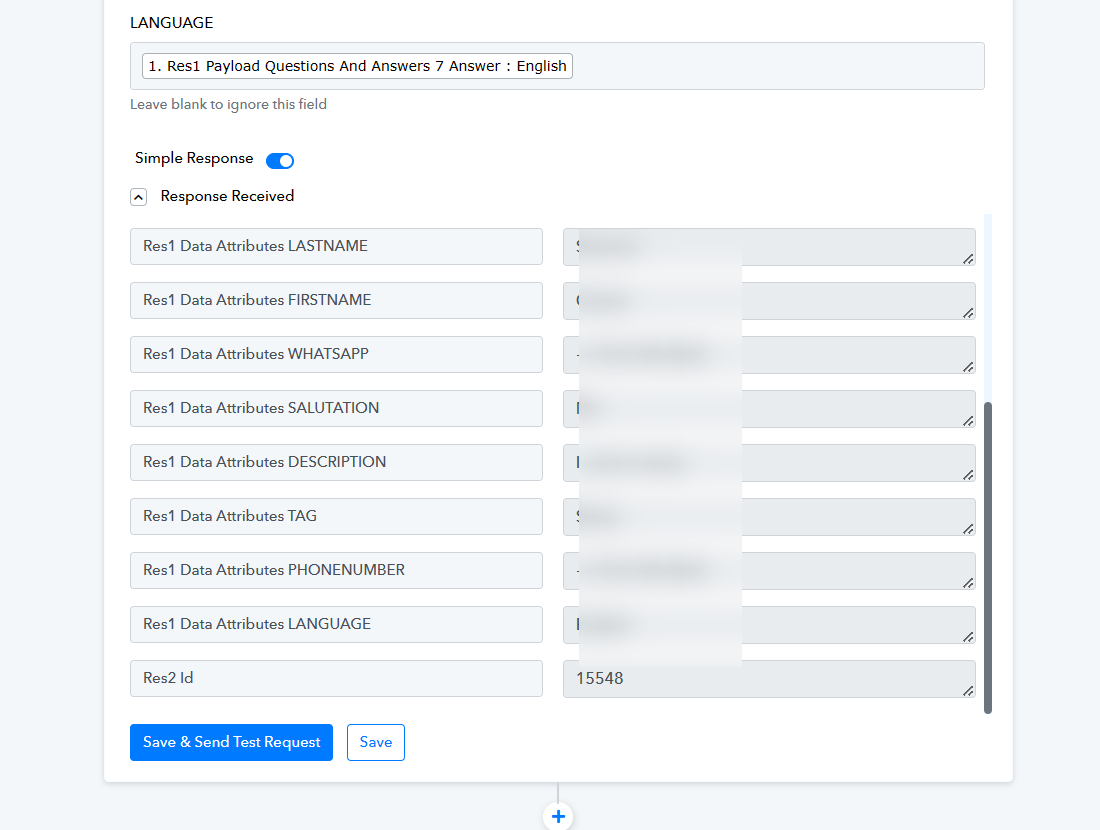
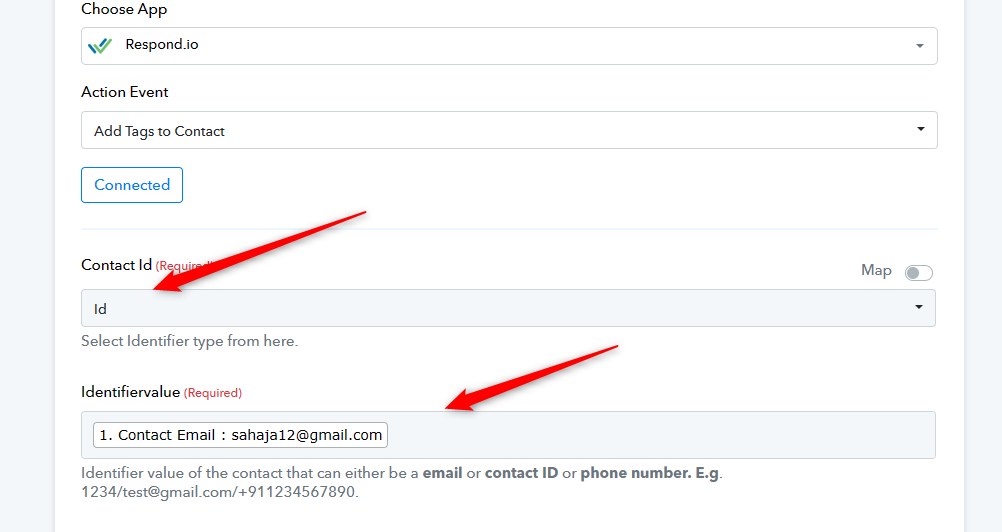
Hi, sorry what does it mean? Its different from my workflow
You are passing ID in the Identified and passing email address in the Value.
Please check carefully and then try again.
Thanks, but i have tried twice to register twice, but no contact import to respond.io
Should i recapture response & retry again?
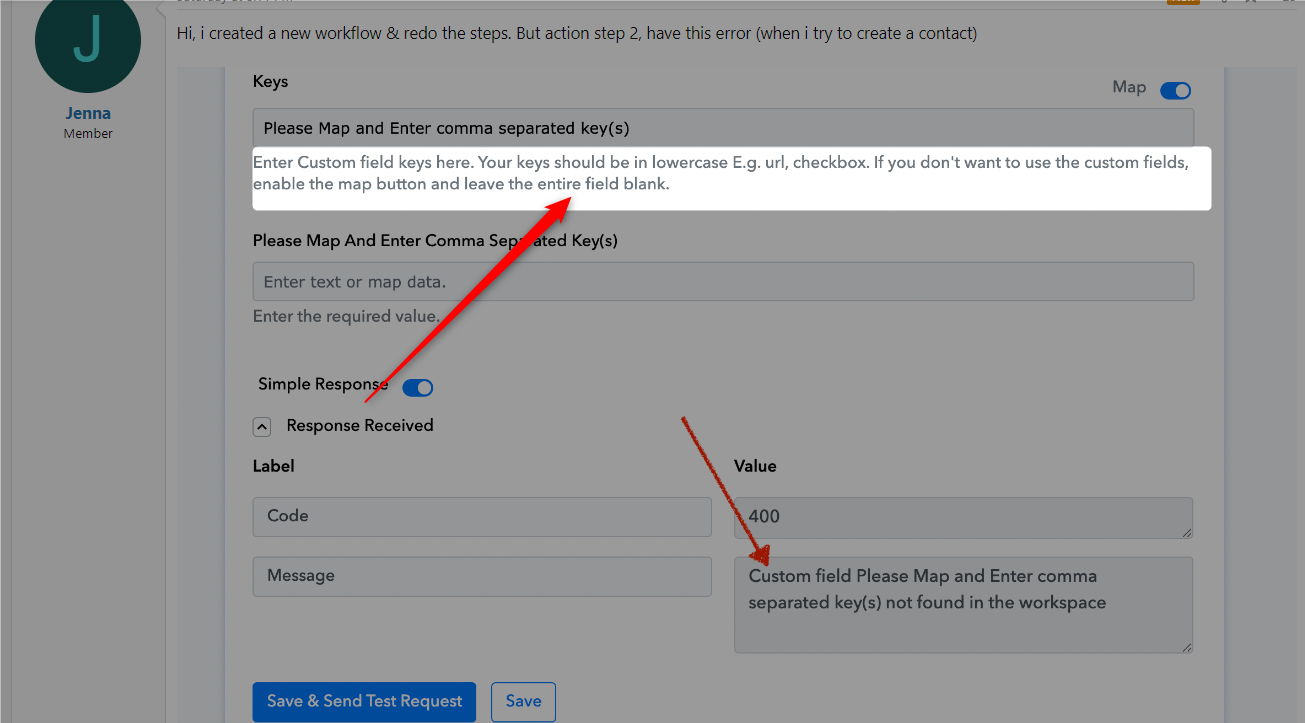
Hi, i created a new workflow & redo the steps. But action step 2, have this error (when i try to create a contact)
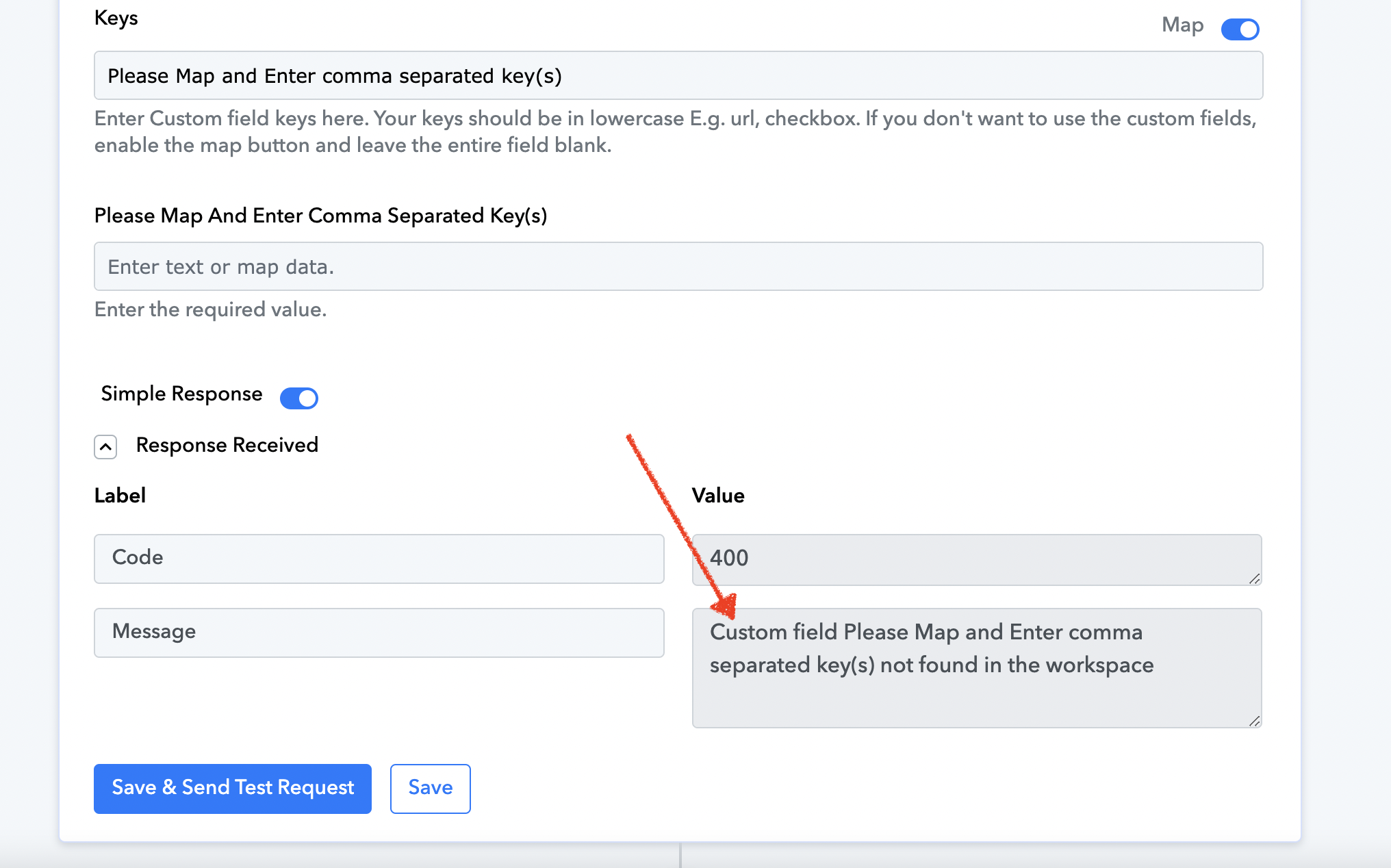
Please read the help text carefully and then try again. You need to leave the field empty if you do not wish to pass anything.
I see, thank you. Next is the tagging. I have insert 4 taggging, but when it comes to respond.io, all 4 taggings lumped together as 1 instead of 4
Hi, is there anything i key in wrongly?
We are checking on it.
Okay thanks
Can you please try reconnecting the action step once?
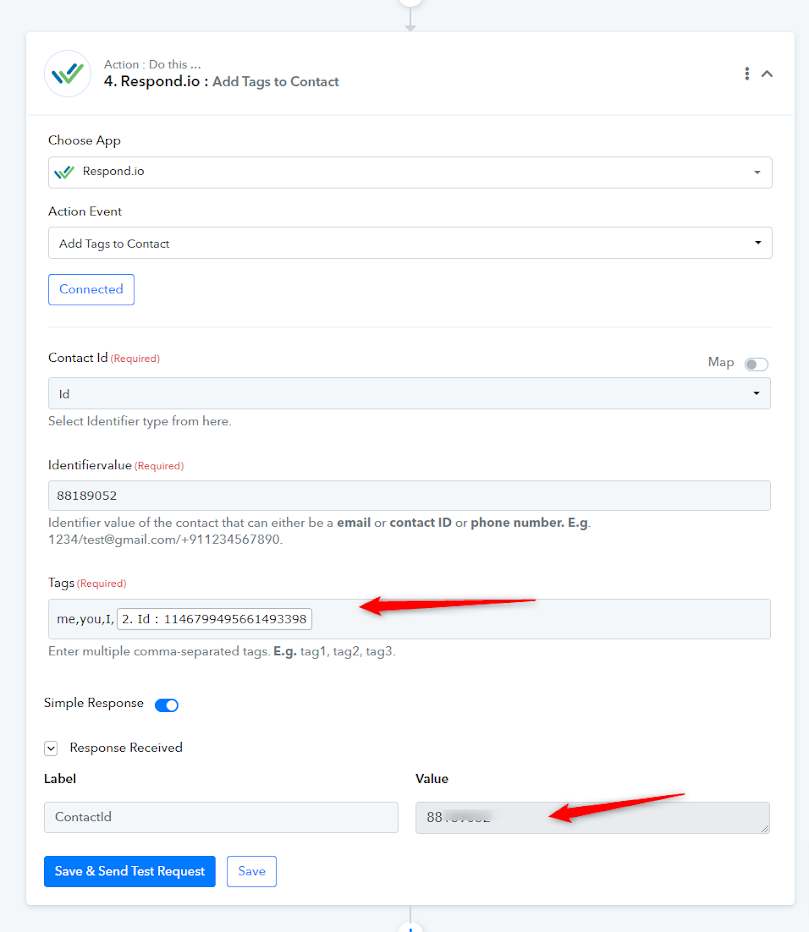
Hi, retry the whole steps. Still the same issue
Hey @Jenna,
Thank you for bringing your issue to our attention.
Our integration team is currently reviewing the matter and is committed to resolving it by the end of the day. We understand the importance of ensuring that this issue does not impede your workflow, and we will work diligently to prevent any potential roadblocks.
Please allow us some time to investigate and address the issue. I will provide you with an update as soon as possible.
Best regards,
Nivesh
Pabbly.com
Alright, thank you!
Hey @Jenna,
We sincerely appreciate your patience in this matter.
Our team has developed a new action step called "Add tags to contact (New)" and conducted rigorous testing to ensure its proper functionality. We kindly request you evaluate it from your perspective and provide us with feedback.
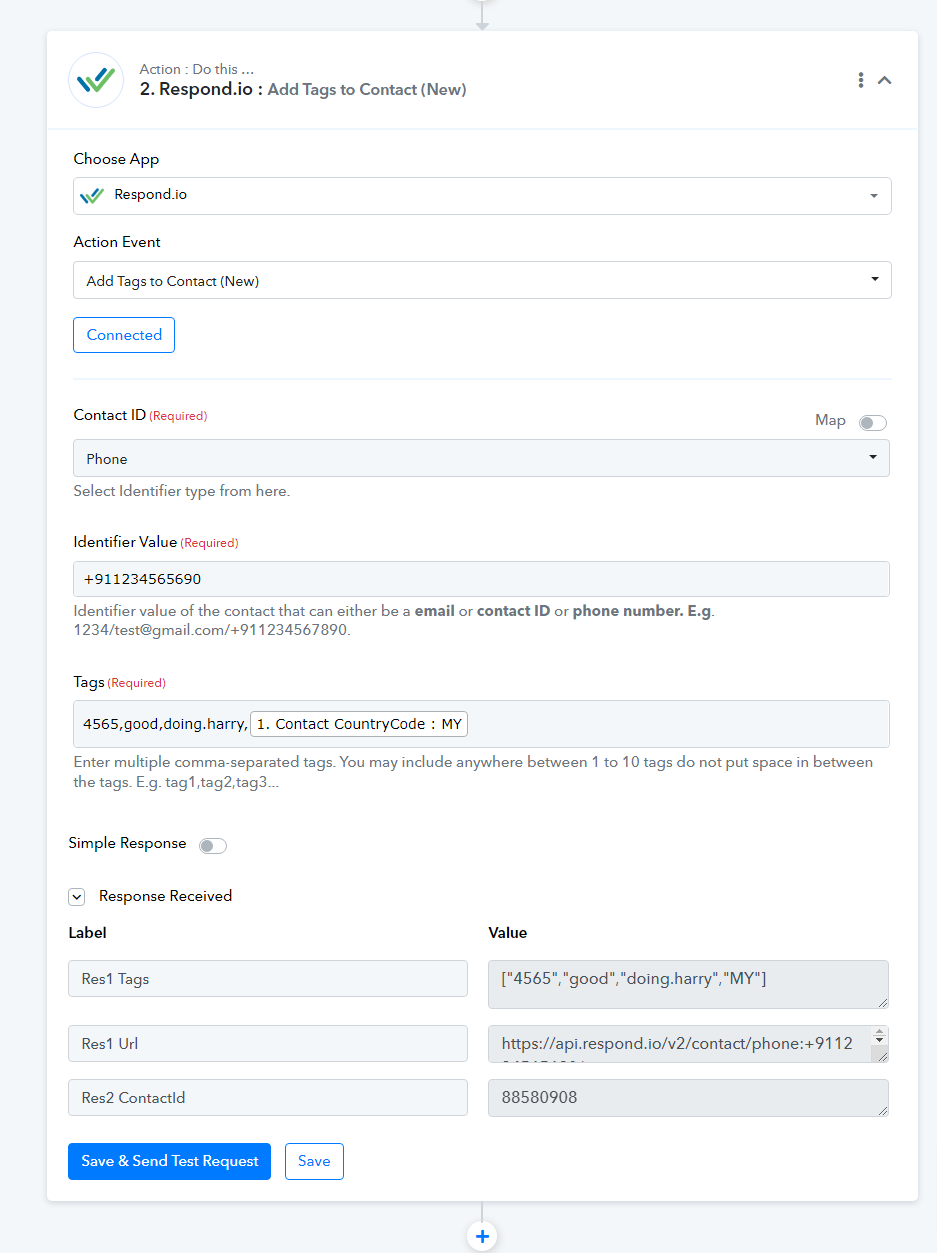
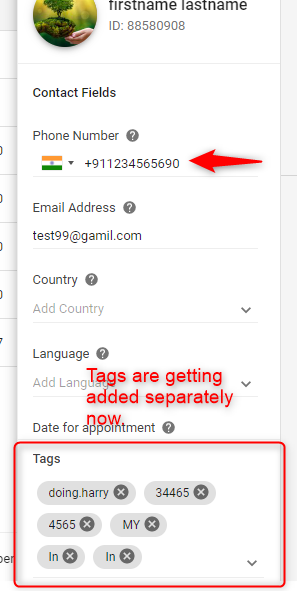
Thanks!
Pabbly.com
Hi Nivesh, just tested and works perfectly well. Thanks for solving this issue! ??