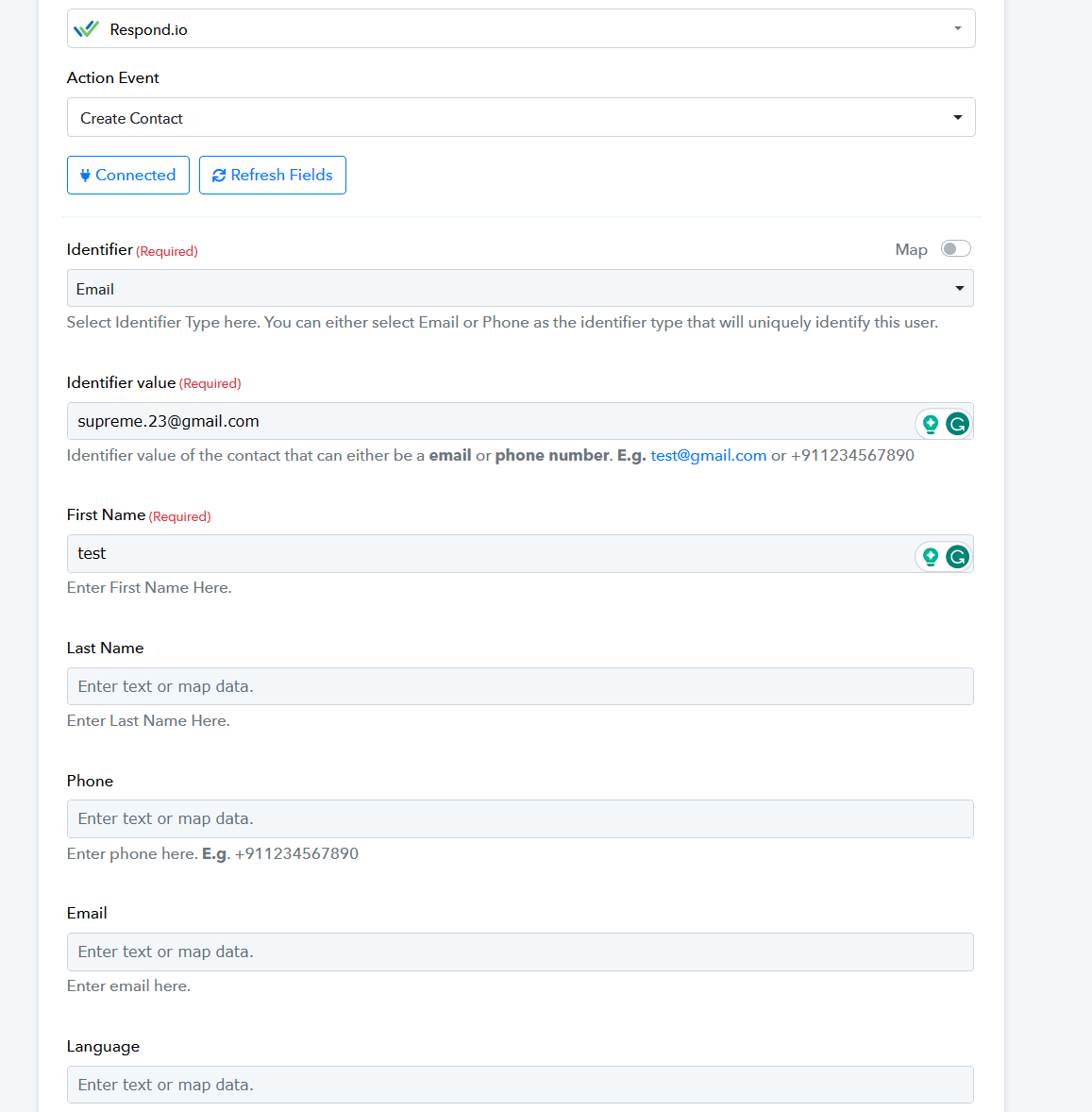
Respond.io : Create Contact
Status: Closed · Asked by Steven on · 0 views
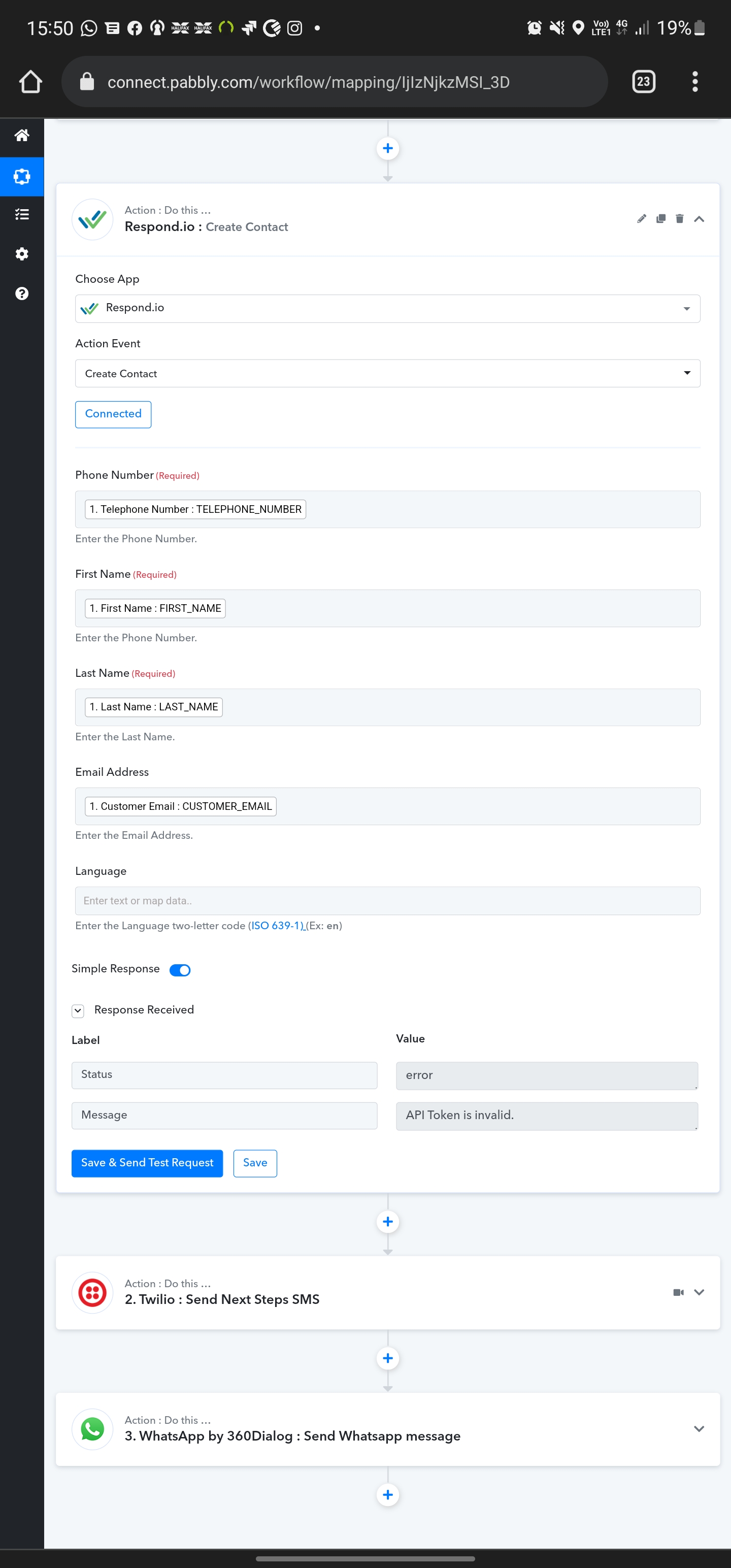
When I try and create a contact I keep getting this error message (see attached)
I have followed the instructions in always get API token it says it's successful when I connect it.
Attachments
Hey @Steven
As we can see in your attachment you did not pass the correct entities in the respective fields of Email and Telephone number.
Kindly try passing the field type entity and then try again. Please find the attachment for the same.
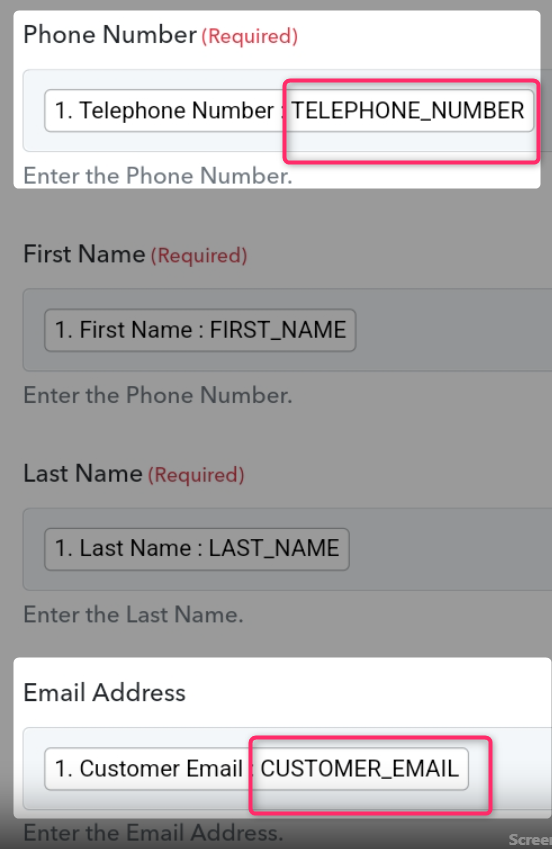
Sorry I'm confused it's asked for phone number and email and that's what I have mapped. The error message is with the API token?
Hey @Steven
The error message is with the API token?
Regarding the error, could you please confirm that you have used Bearer as a prefix while passing the API key?
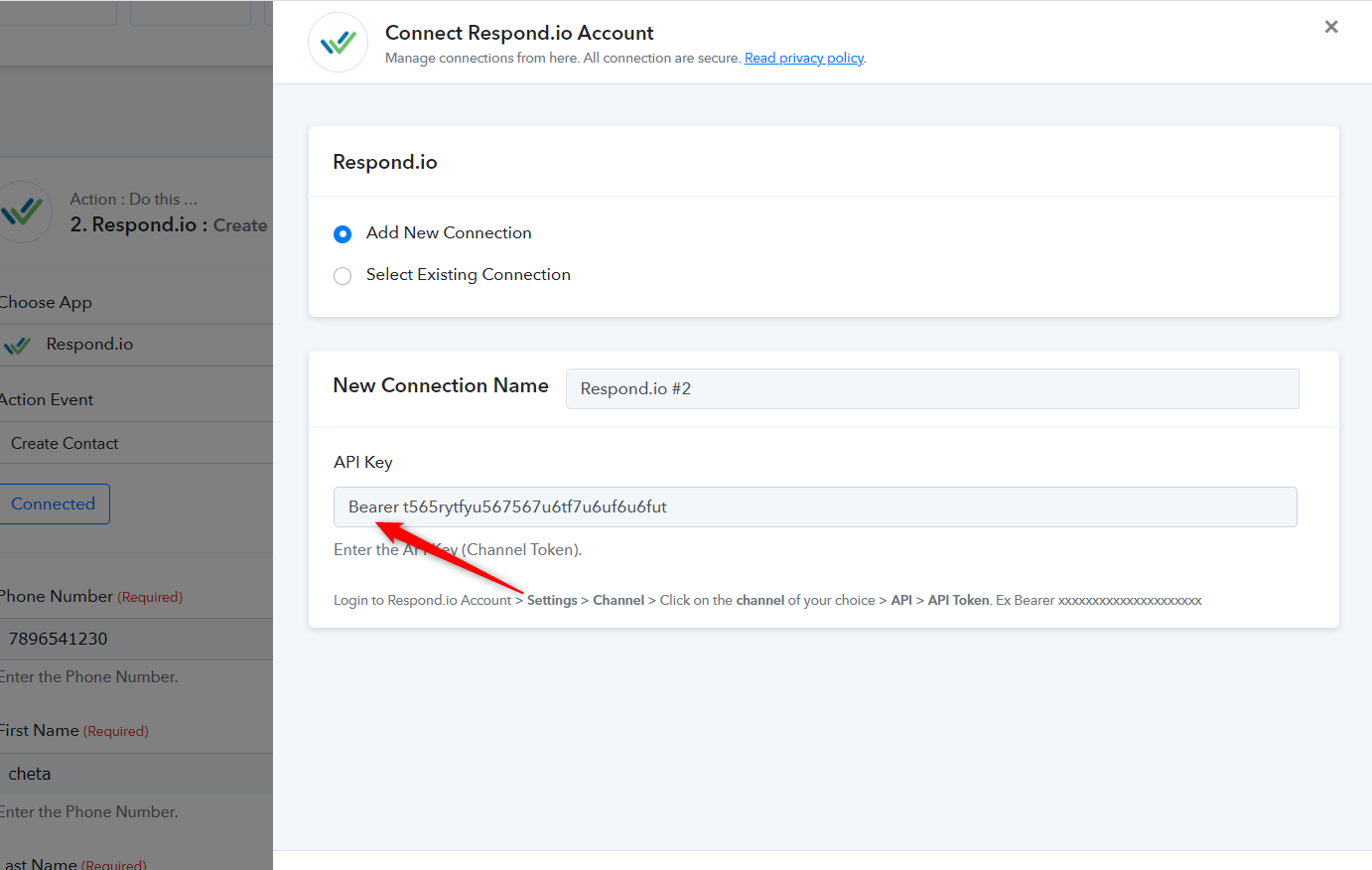
And regarding the mapping which you have used is not the correct way. You need to map the relative data as per the fields respectively.
Eg -
Phone Number - 8745124785 (Map the test phone number label which contains numbers)
Email Address - admin@pabbly.com (Map the test email address label which contains proper email)
I don't quite understand what you mean by why the email and phone number the data coming from a webhook.
I have now added Bearer. But now getting a different message? See attached.
Phone number.
First name.
Last name.
All completed
Hey @Steven
Kindly try passing the language code in the "Language" field.

Doesn't work still
Hey @Steven
We have tried the same action event in your workflow now and it is working. Please try again with the unique data in the fields.
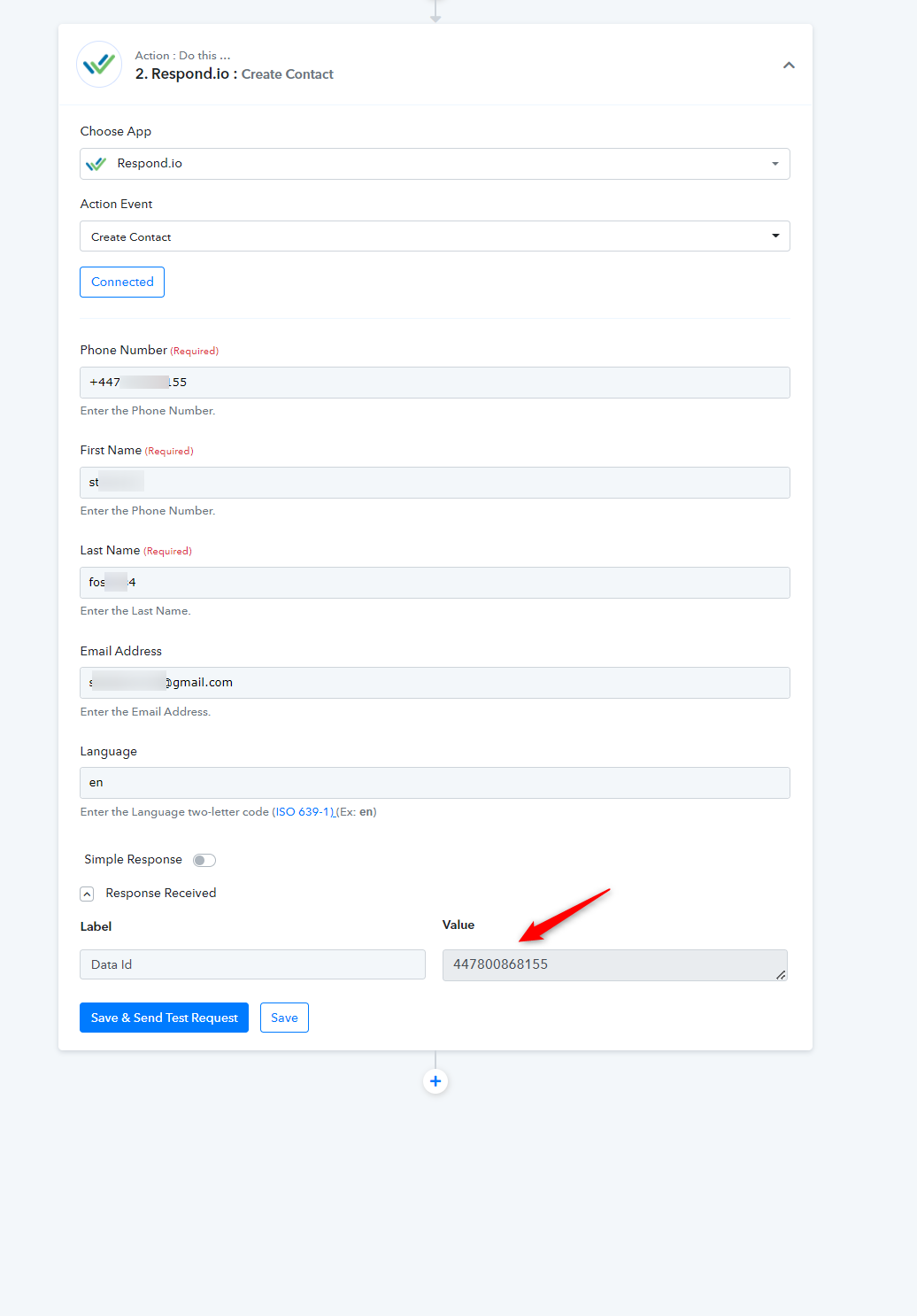
Nope still not working.
The data is coming from a webhook.
Attachments
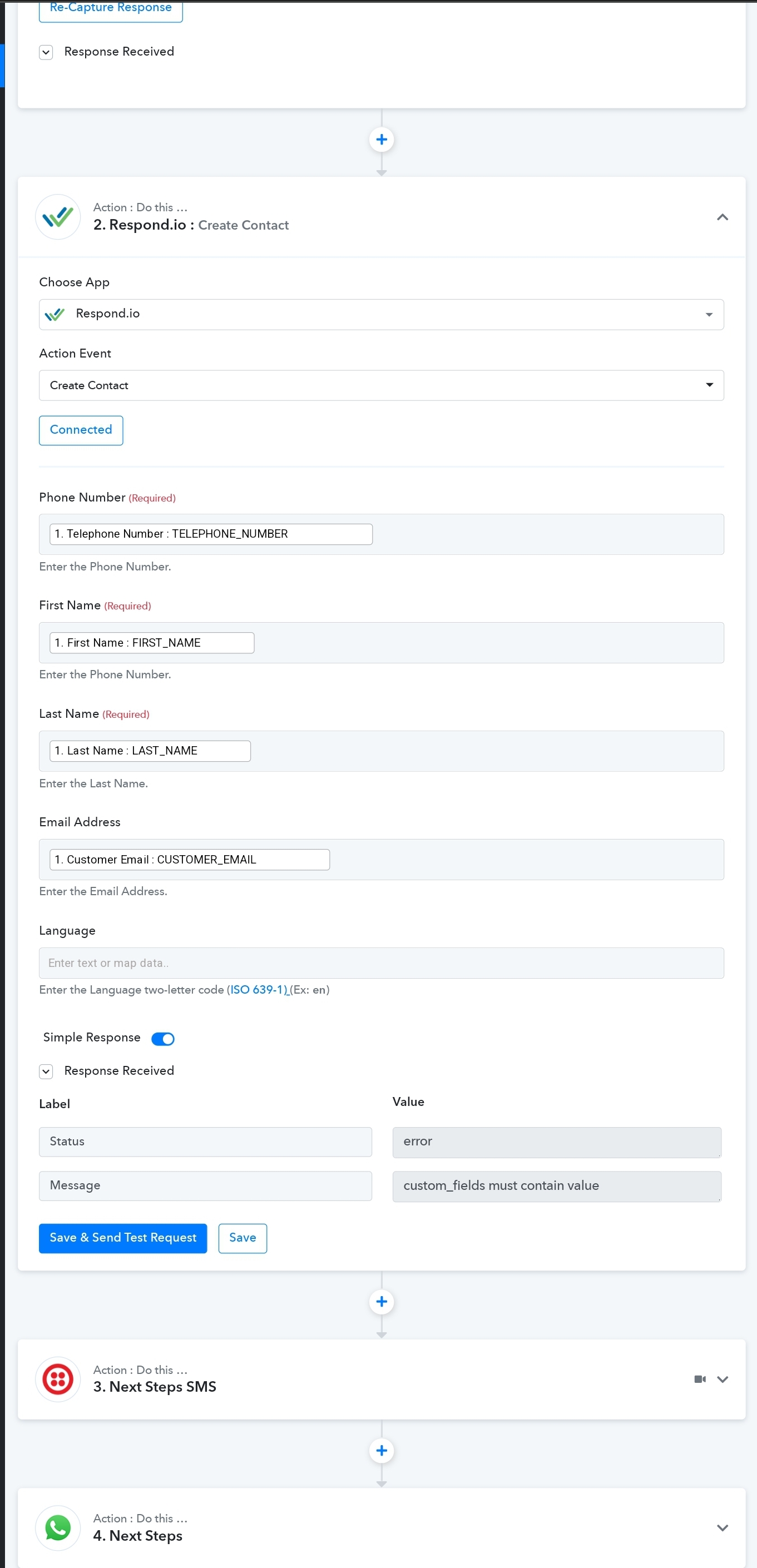
Hey @Steven
Kindly re-capture the webhook response once which contains all the required values in the correct format in real data. Since the mapped data is not appropriate in nature as we have already mentioned to you.
Eg -
Phone Number - 8745124785 (Map the test phone number label which contains numbers)
Email Address - admin@pabbly.com (Map the test email address label which contains proper email)
Please check out the following screenshot for a better understanding.
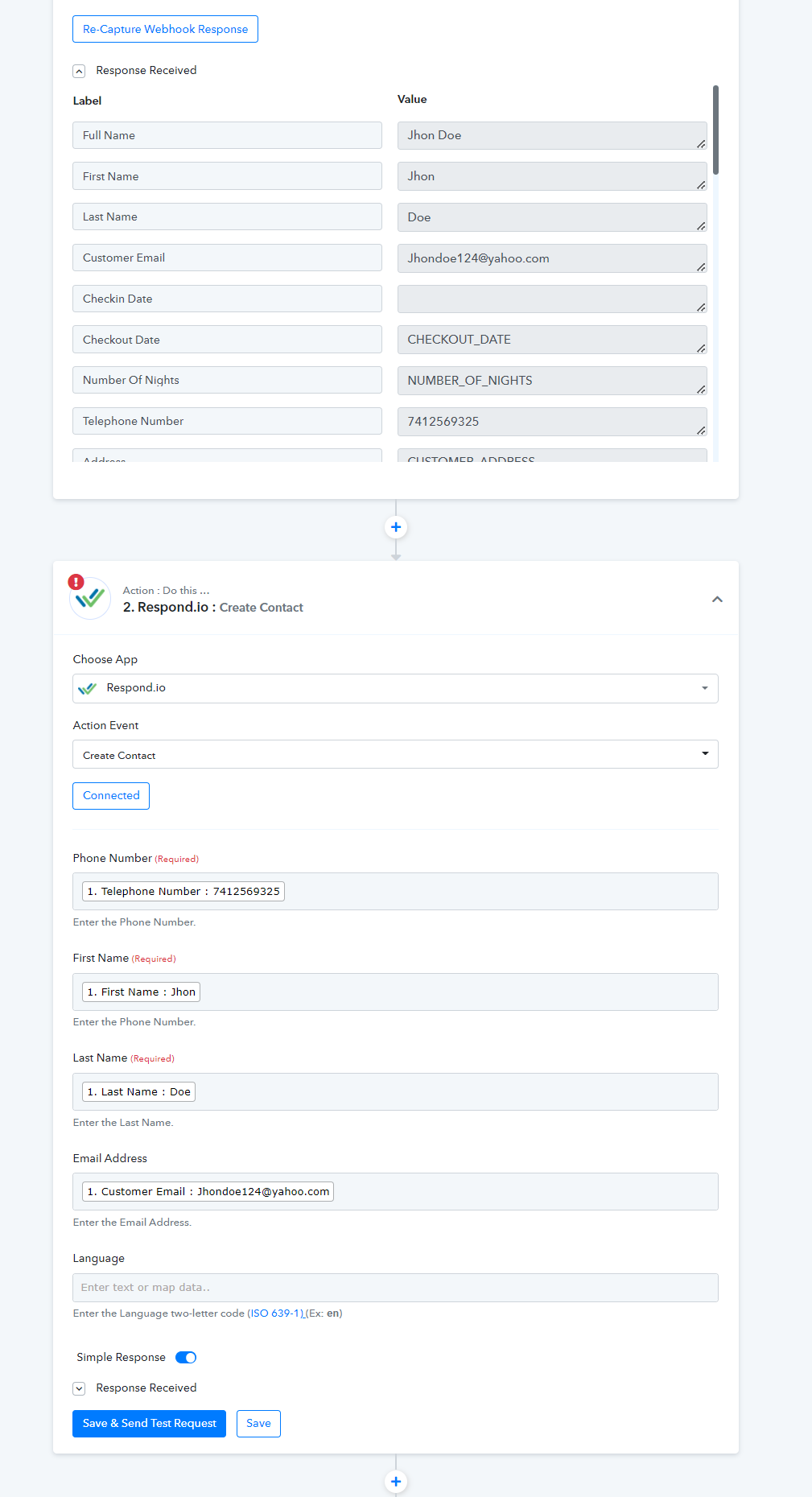
That's strange because it works for all other work flows..
To test the webhook it sends it as is.
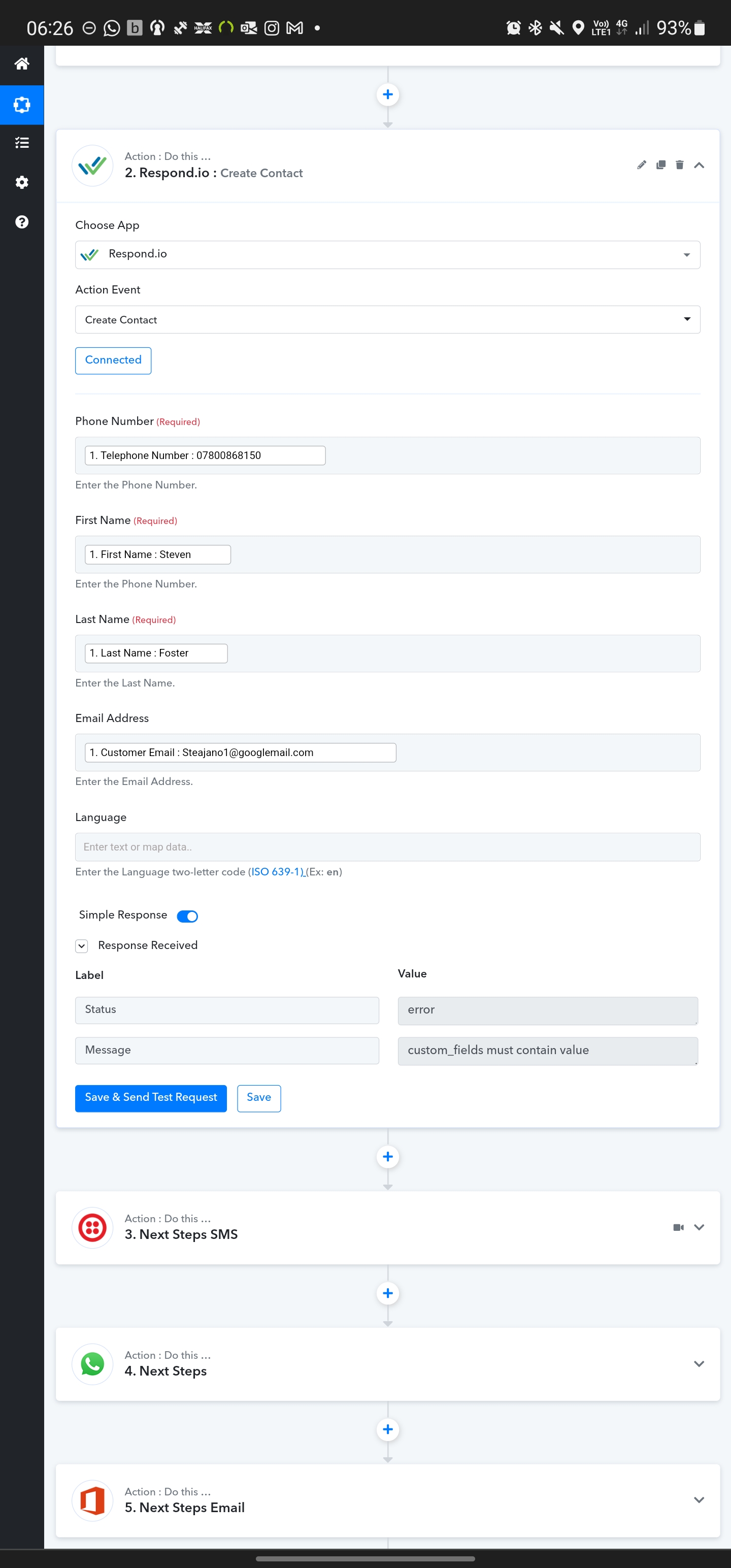
Re did the webhook and still getting same issue
Attachments
Hey @Steven
As we have already told you try passing the language as en in the respective field.
Kindly try passing the language code in the "Language" field.[IMG width="672px" alt="2022-02-16_11h19_13.png"]https://forum.pabbly.com/attachments/2022-02-16_11h19_13-png.7868/[/IMG]
Hi I'm still having issues with this? See attached photos.
Attachments
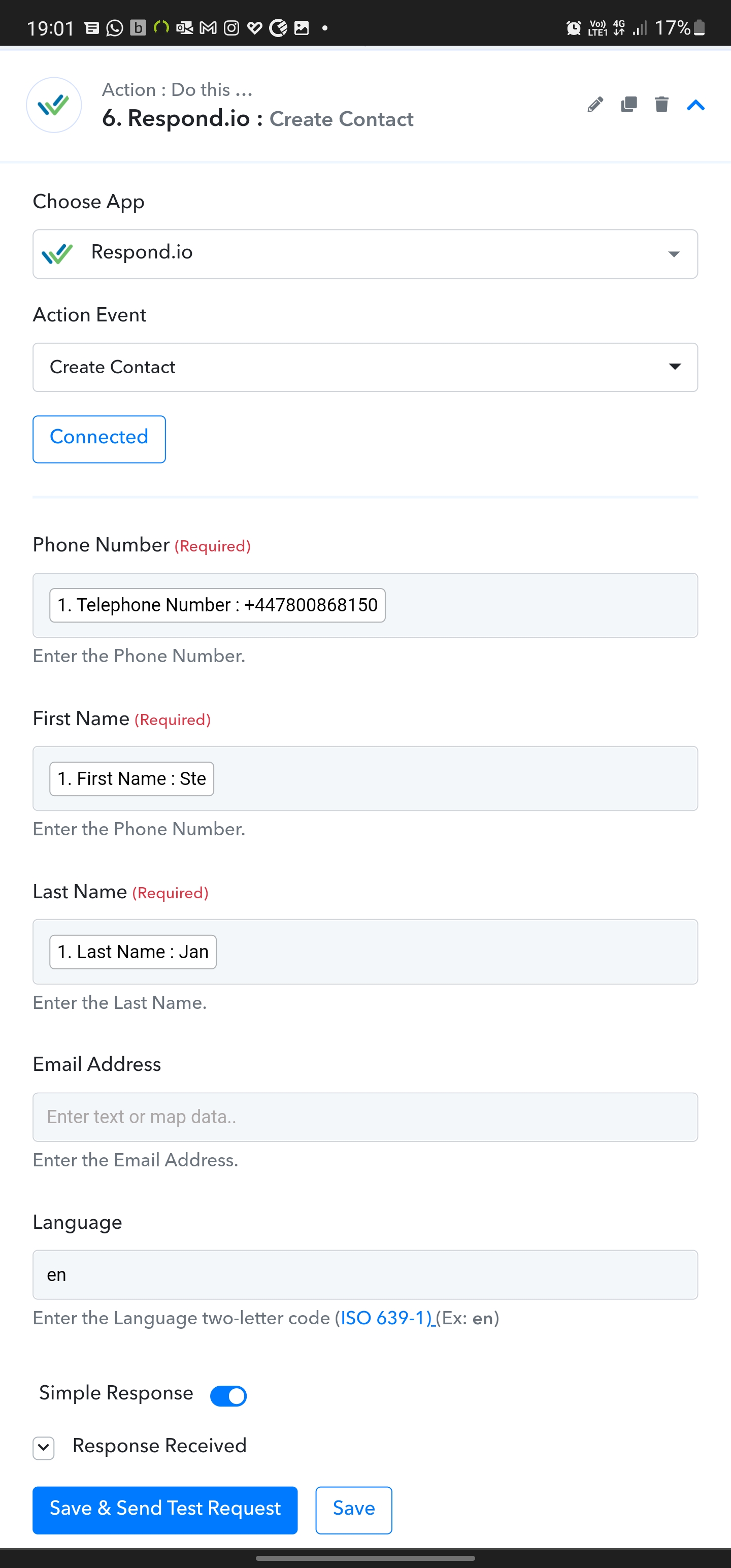
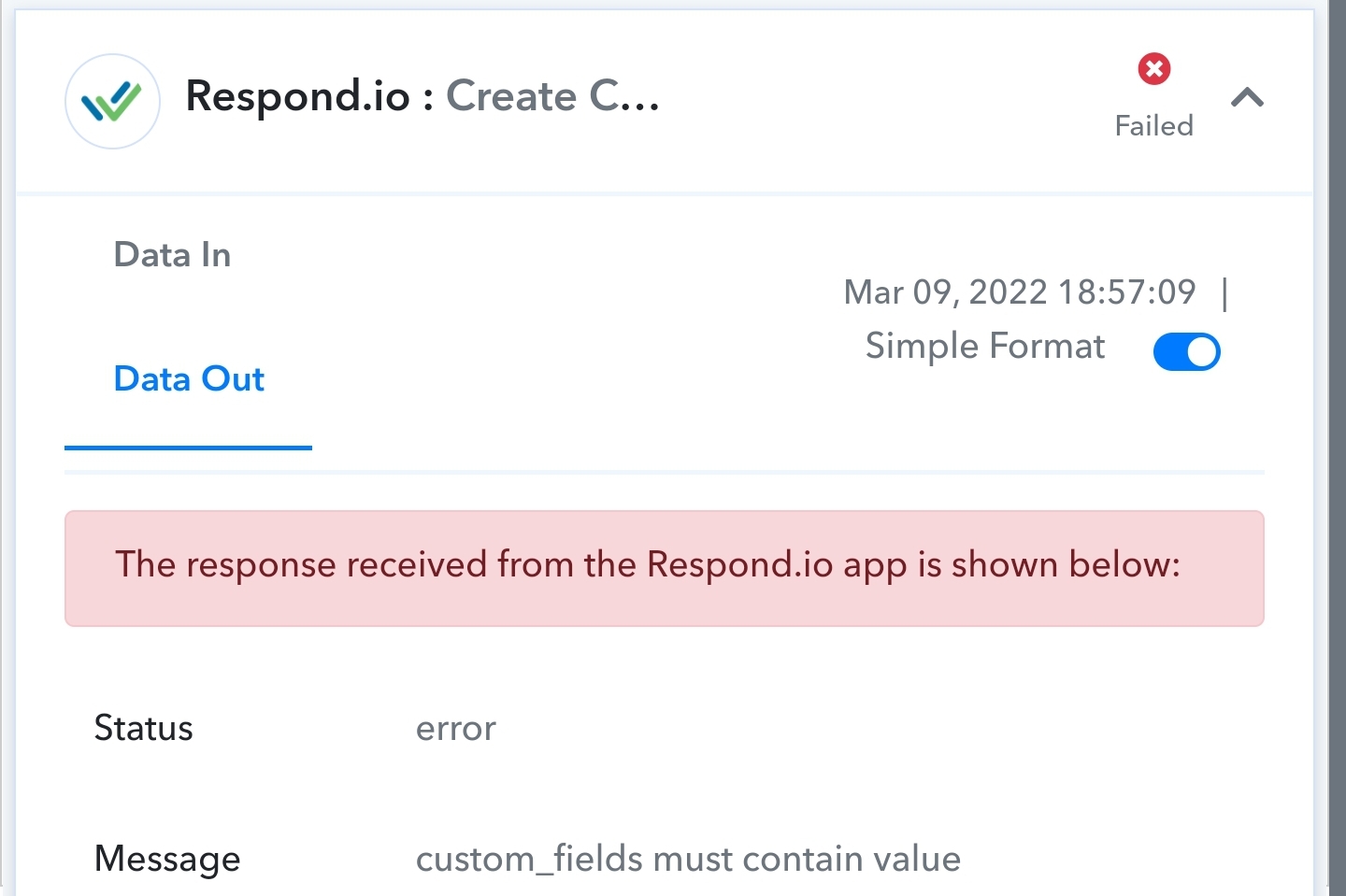
Hey @Steven
It seems like you might have made the Email address required from your Repon.io account and perhaps because of that the action event is only working when you pass the email address with it.
So, kindly try passing the email address from your end.
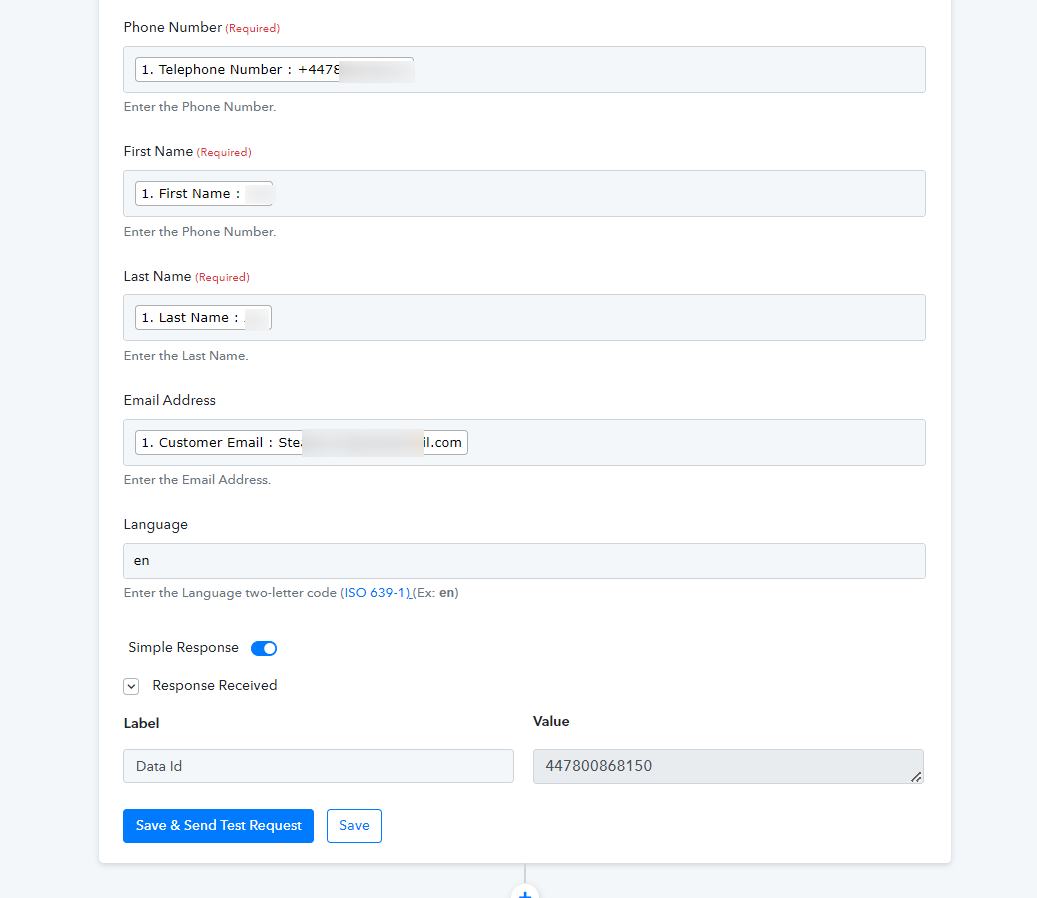
I haven't changed anything in respond.io
We do not want to obtain the email as this is an alias email that we do not want to save.
Hey @Steven
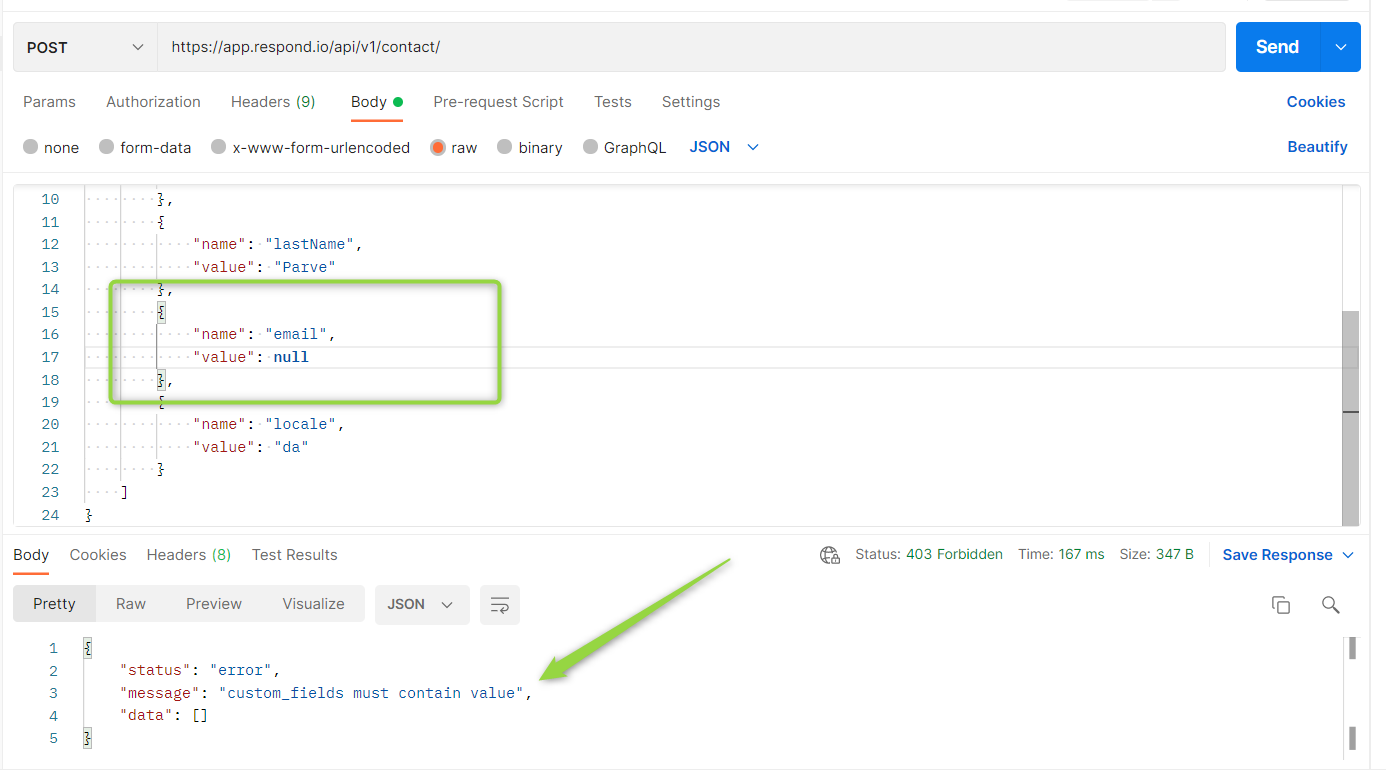
The Respond.io API is not designed according to Pabbly's platform and their API sometimes doesn't allow to leave the fields(Custom fields) empty.
As we have tested their API at our end and it is not allowing to create a contact without passing the email address.
Further, regarding your concern please contact the Respond.io support team.
Thank you
Spoke to Respond.io support team.
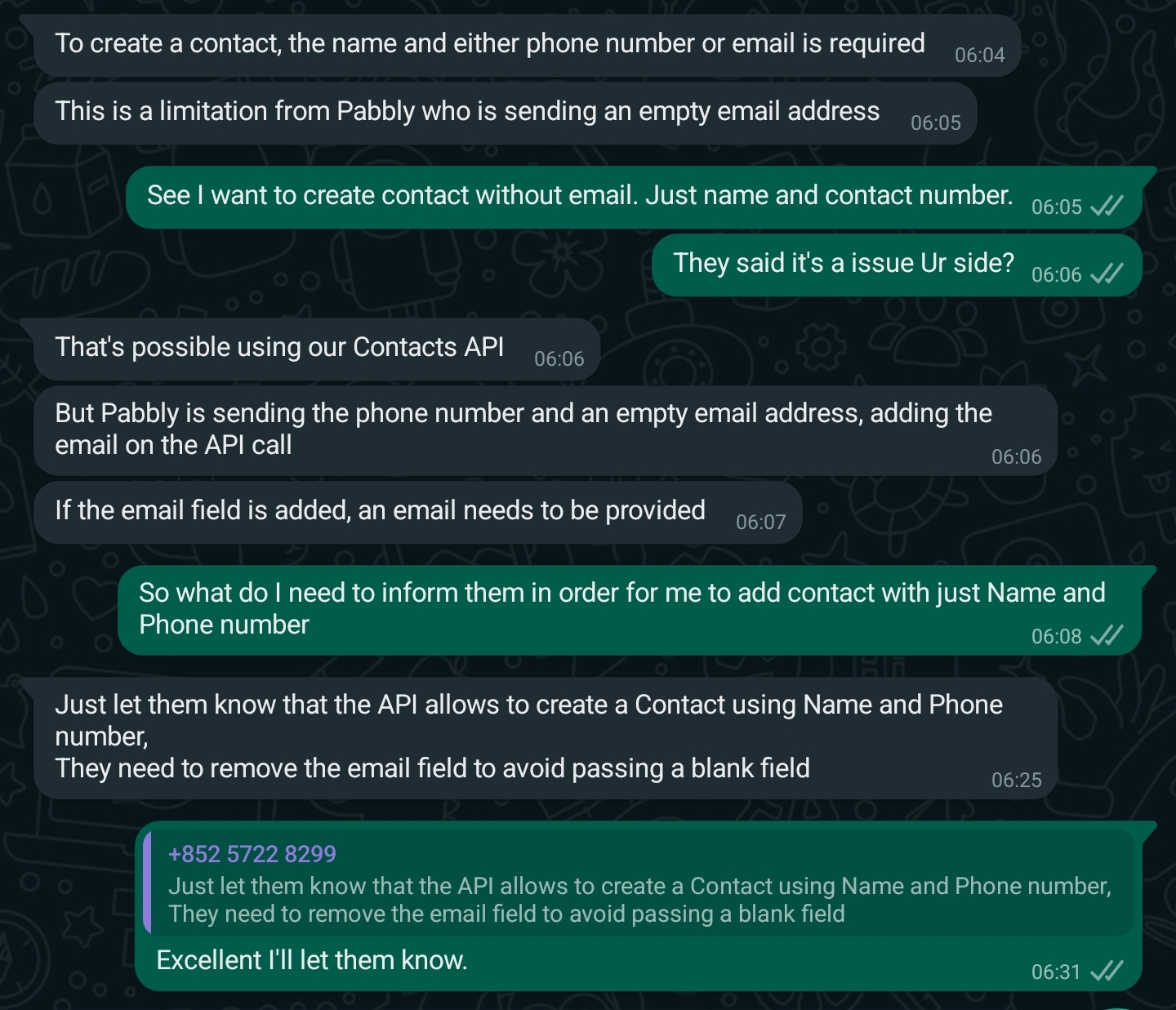
They said you are sending email field as blank but it needs to be removed if no email is submitted. See attached
Attachments
Hey @Steven
Spoke to Respond.io support team.They said you are sending email field as blank but it needs to be removed if no email is submitted. See attached
We looked into it and It seems like Pabbly's platforms don't support their structure. So if the fields are present in the action event then you have to pass all the respective fields data.
Hey @StevenWe looked into it and It seems like Pabbly's platforms don't support their structure. So if the fields are present in the action event then you have to pass all the respective fields data.
Today, I checked with the Respond.io team if the email field is indeed required.
Their reply: "Actually, this seems to be a limitation with Pabbly as we only need 1 identifier to create a contact which is either email or phone number".
Just to share, I have tried out a workflow in MAKE to create a new contact in Respond.io ; the email field was not required.
We are currently investigating the matter, and we kindly ask for your patience. We will provide you with an update shortly.
Just to share, I have tried out a workflow in MAKE to create a new contact in Respond.io ; the email field was not required.
The required/mandatory for the email field has been eliminated from the Create Contact action step. So, please go ahead and refresh the fields once then try again.
I hope this might help you out.