Respond.io Custom Fields Integration
Status: Open · Asked by Jitesh T on · 0 views
Hello Support,
Please provide me a document and video link how to integrate Respond.io custom fields during the "Update Contact" action. I tried various techniques but it always generates an error. Custom fields important aspect of the respond.io contact.
Please note: I don't always pass the same custom fields and their values. It changes based on the scenarios so we must select keys and their values from previous dropdown.
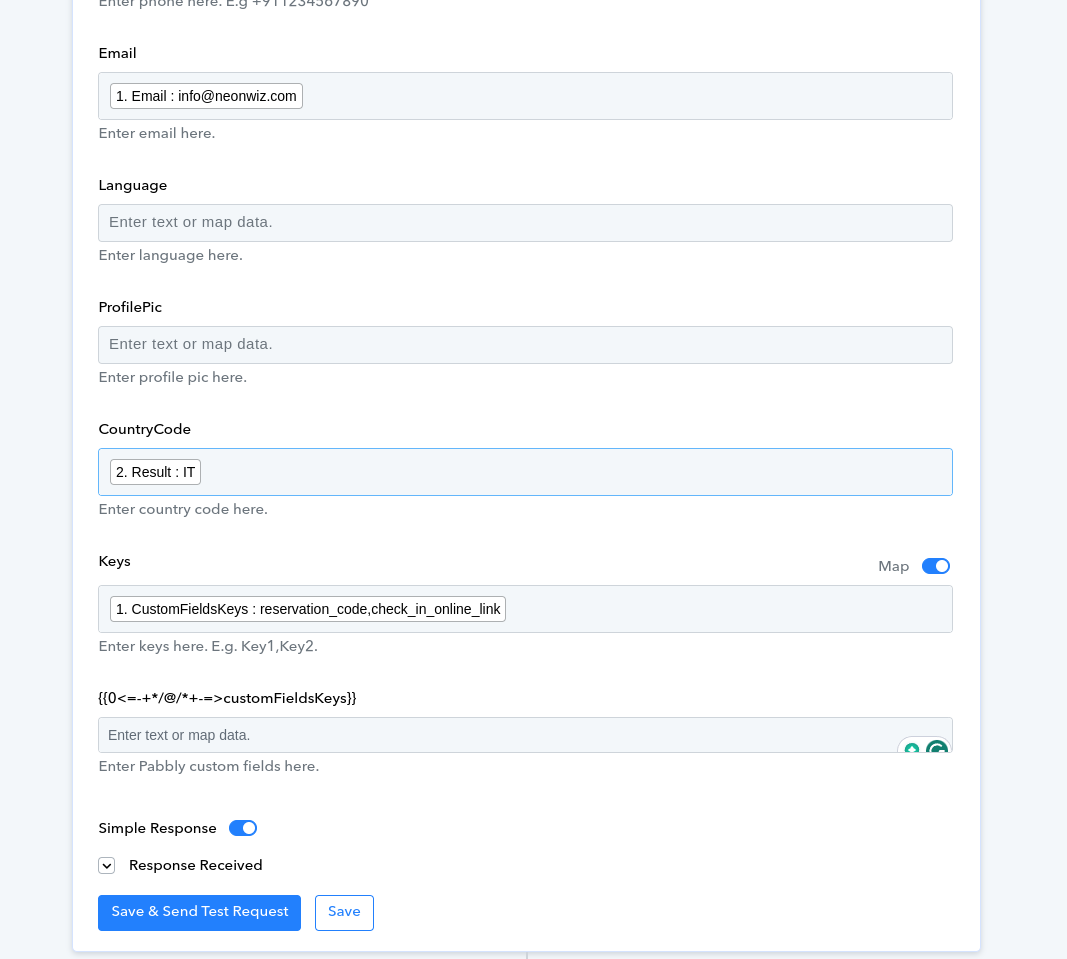
Hi @jitesh_tandel,
Could you please share the Workflow URL in which you have this concern?
I fixed it myself. I passed custom field keys and values as shown in the screenshot below.
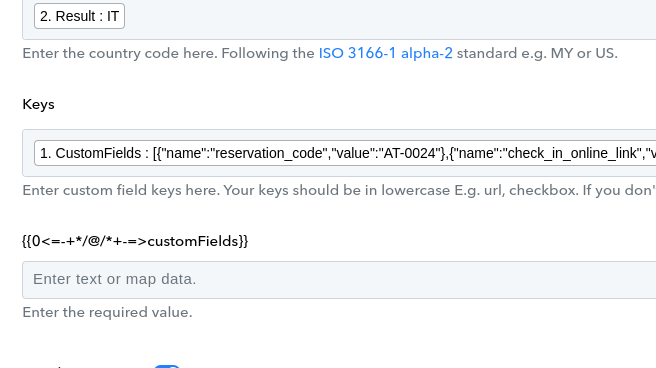
Can you help how this "Keys" and the field below to the "Keys" works? It is confusing.
Thanks
Attachments
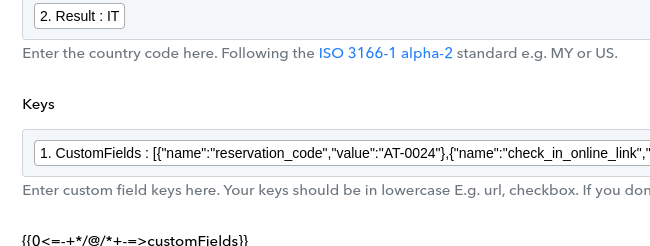
Can you help how this "Keys" and the field below to the "Keys" works? It is confusing.
Can you please share the workflow URL once in which you have tried the same?
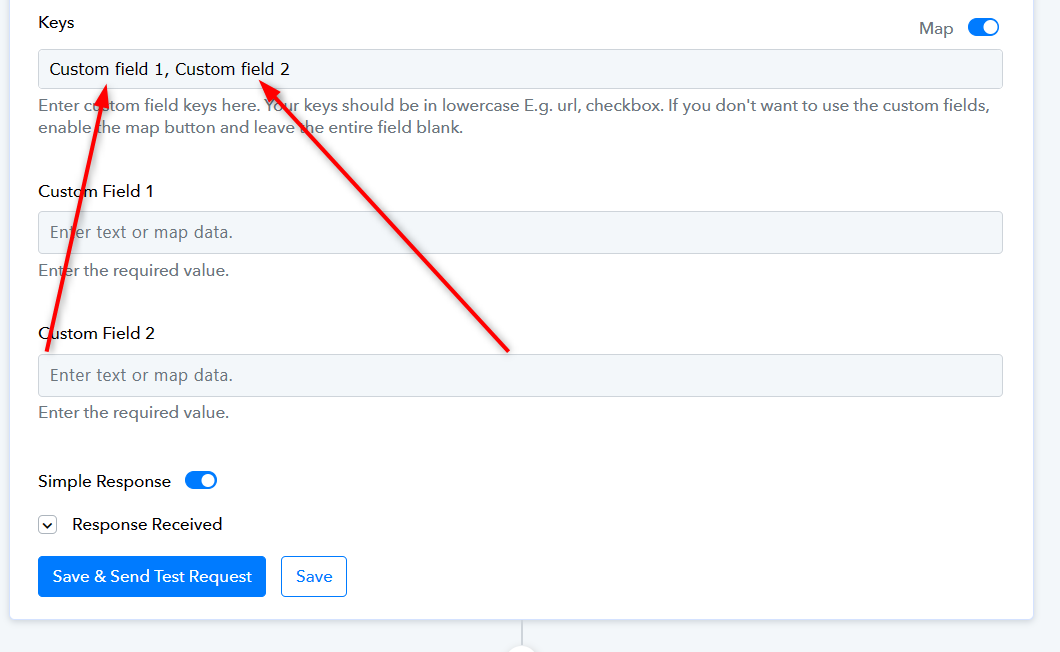
All you have to do is manually type in the custom fields listed in your Respond.io account in the Keys field, such as URLs or checkboxes. If you don't want to use these custom fields, click the map button and keep the field empty.
[IMG width="517px"]https://forum.pabbly.com/attachments/1713783806166-png.41230/?hash=78d23dbf2ca141ab7392738b68cda5b3[/IMG]
Attachments
Hello
Respond.io->Custom Fields are not updating dynamically. It was working before. I tried to add/update custom field on the contact/update method.
I think it is not working after pabbly updates. My Custom Field won't be same everytime. Can you please check?
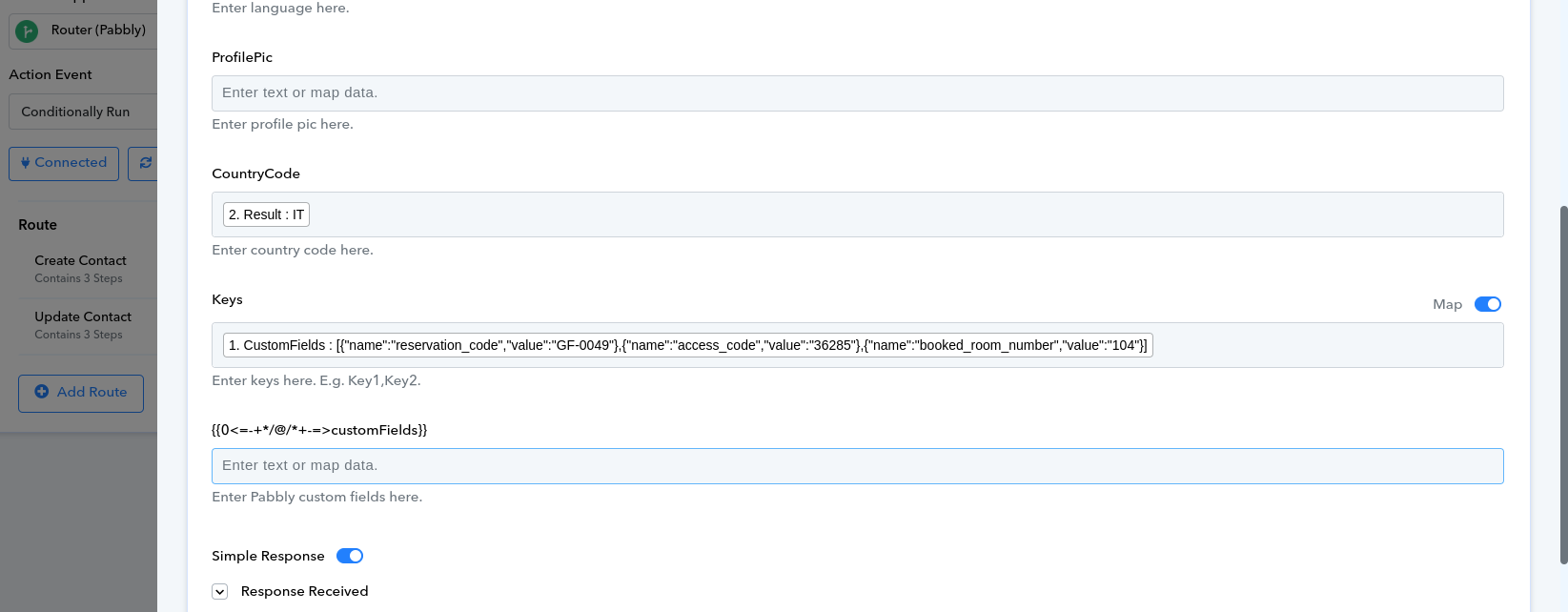
All you have to do is manually type in the custom fields listed in your Respond.io account in the Keys field, such as URLs or checkboxes. If you don't want to use these custom fields, click the map button and keep the field empty.[IMG width="517px" alt="1713783806166-png.41230"]https://forum.pabbly.com/attachments/1713783806166-png.41230/?hash=78d23dbf2ca141ab7392738b68cda5b3[/IMG]
Note that the 'keys' field is a static type where you must input the available custom fields from your Respond.io. Once entered, these fields will then be accessible for use in the action step.