Robolly image rendering through html/api
Status: Closed · Asked by farraday1 on · 0 views
Hi, I am hoping that someone can help me with this.
I am trying to get an image in Robolly rendered through a simple call. I can do this by just opening the link:
https://api.robolly.com/templates/62a324892e2bf508fde426f2/render.jpg?image=https://robolly.s3.eu-central-1.amazonaws.com/organizations/6231993b8f5056de7c1da5a6/uploaded/MtlSKR49EmgpLwyPLjeFSXoTyIj8fxQWNAZolHXvQU3RA1UbP1FesWo3bvgwkpWu1zzJOP.jpg"e=This is variable text&hashtag=bam
But I don't get this to work through the api module. I've tried all settings but I either get an error 400 or sometimes 200.
There is a tutorial for Zapier where a html module is used, but I don't find any alternative to API in pabbly.
How can I achieve to get the final image as a response to work with it.
Cheers
T
Hey @farraday1
Please check the below video for calling API by Pabbly Module. You will get the correct way to call the API in it.
youtube.com/watch?v=bmf4och_kTk
Thanks
Kunal
Hi Kunal,
the video helped me to find more ways I can try but I still get an empty response. I've tried GET and Custom Action events.
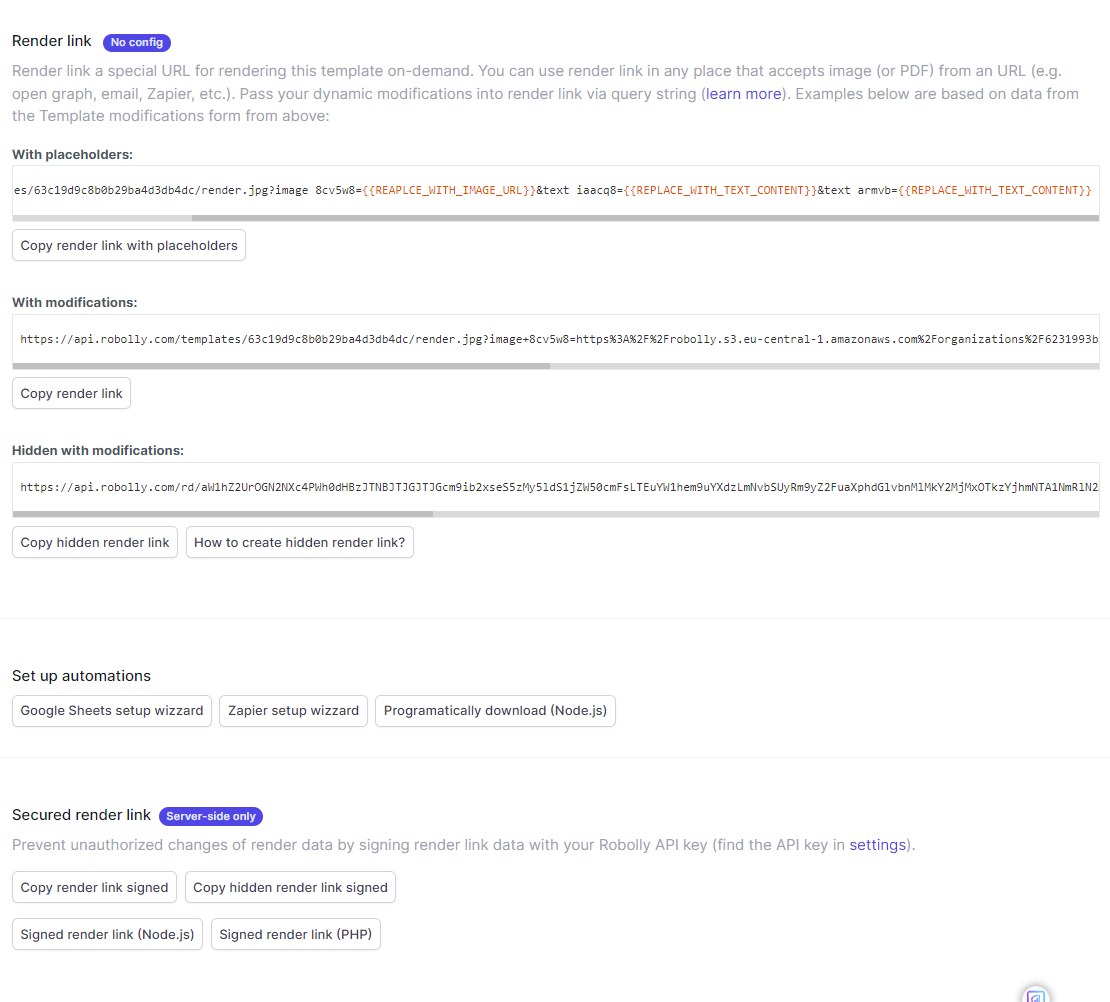
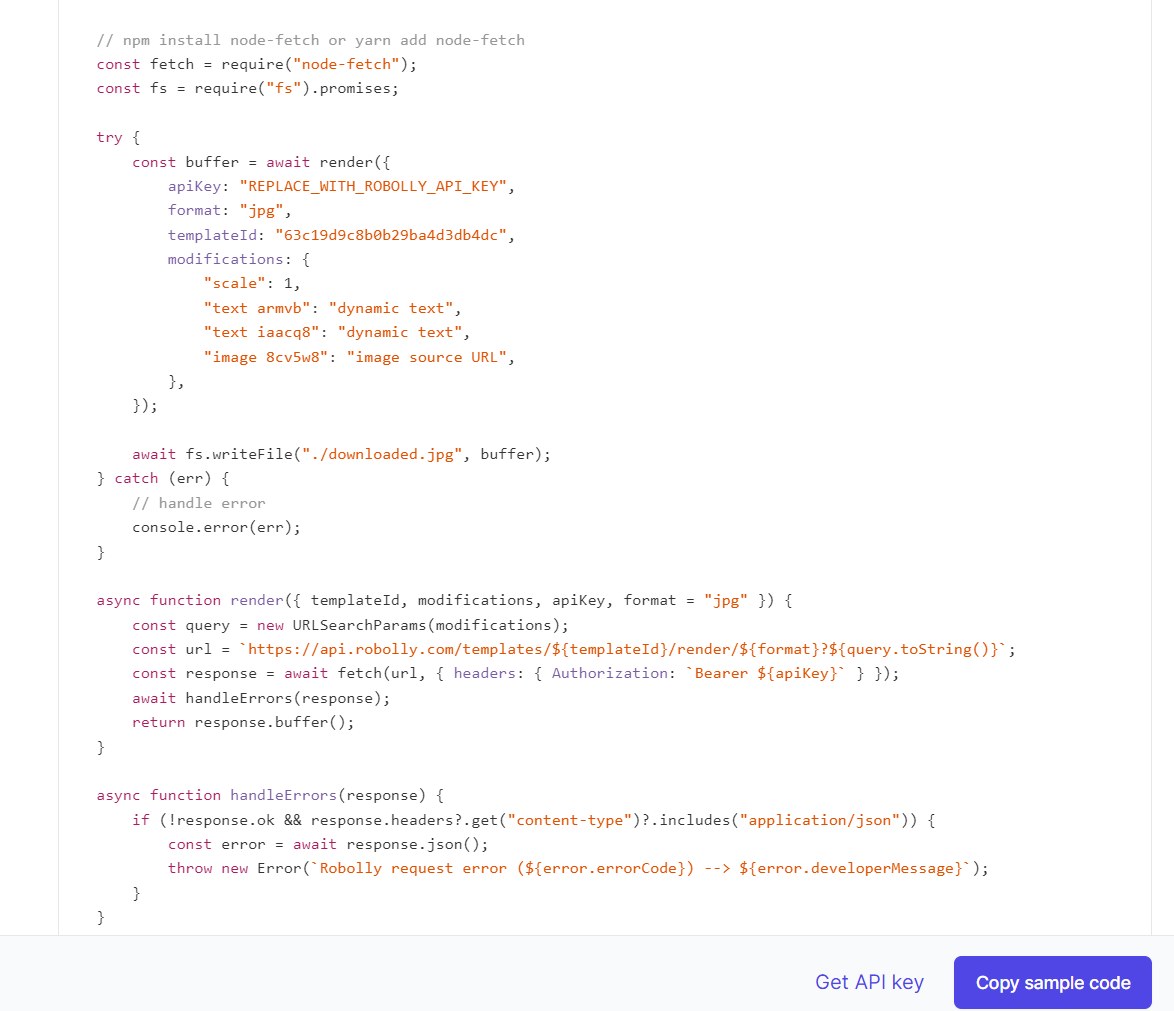
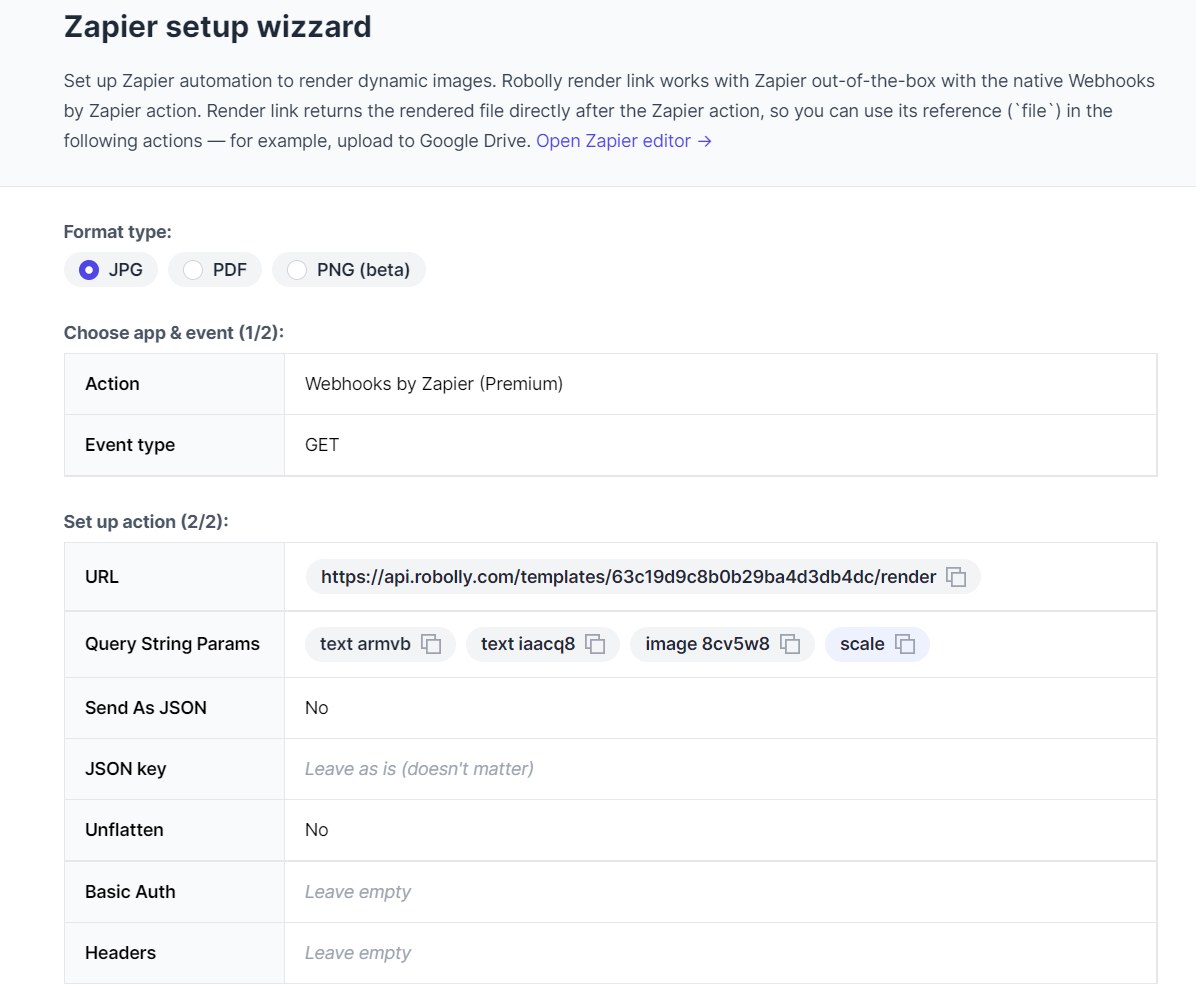
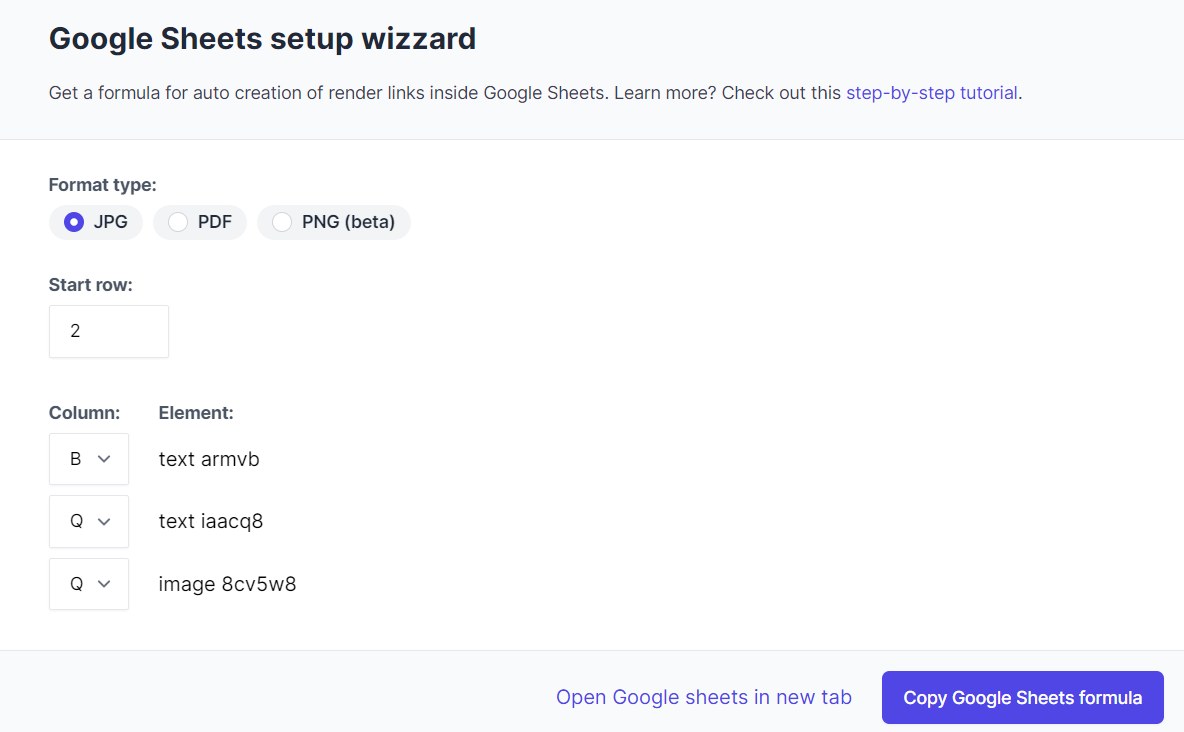
Robolly gives setup automation wizzards for Google Sheets, Zapier and Node.js and I tried to use those info for Headers and Parameters in many different ways. Unfortunatelly without luck.
I will attach screenshots to the wizzards so maybe you can point me into the right direction.
Thank you
Attachments
Hey @farraday1
Please provide the relevant REST API for the event you want to execute using automation. Additionally, we advise you to get in touch with the application's support staff.
Hi Supreme,
this is the provided api line with variables copied from the render dashboard:
https://api.robolly.com/templates/62a324892e2bf508fde426f2/render.jpg?image={{REAPLCE_WITH_IMAGE_URL}}"e={{REPLACE_WITH_TEXT_CONTENT}}&hashtag={{REPLACE_WITH_TEXT_CONTENT}}
I can easily exchange the variables and let the image be rendered through the browser:
https://api.robolly.com/templates/62a324892e2bf508fde426f2/render.jpg?image=https://robolly.s3.eu-central-1.amazonaws.com/organizations/6231993b8f5056de7c1da5a6/uploaded/MtlSKR49EmgpLwyPLjeFSXoTyIj8fxQWNAZolHXvQU3RA1UbP1FesWo3bvgwkpWu1zzJOP.jpg"e=WORKS&hashtag=hashtag
As I can just open the URL to get this images I wonder why it seems to be so complicated to do the same via pabbly.
Appreciate your help!
Hey @farraday1
The image file which you are looking for in the API response is currently not supported on the platform.