Router conditions not being implemented
Status: Closed · Asked by GSG on · 0 views
Hi
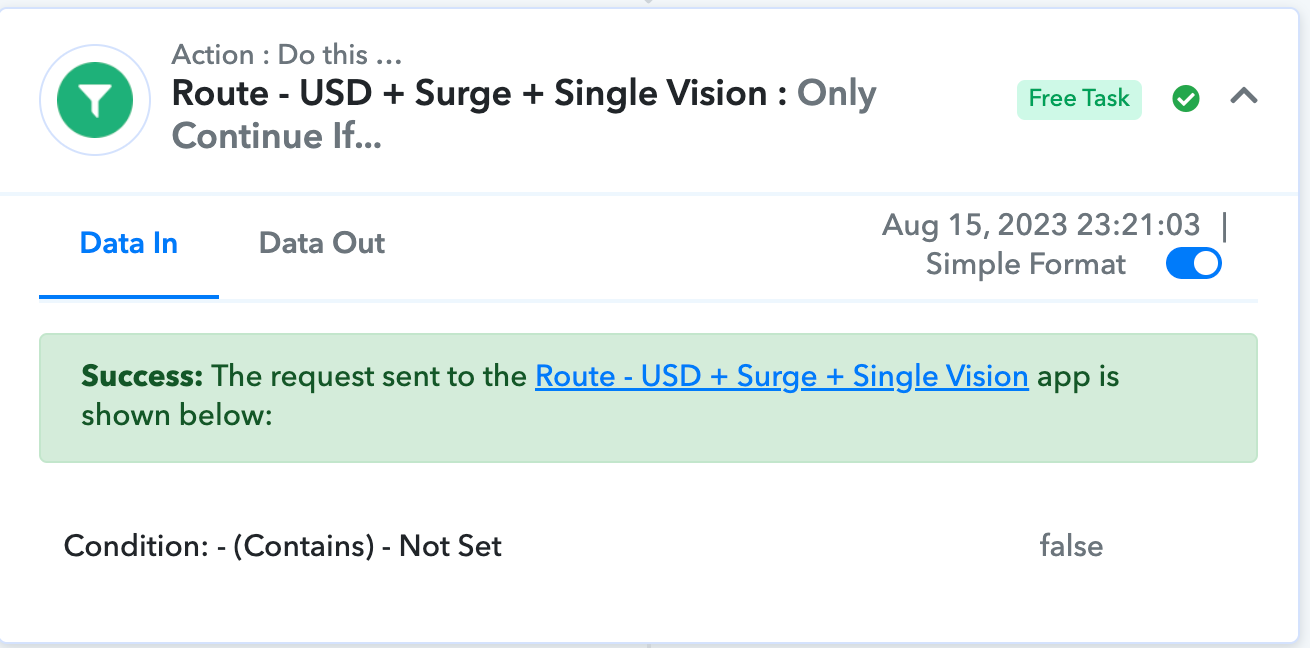
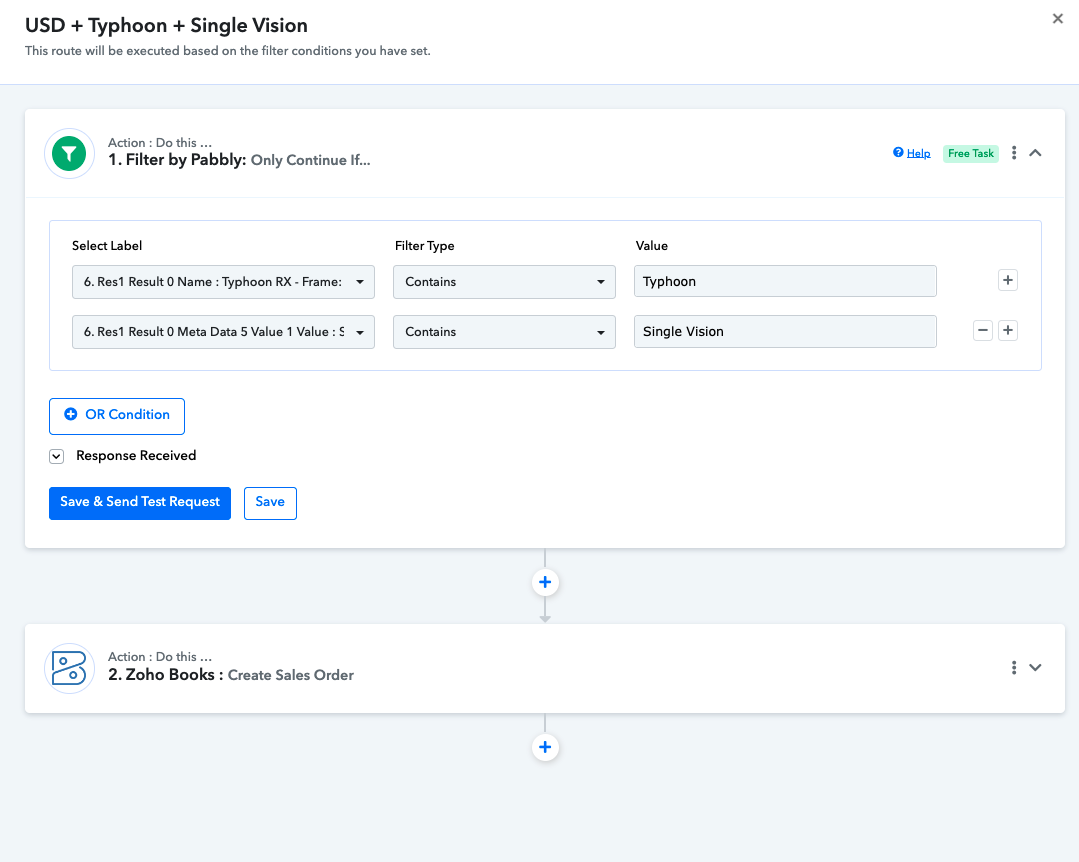
Please see attached screenshot for this automation. The final step is a router with 6 separate conditional steps.
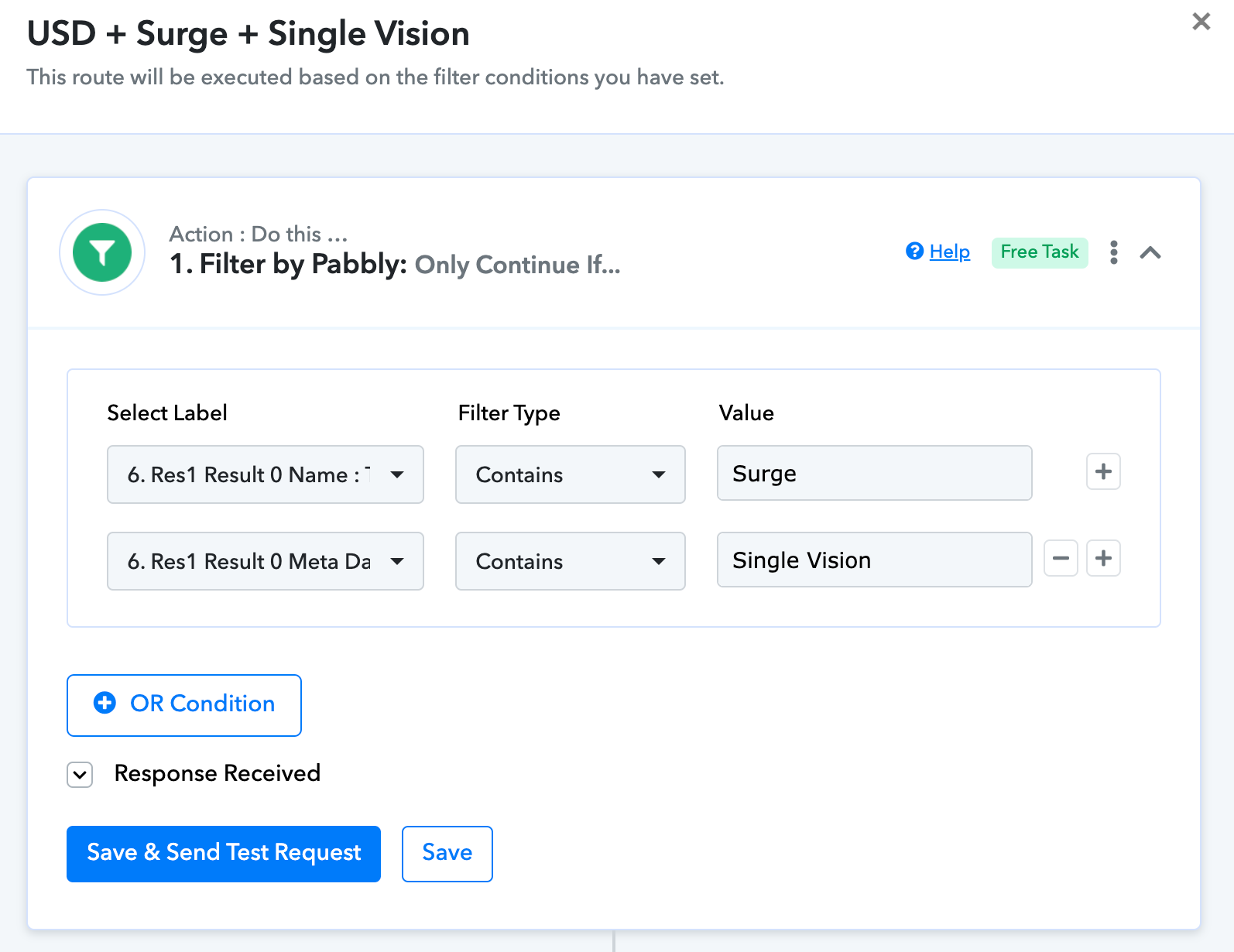
None of the conditions in each of the router steps are being recognised. The "Data in" simply records "Condition: - (Contains) - Not Set". However, the conditions are properly set as you can see from the attached screenshot. These conditions were tested and worked in testing just fine.
There seems to be a short delay for the condition terms to appear when editing the router steps, and we suspect that this delay may be the problem.
Do you have any solutions for fixing this? We really dont want to have to delete and re-add this router step as there are quite a lot of fields to map in the subsequent step which is to create a sales order on Zoho Books, and this will take some hours to have to rewrite them.
Thanks
Attachments
Hey @GSG
Can you please allow us some time, we are currently looking into it.
Hi Everyone
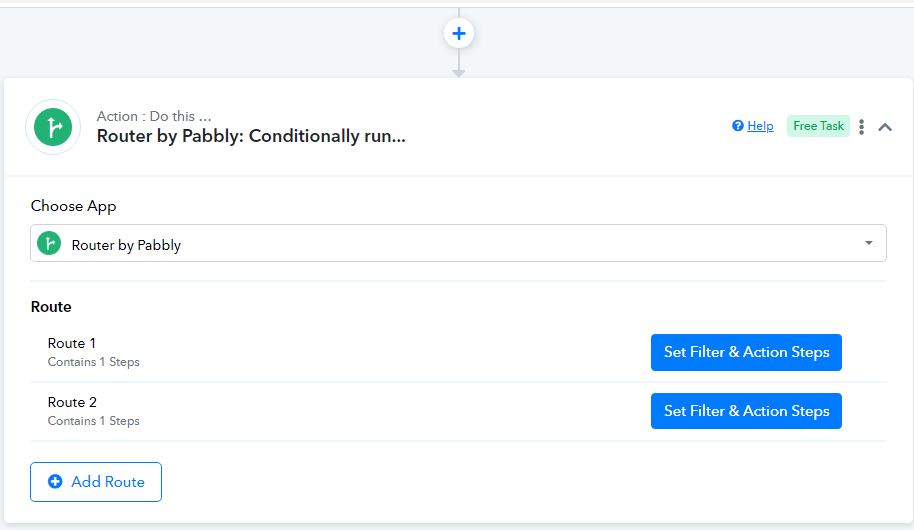
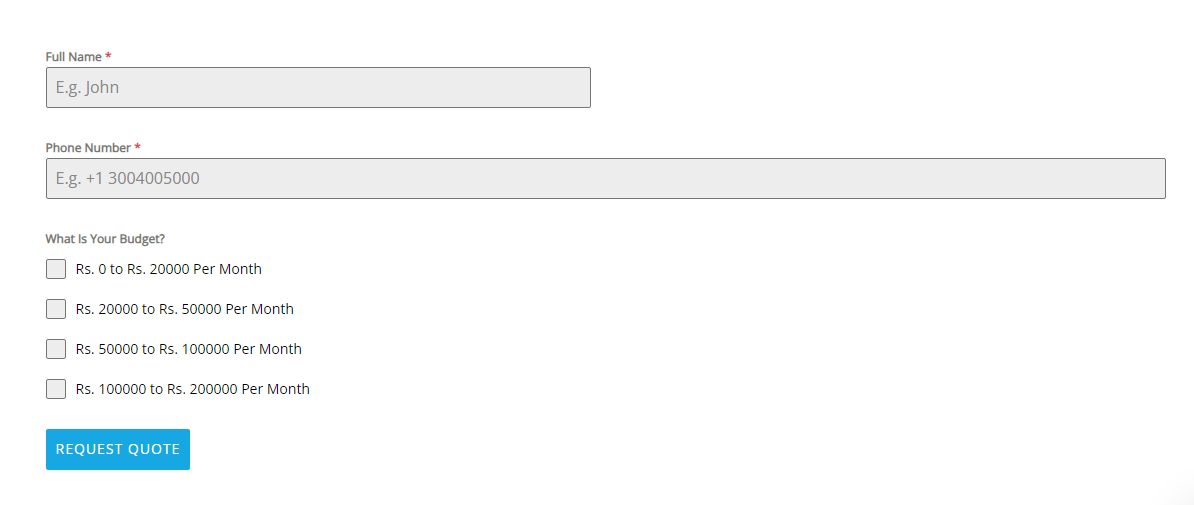
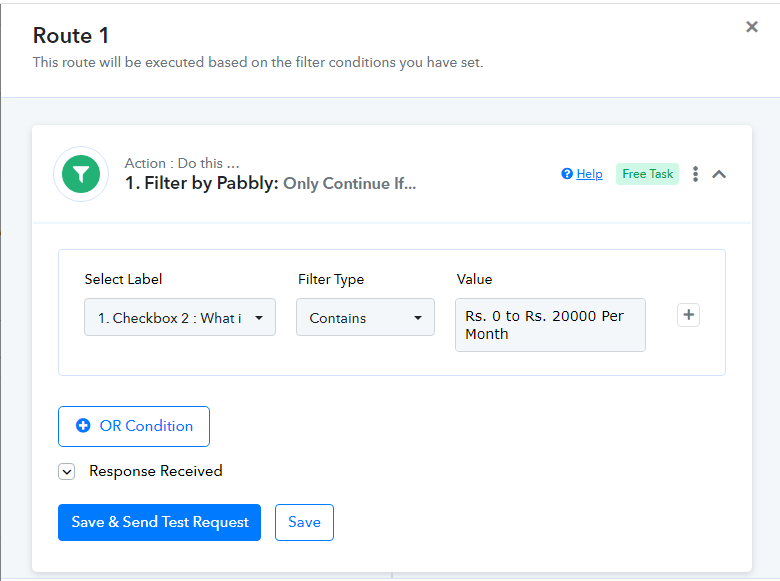
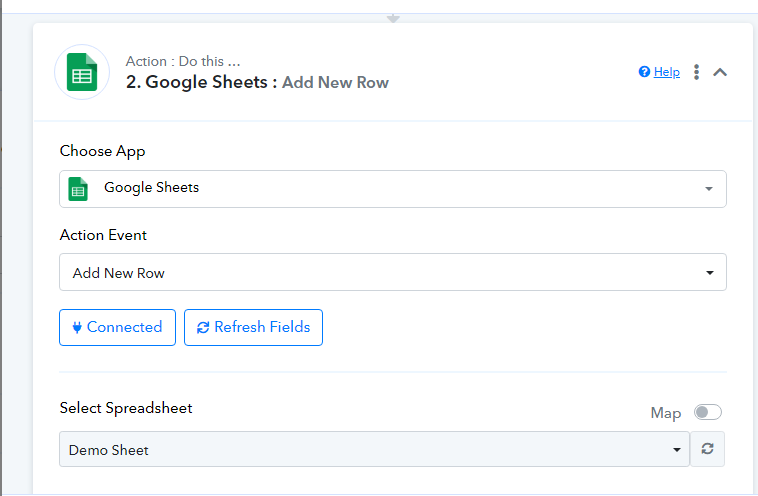
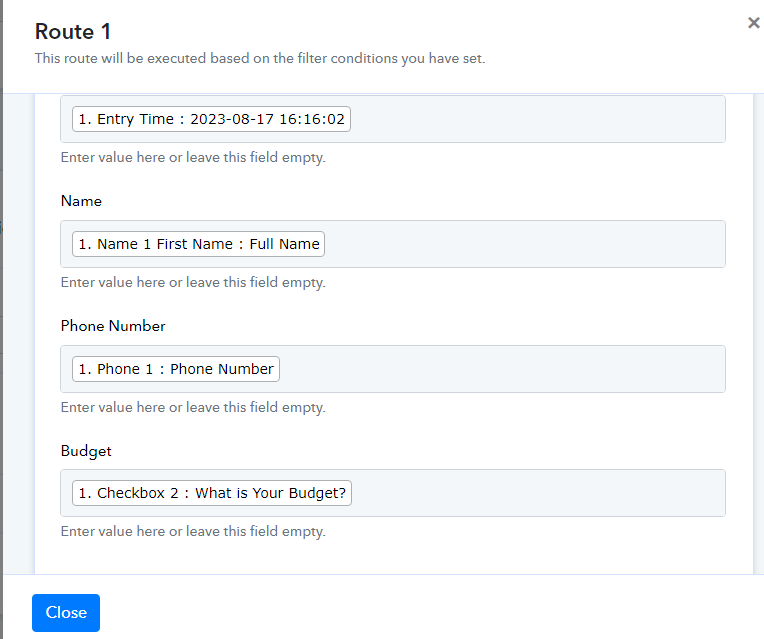
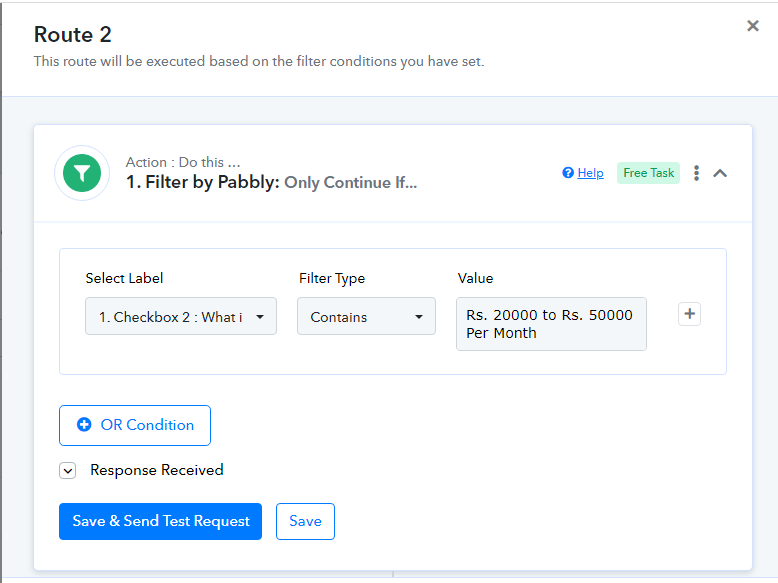
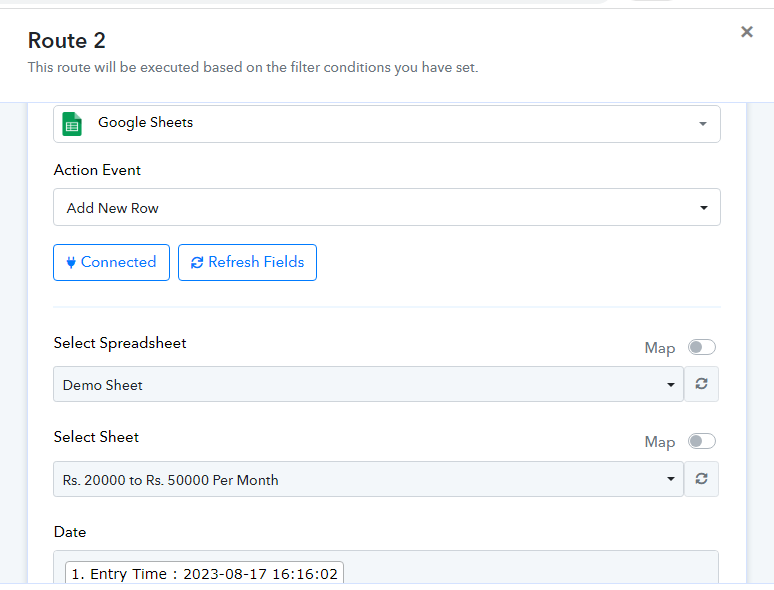
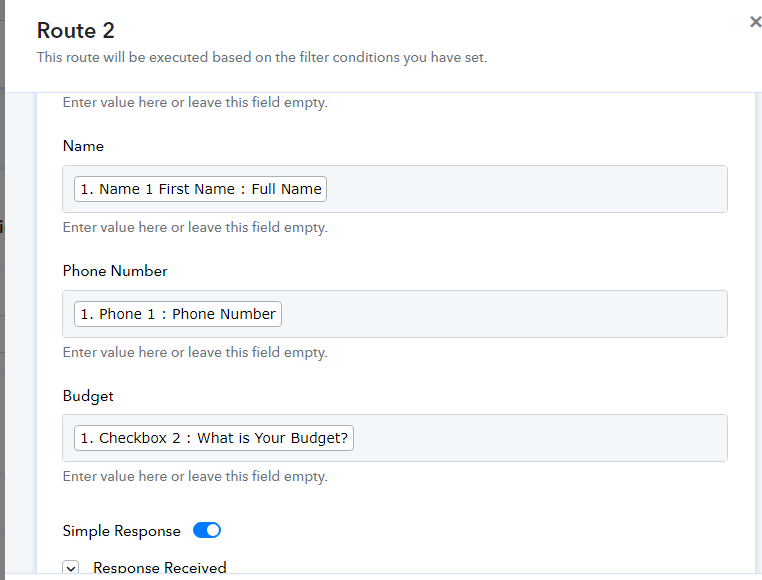
I want to know more about Router, I don,t know much about it. I am trying to implement it but unable to do it. I have landing page form and it is conneccted by webhook with pabbly. But After that i want to know more about router. Can you please help me in this. Find the attachments below.
Our mail id: [email hidden]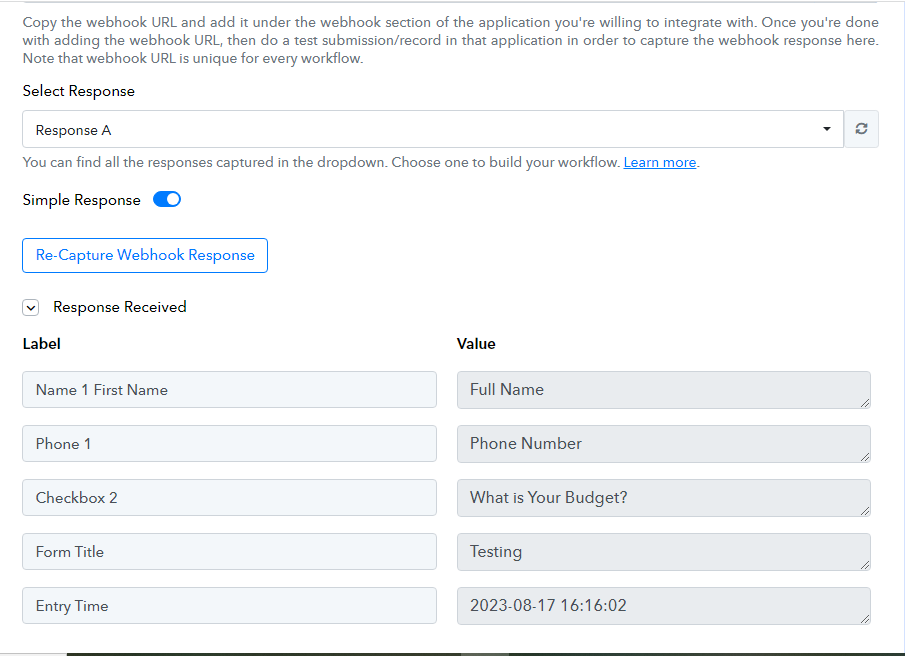
Attachments
Hey @Amit khatkar
For a detailed explanation of the Router action step you may refer to the following video lesson -
Hi Sir, this is old video. These function are not showing right now. In my re capture response, in the section of response received, and in the value it is showing question. Not showing Dropdown option here. Find the attachment below.
Attachments
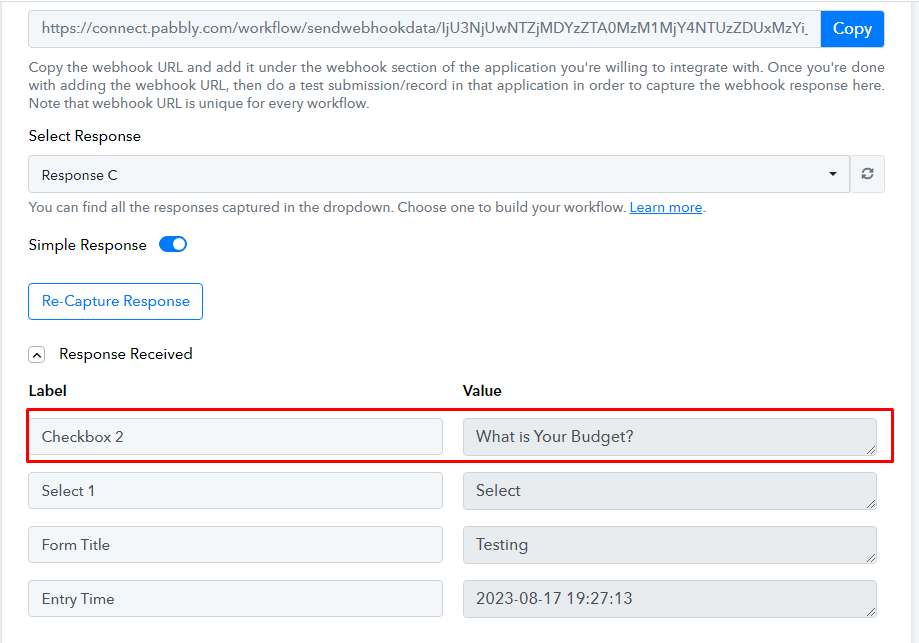
Kindly first capture the webhook response as the correct key value pair from the application you are getting the data from since you are getting the label in the value field. So in that way, the filter step of the Router wouldn't get set.
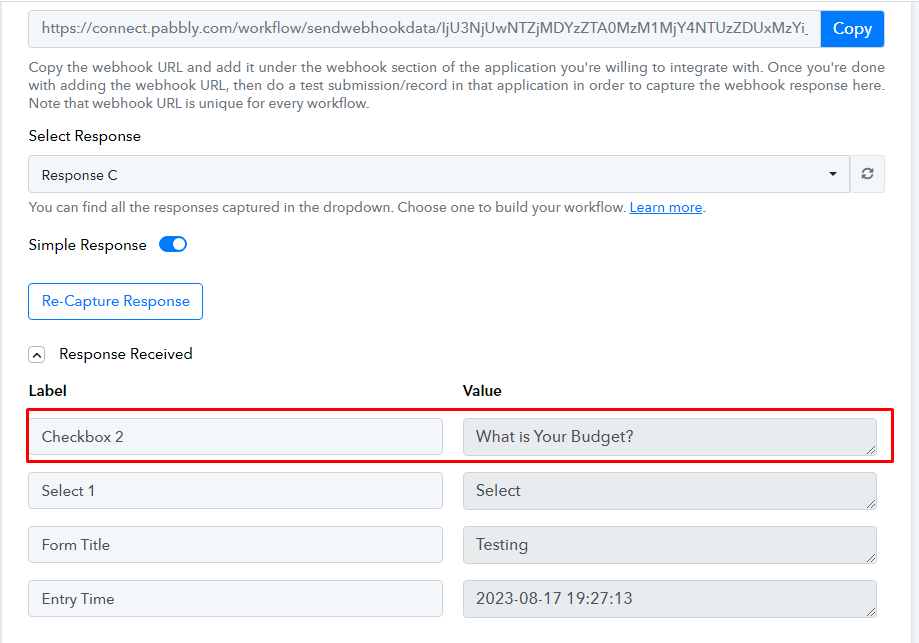
How to capture the webhook response as the correct key value pair, there is no option in form setting also. Form Name is "Forminator". Can you help me on annydesk or otherwise guide me proper please
Attachments
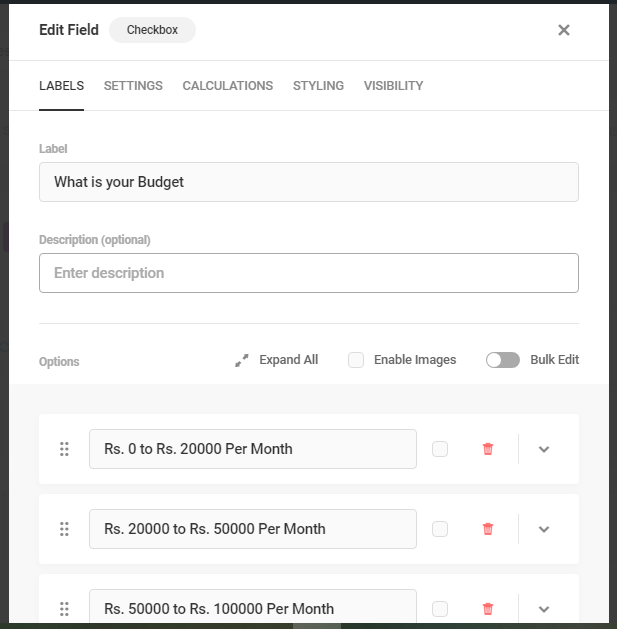
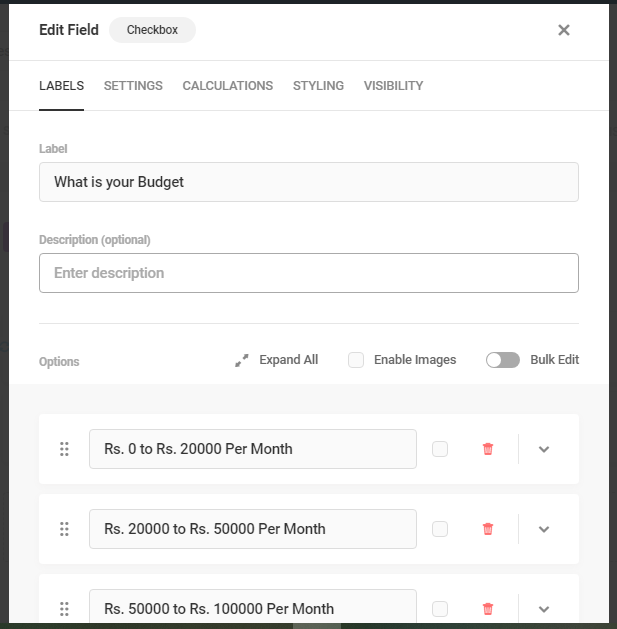
Kindly capture the given questions' option as mentioned in the screenshot in the trigger response from the application you are getting the data.
If you are still facing trouble with that, we recommend you contact the application support team to capture the response from their platform.
Hi, Can I bump the original post, as it appears to have been hijacked by another user.
We still do not have a response to the OP
Thanks
Hey @GSG
Our team is currently looking into your concern, so please allow some time
We still do not have a response to the OP
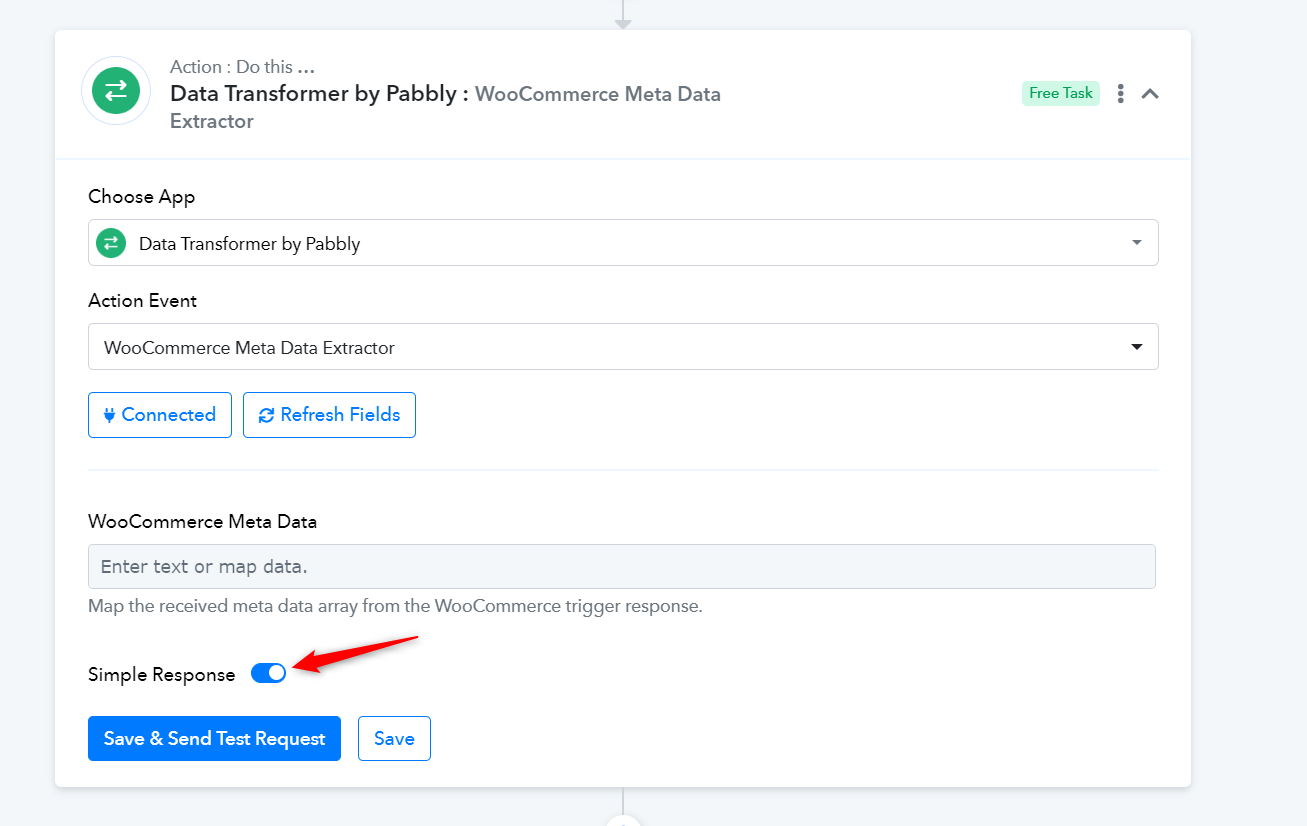
Can you please tell me while using the workflow are toggling the Simple Response button on and off? As we can see from your multiple history logs that was getting toggled multiple times. However, the Filter action step was performing the filtration accordingly only the WooCommerce Meta Data Extractor.
Hi @Supreme, I am not quite sure what you are asking here?
The filter steps are filtered by data contained in Step 6 (i.e. the Woocommerce Meta Data Extractor).
We have not been toggling the Simple Response Button on and off in step 6 - as far as I am aware it has always been set to "simple response".
Kindly tell us whether you were toggling the "Simple Response" button often in your workflow for this action step.
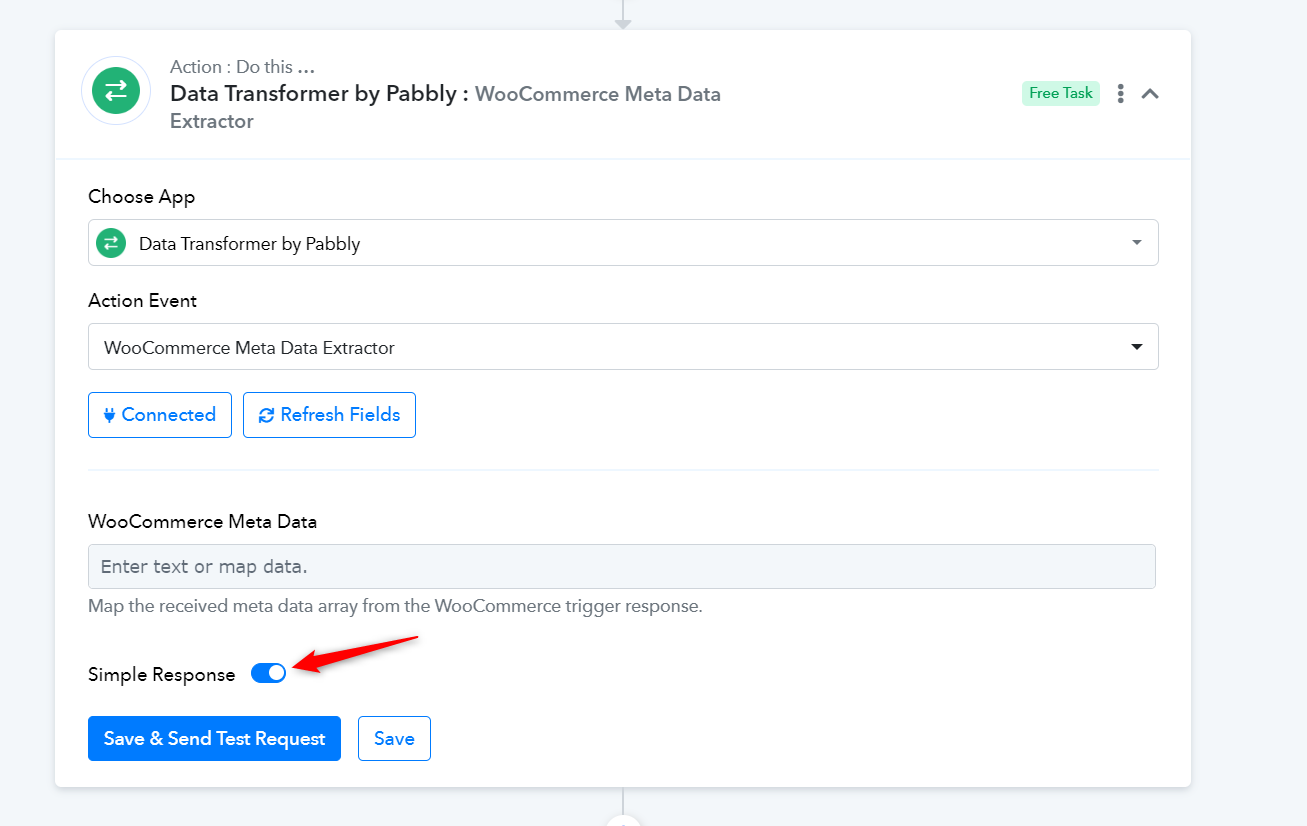
As far as I am aware, this was never toggled on and off. If the log records for this workflow show that it was being toggled regularly, then this was not caused by any actions we took when setting up this workflow and we suspect is some sort of corruption?
Thanks
Ok thanks for the news, will update the team.
Hi
I have just noticed that there has not been an update on this and went to review the workflow again and your replies on this support thread.
In your message on Thursday, you asked if I have been toggling 'simple response' on and off in the Data Transformer by Pabbly step. We replied that we had not been toggling this. However, we have again reviewed the steps in this workflow, and there isn't even a Data Transformer Step in this workflow, so we are wondering if you are reviewing the correct workflow for the errors with the router steps?
Hey @GSG
Lately, we eliminated the action step involving JSON Extractor from the workflow. However, we are presently exploring alternative solutions for this matter.
It might require additional time before we find a suitable resolution.
Ok, thank you for the update. I will also look into alternative ways to action this workflow. There are a number of variables that need to be extracted which adds complexity, but do keep me updated if you find a solution! Thank you very much for your ongoing support
We will let you know with an update soon!
Hi Just bumping this original message to see if there is an update on the router failure?
Thanks
Hey @GSG
Apologies for the delay our team is currently in the process of investigating the root cause of the failure through extensive testing. This may require additional time to ensure a thorough examination.
Hey @GSG
Can you please try your workflow once by giving a new test submission?