Router is not working
Status: Closed · Asked by Shashank Patekar on · 0 views
Workflow name : Classplus Merchant Dashboard
Check these Screenshots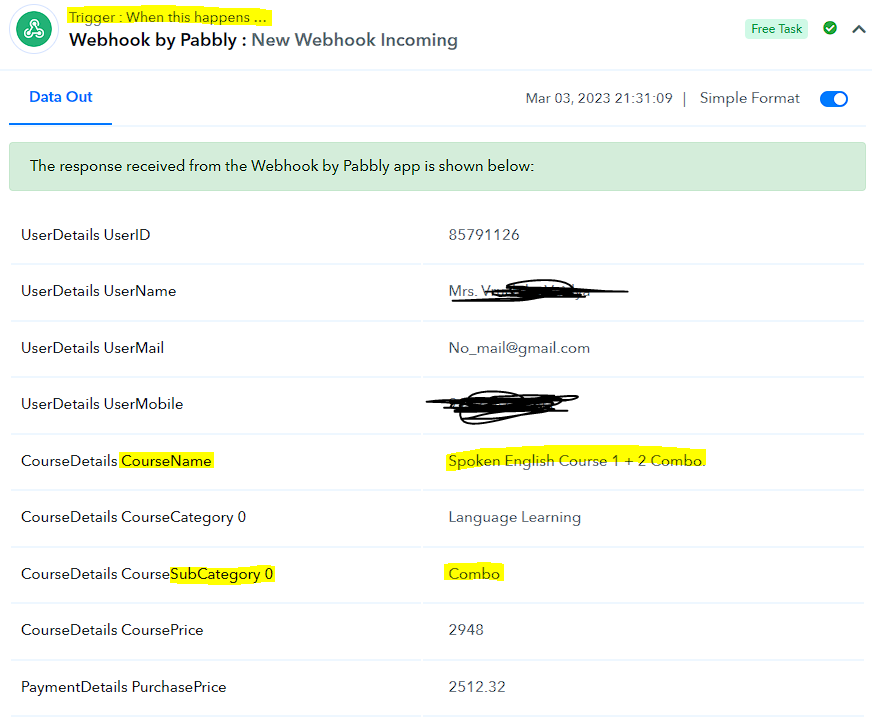
My Settings
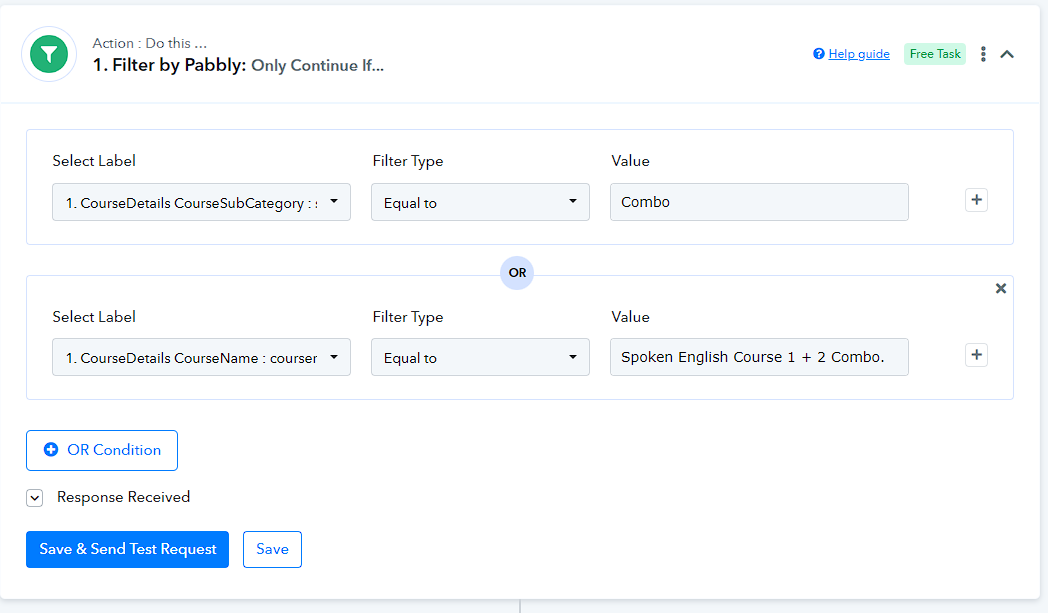
And the result :(
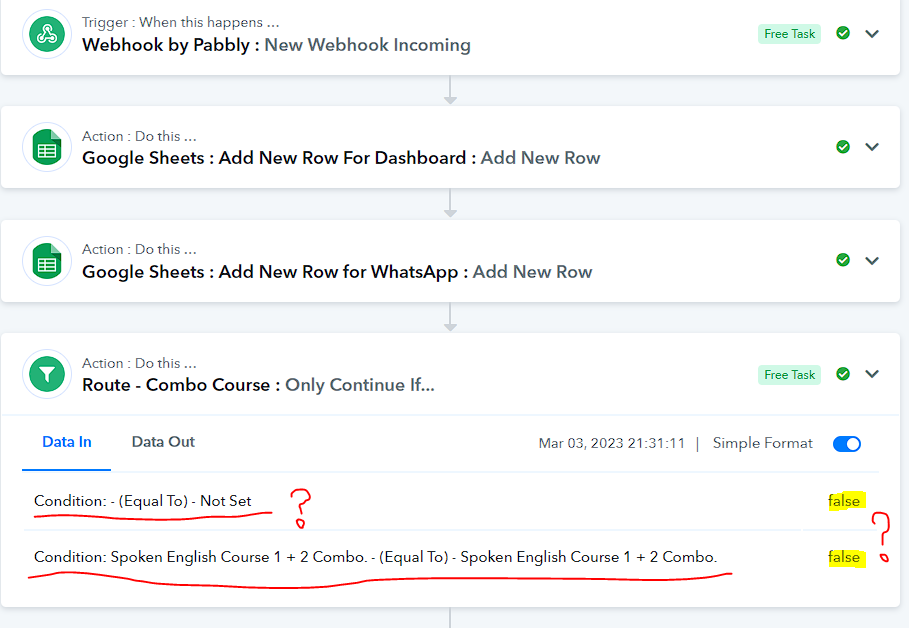
I have Checked everything 4 5 times. Still no luck. Anyone Solved this problem before?
thanks.
Hey @shash.acestudios
As we can inspect from your incoming Course name it actually contains some extra spaces in it and because of that the issue is coming in checking the filter condition in your workflow.
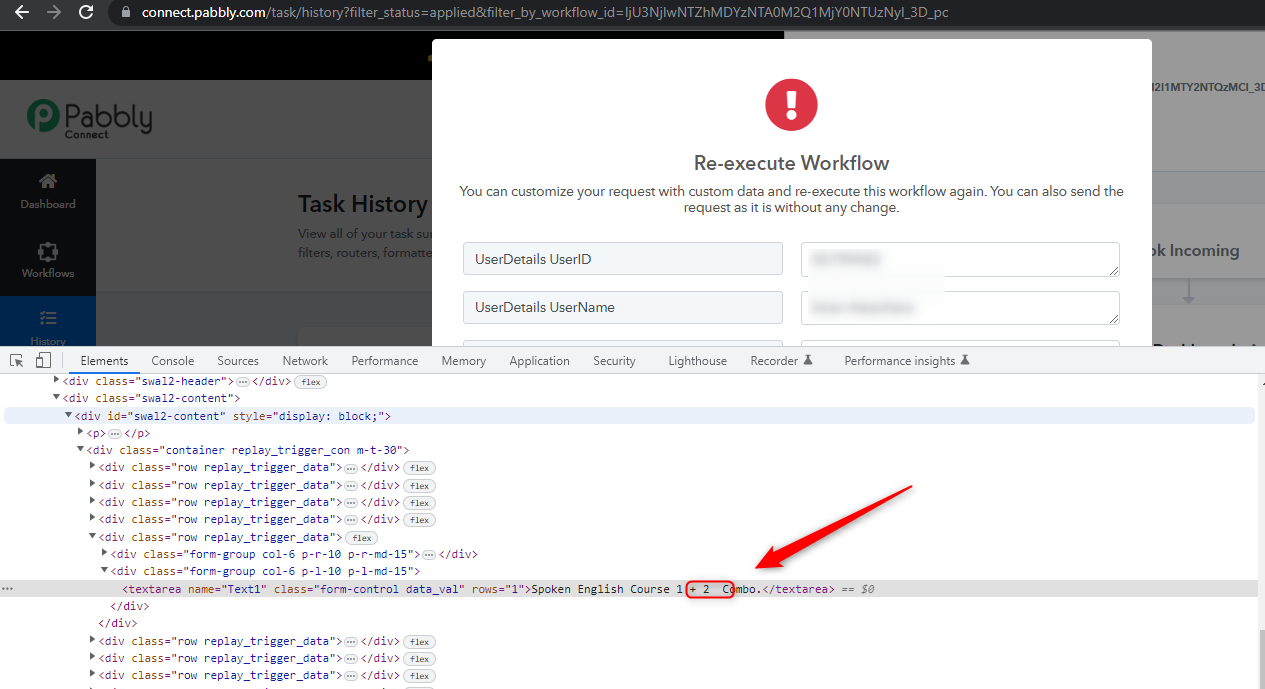
Ok. I thought that before only. But didn't know what is exact mismatching condition. That's why I tried to make New condition with Subcategory. But the error says "Not Set"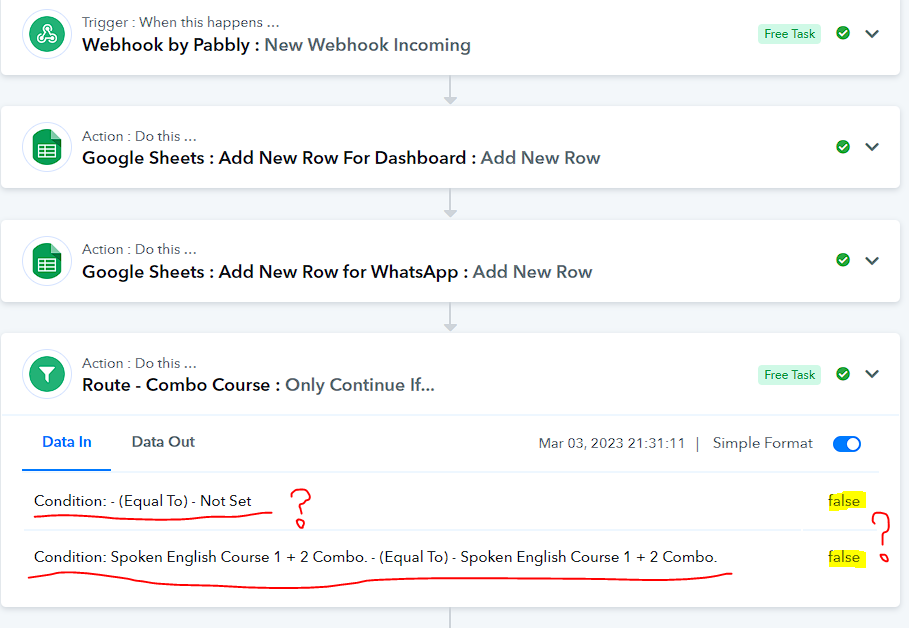 .
.
Also should I try Putting one more space between 2 and C ?
I tried Its not taking Any extra Spaces.
Also should I try Putting one more space between 2 and C ?
Please check carefully the label which you have mapped didn't come from a trigger response in automation.
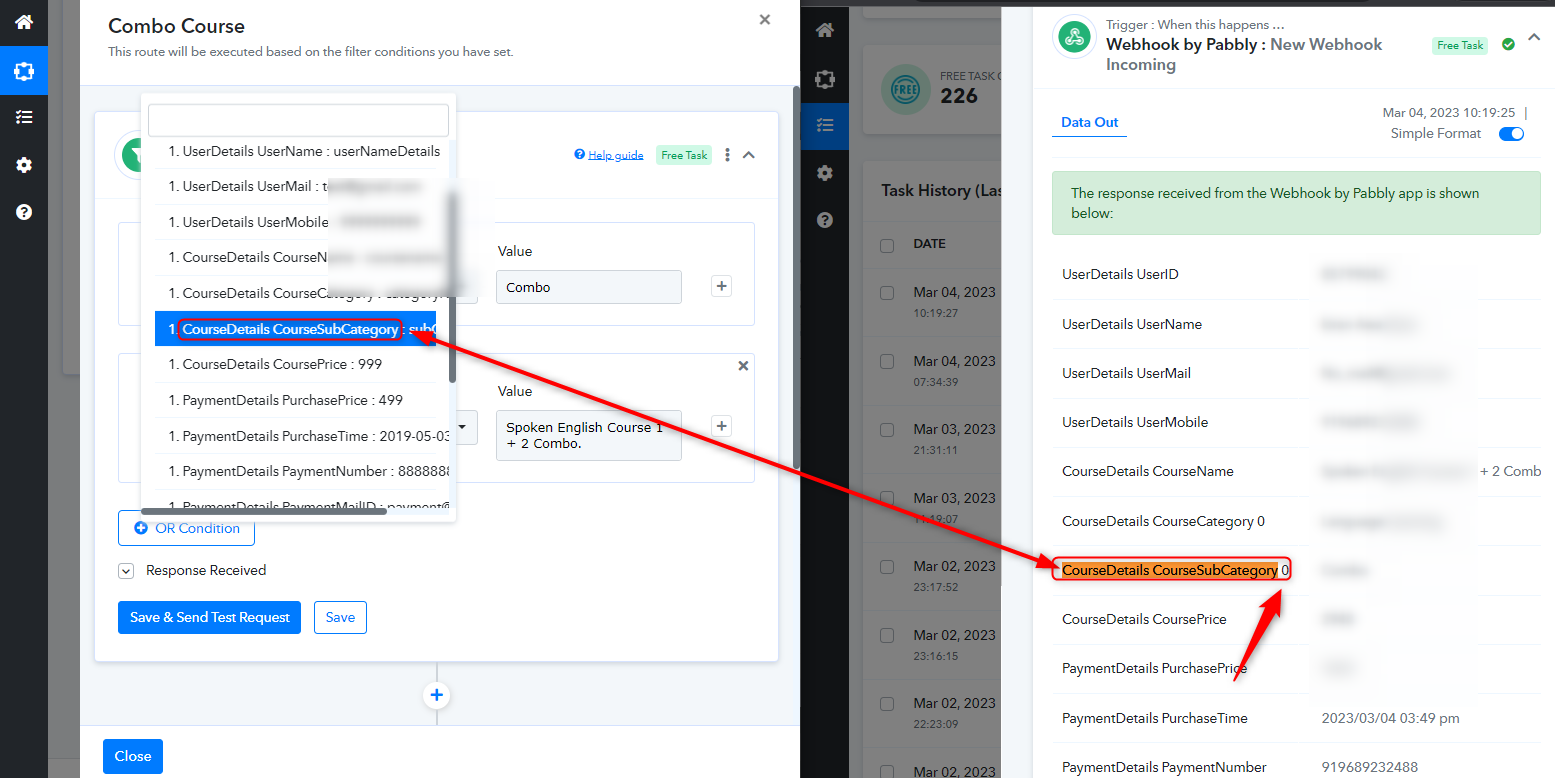
I really Don't know where that 0 is coming from. Just like you I can see the same list where that last 0 is not present.
also the error should come as "False" and not "not set" right?
also the error should come as "False" and not "not set" right?
Please check the label which you have selected and the data label coming from your triggering application is different because of that the filter condition didn't meet its requirement.