Router Step Help WP & Learndash Integration
Status: Closed · Asked by Jeff on · 0 views
I am trying to build an automation that will create a Wordpress user with a special custom role and enroll the customer in some Learndash courses. The purchase goes through in Thrivecart but the user was not added and therefore no one is enrolled in the courses. Previously when I wasn't using the router, the user was created with the custom fields but now it has stopped working since I implemented the router. I am using the router because I have two products and the workflow will have to change a bit based on which product is purchased. Please help me figure out why the router related steps are not working. I have included the url to the workflow below.
Hey @Jeff
We looked into your workflow and it seems like you haven't corrected the credentials of as we mentioned before. And that's why your users were not created in WordPress.
Although we have corrected the credentials ( Base URL ) and now it is working properly. Now please try again by mapping the values as per your concern -
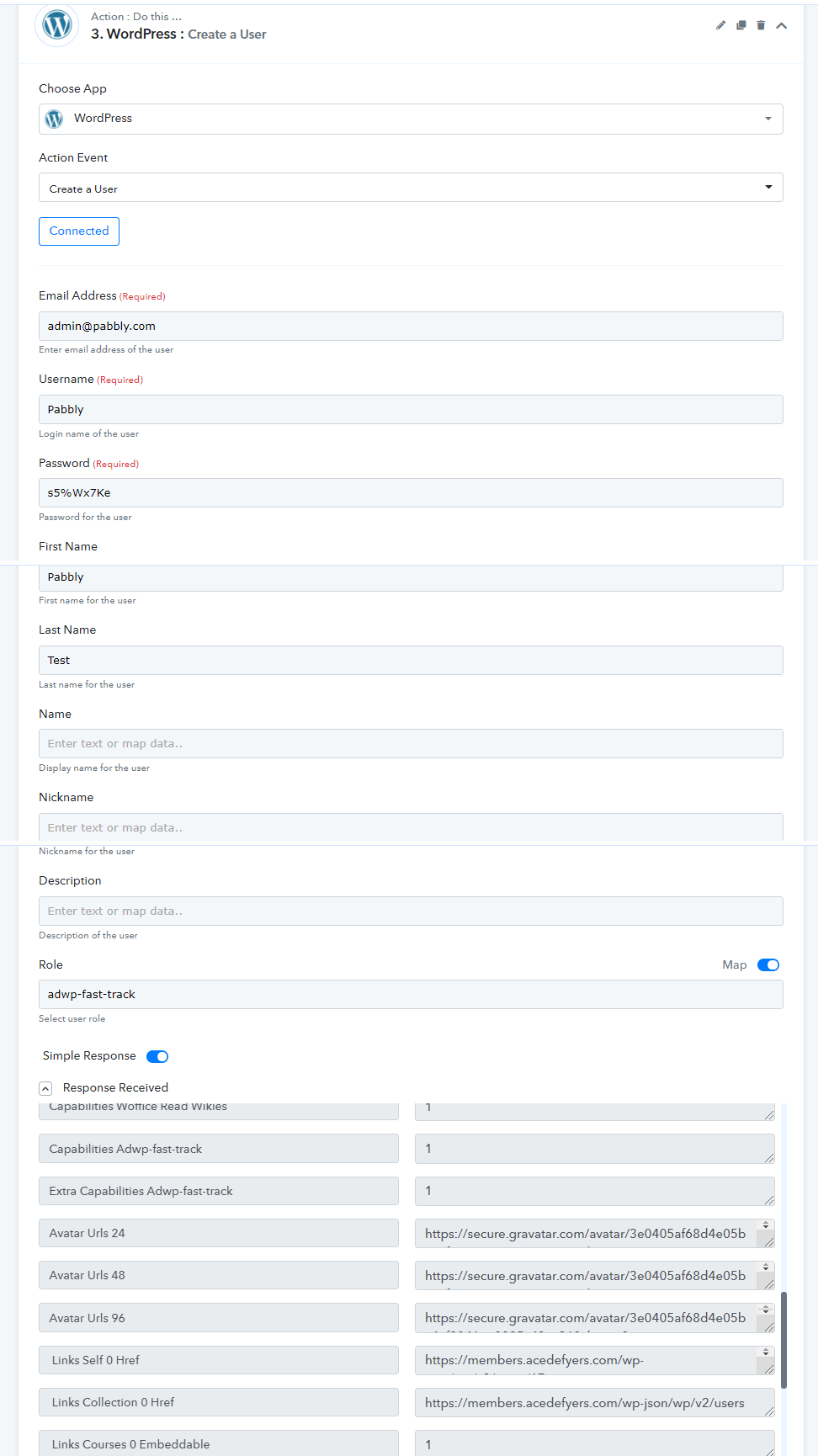
Moreover, we have corrected Learndash's Action steps in your router module. And it also seems like you haven't captured the webhook response of ThriveCart Trigger. Kindly capture it again and remap the values in the WordPress Action Step.
Hey @JeffWe looked into your workflow and it seems like you haven't corrected the credentials of as we mentioned before. And that's why your users were not created in WordPress.
Although we have corrected the credentials ( Base URL ) and now it is working properly. Now please try again by mapping the values as per your concern -
Moreover, we have corrected Learndash's Action steps in your router module. And it also seems like you haven't captured the webhook response of ThriveCart Trigger. Kindly capture it again and remap the values in the WordPress Action Step.
I noticed you added the Search WP User action for the Learndash module before the courses are added. I checked the other side of the router. After testing it, I see that is works without this step (Search WP User). Is this needed (and if so, why) when the courses can be added without this step?
Hey @Jeff
No, you don't need to use Search WP user, it was just to test the WP in your workflow you can remove it as per your concern.
@Pabbly Team, does the Register New User action use the standard Wordpress user_register hook? I'm wondering if I could use the Register New User actions instead of the Create User action but it has to use the standard Wordpress user_register hook to work with my password policy plugin. Please let me know. Any thoughts @Supreme Verma
Hey @JeffNo, you don't need to use Search WP user, it was just to test the WP in your workflow you can remove it as per your concern.
Thank you very much @Supreme Verma. Everything is working well. I just had to apply the nuances you taught me and remap the fields. I've tested it and it all works great.
Hey @Jeff
does the Register New User action use the standard Wordpress user_register hook?
Yes, WordPress uses the standard user_regisser hook.
I'm wondering if I could use the Register New User actions instead of the Create User action
We crossed checked the possibility of this but unfortunately, we couldn't find any API for registering a new user in the WordPress documentation.
Further, as per WordPress API docs, there is only Create User API which uses the rest_insert_user hook.
For reference please check the API documentation here - https://developer.wordpress.org/reference/hooks/rest_insert_user/