RSS trigger not polling automatically — empty Task History despite active workflow
Status: Open · Asked by Mike Horth on · 0 views
Hello Mike,
Thank you for sharing the details.
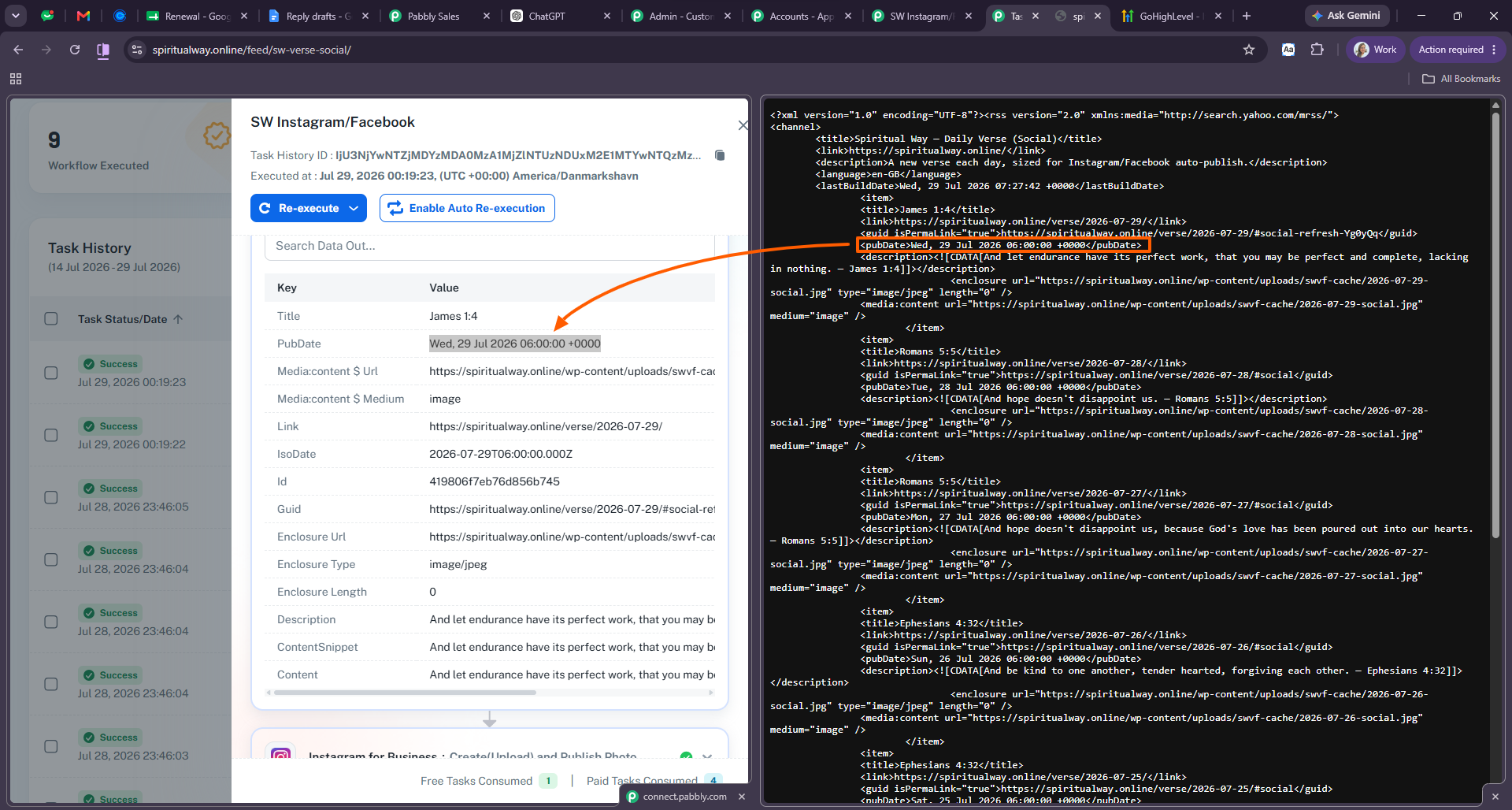
We have checked your workflow and reviewed the RSS feed URL from our end. We can confirm that the latest item published in the feed has already been captured successfully in the task history.
Please refer to the attached screenshot for a better understanding.
Based on our review, the workflow and RSS trigger appear to be working correctly. However, if you are still facing any issues with the trigger execution or notice any new items not being captured, please feel free to share the details with us, and we'll be happy to investigate further.
Preeti Paryani
Customer Success Associate,
Pabbly.com
| |||
|
The response from the remote server was: 550 Mailbox does not exist. |
Just following up regarding this.
As mentioned earlier, we checked your workflow and the RSS feed from our end, and we can confirm that the latest item in the feed was successfully captured in your Task History. Based on our investigation, the workflow and RSS trigger appear to be working as expected.
If you notice any new RSS items not being captured or continue to experience issues, please let us know, and we'll be happy to investigate further.
Thanks & Regards,Arshil Ahmad
🌐 Pabbly.com
Just following up regarding this.
As mentioned earlier, we checked your workflow and the RSS feed from our end, and we can confirm that the latest item in the feed was successfully captured in your Task History. Based on our investigation, the workflow and RSS trigger appear to be working as expected.
If you notice any new RSS items not being captured or continue to experience issues, please let us know, and we'll be happy to investigate further.
Thanks & Regards,Arshil Ahmad
🌐 Pabbly.com
Just following up one last time regarding this.
Since we haven't heard back from you, we'll be closing this support ticket for now. If you still need any assistance, simply send an email to support@pabbly.com, and our team will be happy to help.
Thanks & Regards,Arshil Ahmad
🌐 Pabbly.com